
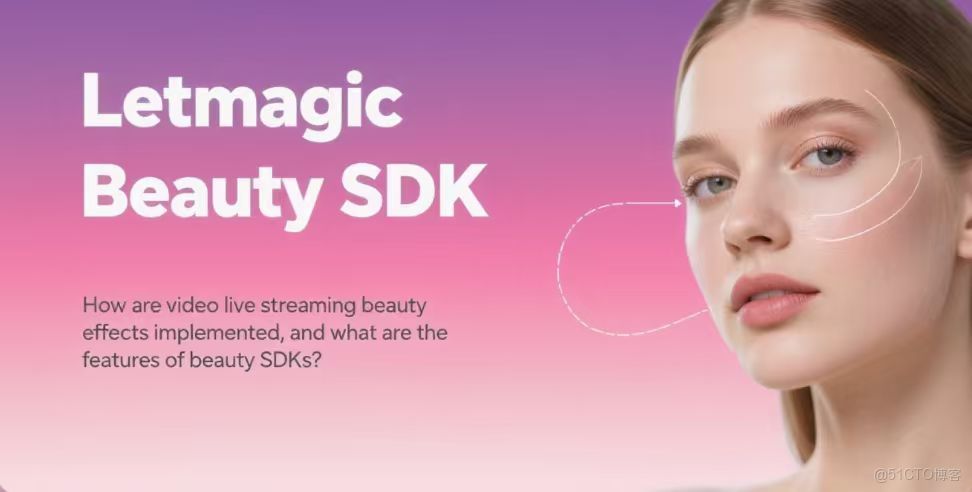
In today's digital age, beauty functions have become essential elements of many applications, especially in video dating, live streaming, and photo - taking apps. Among them, the image filter function is very popular among users, which can make ordinary photos instantly full of artistic sense and personality. If you are starting to develop related applications and expect to integrate this function, obtaining the image filter API of the beauty SDK is a key step. Here is a detailed introduction for you.
- Choose a Suitable Beauty SDK
There are many providers of beauty SDKs in the market, and their product characteristics are different. You need to consider from multiple dimensions, such as function richness, performance, compatibility, and cost. For example, some SDKs not only include conventional functions such as skin whitening, skin polishing, and face thinning, but also have various styles of filters, such as retro style, Japanese fresh style, and European and American fashion style, which can meet the aesthetic needs of different users. In terms of performance, pay attention to the speed and image quality of the SDK when processing images to avoid long processing time or serious damage to image quality. In terms of compatibility, it is necessary to ensure that it can adapt to the operating systems that your application is oriented to, such as iOS and Android, as well as different device models. Cost is also an important factor. Some SDKs are charged by the amount of use, while others charge a fixed authorization fee. You need to choose according to your own budget and application scale.
- Apply for an API Key
Most beauty SDKs require developers to apply for an API key before use. This is a key measure to ensure the security of API use and prevent unauthorized calls. First, you need to register a developer account on the official website of the SDK provider and fill in true and valid personal or enterprise information as required. After successful registration, log in to the account and enter the developer console, and submit an API key application according to the platform guidelines. In the process, you may need to explain the application purpose, expected usage, and other information so that the provider can evaluate and generate an exclusive key for you.
- Download the SDK File
After obtaining the API key, you can download the SDK file package from the official website of the SDK provider. The file formats of different providers may vary. Common ones for the Android platform are.aar files, and for the iOS platform, they are.framework library files and resource packages. When downloading, pay attention to checking the SDK version and applicable platform to ensure that it is consistent with your project requirements. If the downloaded SDK version is too old, there may be functional deficiencies or compatibility problems; if it does not match the project platform, it cannot be integrated for use at all.
- Import the SDK File into the Project
4.1 Android Platform
- Copy the downloaded.aar file to the libs directory of the project. This step is like putting tools into the corresponding toolbox for easy use later.
- Add dependencies in the build.gradle file of the project. In the dependencies closure, add the statement implementation files ('libs/[specific aar file name]') to inform the project to use the SDK library. This operation is like telling the construction team that this tool will be used in the subsequent construction, so that the project can be prepared.
4.2 iOS Platform
- Drag the downloaded.framework library files and resource packages into the Xcode project navigator. When operating, pay attention to checking the "Copy items if needed" option to ensure that the files are correctly copied to the project directory, just like moving tools completely into the work site.
- In the "Build Phases" of the project settings, add the.framework library file to the "Link Binary With Libraries" list. This step is to enable the project to correctly link to the SDK library during construction, so that the tool can establish an effective connection with the project.
- Initialize the SDK
After importing the SDK file, it is necessary to initialize it when the application starts. This step is like the preparation work before starting a complex machine to ensure that all components can run normally. The initialization process usually needs to pass in the API key or developer account information to verify the developer's identity and ensure the smooth subsequent calls of the SDK. The initialization methods of different SDKs are different. Take the common beauty SDK as an example. On the Android platform, it may be necessary to call the initialization method of the SDK in the onCreate method of the Application class, such as BeautySDK.init (context, "your_app_id", "your_secret_key"), where "your_app_id" and "your_secret_key" need to be replaced with the real information obtained. On the iOS platform, a similar initialization operation may be performed in the didFinishLaunchingWithOptions method of the AppDelegate class.
- Call the Image Filter API
Everything is ready, and you can call the API in the business logic where you need to add filters to the image. Generally, the SDK will provide a simple and easy - to - use interface, which can be realized with a few lines of code. For example, through the statement beautyEngine.setFilter ("filter name"), you can apply the filter effect named "filter name" to the image. Some SDKs also support setting the filter strength, such as beautyEngine.setFilterStrength (0.5f), which can set the filter strength to 0.5 (the value range is usually 0 - 1, and the larger the value, the more obvious the filter effect), so as to meet the personalized needs of users for the degree of filter effect. In addition, some advanced SDKs also provide filter combination functions, allowing developers to let users apply multiple filters at the same time to create unique visual effects.
Obtaining the image filter API of the beauty SDK and integrating it into the project involves multiple steps. However, as long as you operate step by step and pay attention to the details of each link, you can successfully add a powerful and popular image filter function to the application, improve the user experience, and enhance the application's competitiveness.



