
目錄
第二篇完成度
Mock模擬數據
源碼:
折線圖
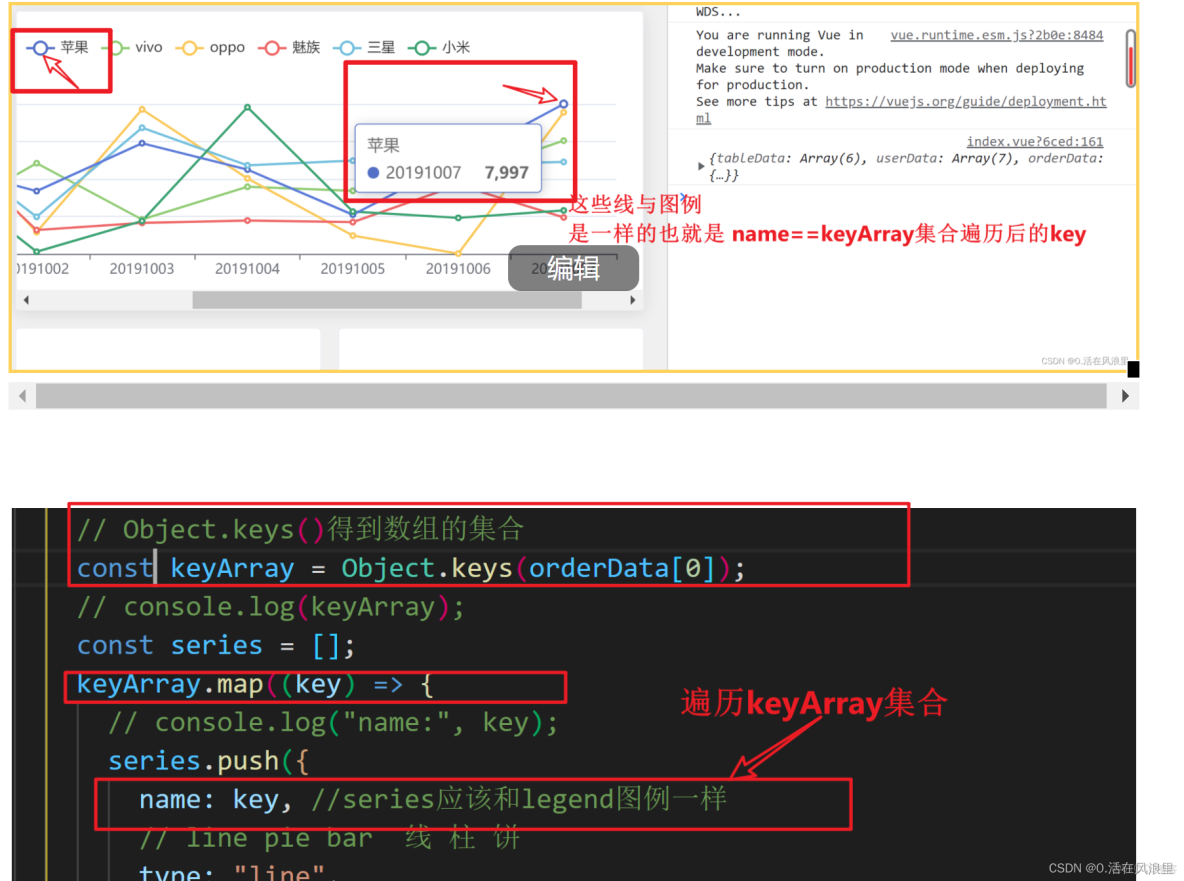
圖例
X軸
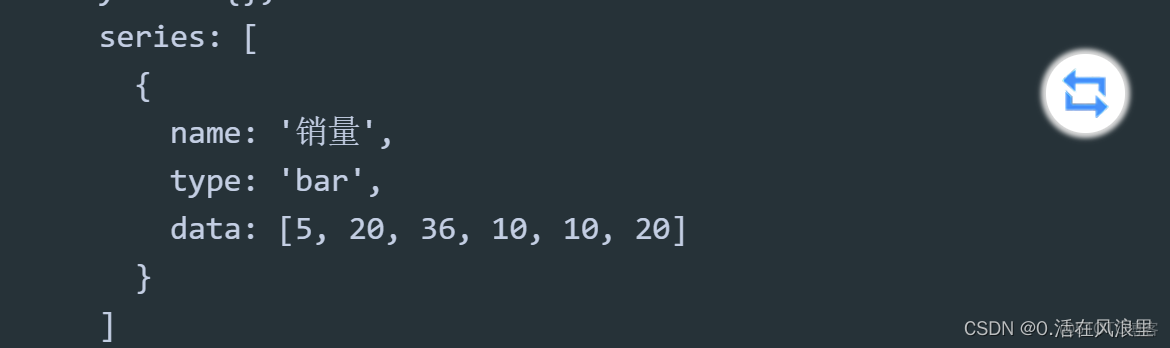
series配置數據
源碼
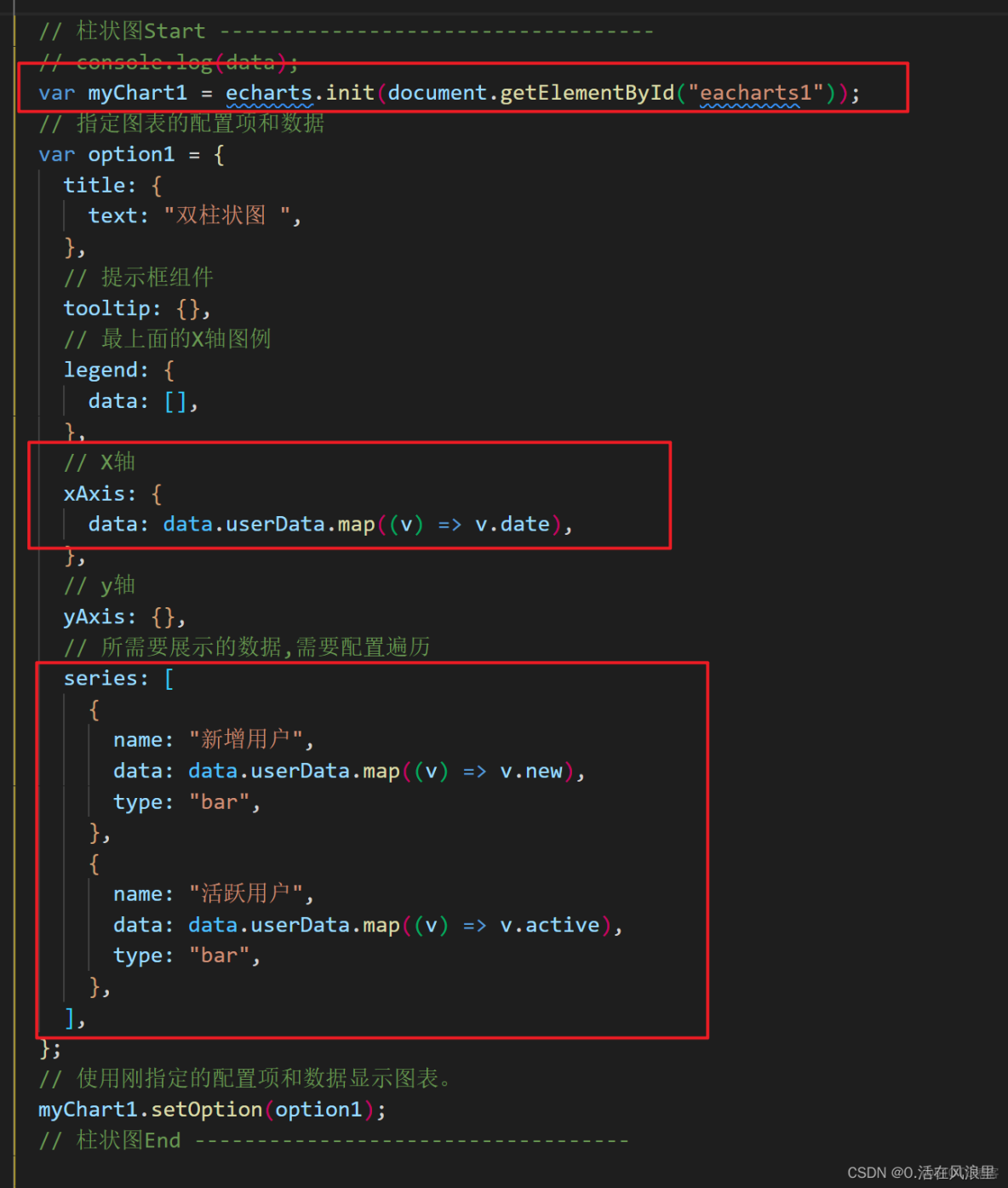
柱狀圖
template
js mounted
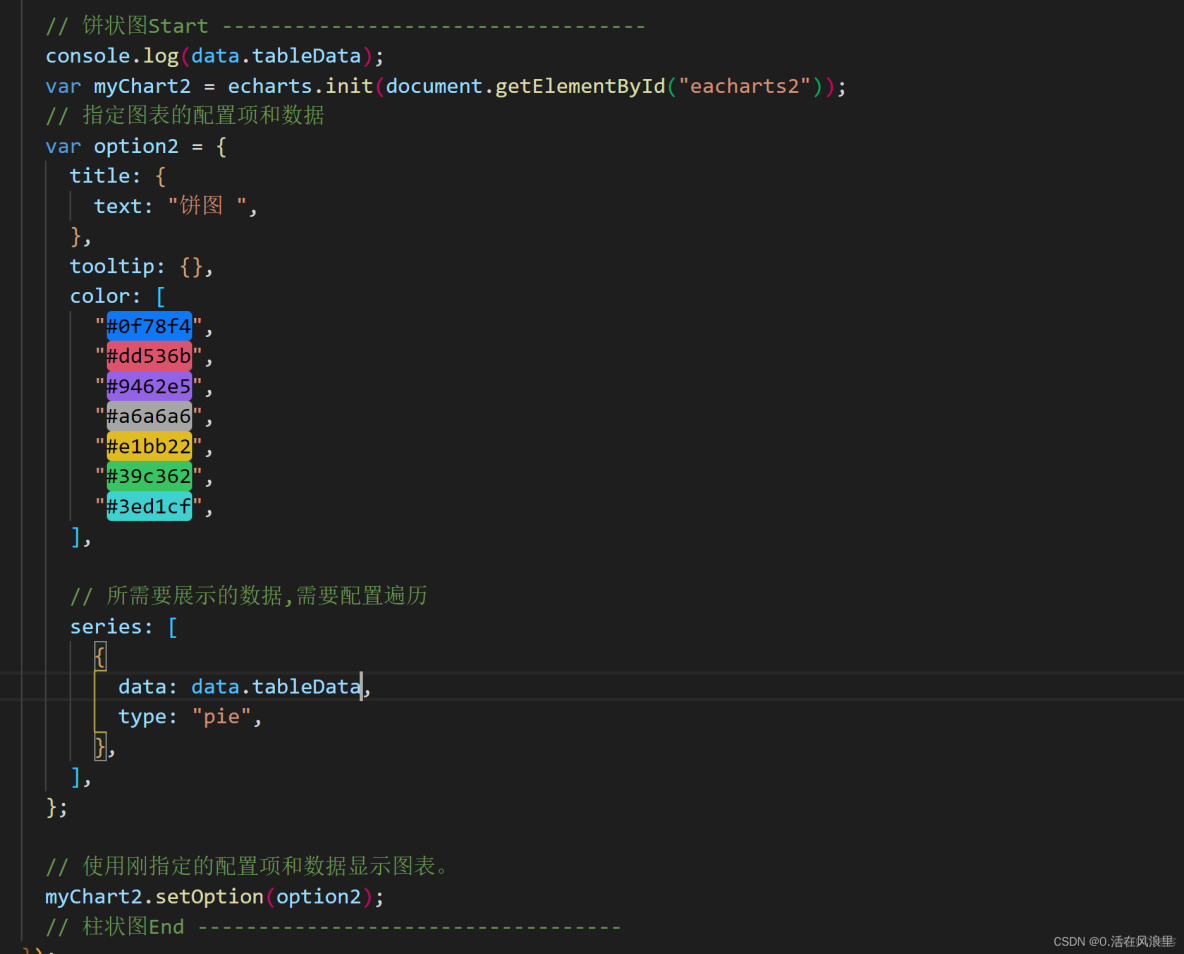
餅圖
template
js mounted
完整效果
第二篇完成度

- 接下來模擬數據寫圖表
- 使用 Mock可以模擬真實 API 返回,相對一大堆的官方解釋,大概率要馬冬梅,推薦一篇極簡mock使用教程,官方文檔自己百度下都有
- Mock的簡單使用點擊查看詳情
Mock模擬數據

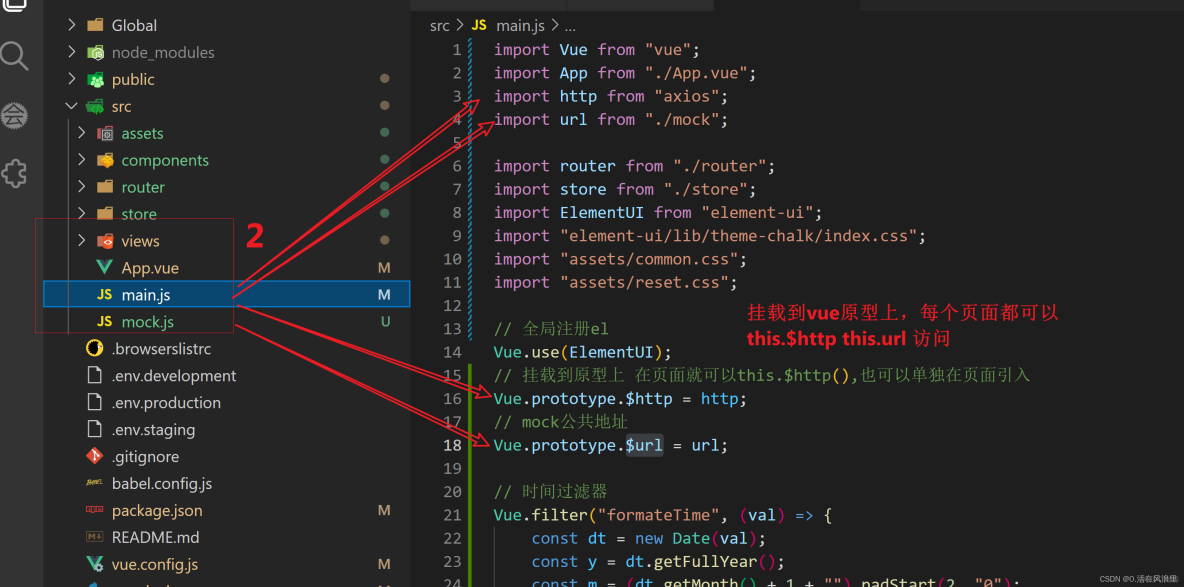

頁面響應的數據
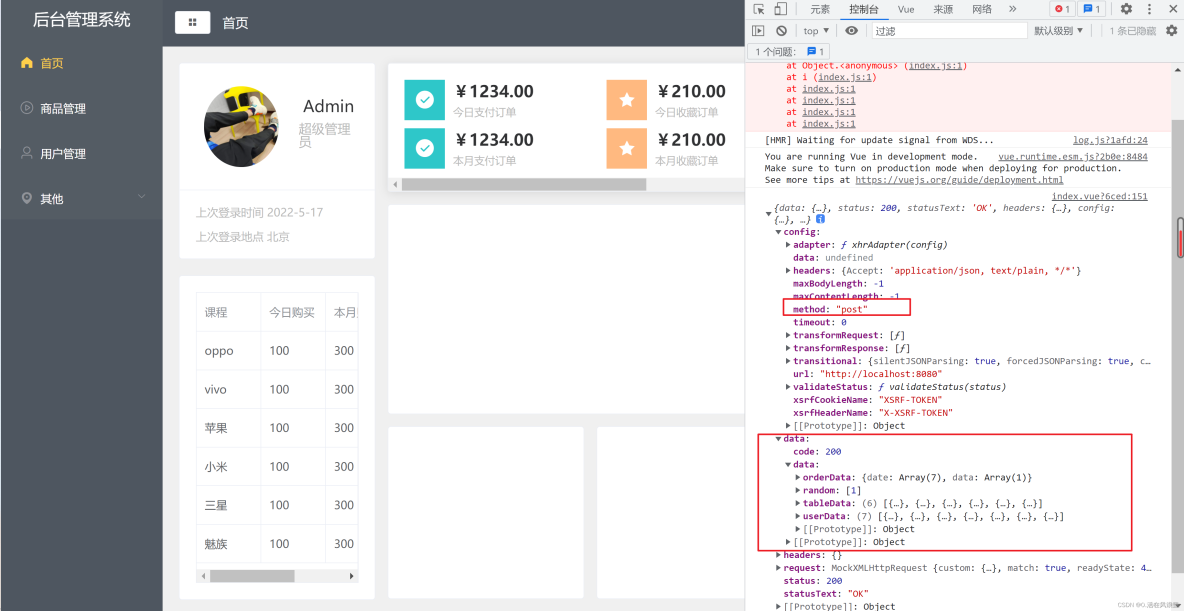
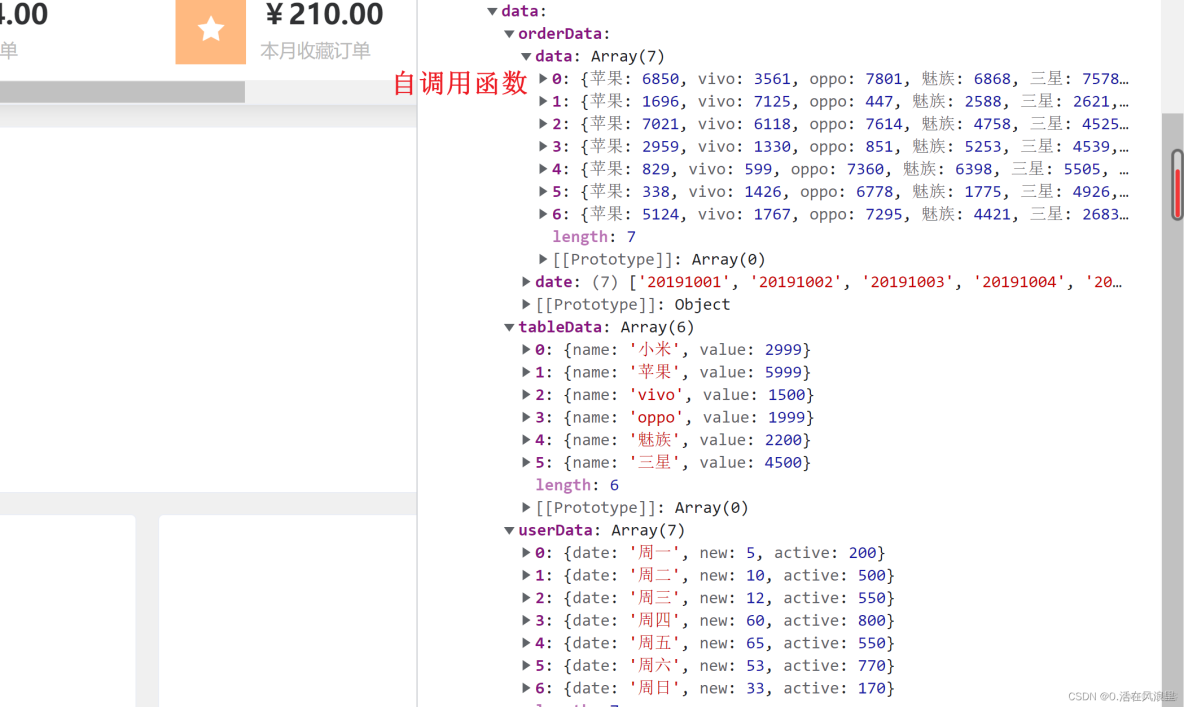
源碼:
位置:src/mock.js
import Mock from "mockjs";
let url = "http://localhost:8080";
let list = [];
// 自調用函數
(function() {
    for (let i = 0; i < 7; i++) {
        list.push({
            蘋果: Math.round(Math.random() * (10, 8000)),
            vivo: Math.round(Math.random() * (10, 8000)),
            oppo: Math.round(Math.random() * (10, 8000)),
            魅族: Math.round(Math.random() * (10, 8000)),
            三星: Math.round(Math.random() * (10, 8000)),
            小米: Math.round(Math.random() * (10, 8000))
        })

    }
}())
// 或 命名函數手動調用
// fn();

// function fn() {
//     for (let i = 0; i < 7; i++) {
//         list.push({
//             蘋果: Math.round(Math.random() * (10, 8000)),
//             vivo: Math.round(Math.random() * (10, 8000)),
//             oppo: Math.round(Math.random() * (10, 8000)),
//             魅族: Math.round(Math.random() * (10, 8000)),
//             三星: Math.round(Math.random() * (10, 8000)),
//             小米: Math.round(Math.random() * (10, 8000))
//         })

//     }
// }
Mock.mock(url, "post", {
    code: 200,
    data: {
        // 表格數據
        tableData: [{
                name: "oppo",
                todayBuy: 500,
                monthBuy: 3500,
                totalBuy: 22000,
            },
            {
                name: "vivo",
                todayBuy: 300,
                monthBuy: 2200,
                totalBuy: 24000,
            },
            {
                name: "蘋果",
                todayBuy: 800,
                monthBuy: 4500,
                totalBuy: 65000,
            },
            {
                name: "小米",
                todayBuy: 1200,
                monthBuy: 6500,
                totalBuy: 45000,
            },
            {
                name: "三星",
                todayBuy: 300,
                monthBuy: 2000,
                totalBuy: 34000,
            },
            {
                name: "魅族",
                todayBuy: 350,
                monthBuy: 3000,
                totalBuy: 22000,
            },
        ],

        // 餅圖
        tableData: [{
                name: "小米",
                value: 2999,
            },
            {
                name: "蘋果",
                value: 5999,
            },
            {
                name: "vivo",
                value: 1500,
            },
            {
                name: "oppo",
                value: 1999,
            },
            {
                name: "魅族",
                value: 2200,
            },
            {
                name: "三星",
                value: 4500,
            },
        ],
        // 柱狀圖
        userData: [{
                date: "週一",
                new: 5,
                active: 200,
            },
            {
                date: "週二",
                new: 10,
                active: 500,
            },
            {
                date: "週三",
                new: 12,
                active: 550,
            },
            {
                date: "週四",
                new: 60,
                active: 800,
            },
            {
                date: "週五",
                new: 65,
                active: 550,
            },
            {
                date: "週六",
                new: 53,
                active: 770,
            },
            {
                date: "週日",
                new: 33,
                active: 170,
            },
        ],
        // 折線圖
        orderData: {
            date: [
                "20191001",
                "20191002",
                "20191003",
                "20191004",
                "20191005",
                "20191006",
                "20191007",
            ],
            data: list,
        },
    },
});

export default url;
位置:src/main.js
import Vue from "vue";
import App from "./App.vue";
import http from "axios";
import url from "./mock";

import router from "./router";
import store from "./store";
import ElementUI from "element-ui";
import "element-ui/lib/theme-chalk/index.css";
import "assets/common.css";
import "assets/reset.css";

// 全局註冊el
Vue.use(ElementUI);
// 掛載到原型上 在頁面就可以this.$http(),也可以單獨在頁面引入
Vue.prototype.$http = http;
// mock公共地址
Vue.prototype.$url = url;

// 時間過濾器
Vue.filter("formateTime", (val) => {
    const dt = new Date(val);
    const y = dt.getFullYear();
    const m = (dt.getMonth() + 1 + "").padStart(2, "0");
    const d = (dt.getDate() + "").padStart(2, "0");
    const hh = (dt.getHours() + "").padStart(2, "0");
    const mm = (dt.getMinutes() + "").padStart(2, "0");
    const ss = (dt.getSeconds() + "").padStart(2, "0");
    // yyyy-mm-dd hh:mm:ss
    return `${y}-${m}-${d} ${hh}:${mm}:${ss}`;
});

//使用過濾器就會保留兩位小數 在頁面使用 {{price| formatePrice}}
Vue.filter("formatePrice", (val) => {
    //console.log(val) // 過濾的數據
    return val.toFixed(2);
});

new Vue({
    router,
    store,
    render: (h) => h(App),
}).$mount("#app");
折線圖
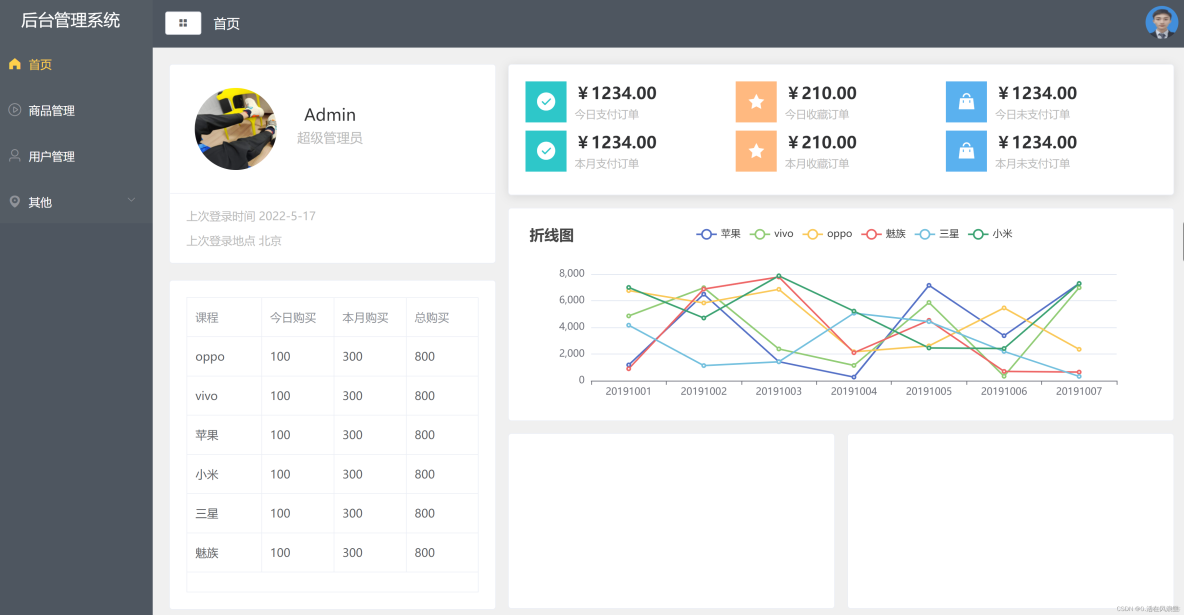
- echarts實例需要獲取dom,所以需要在mounted中初始化
圖例
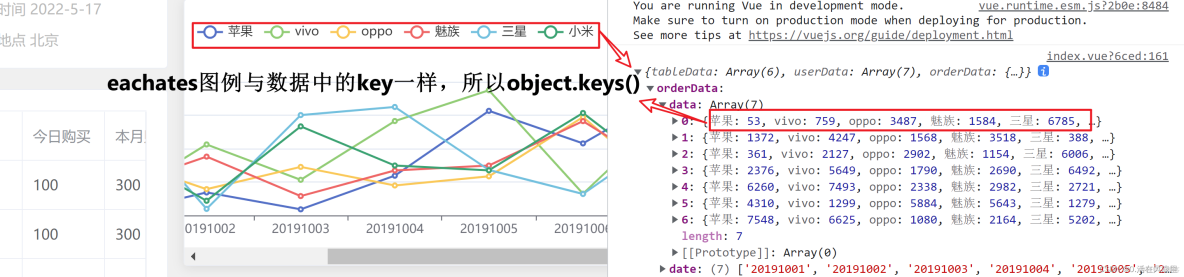
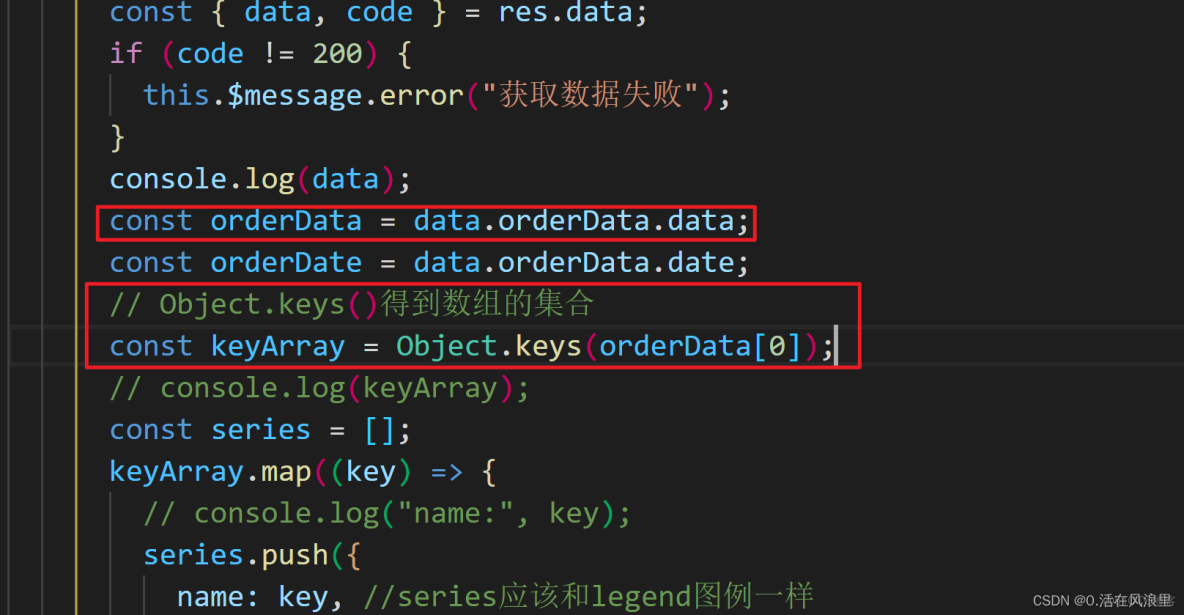
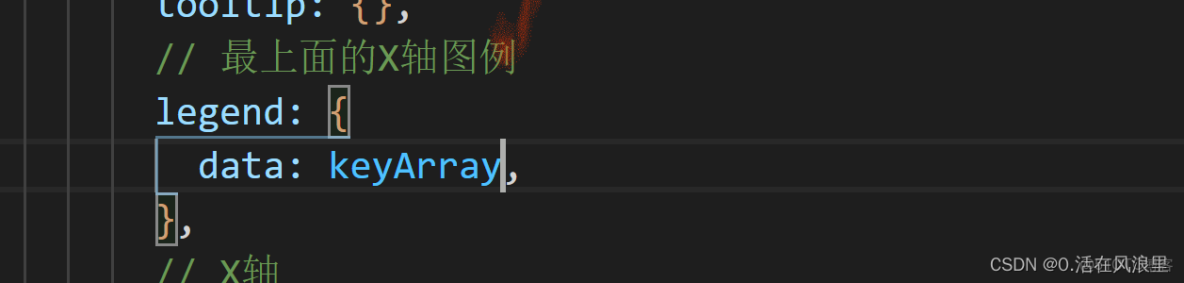
X軸
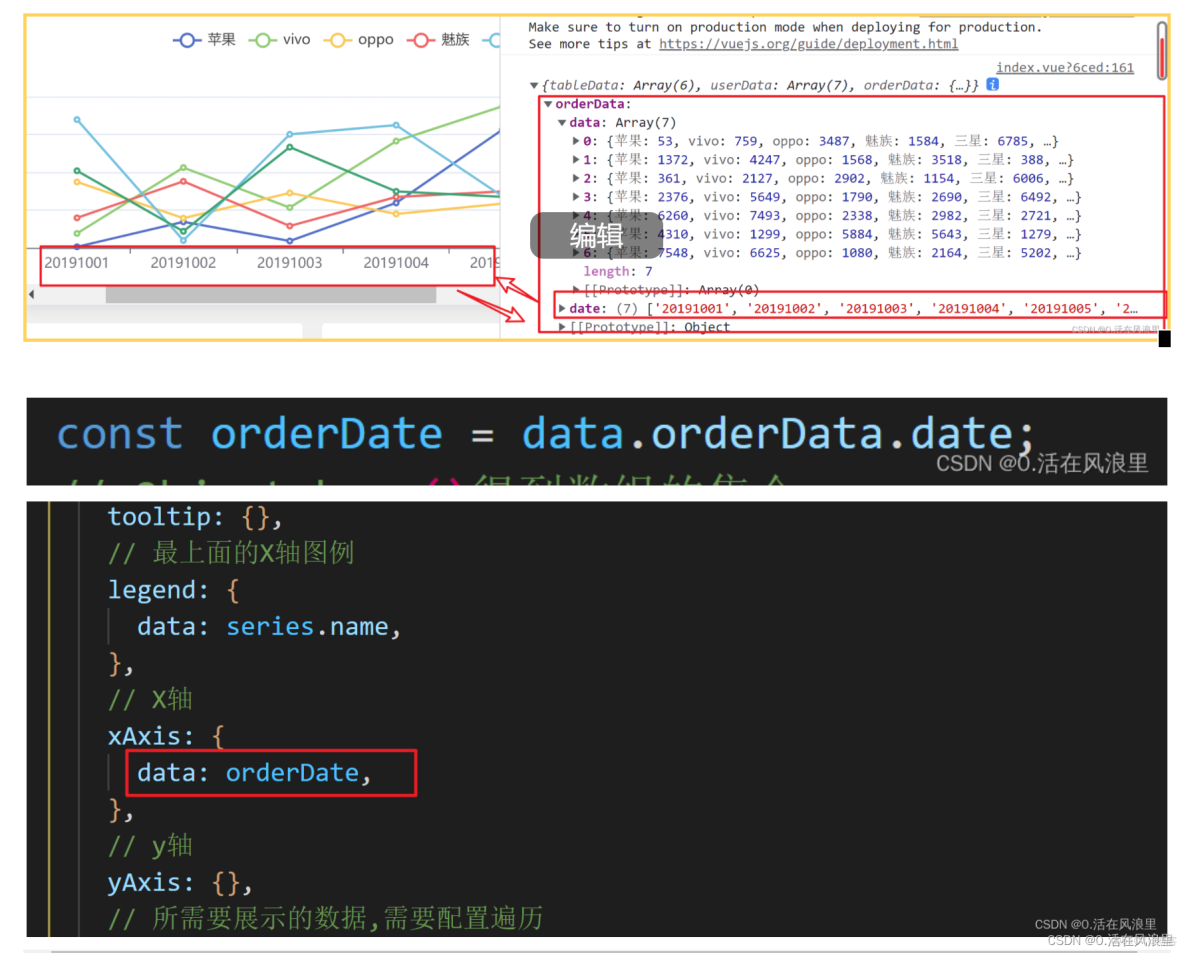
series配置數據
- name和data一樣都需要遍歷
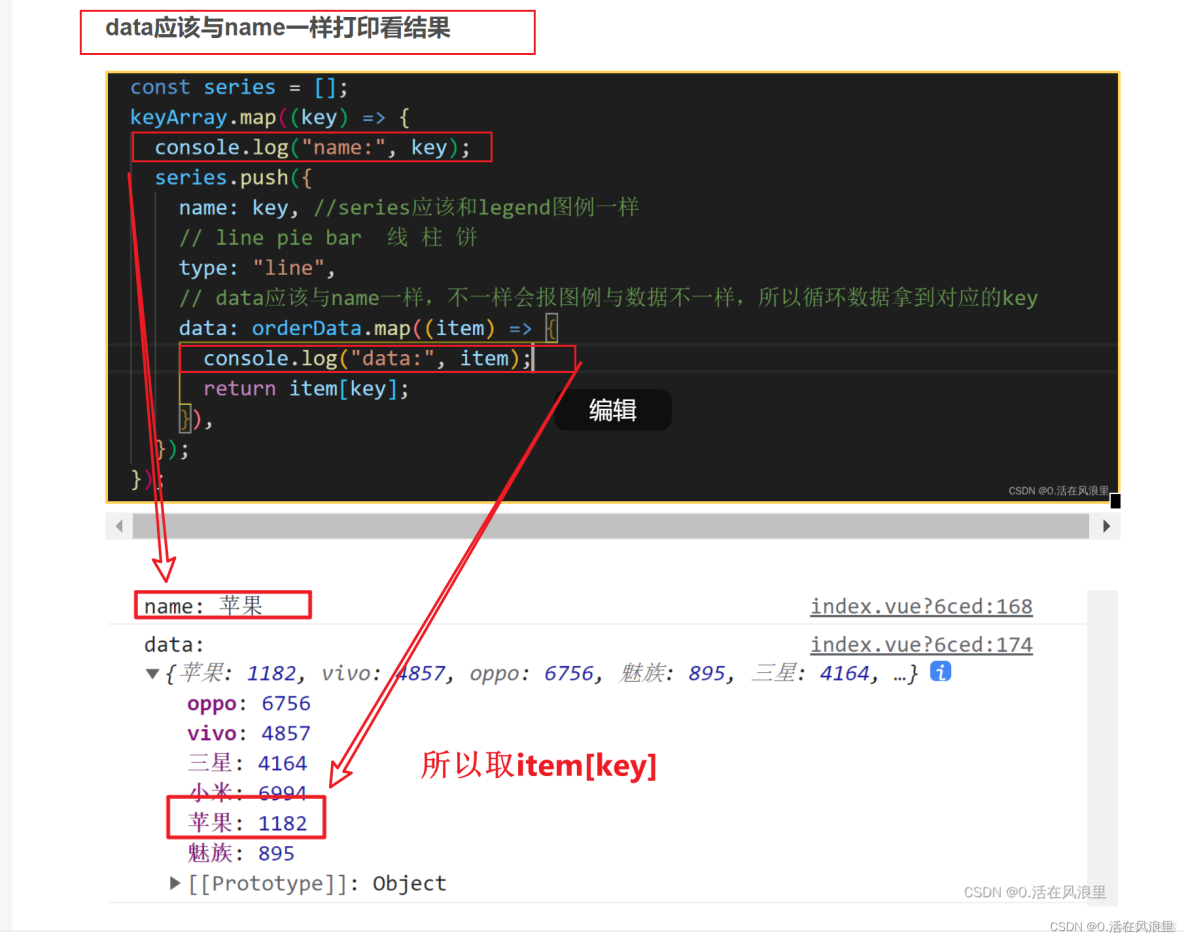
data=orderData.map(item=>item[key])
源碼
mounted() {
    //echarts實例需要獲取dom,所以需要在mounted中初始化
    this.$http.post(this.$url).then((res) => {
      // console.log(res);
      const { data, code } = res.data;
      if (code != 200) {
        this.$message.error("獲取數據失敗");
      }
      console.log(data);
      const orderData = data.orderData.data;
      const orderDate = data.orderData.date;
      // Object.keys()得到數組的集合
      const keyArray = Object.keys(orderData[0]);
      // console.log(keyArray);
      const series = [];
      keyArray.map((key) => {

        series.push({
          name: key, //series應該和legend圖例一樣
          // line pie bar  線 柱 餅
          type: "line",
          // data應該與name一樣,不一樣會報圖例與數據不一樣,所以循環數據拿到對應的key
          data: orderData.map((item) => {

            return item[key];
          }),
        });
      });

      var myChart = echarts.init(document.getElementById("eacharts"));
      // 指定圖表的配置項和數據
      var option = {
        title: {
          text: "折線圖 ",
        },
        // 提示框組件
        tooltip: {},
        // 最上面的X軸圖例
        legend: {
          data: series.name,
        },
        // X軸
        xAxis: {
          data: orderDate,
        },
        // y軸
        yAxis: {},
        // 所需要展示的數據,需要配置遍歷
        series: series,
      };

      // 使用剛指定的配置項和數據顯示圖表。
      myChart.setOption(option);
    });
  },
柱狀圖
template

js mounted
餅圖
- 毫無難度的餅圖
template

js mounted
完整效果
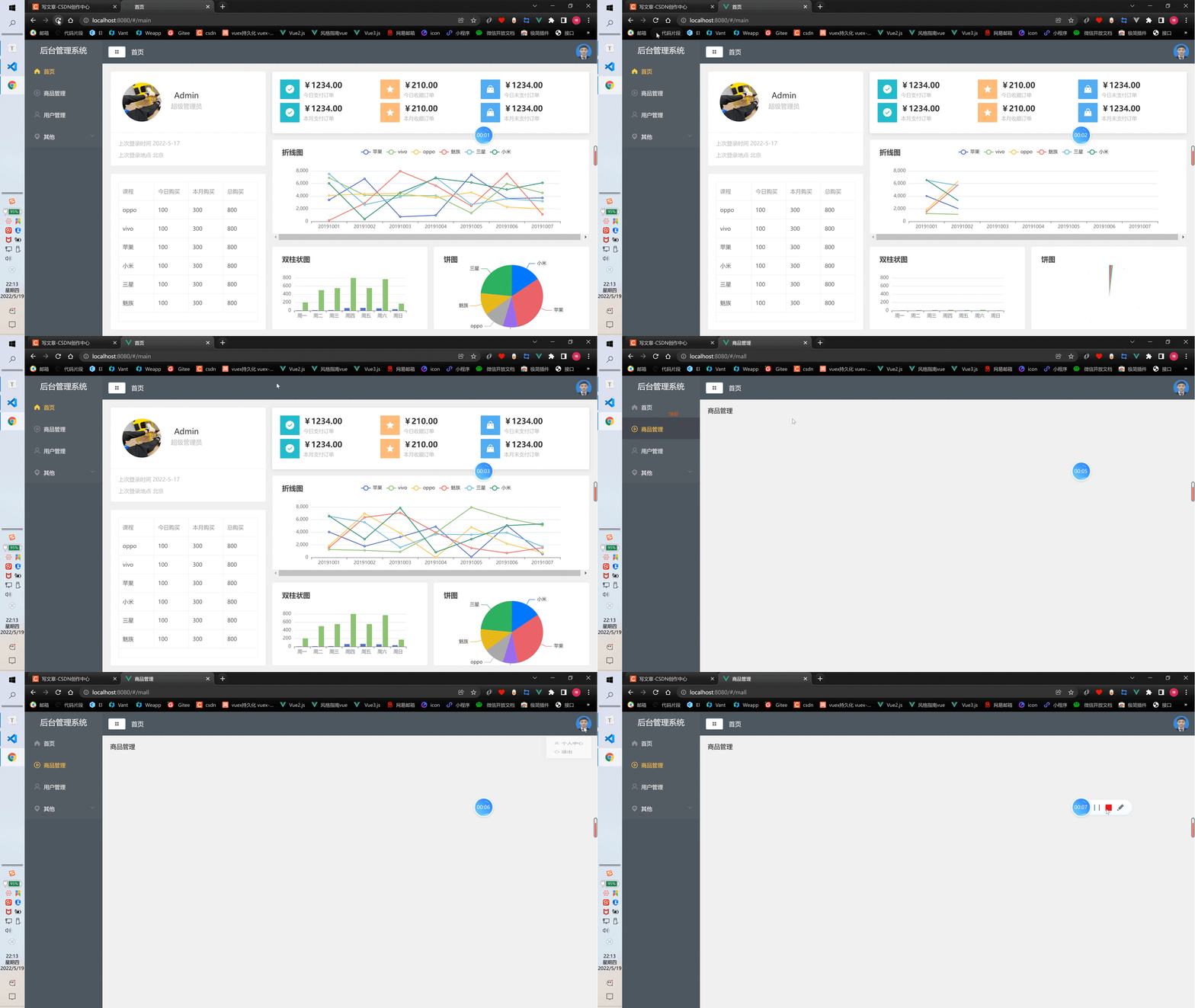
更新中...
2022/5/19 22:25
祝大家2022越來越強
本文章為轉載內容,我們尊重原作者對文章享有的著作權。如有內容錯誤或侵權問題,歡迎原作者聯繫我們進行內容更正或刪除文章。
