
前言
在開發過程中,總想着讓自己的app更有活力,生機,但往往實現這些“花裏胡哨”的功能需要進行不少的編碼工作,聰明的Google早就想到了這個問題,並內置了一些樣式屬性供開發者使用。
記錄在開發中使用到的系統自帶樣式:
目錄
- 圓形波紋ripple
- [ripple與shope混用]
- [ripple與shope混用且動態改變shope背景顏色]
圓形波紋
android:background="?selectableItemBackgroundBorderless"/>這應該是最常見的,在Button中,如果沒有設置background屬性,則點擊特效是方形的。
總感覺不是那麼美觀,而設置了selectableItemBackgroundBorderless 之後感覺就高尚大了許多。
並且,圓形波紋幾乎可以應用在一切可設置背景的視圖,簡直不要太方便。
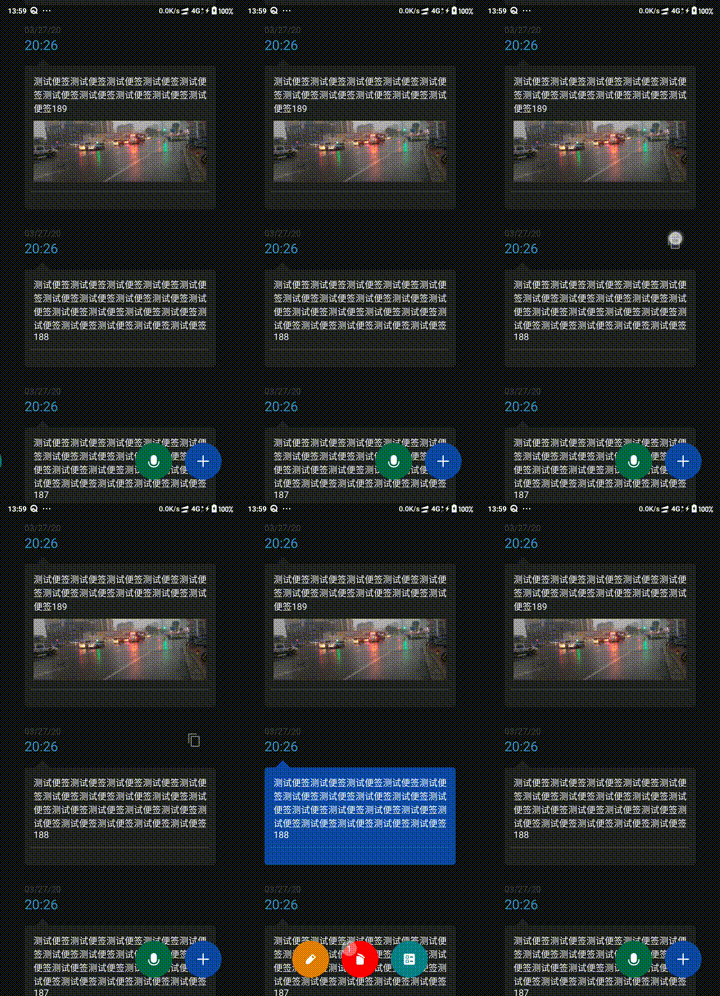
那如果我要自定義shaope樣式也有水波紋怎麼辦,簡單。
<?xml version="1.0" encoding="utf-8"?>

<ripple xmlns:android="http://schemas.android.com/apk/res/android"
    android:color="@color/gray">
  <item>
    <shape xmlns:android="http://schemas.android.com/apk/res/android"
    android:shape="rectangle">
    <!--rectangle矩形-->
    <!--圓角-->
    <corners android:radius="5dp" />
    <!--大小-->
    <size
        android:width="1dp"
        android:height="1dp"></size>
    <!--描邊-->
    <solid android:color="@color/item_bg"></solid>
   </shape>
</item>
</ripple>
也可使用 item 中 android:drawable 屬性引用shope(推薦,下面的問題用到)。
還有一個問題,如果我要改變ripple中shape的背景顏色怎麼辦?
???
查閲了文檔,又去網上搜索了相關教程之後解決了這個問題!
如果只是單純的shope動態改變顏色,可以直接 ((GradientDrawable)view.getBackground()).setColor(),但是設置 ripple 之後 view.getBackground() 返回的是 RippleDrawable 無法轉換,而RippleDrawable的setColor()方法是用來設置水波紋顏色的。
方法一:
//獲取帶引用的ripple背景shope(非水波紋)
Drawable drawable = context.getResources().getDrawable(R.drawable.shape_rand_no_ripple);
((GradientDrawable) drawable).setColor(backgroundColor); //改變shope背景顏色
RippleDrawable.setDrawable(index,drawable) //修改當前view RippleDrawable的遮罩層
//index 指的是ripple下item的第幾個(0開始)
方法二:
寫一個RippleDrawable創建方法,方法中動態修改背景,view再setBackground即可,和方法一殊途同歸。
public static RippleDrawable createRipple(Context context, int backgroundColor,int[] rippleColor) {
        int[][] stateList = new int[][]{
                new int[]{android.R.attr.state_pressed},
                new int[]{android.R.attr.state_focused},
                new int[]{android.R.attr.state_activated},
                new int[]{}};
        int normalColor = rippleColor[0];//正常色
        int pressedColor = rippleColor[1];//按下色
        int[] stateColorList = new int[]{
                pressedColor,
                pressedColor,
                pressedColor,
                normalColor
        };
        ColorStateList colorStateList = new ColorStateList(stateList, stateColorList);

//這裏的R.drawable.shape_rand_no_ripple是ripple引用的shope樣式,也可以寫成參數傳進來。

        Drawable drawable = context.getResources().getDrawable(R.drawable.shape_rand_no_ripple);
        ((GradientDrawable) drawable).setColor(backgroundColor);
        RippleDrawable rippleDrawable = new RippleDrawable(colorStateList, drawable, null);
        return rippleDrawable;
    }

//為了方便設置了默認的水波紋顏色

    public static RippleDrawable createRipple(Context context, int backgroundColor) {
        int[] rippleColor = new int[]{0,0x88808080};
        return createRipple(context,backgroundColor,rippleColor);
    }
然後再需要動態改變ripple背景的地方調用該方法就可以了。官方文檔:

方法三:
還有一種投機取巧的辦法,嵌套佈局,外佈局設置shope且動態改變顏色,嵌套的內佈局設置水波紋,兩不誤。
