SAP Cloud for Customer的很多標準功能都受scoping的控制,即項目實施時,Administrator可以選擇打開或者關閉該功能。
因為SAP C4C不再像過去ABAP On-Premises一樣,可以在SAPGUI 裏使用SPRO事物碼進行配置:
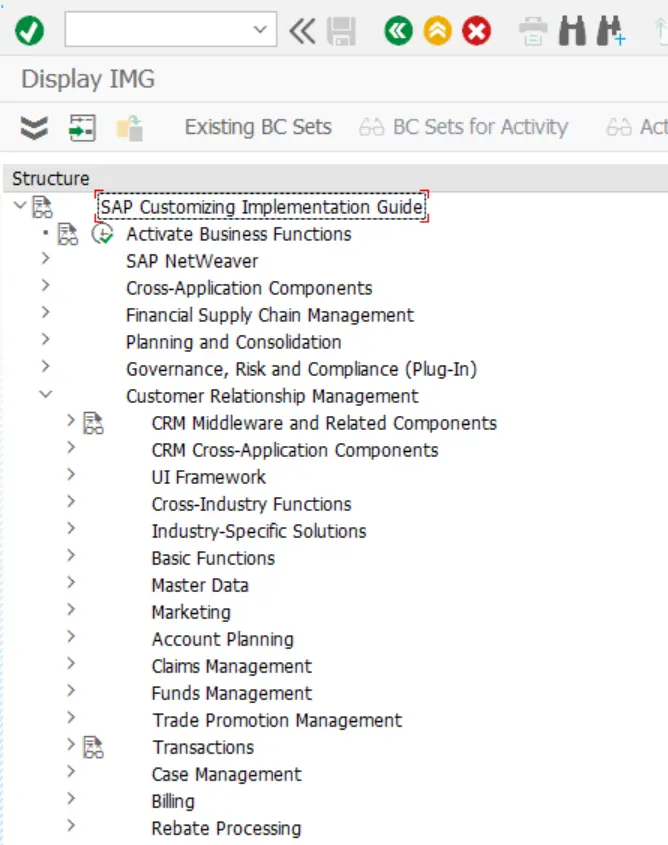
在Cloud世界裏,SAP C4C keyuser (或者Administrator) 在瀏覽器裏,通過Administrator 或者Business Configuration進行系統配置。
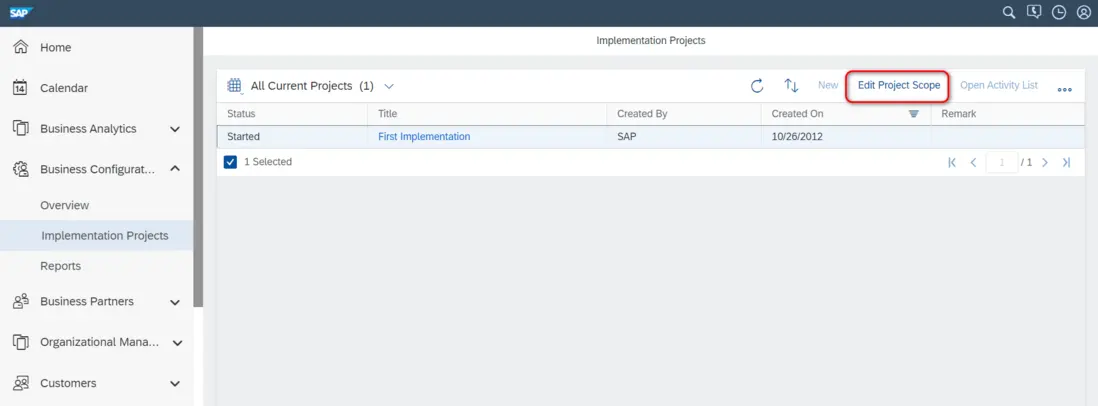
在Business Configuration 工作中心裏,點擊Edit Project Scope來修改scoping設置:
如果遇到下列錯誤消息: you are not authorized to access the solution profile. The solution profile does not match your user settings.
You cannot access this project with your user, please use a business user.
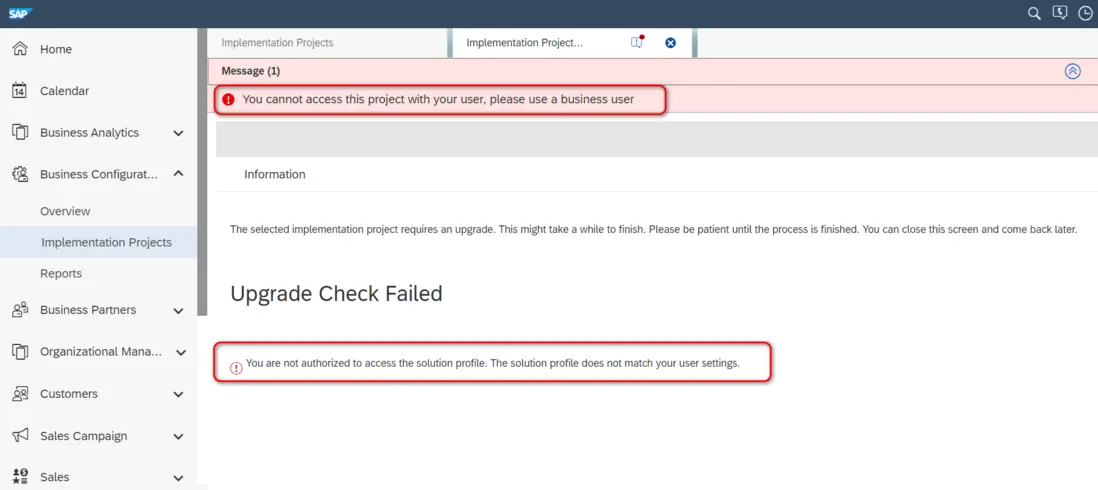
意思就是,當前用户分配了PDI Development的工作中心,因此不是一個business user.
換一個沒有分配PDI Development的business user,重新打開Business Configuration工作中心.
本文我們以如何打開SAP Cloud for Customer 的Route功能為例,介紹Business Configuration工作中心裏,如何修改項目的Scoping設置。
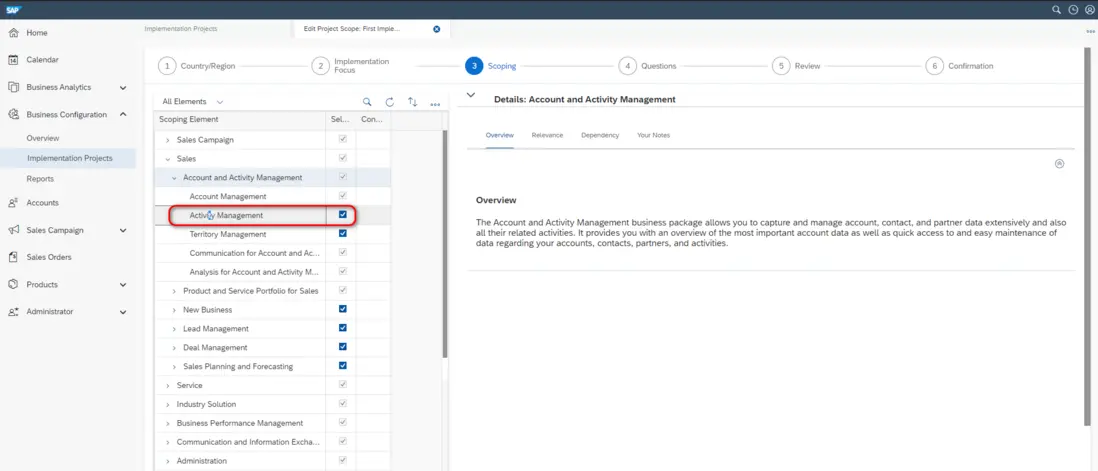
進入嚮導中的scoping步驟,展開sales節點:
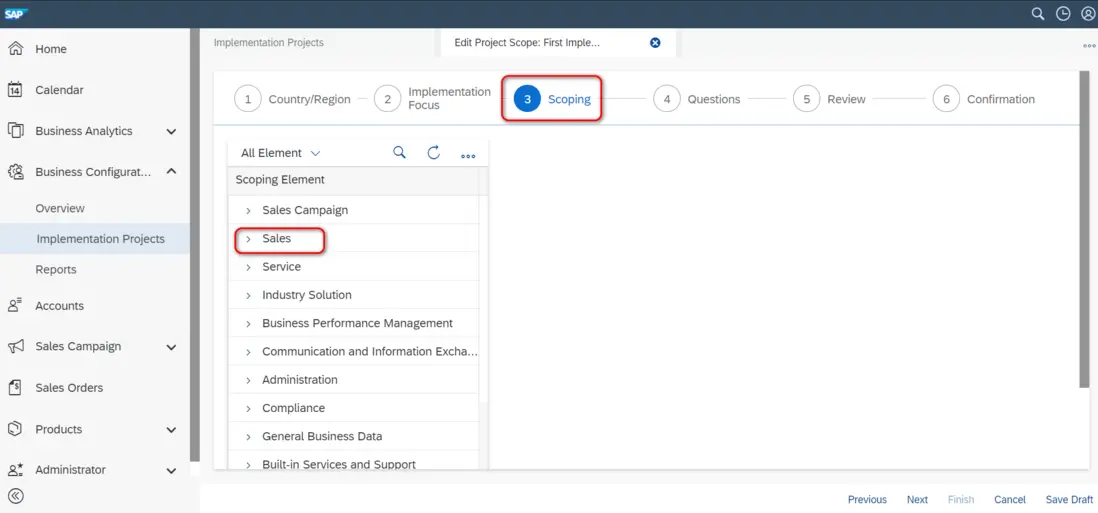
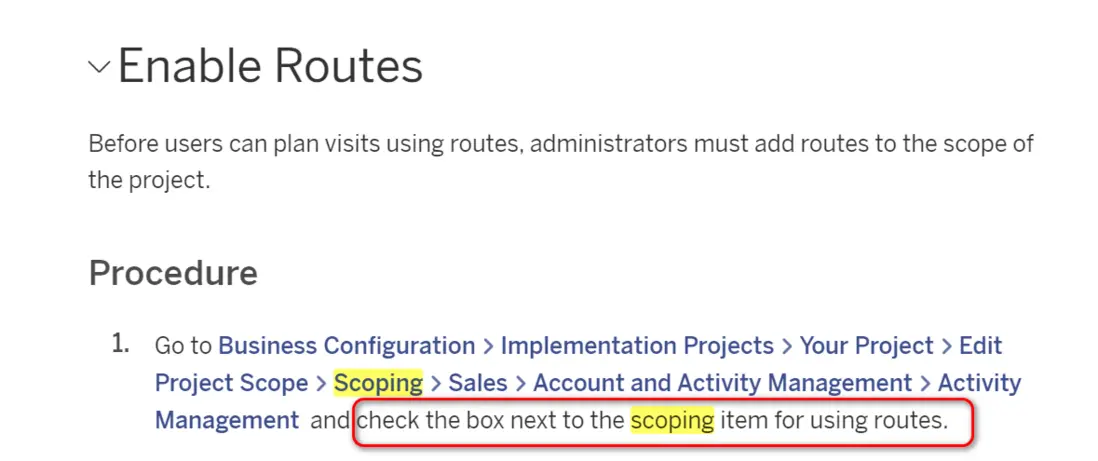
將Activity Management功能對應的Scoping item的checkbox勾上:
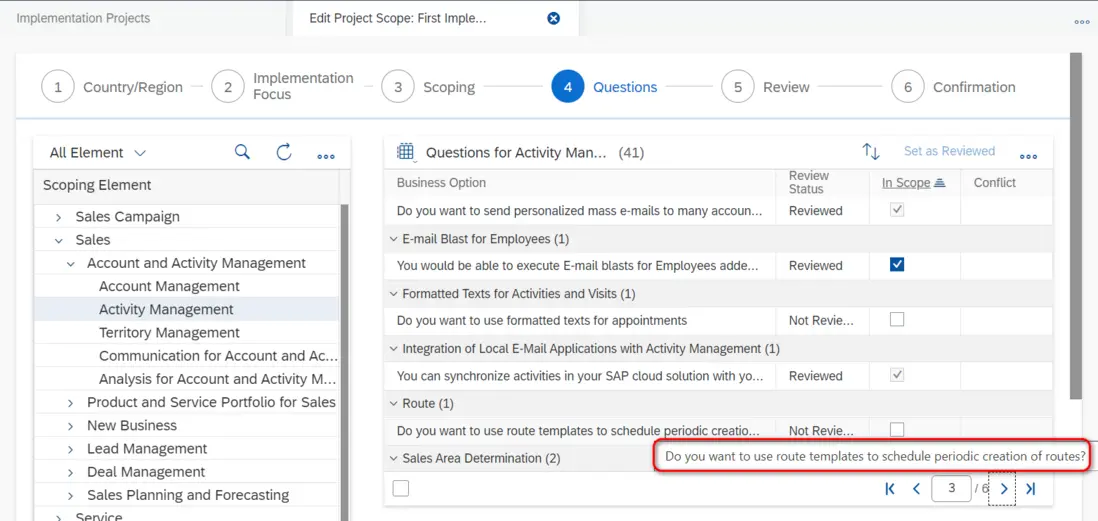
然後點擊Next,從Scoping嚮導進入Questions嚮導。
選中名為Route的business options下的問題Do you want to use route templates to schedule periodic creation, 將in scope打上勾。
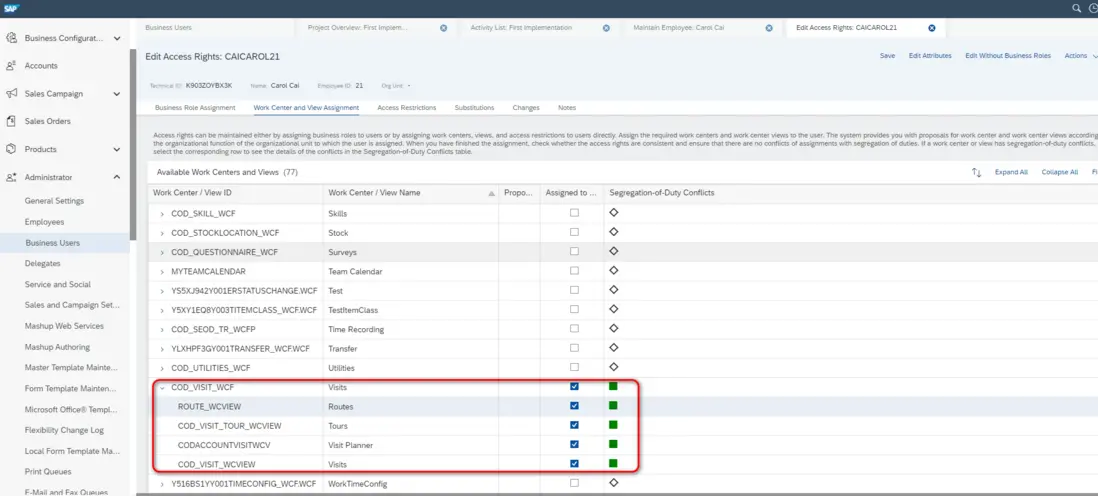
Assign the Visits work center view (ID: COD_VISIT_WCF) to appropriate business users or roles.
這一步結束之後,我們就能將id為COD_VISIT_WCF的工作中心分配給business user或者business role了:
我們還可以對Route功能的細節進行配置,稱為fine tuning.
點擊Open Activity List:

將下拉列表從Activities in Project, 切換成All Activities:
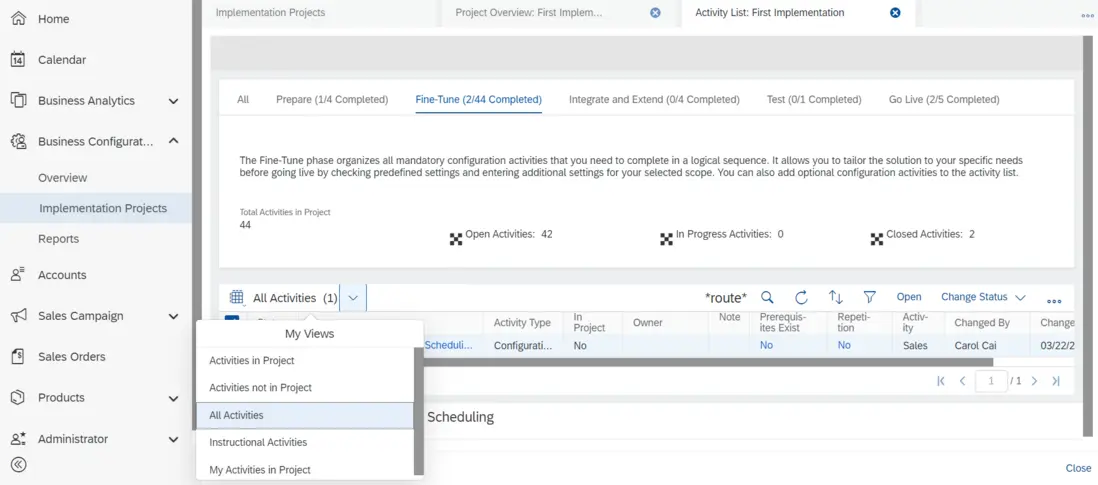
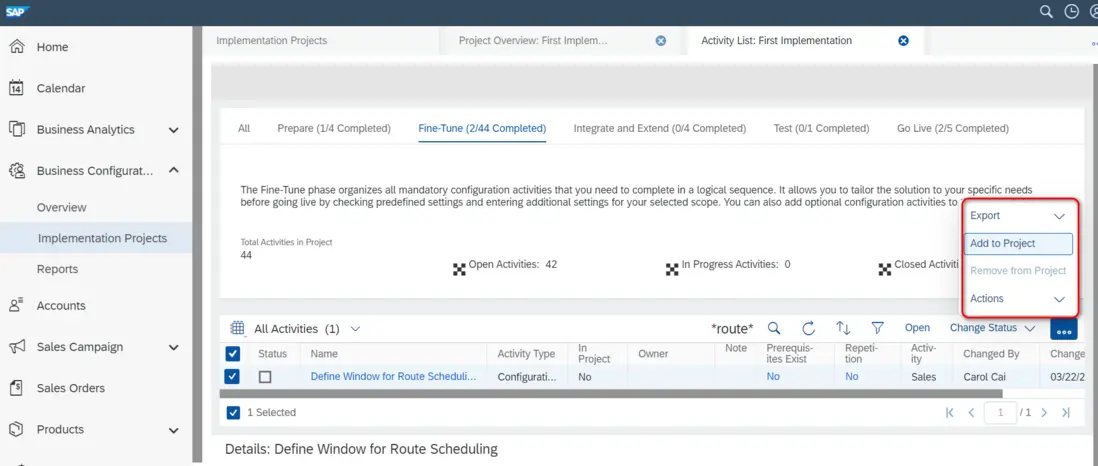
搜索欄裏輸入Route關鍵字,搜索出Define Window for Route Scheduling這個 fine tune activity,點擊 Add to Project將其添加到Project內:
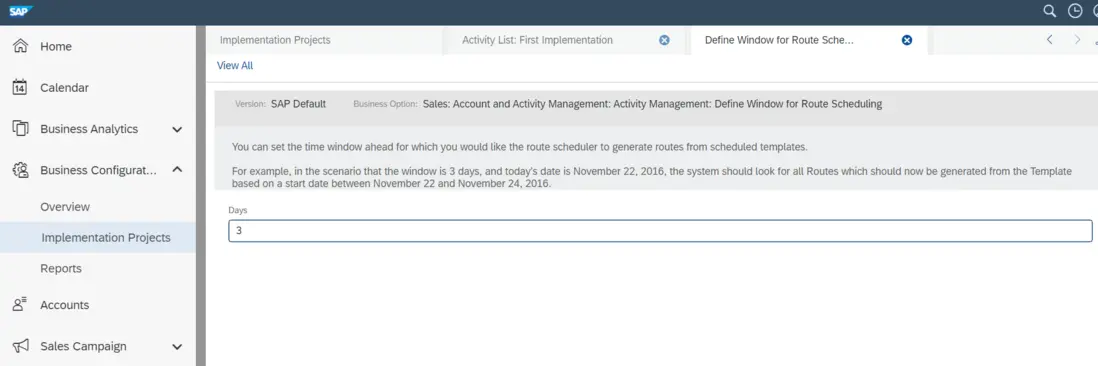
進入該activity,可以對Route明細進行配置:
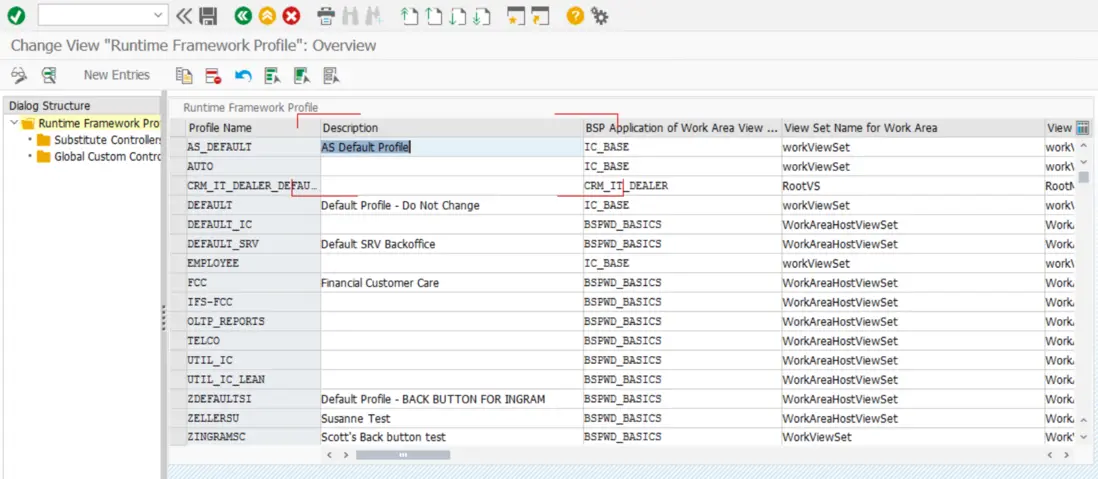
可以將該配置理解成傳統ABAP系統裏SPRO裏進行的配置:
更多Jerry的原創文章,盡在:"汪子熙":