

現在可以在 Gemini CLI 中用 Gemini 3 Pro 啦。
這下子終端不僅僅是一個輸入指令的窗口,而是變成了一個具備執行力的開發環境,並且還能通過 Agentic Coding(代理編碼)處理複雜的工程任務,並通過調用外部工具優化工作流。
目前 Google AI Ultra 訂閲用户或持有付費 Gemini API Key 的用户可以使用,而其他用户可以加入加入候補名單,等官方開放權限。
如何在 Gemini CLI 使用 Gemini 3 Pro
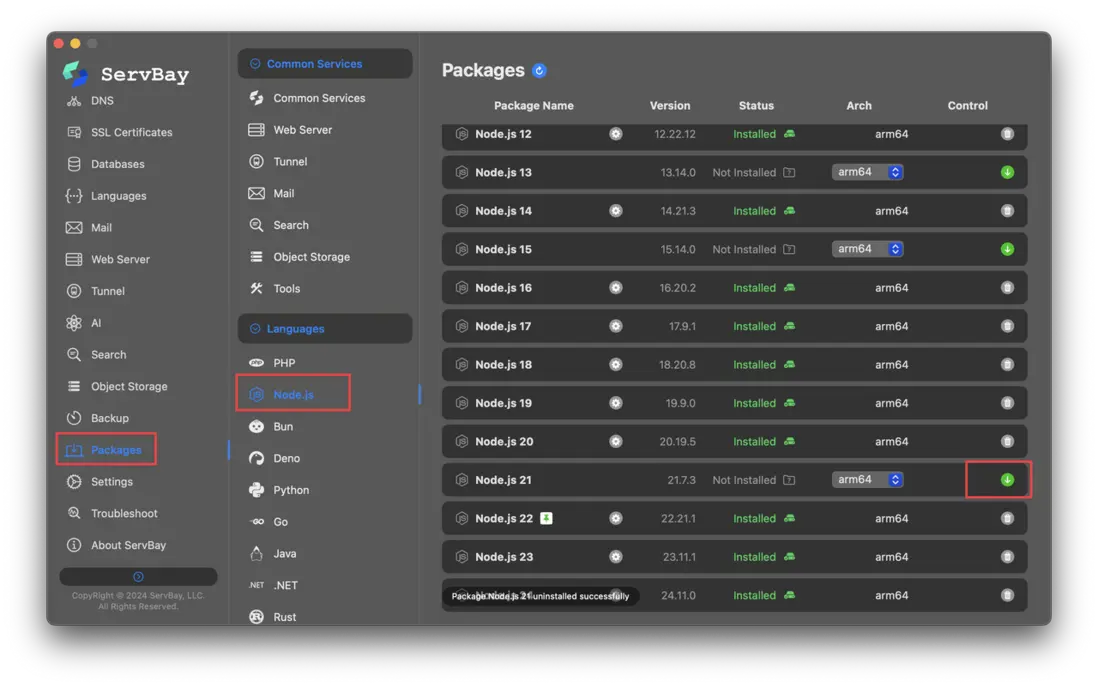
首先要部署好Node.js 20或以上的環境,如果不知道怎麼安裝。可以使用ServBay,一鍵安裝。
ServBay能夠支持不同Node.js版本同時運行,並且能一鍵切換它們。只需要安裝好ServBay後,在左邊菜單的「軟件包」中找到Node.js,點擊安裝即可。
然後輸入命令安裝好Gemini。
npm install -g @google/gemini-cli升級 CLI 版本
- 所有這些工作準備好之後,輸入下面的命令升級。
npm install -g @google/gemini-cli@latest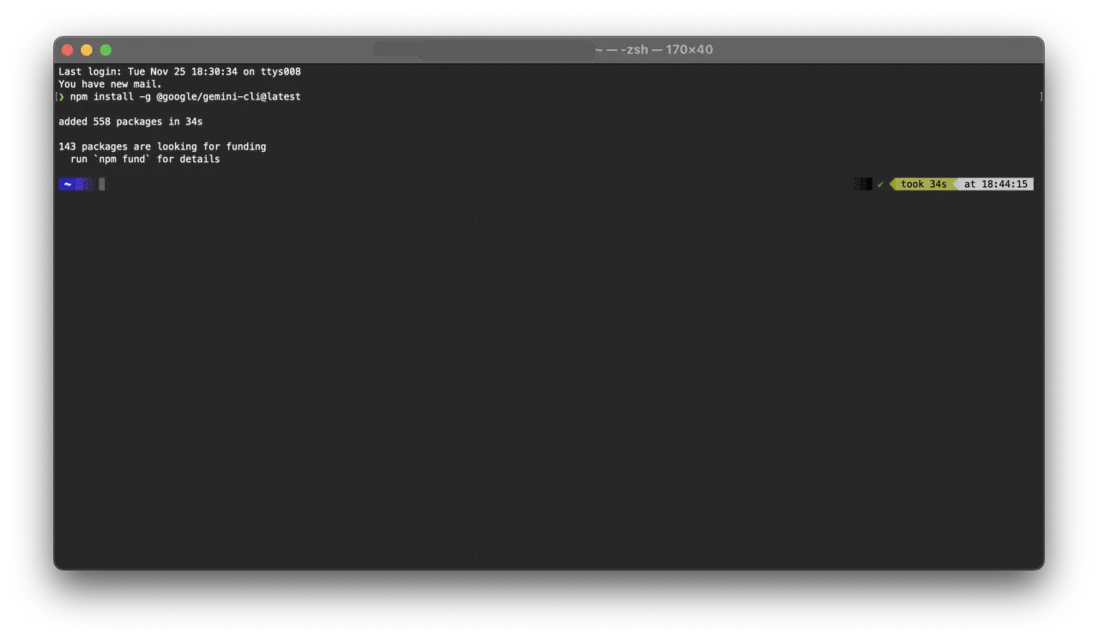
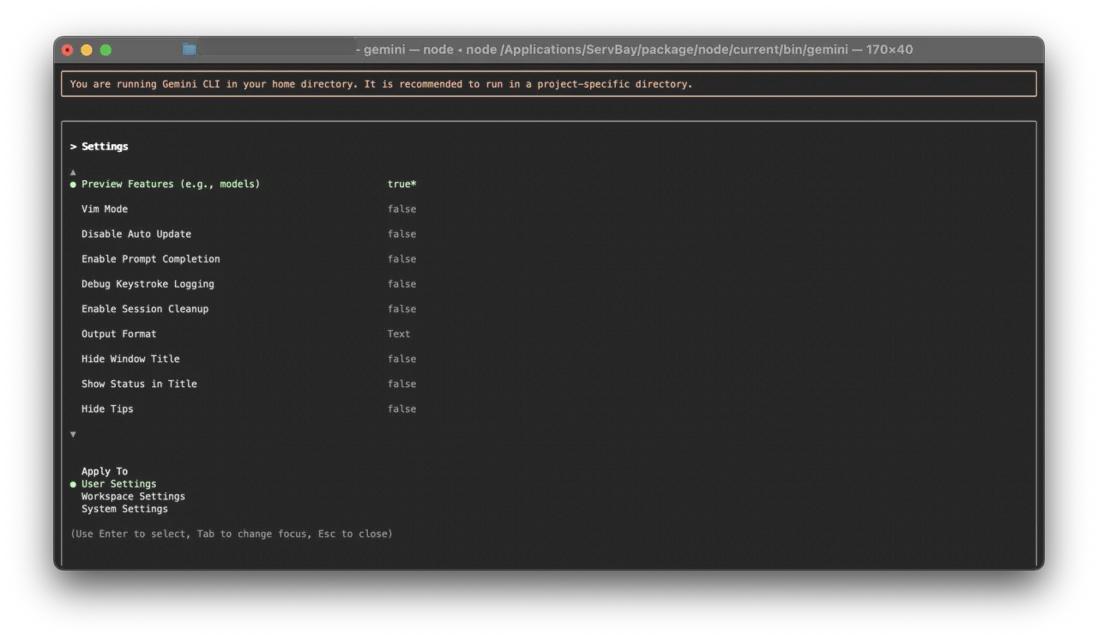
- 開啓預覽功能
安裝完成後,在終端運行 /settings,將 Preview features 設置為 true。此時,Gemini CLI 將默認使用 Gemini 3 Pro 模型。
以下是 4個具體場景,展示如何利用 Gemini 3 Pro 加速開發。
利用 Agentic Coding 在終端直接構建應用
Gemini 3 Pro 擅長整合文本、代碼和視覺信息,並能遵循極其複雜的指令,一句話就能直接從生成一個可運行的項目骨架。
實操案例:構建 高保真 3D 仿真場景
傳統的 3D 開發需要配置圖形庫、本地服務器和大量樣板代碼。現在,可以將創意簡報和技術規格合併為一個 Prompt,讓 CLI 直接生成結果。
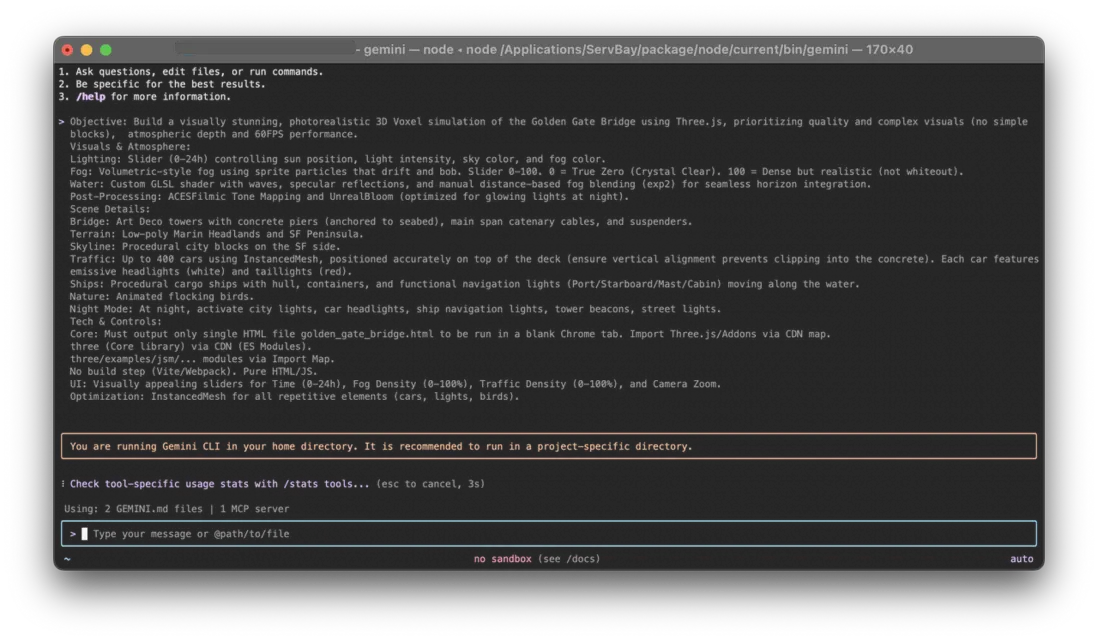
比如輸入以下指令,要求它生成一個金門大橋的 3D 模擬:
Objective: Build a visually stunning, photorealistic 3D Voxel simulation of the Golden Gate Bridge using Three.js, prioritizing quality and complex visuals (no simple blocks), atmospheric depth and 60FPS performance.

Visuals  &  Atmosphere:
Lighting: Slider (0-24h) controlling sun position, light intensity, sky color, and fog color.
Fog: Volumetric-style fog using sprite particles that drift and bob. Slider 0-100. 0 = True Zero (Crystal Clear). 100 = Dense but realistic (not whiteout).
Water: Custom GLSL shader with waves, specular reflections, and manual distance-based fog blending (exp2) for seamless horizon integration.
Post-Processing: ACESFilmic Tone Mapping and UnrealBloom (optimized for glowing lights at night).

Scene Details:
Bridge: Art Deco towers with concrete piers (anchored to seabed), main span catenary cables, and suspenders.
Terrain: Low-poly Marin Headlands and SF Peninsula.
Skyline: Procedural city blocks on the SF side.
Traffic: Up to 400 cars using InstancedMesh, positioned accurately on top of the deck (ensure vertical alignment prevents clipping into the concrete). Each car features emissive headlights (white) and taillights (red).
Ships: Procedural cargo ships with hull, containers, and functional navigation lights (Port/Starboard/Mast/Cabin) moving along the water.
Nature: Animated flocking birds.
Night Mode: At night, activate city lights, car headlights, ship navigation lights, tower beacons, street lights.

Tech  &  Controls:
Core: Must output only single HTML file golden_gate_bridge.html to be run in a blank Chrome tab. Import Three.js/Addons via CDN map.
Libs: three (Core library) via CDN (ES Modules); three/examples/jsm/... modules via Import Map.
Build: No build step (Vite/Webpack). Pure HTML/JS.
UI: Visually appealing sliders for Time (0-24h), Fog Density (0-100%), Traffic Density (0-100%), and Camera Zoom.
Optimization: InstancedMesh for all repetitive elements (cars, lights, birds).
Gemini 3 Pro 會理解對光照、GLSL 着色器和性能優化的具體要求,直接生成一個獨立的 HTML 文件。
多模態開發:從草圖到代碼
如果想做一個視覺創意,Gemini 3 Pro 的多模態能力可以快速實現 UI 原型。只需將草圖拖入終端,配合文字描述,它就能識別佈局並生成代碼。
實操案例:還原 賽博朋克 風格 UI
假設正在設計一個網絡安全監控工具,需要獨特的視覺風格。將線框圖(@wireframe.png)拖入終端,並輸入以下指令:
Build a UI prototype for "CyberSentinel," a real-time network security monitor. The visual style should be gritty Cyberpunk: neon green and hot pink grid lines against a deep void background. Instead of typical charts, visualize data streams as cascading "digital rain" or glitch-art pillars. When hovering over a data node, a holographic, semi-transparent info card should pop up with glitch effects, styled using Tailwind CSS. I have a rough wireframe here to guide the layout: @wireframe.png.模型不僅會還原線框圖的結構,還會根據開發者對 "Cyberpunk"、"Digital Rain" 和 "Glitch effects" 的描述,編寫對應的 CSS 動畫和佈局邏輯。
逆向工程:自動生成項目文檔
Gemini 3 Pro 能夠深入理解代碼邏輯,而不僅僅是語法。這使得它非常適合為老舊項目或複雜的開源代碼庫補充文檔。
實操案例:為無文檔代碼生成説明書
如果接手一個沒有文檔的項目時,可以讓 Gemini 分析代碼並生成結構化文檔:
This is an undocumented application. Please read through the entire codebase to understand the logic first, then generate user documentation for me. The documentation should include: user interactions (command-line options, authentication, etc.), explanations of core concepts (such as MCP), an architectural overview, and how to contribute to the open-source project. Please ensure the format is clear and easy to read; do not just provide a simple HTML page.跨服務聯動:排查雲端故障
Gemini 3 Pro 支持工具調用(Tool Use),可以根據你的指令制定多步驟計劃,聯動日誌監控、安全掃描和代碼庫來解決複雜問題。
實操案例:排查 Cloud Run 服務延遲
當遇到線上性能問題時,它能化身為一個 SRE 助手:
Users are reporting that the 'Save Changes' button is slow to respond. Please investigate the status of the 'tech-stack' service.它會自動連接 Cloud Run 查看指標,調用 Snyk 等工具掃描潛在問題,並結合代碼變更記錄,最終給出根因分析甚至修復補丁。
總結
這些案例只是冰山一角。Gemini 3 Pro 的真正價值在於它能適應開發具體場景,無論是優化一行命令,還是構建一個完整的功能模塊。
感興趣可以升級體驗。
