

Python pandas庫提供了幾種選擇和過濾數據的方法,如loc、iloc、[]括號操作符、query、isin、between等等
本文將介紹使用pandas進行數據選擇和過濾的基本技術和函數。無論是需要提取特定的行或列,還是需要應用條件過濾,pandas都可以滿足需求。

選擇列
loc[]:根據標籤選擇行和列。df.row_label loc, column_label]
也可以使用loc進行切片操作:
df.loc['row1_label':'row2_label' , 'column1_label':'column2_label']
例如
 # Using loc for label-based selection
 df.loc[:, 'Customer Country':'Customer State']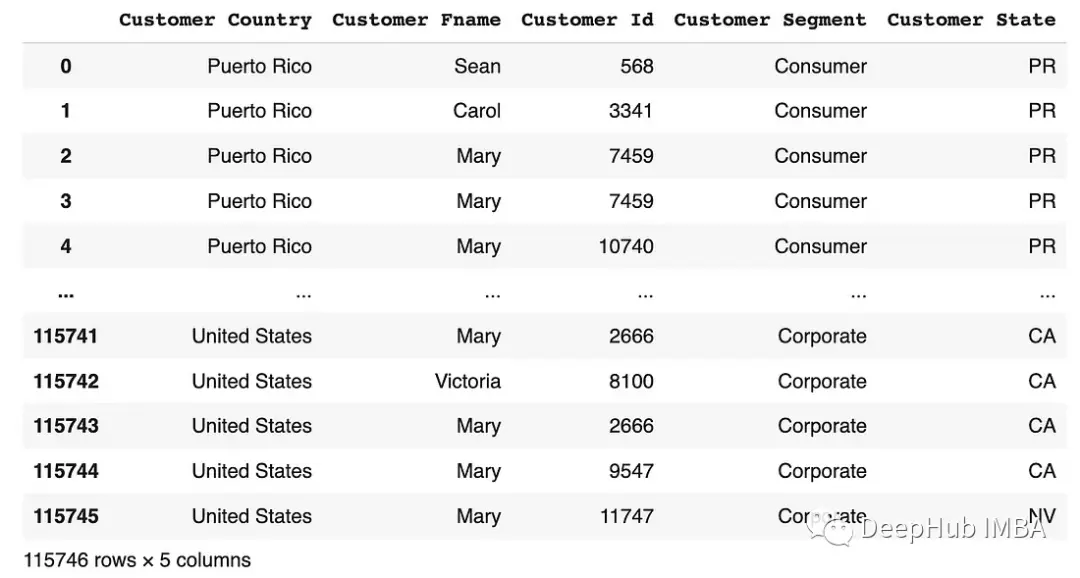
 # Using loc for label-based selection
 df.loc[[0,1,2], 'Customer Country':'Customer State']
iloc[]:根據位置索引選擇行和列。df.iloc [row_position column_position]
可以使用iloc進行切片操作:
df.iloc['row1_position':'row2_position','col1_position':'col2_position']例如:
 # Using iloc for index-based selection
 df.iloc[[0,1,2,3] , [3,4,5,6,7,8]]

 # or
 df.iloc[[0,1,2,3] , 3:9]
 # Using iloc for index-based selection
 df.iloc[:, 3:8]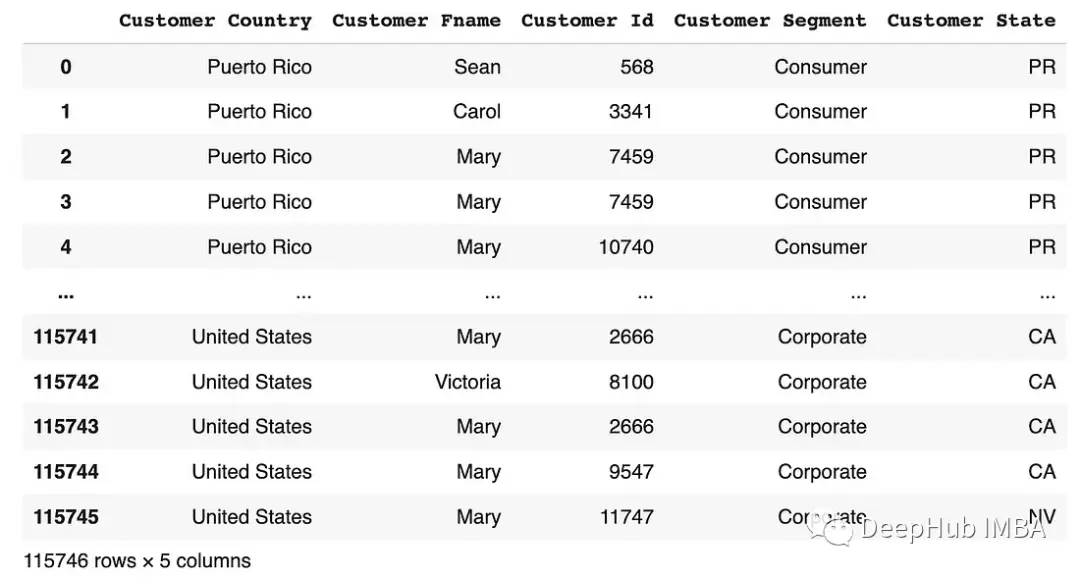
[]括號操作符:它允許選擇一個或多個列。df[['column_label']]或df[['column1', 'column2']]]
 # Selecting a single column
 df[['Customer Country']]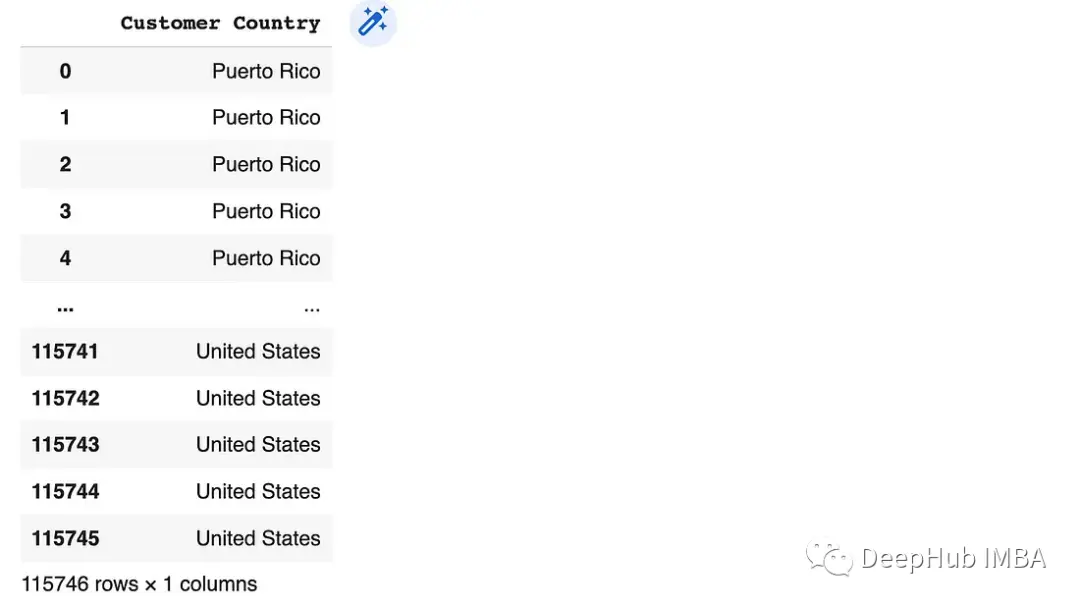
 # Selecting multiple columns
 df[['Customer Country', 'Customer State']]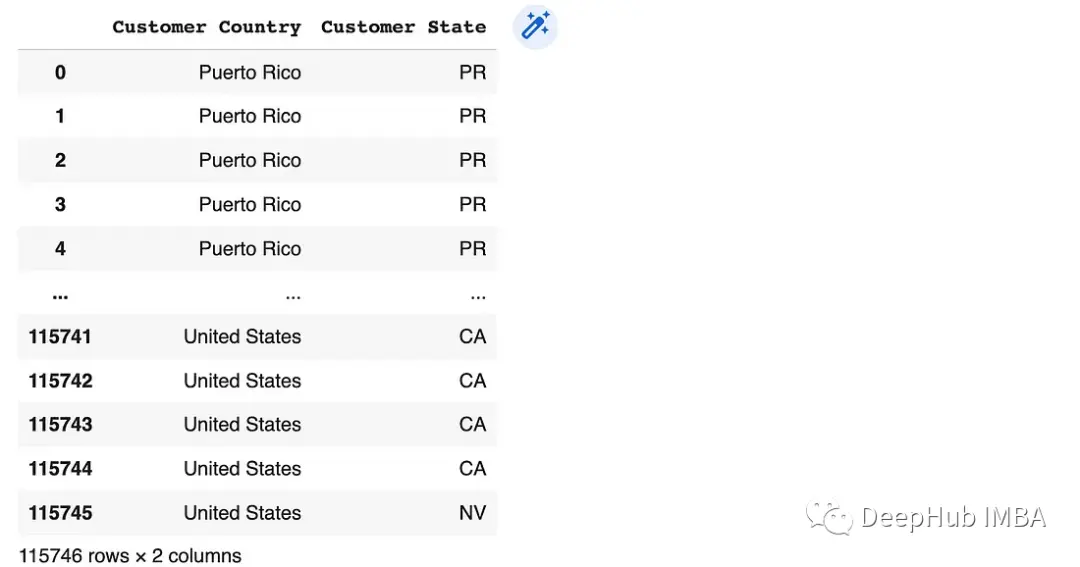
過濾行
loc[]:按標籤過濾行。df.loc(條件)
 # Using loc for filtering rows
 condition = df['Order Quantity'] > 3
 df.loc[condition]

 # or
 df.loc[df['Order Quantity'] > 3]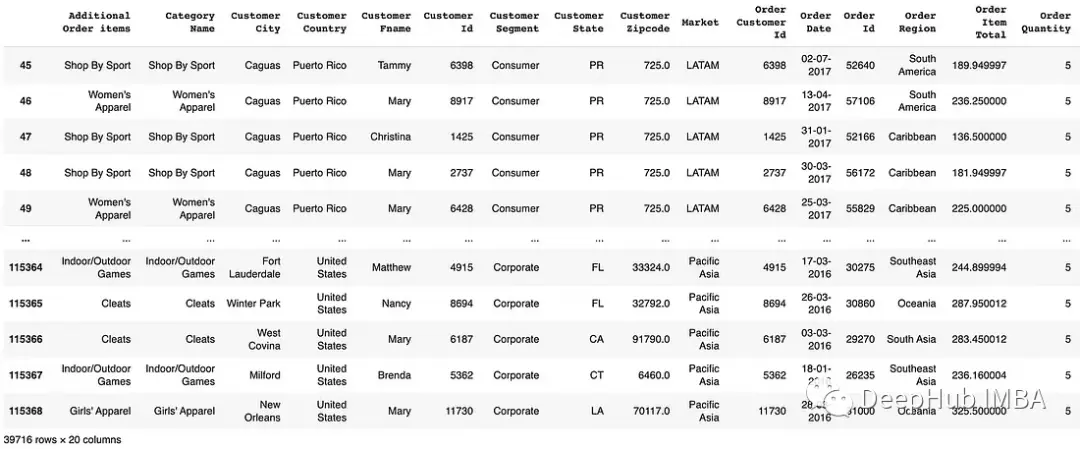
 # Using loc for filtering rows
 df.loc[df['Customer Country'] == 'United States']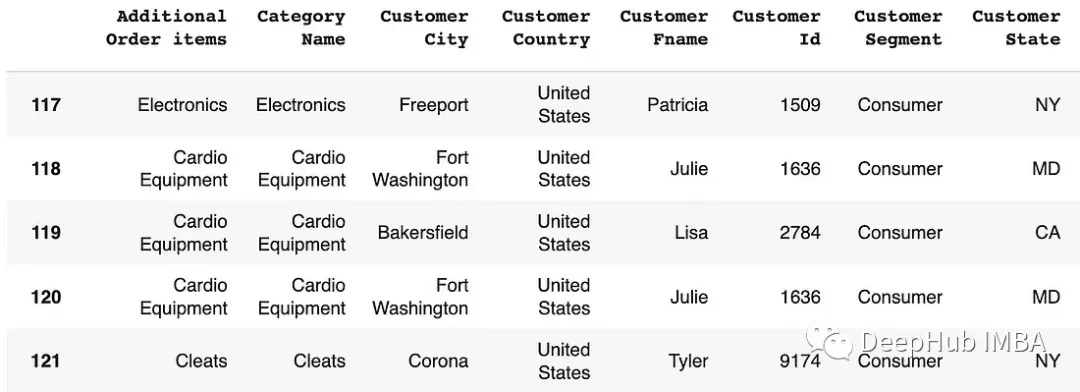
iloc():按位置索引篩選行。
 # Using iloc for filtering rows
 df.iloc[[0, 2, 4]]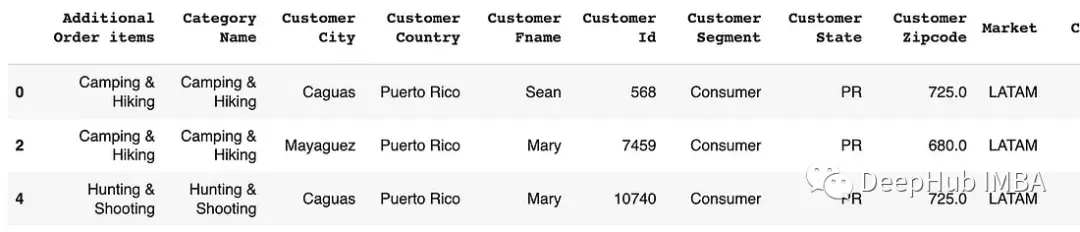
 # Using iloc for filtering rows
 df.iloc[:3, :2]
[]括號操作符:它允許根據條件過濾行。df(條件)
 # Using [] bracket operator for filtering rows# Using [] bracket operator for filtering rows
 condition = df['Order Quantity'] > 3
 df[condition]

 # or
 df[df['Order Quantity'] > 3]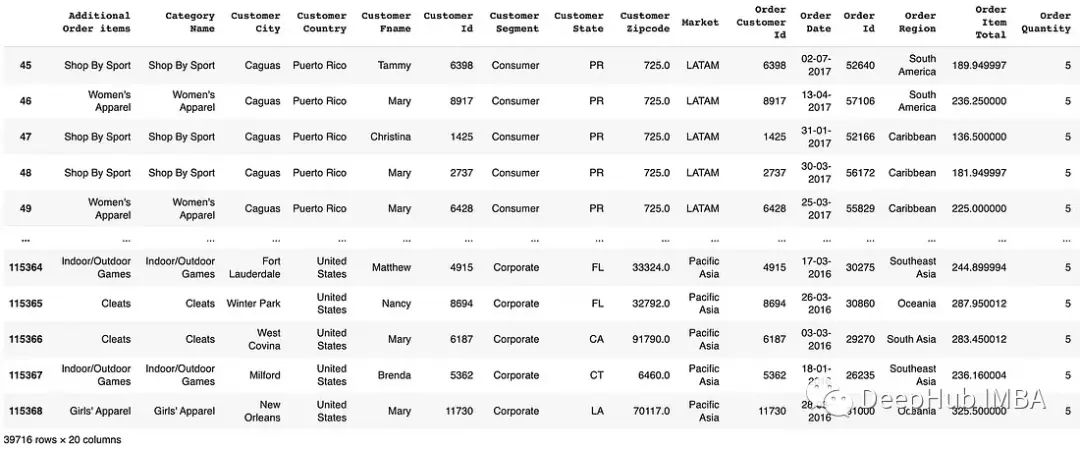
isin([]):基於列表過濾數據。df (df (column_name”).isin ([value1, ' value2 ']))
 # Using isin for filtering rows
 df[df['Customer Country'].isin(['United States', 'Puerto Rico'])]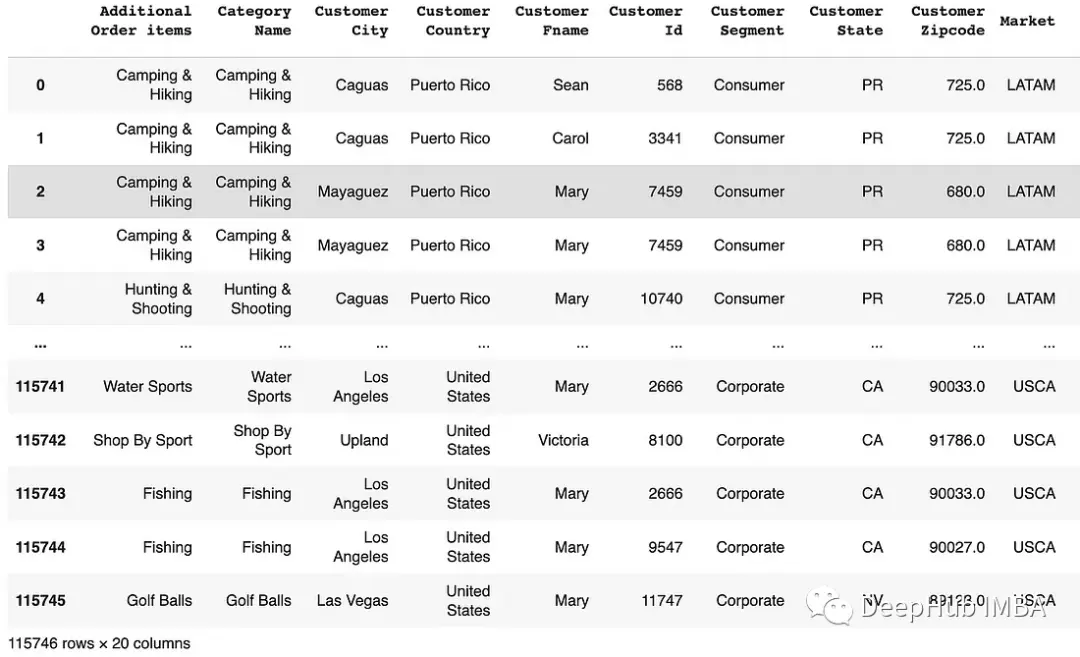
 # Filter rows based on values in a list and select spesific columns
 df[["Customer Id", "Order Region"]][df['Order Region'].isin(['Central America', 'Caribbean'])]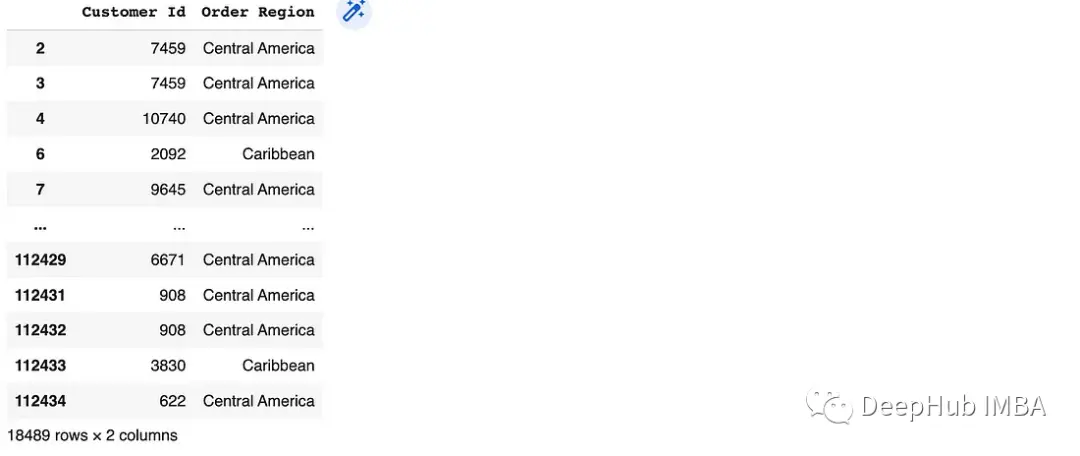
 # Using NOT isin for filtering rows
 df[~df['Customer Country'].isin(['United States'])]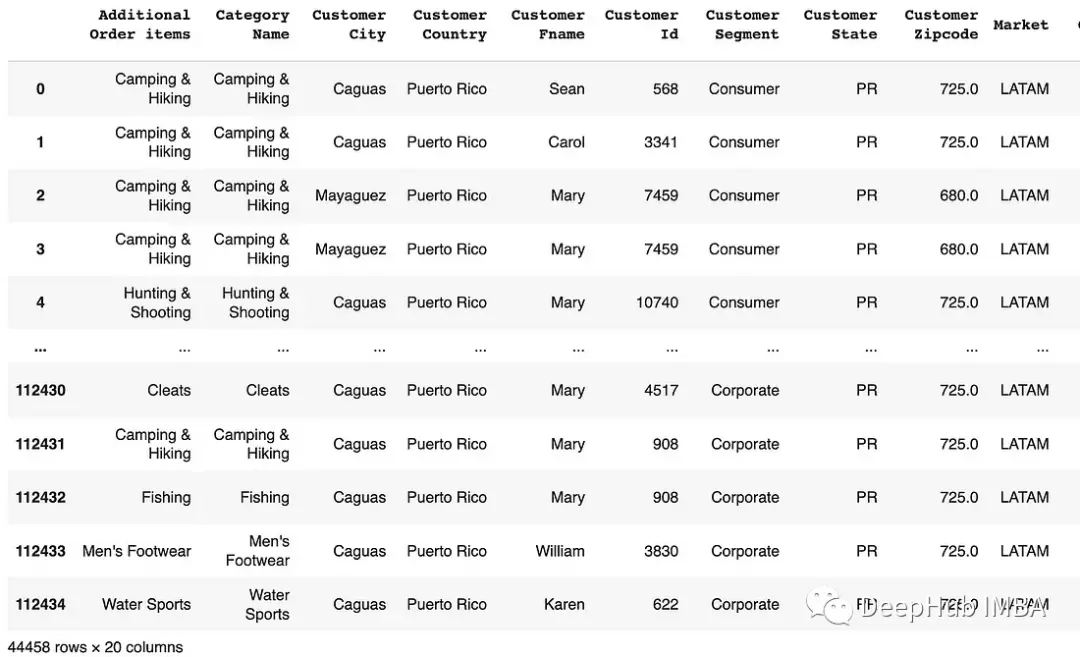
query():方法用於根據類似sql的條件表達式選擇數據。df.query(條件)
如果列名包含空格或特殊字符,首先應該使用rename()函數來重命名它們。
 # Rename the columns before performing the query
 df.rename(columns={'Order Quantity' : 'Order_Quantity', "Customer Fname" : "Customer_Fname"}, inplace=True)

 # Using query for filtering rows with a single condition
 df.query('Order_Quantity > 3')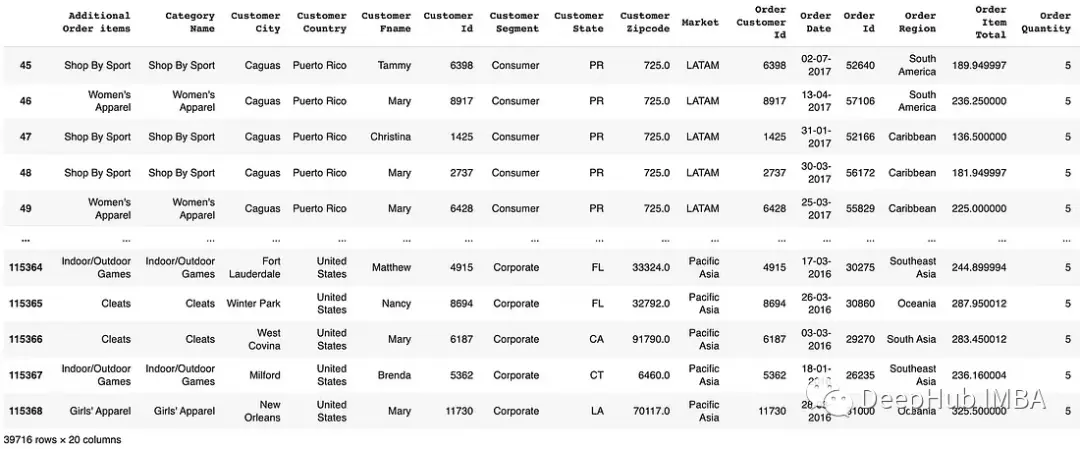
 # Using query for filtering rows with multiple conditions
 df.query('Order_Quantity > 3 and Customer_Fname == "Mary"')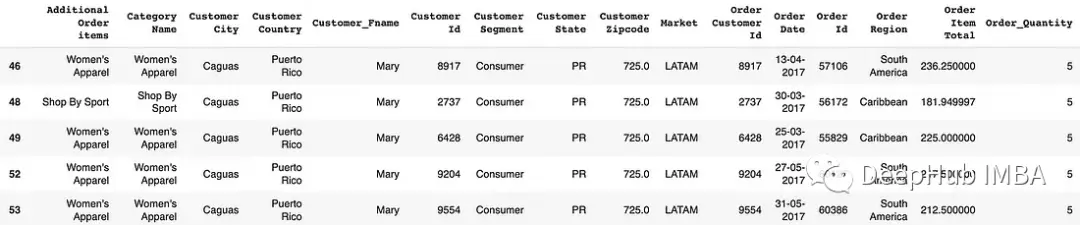
between():根據在指定範圍內的值篩選行。df[df['column_name'].between(start, end)]
 # Filter rows based on values within a range
 df[df['Order Quantity'].between(3, 5)]
字符串方法:根據字符串匹配條件篩選行。例如str.startswith(), str.endswith(), str.contains()
 # Using str.startswith() for filtering rows
 df[df['Category Name'].str.startswith('Cardio')]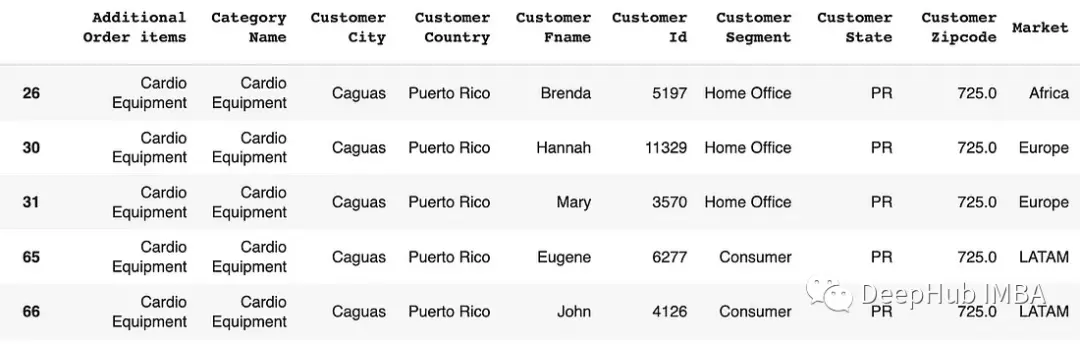
 # Using str.contains() for filtering rows
 df[df['Customer Segment'].str.contains('Office')]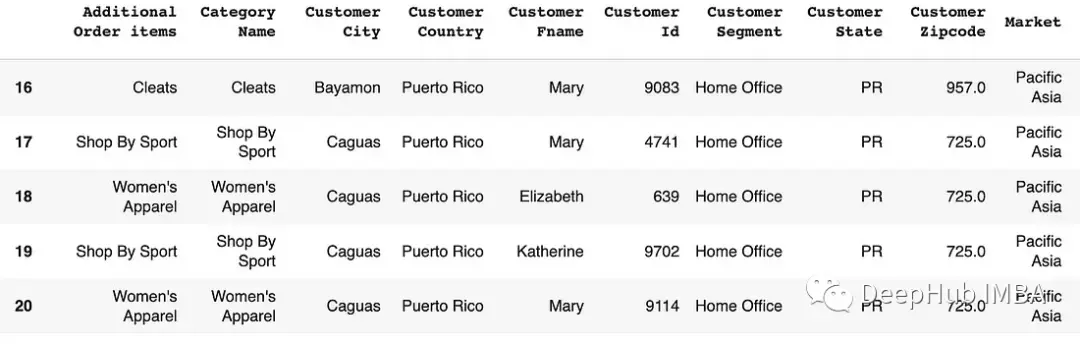
更新值
loc[]:可以為DataFrame中的特定行和列並分配新值。
 # Update values in a column based on a condition
 df.loc[df['Customer Country'] == 'United States', 'Customer Country'] = 'USA'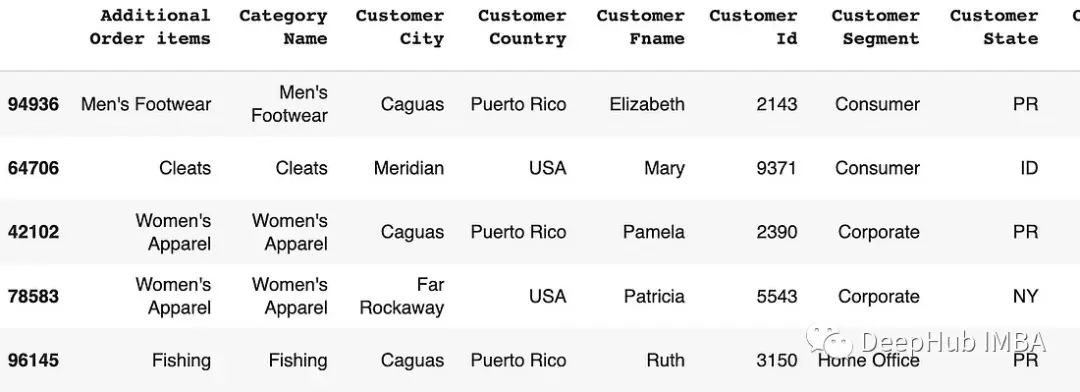
iloc[]:也可以為DataFrame中的特定行和列並分配新值,但是他的條件是數字索引
 # Update values in a column based on a condition
 df.iloc[df['Order Quantity'] > 3, 15] = 'greater than 3'

 #
 condition = df['Order Quantity'] > 3
 df.iloc[condition, 15] = 'greater than 3'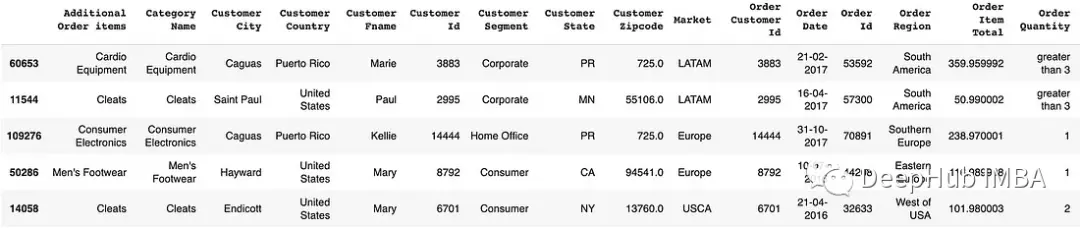
replace():用新值替換DataFrame中的特定值。df.['column_name'].replace(old_value, new_value, inplace=True)
 # Replace specific values in a column
 df['Order Quantity'].replace(5, 'equals 5', inplace=True)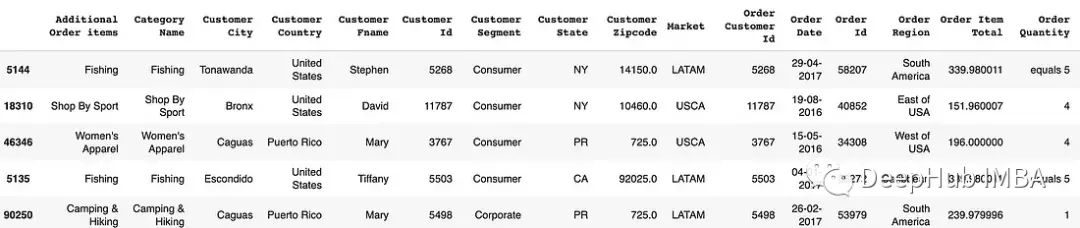
總結
Python pandas提供了很多的函數和技術來選擇和過濾DataFrame中的數據。比如我們常用的 loc和iloc,有很多人還不清楚這兩個的區別,其實它們很簡單,在Pandas中前面帶i的都是使用索引數值來訪問的,例如 loc和iloc,at和iat,它們訪問的效率是類似的,只不過是方法不一樣,我們這裏在使用loc和iloc為例做一個簡單的説明:
loc:根據標籤(label)索引,什麼是標籤呢?
行標籤就是我們所説的索引(index),列標籤就是列名(columns)
iloc,根據標籤的位置索引。
iloc就是 integer loc的縮寫。也就是説我們不知道列名的時候可以直接訪問的第幾行,第幾列
這樣解釋應該可以很好理解這兩個的區別了。最後如果你看以前(很久以前)的代碼可能還會看到ix,它是先於iloc、和loc的。但是現在基本上用iloc和loc已經完全能取代ix,所以ix已經被官方棄用了。 如果有看到的話説明這個代碼已經很好了,並且完全可以使用iloc替代。
https://avoid.overfit.cn/post/e6d1ed36012a4f4fa62c3bc20ff44056
最後,通過靈活本文介紹的這些方法,可以更高效地處理和分析數據集,從而更好地理解和挖掘數據的潛在信息。希望這個指南能夠幫助你在數據科學的旅程中取得更大的成功!
