介紹
Lark官方整體對接流程
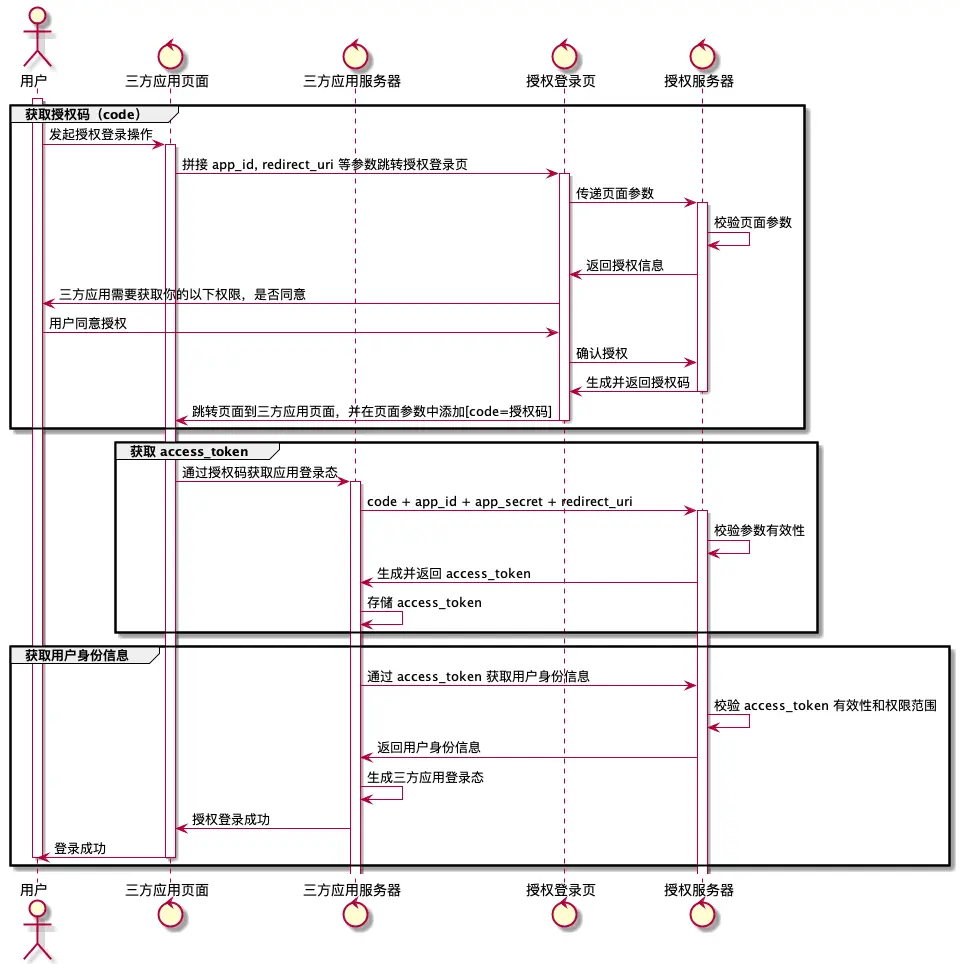
Lark 流程獲取説明
獲取 code
接口文檔:獲取登錄授權碼code
獲取 user_access_token
接口文檔:獲取 user_access_token
獲取用户身份信息
接口文檔:獲取用户身份信息
刷新 user_access_token
接口文檔:刷新 user_access_token
準備
驗證環境準備
- 部署版本觀測雲
官方文檔:https://docs.guance.com/deployment/
- 安裝 Dataflux Func 平台
官方文檔:https://func.guance.com/doc/maintenance-guide-helm/
- 觀測雲 OIDC 集成對接官方指引
官方文檔:https://docs.guance.com/deployment/oidc-custom-url/
Lark 開放平台配置
Lark 應用配置需要訪問開發後台新增應用管理配置
Lark - 測試應用信息
| Name | AppID | AppSecret |
|---|---|---|
| Guance_ | cli_xxxxxxxxxx | IDxxxxxxxx |

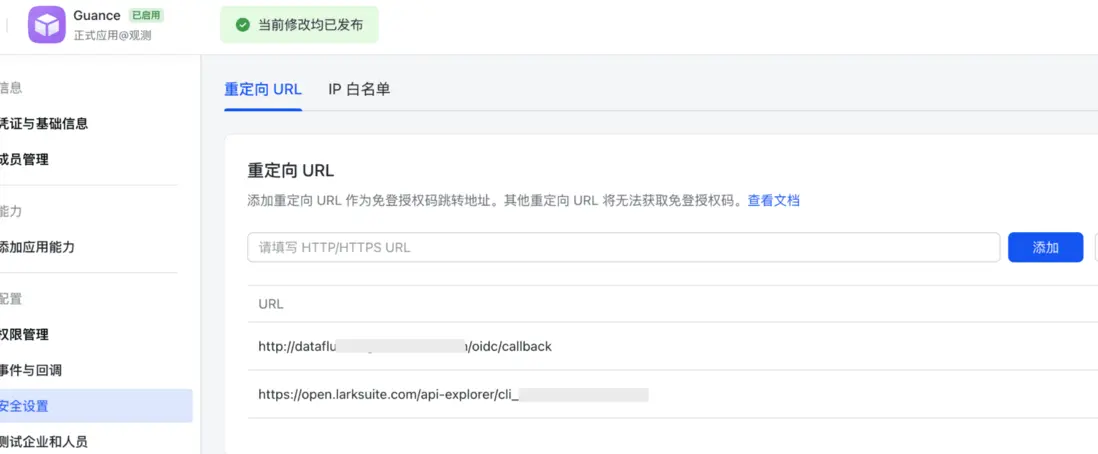
Lark - 安全訪問配置
- (必須)需要根據添加 redirect_uri 的回調地址
| Url | 説明 |
|---|---|
| http://{{ 觀測雲主訪問域名 }}/oidc/callback | redirect_uri地址 |
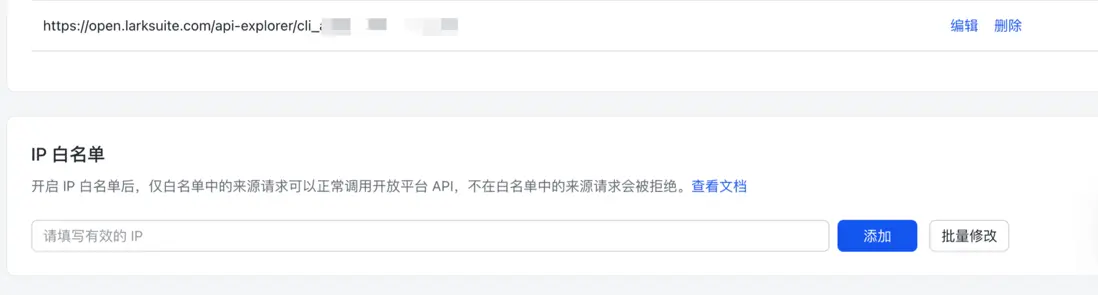
- (按需)IP白名單設置
Lark - 應用權限配置
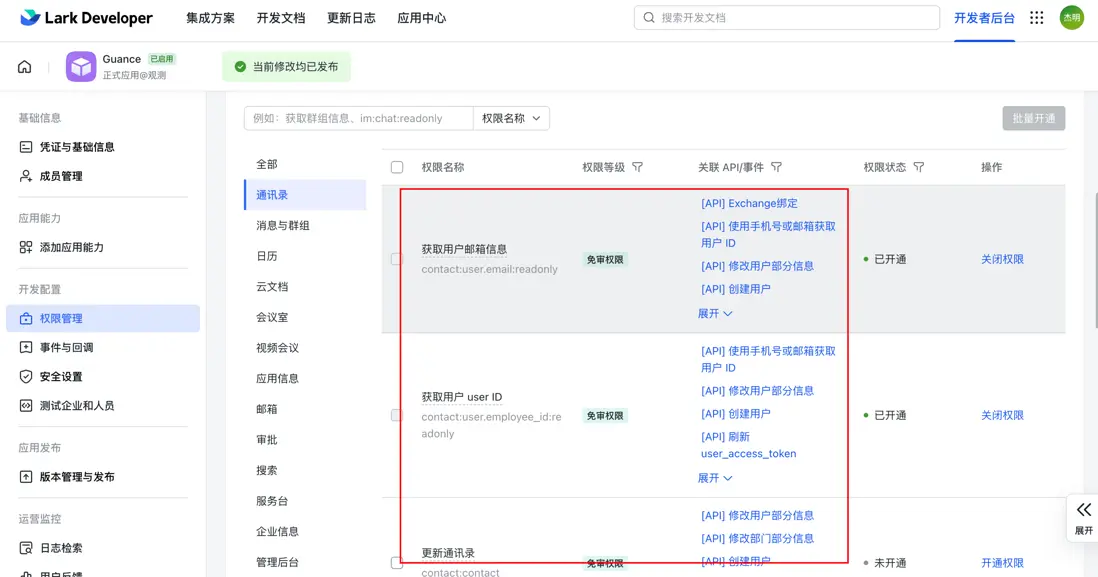
SSO 身份驗證需要對應用開放用户信息的相關權限
| 權限名 | 説明 | 是否必選 |
|---|---|---|
| contact:user.employee:readonly | 用户受僱信息 | 按需 |
| contact:user.email:readonly | 用户郵箱信息 | 必選 |
| contact:user.employee_id:readonly | 用户user ID 信息 | 必選 |
| contact:user.phone:readonly | 用户手機號信息 | 按需 |
觀測雲平台配置
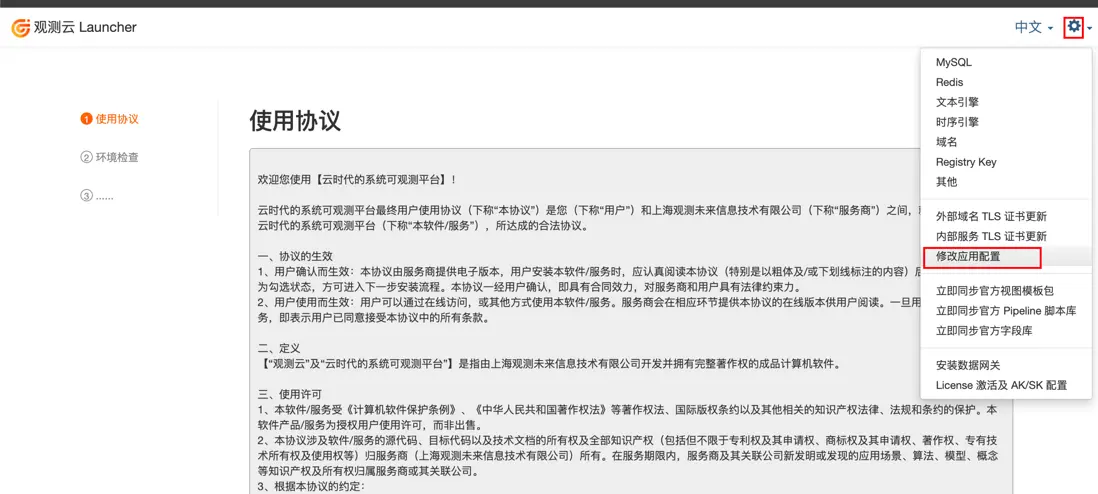
打開 部署版本「launcher」 訪問頁面,點擊「設置」 -- 「修改應用配置」。
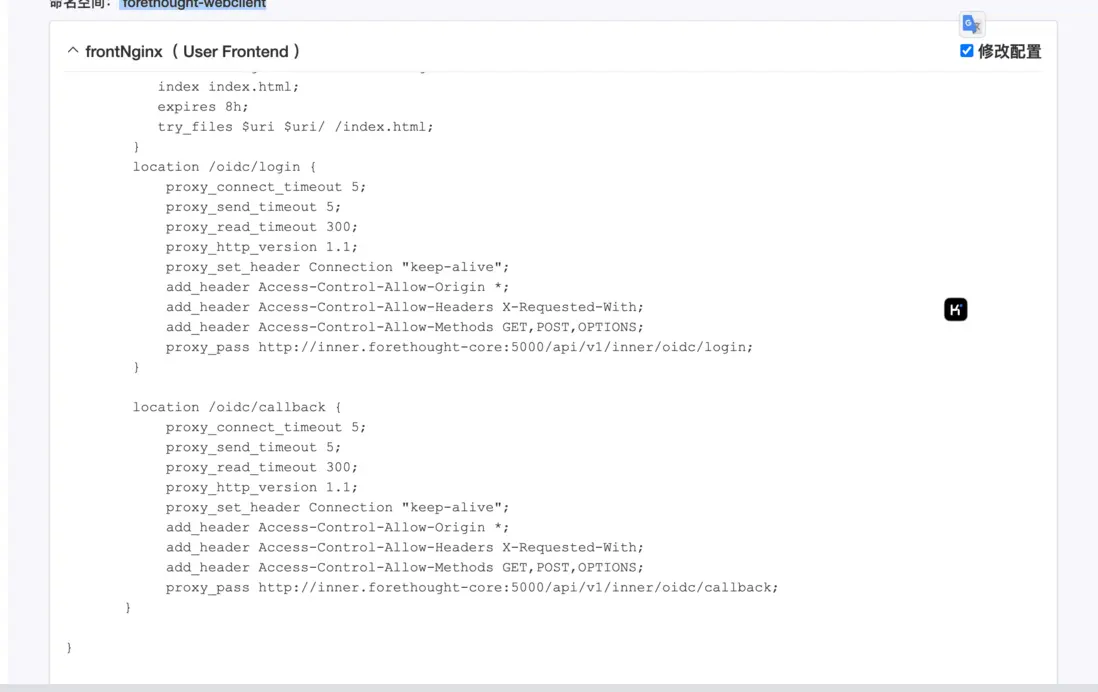
在 「 forethought-webclient」命名空間 的「frontNginx」中,追加訪問路由。
        location /oidc/login {
            proxy_connect_timeout 5;
            proxy_send_timeout 5;
            proxy_read_timeout 300;
            proxy_http_version 1.1;
            proxy_set_header Connection "keep-alive";
            add_header Access-Control-Allow-Origin *;
            add_header Access-Control-Allow-Headers X-Requested-With;
            add_header Access-Control-Allow-Methods GET,POST,OPTIONS;
            proxy_pass http://inner.forethought-core:5000/api/v1/inner/oidc/login;
        }

        location /oidc/callback {
            proxy_connect_timeout 5;
            proxy_send_timeout 5;
            proxy_read_timeout 300;
            proxy_http_version 1.1;
            proxy_set_header Connection "keep-alive";
            add_header Access-Control-Allow-Origin *;
            add_header Access-Control-Allow-Headers X-Requested-With;
            add_header Access-Control-Allow-Methods GET,POST,OPTIONS;
            proxy_pass http://inner.forethought-core:5000/api/v1/inner/oidc/callback;
       }
在 「forethought-core」 命名空間中 「core」添加 OIDC 配置。
 OIDCClientSet:
  # OIDC Endpoints 配置地址,即完整的 `https://xxx.xxx.com/xx/.well-known/openid-configuration` 地址.
  wellKnowURL: "http://func-server.func:8088/api/v1/sync/auln-well-know"
  # 由認證服務提供的 客户端ID
  clientId: cli_xxxxxxxx. # 修改為您的應用 clientId
  # 客户端的 Secret key
  clientSecret: IDGgZxxxxxxxxxd  # 修改為您的應用 clientSecret
  scope: ""
  mapping:
    # 認證服務中,登錄賬號的用户名,必填,如果值不存在,則取 email
    username: name
    name: name
    # 認證服務中,登錄賬號的郵箱,必填
    email: email
    # 認證服務中,登錄賬號的唯一標識, 必填
    exterId: user_id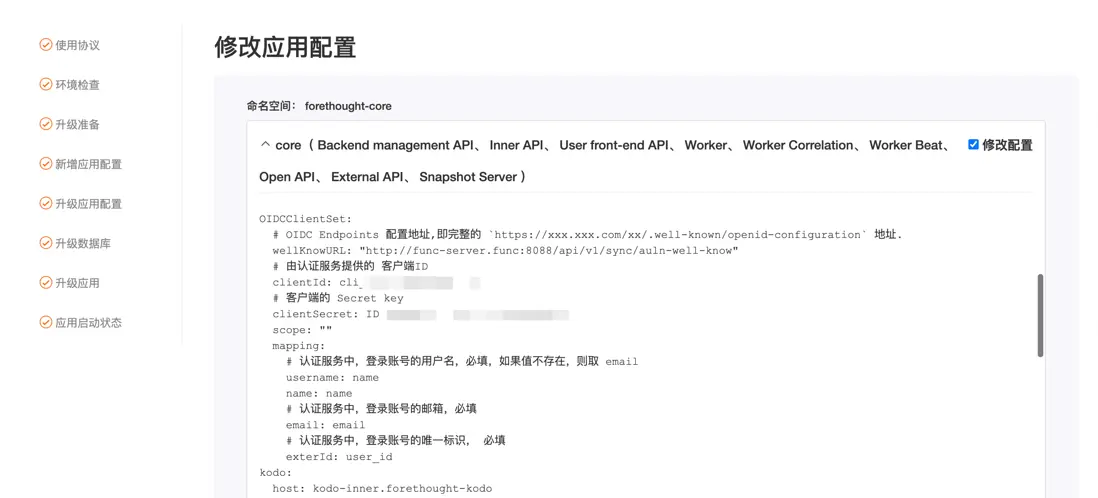
修改完成後, 勾選「修改配置後自動重啓相關服務」後點擊「確認修改配置」。
開發
Lark-SSO 對接代碼部分會在獨立 func 上進行集成開發。
- 使用 Dataflux Func 同步 API 的方式 封裝 OIDC 的接口,提供觀測雲主平台交互調用
- Dataflux Func 「同步 API」 的使用可參考:
https://func.guance.com/doc/ui-guide-management-module-sync-api/
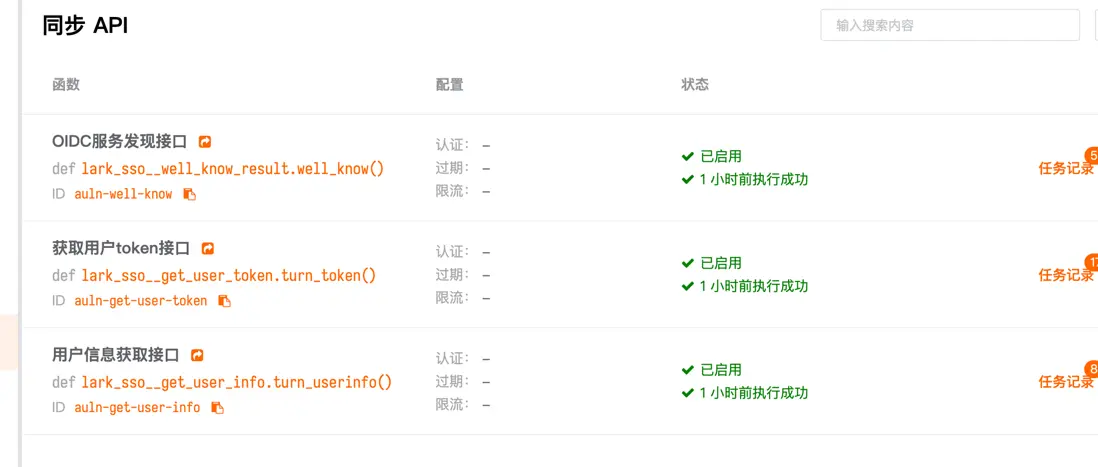
代碼説明
Oauth2.0服務發現接口
- 與觀測雲底座交互的主要集成接口
import json
import requests


@DFF.API('OIDC服務發現接口')
def well_know():
    '''
    '''
    print("--------turn_token--------------")
    # print(f"--------kwargs--------------\n{kwargs}\n")
    headers = _DFF_HTTP_REQUEST.get("headers", {})
    print(json.dumps(_DFF_HTTP_REQUEST))
    # print(json.dumps(kwargs))
    result = {
        # 這個地址提供原始的 獲取登錄認證 code 地址
        "authorization_endpoint":"https://open.larksuite.com/open-apis/authen/v1/authorize",
        # code 換 token 接口,此地址需要指向 func 側對應的 turn_token 函數地址
        # "token_endpoint":"https://gc-func.anta.com/api/v1/al/auln-get-user-token/simplified",
        "token_endpoint":"http://func-server.func:8088/api/v1/sync/auln-get-user-token/simplified",
        # 獲取用户信息接口,此地址需要指向 func 側對應的 turn_userinfo 函數地址
        "userinfo_endpoint":"http://func-server.func:8088/api/v1/sync/auln-get-user-info/simplified",
    }

    return result
獲取用户token接口
- 根據 app_id 及 app_secret 獲取 tenant_access_token
- 根據 tenant_access_token 及 用户 access_code 獲取 access_token
import json
import requests


@DFF.API('獲取tenant_access_token接口')
def get_tenant_access_token():
    '''
    獲取訪問 token 信息
    '''
    # print(json.dumps(_DFF_HTTP_REQUEST))
    # print(json.dumps(kwargs))
    new_headers = {
        "Content-Type": "application/json; charset=utf-8"
    }
    url = "https://open.larksuite.com/open-apis/auth/v3/tenant_access_token/internal"
    param = {
        # 替換成 對應的  app_id 及 app_secret
        "app_id": "cli_xxxxxx",
        "app_secret": "IDxxxxxx",
    }
    resp = requests.post(url, json=param)
    print("========get_tenant_access_token==resp==========")
    print(resp.text)
    # if resp.status_code >= 400:
    #     raise Exception("獲取 token 失敗")
    result = json.loads(resp.text)
    print("========get_tenant_access_token==result==========")
    tenant_access_token = result["tenant_access_token"]

    return tenant_access_token


@DFF.API('獲取用户token接口')
def turn_token(**kwargs):
    '''
    獲取訪問 token 信息
    '''
    print("--------turn_token--------------")
    print(f"--------kwargs--------------\n{kwargs}\n")
    headers = _DFF_HTTP_REQUEST.get("headers", {})
    print(json.dumps(_DFF_HTTP_REQUEST))
    print(json.dumps(kwargs))
    tenant_access_token =  get_tenant_access_token()
    new_headers = {
        "content-type": headers.get("content-type"),
        "authorization": f'Bearer {tenant_access_token}'
    }
    url = "https://open.larksuite.com/open-apis/authen/v1/oidc/access_token"
    resp = requests.post(url, data=kwargs, headers=new_headers)
    print("==========resp==========")
    print(resp.text)
    if resp.status_code >= 400:
        raise Exception("獲取 token 失敗")
    result = resp.json()
    print("==========result==========")
    print(json.dumps(result))
    return result["data"]
獲取用户信息接口
- 根據 用户 access_token 獲取用户信息
注意:此處獲取的用户信息,需要確保《Lark - 應用權限配置 》配置正常,否則會無法獲取相關的用户信息。
import json
import requests

@DFF.API('用户信息獲取接口')
def turn_userinfo(**kwargs):
    '''
    Test hello world function
    '''
    url = "https://open.larksuite.com/open-apis/authen/v1/user_info"
    print("--------turn_userinfo--------------")
    headers = _DFF_HTTP_REQUEST.get("headers", {})
    print(json.dumps(_DFF_HTTP_REQUEST))
    print(json.dumps(kwargs))
    new_headers = {
        "content-type": headers.get("content-type"),
        "authorization": headers.get("authorization")
    }
    resp = requests.get(url, headers=new_headers)
    print("==========resp==========")
    print(resp.text)
    if resp.status_code >= 400:
        raise Exception("獲取 用户信息 失敗")
    result = resp.json()
    print("==========result==========")
    print(json.dumps(result))

    result = result.get("data", {})
    return result
效果
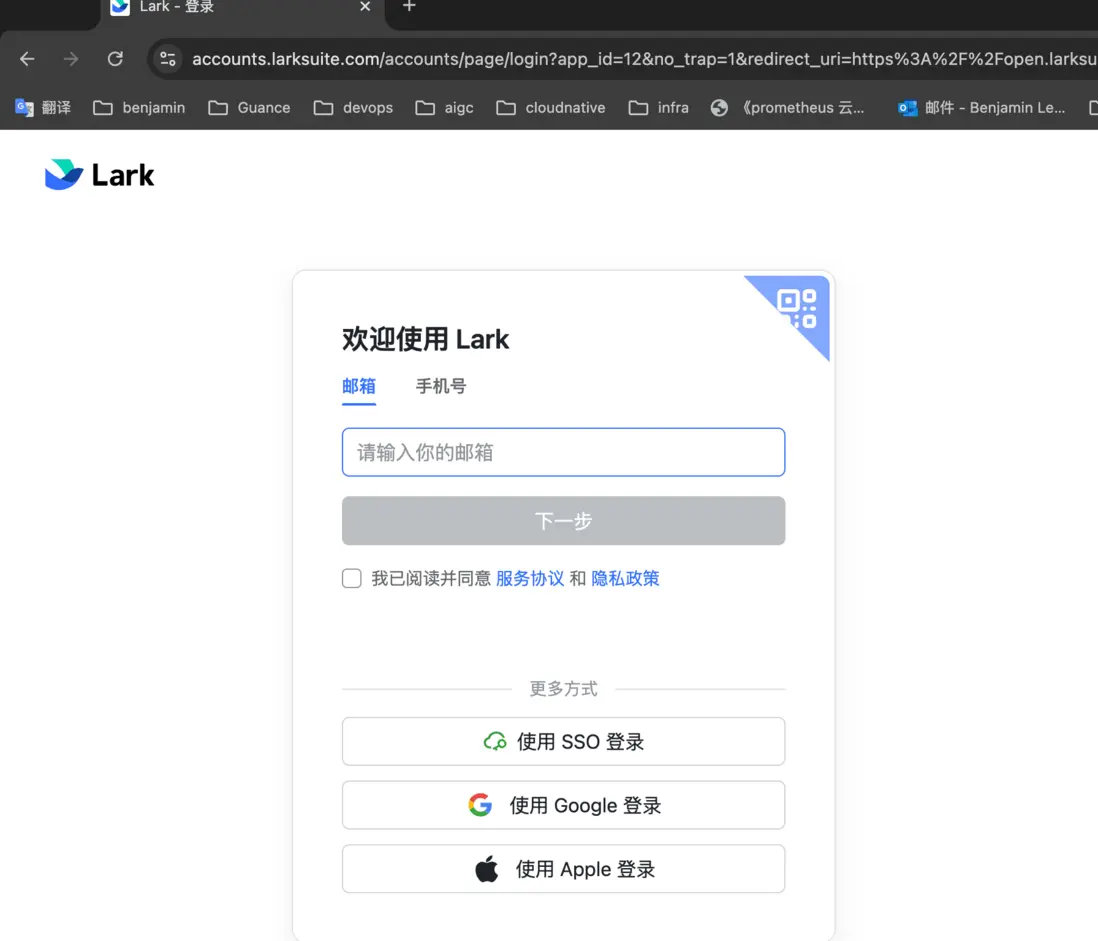
- 訪問觀測雲主頁面,重定向至 Lark 登錄訪問頁面,支持手機號、郵箱、掃碼登錄,以郵箱訪問為例
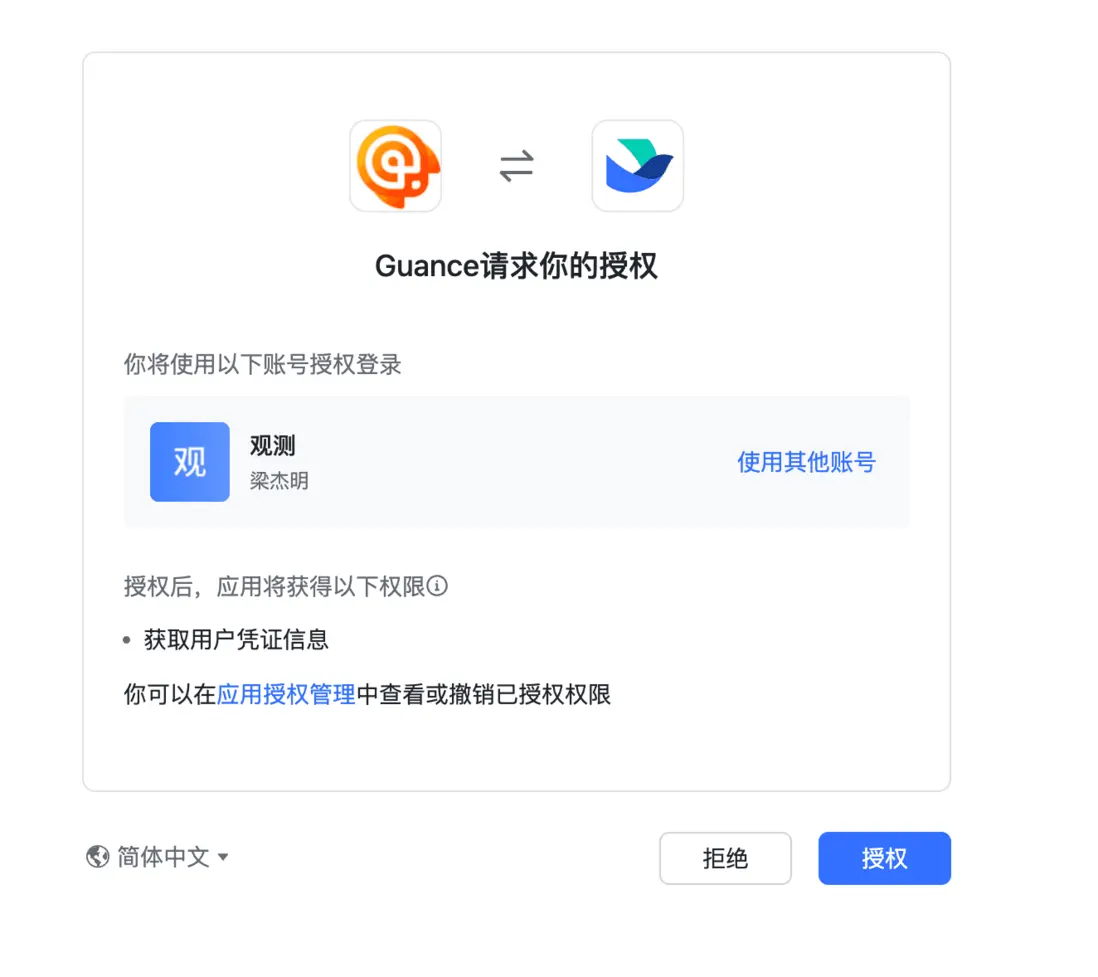
- 通過郵箱進行登錄訪問,跳轉應用授權頁面
- 確認授權後,會在管理後台中創建 對應人員賬號
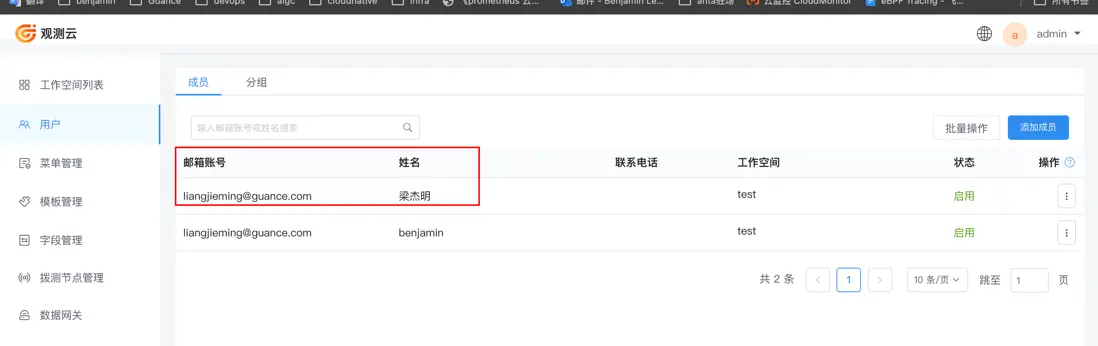
- 將人員添加到對應空間後,重新登錄後,可直接跳轉至對應空間