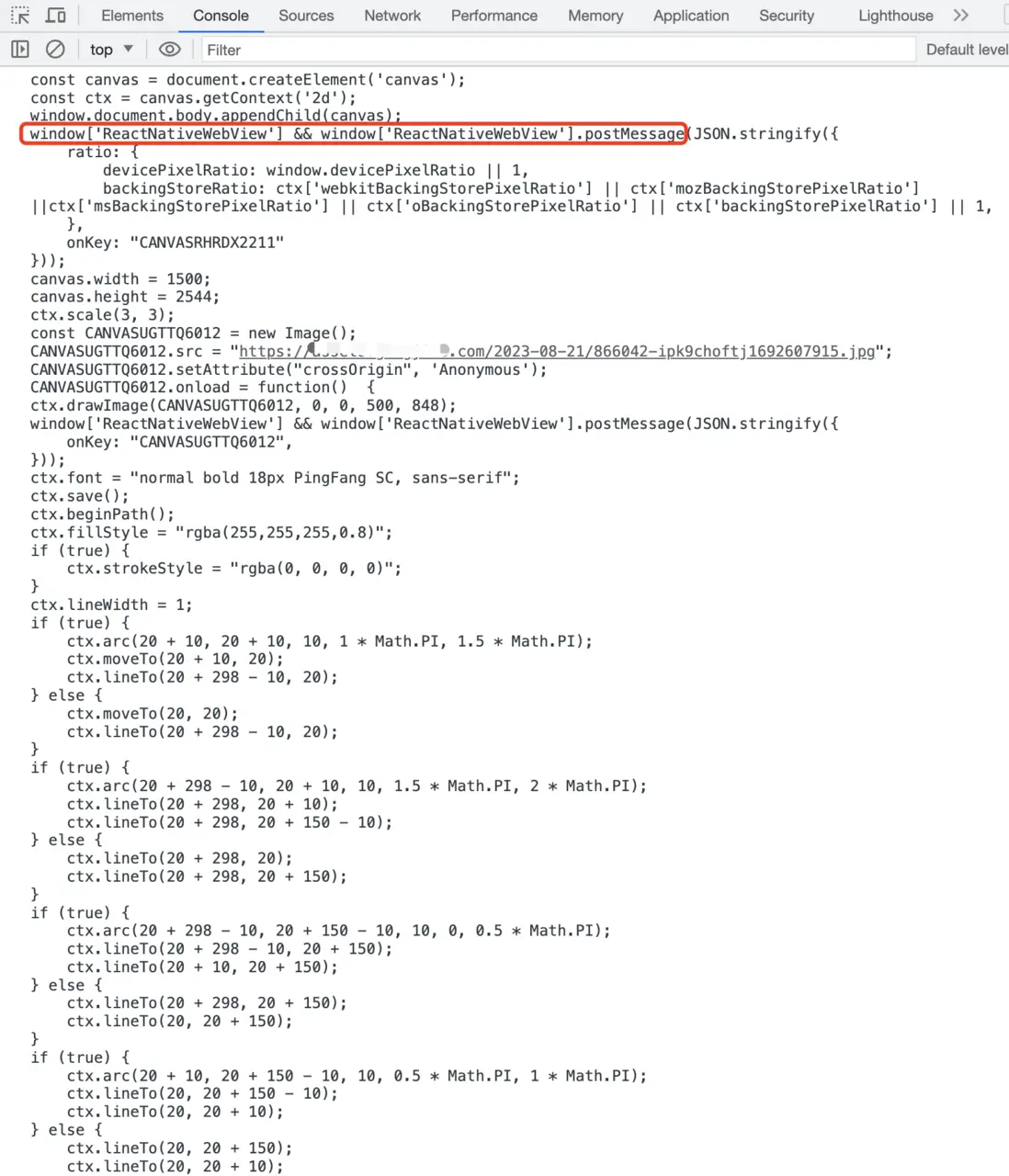
思路:React-Native自己是沒有Canvas,可以利用react-native-webview注入html做一個Canvas,把寫入Webview的html作為可變的字符串,每寫一條canvas就在字符串上的script標籤裏添加對應的語句,每一次添加都是異步的,通過onMessage去獲取Webview往外傳的值
- 初始化一個html頁面
window.onload裏去執行我們要添加的js字符串
private state: State = {
    js: `const canvas = document.createElement('canvas');
const ctx = canvas.getContext('2d');
window.document.body.appendChild(canvas);
`,
    end: '', // js尾巴
    style: {width: 1, height: 1}
};
<WebView
style={[style]}
javaScriptEnabledAndroid={true}
overScrollMode="never"
mixedContentMode="always"
thirdPartyCookiesEnabled
allowUniversalAccessFromFileURLs
javaScriptEnabled={true}
domStorageEnabled={false}
automaticallyAdjustContentInsets={true}
scalesPageToFit={false}
showsVerticalScrollIndicator={false}
showsHorizontalScrollIndicator={false}
onMessage={(e) => {
}}
source={{
html: `<!DOCTYPE html>
<html lang="en">
<head>
<meta content='width=device-width, initial-scale=1, maximum-scale=1' name='viewport'>
<style>
html {
-ms-content-zooming: none;
-ms-touch-action: pan-x pan-y;
}
* {
user-select: none;
-ms-user-select: none;
-moz-user-select: none;
-webkit-user-select: none;
padding: 0;
margin: 0;
}
</style>
</head>
<body>
<script>
window.onload = () => {
${js + end}
}
</script>
</body>
</html>`
}}
/>- 寫js的代碼
設置寬高
    public setStyle = (options: { width: number; height: number }, ratio = 1) => {
        return new Promise<Canvas>((resolve) => {
            const {style, js} = this.state;
            this.setState({
                style: {...style, ...options},
                js: js + `canvas.width = ${options.width * ratio};
canvas.height = ${options.height * ratio};
`
            } as State, () => resolve(this));
        });
};- 特殊處理
畫圖片,需要在圖片image.load完成之後寫別的js
private changeJs = (newJs: string, callback: () => void, newEnd?: string) => {
    const {js, end} = this.state;
    this.setState({
        js: js + newJs,
        end: end + (newEnd || "")
    } as State, callback);
};
// 設置圖片
public setImage = (src: string, x: number, y: number, w: number, h: number) => {
    const imageName = this.randCode(); // 隨機字符串
    return new Promise<Canvas>((resolve) => {
        this.changeJs(`const ${imageName} = new Image();
${imageName}.src = "${src}";
${imageName}.setAttribute("crossOrigin", 'Anonymous');
${imageName}.onload = function()  {
     ctx.drawImage(${imageName}, ${x}, ${y}, ${w}, ${h});
     window['ReactNativeWebView'] && window['ReactNativeWebView'].postMessage(JSON.stringify({
         onKey: "${imageName}",
     }));
// 把尾巴 }; 作為一段放在最後面的
`, () => resolve(this), `};
`);
    });
};- 獲取webview的值(
window.ReactNativeWebView.postMessage)
打印