

OpenResty 是一個基於 Nginx 和 LuaJIT 的全功能 Web 應用服務器,它提供了一種強大而靈活的方式來構建和擴展 Web 應用服務器,同時保持了 Nginx 的高性能和可靠性。OpenResty 是 APISIX、Kong、Ingress Nginx 等網關類產品的基礎,因此 OpenResty 及其衍生產品非常適合作為 WAF 防護的統一入口。
本次使用的免費WAF主要用了雷池社區版,掛一個官網鏈接(感興趣的朋友可以嘗試一下):https://waf-ce.chaitin.cn/ 。
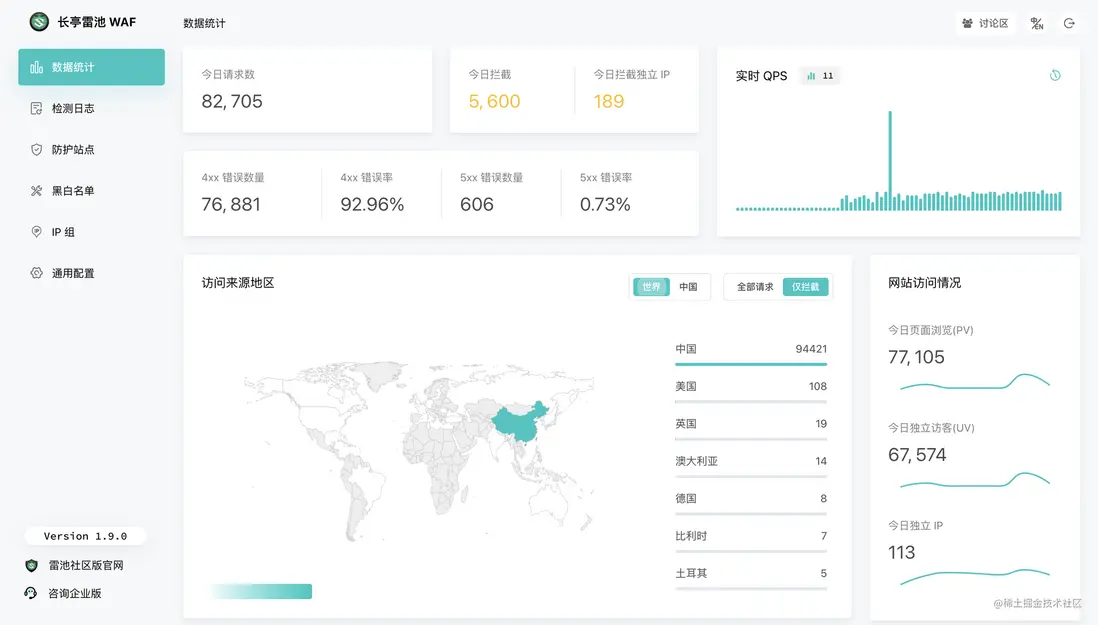
本文講述瞭如何利用免費的長亭雷池 WAF 社區版,通過 lua-resty-t1k 插件為 OpenResty 增加安全防護,實現轉發與檢測服務分離的安全架構。
基礎版
基礎版以 OpenResty 與長亭雷池 WAF 社區版安裝在同一台 Host 為例。
第一步 – 安裝雷池
長亭雷池 WAF 社區版有多種安裝方式,具體安裝方式可以參考長亭雷池 WAF 社區版官網文檔:https://waf-ce.chaitin.cn/posts/guide_install
如果之前已經安裝了長亭雷池 WAF 社區版,確保版本 >= 2.0.0。長亭雷池 WAF 社區版管理頁面左下角顯示了當前版本。
第二步 – 配置 OpenResty
我們以 OpenResty 官方鏡像 alpine-fat 為例,介紹如何開啓長亭雷池 WAF 防護:
進入長亭雷池 WAF 社區版安裝目錄,確認當前目錄下存在 resources/detecotr 目錄,啓動 OpenResty。
docker run -d --name openresty -v $(pwd)/resources/detector:/opt/detector openresty/openresty:alpine-fat進入 OpenResty 容器,使用 luarocks 安裝 lua-resty-t1k 插件:
docker exec -it openresty bash
luarocks install lua-resty-t1k
修改 /etc/nginx/conf.d/default.conf 路徑下的 OpenResty 配置,增加 /t 路徑測試 WAF 防護。以下為完整配置,可以直接替換 /etc/nginx/conf.d/default.conf 文件:
server {
    listen       80;
    server_name  localhost;

    location /t {
        access_by_lua_block {
            local t1k = require "resty.t1k"

            local t = {
                mode = "block",
                host = "unix:/opt/detector/snserver.sock",
            }

            local ok, err, result = t1k.do_access(t, true)
            if not ok then
                ngx.log(ngx.ERR, err)
            end
        }

        header_filter_by_lua_block {
            local t1k = require "resty.t1k"
            t1k.do_header_filter()
        }

        content_by_lua_block {
            ngx.say("passed")
        }
    }

    location / {
        root   /usr/local/openresty/nginx/html;
        index  index.html index.htm;
    }

    error_page   500 502 503 504  /50x.html;
    location = /50x.html {
        root   /usr/local/openresty/nginx/html;
    }
}
驗證並重載 OpenResty 配置:
openresty -t && openresty -s reload第三步 – 驗證
訪問 /t/shell.php 驗證防護效果:
# curl http://127.0.0.1/t/shell.php
{"code": 403, "success":false, "message": "blocked by Chaitin SafeLine Web Application Firewall", "event_id": "2005f374e2c44757a449b1071f284e3b"}
同時在長亭雷池 WAF 社區版能夠看到對應攔截日誌。
正常訪問 /t 不會觸發攔截:
# curl http://127.0.0.1/t/
passed
進階版
實際生產環境中,長亭雷池 WAF 社區版可能與 OpenResty 不在同一個 Host,或者有多個 OpenResty 分佈在不同 Host。這時就需要將檢測服務映射到 Host 指定端口供其它 Host 通過網絡訪問。
定位到長亭雷池 WAF 社區版的安裝目錄,修改 compose.yaml,在 detector 部分增加端口映射,修改結果:
......
  detector:
    container_name: safeline-detector
    restart: always
    image: chaitin/safeline-detector:${IMAGE_TAG}
    volumes:
    - ${SAFELINE_DIR}/resources/detector:/resources/detector
    - ${SAFELINE_DIR}/logs/detector:/logs/detector
    - /etc/localtime:/etc/localtime:ro
    environment:
    - LOG_DIR=/logs/detector
    networks:
      safeline-ce:
        ipv4_address: ${SUBNET_PREFIX}.5
    cap_drop:
    - net_raw
    ports: ["8000:8000"] # 新增行
  mario:
    container_name: safeline-mario
    restart: always
.....
修改 resources/detector/snserver.yml 的檢測服務配置文件,修改結果:
fusion_sofile: ./config/libfusion2.so
ip_location_db: ./GeoLite2-City.mmdb
# bind_addr: unix:///resources/detector/snserver.sock # 註釋行
bind_addr: 0.0.0.0 # 新增行
listen_port: 8000 # 新增行
......
執行
docker compose up -d
使得配置修改生效,使用 nc 命令驗證檢測服務端口可達
# nc -zv ${長亭雷池 WAF 社區版 Host IP} 8000
Connection to ${長亭雷池 WAF 社區版 Host IP} 8000 port [tcp/*] succeeded!
修改 OpenResty 配置文件,指定 host 及 port,以下為修改後的配置文件
......

    location /t {
        access_by_lua_block {
            local t1k = require "resty.t1k"

            local t = {
                mode = "block",
                host = "長亭雷池 WAF 社區版 Host IP",
                port = 8000,
            }

            local ok, err, result = t1k.do_access(t, true)
            if not ok then
                ngx.log(ngx.ERR, err)
            end
        }

        header_filter_by_lua_block {
            local t1k = require "resty.t1k"
            t1k.do_header_filter()
        }

        content_by_lua_block {
            ngx.say("passed")
        }
    }

......
驗證並重載 OpenResty 配置
openresty -t && openresty -s reload之後就可以驗證安全防護能力。
