

一、參考
emacs系列文章目錄——更新ing
lsp-mode
lsp-mode: go config
dap-mode
dap-mode: go config
二、名詞解釋
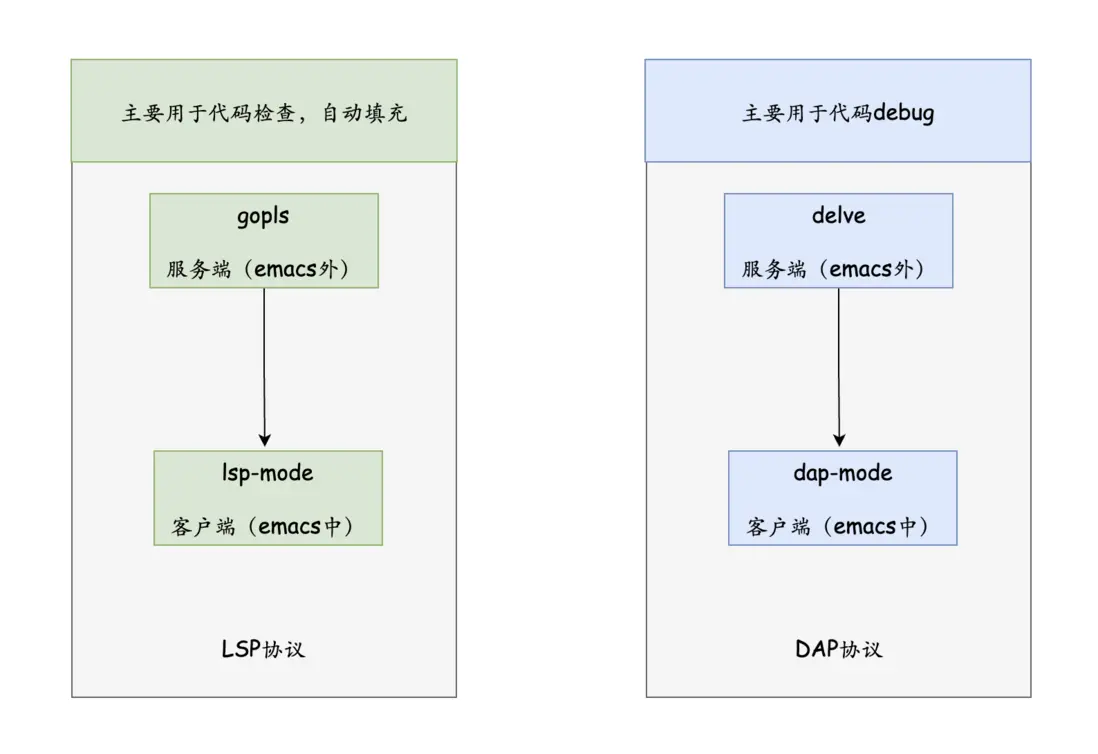
2.1 gopls
go 語言服務器,實現lsp協議 的服務端
gopls (pronounced "Go please") is the official Go language server developed by the Go team. It provides IDE features to any LSP-compatible editor.
You should not need to interact with gopls directly--it will be automatically integrated into your editor. The specific features and settings vary slightly by editor, so we recommend that you proceed to the documentation for your editor below.
2.2 lsp-mode
lsp-mode emacs中的lsp協議 的客户端
Client for Language Server Protocol (v3.14). lsp-mode aims to provide IDE-like experience by providing optional integration with the most popular Emacs packages like company, flycheck and projectile.
2.3 delve
go語言的debugger, 當作實現 dap協議 的服務端
Delve is a debugger for the Go programming language. The goal of the project is to provide a simple, full featured debugging tool for Go. Delve should be easy to invoke and easy to use. Chances are if you're using a debugger, things aren't going your way. With that in mind, Delve should stay out of your way as much as possible.
2.4 dap-mode
實現 dap協議的客户端
Emacs client/library for Debug Adapter Protocol is a wire protocol for communication between client and Debug Server. It’s similar to the LSP but provides integration with debug server.
三、實際使用
3.1 go語言的 init.el 配置
(use-package go-mode
  :mode
  (("\\.go\\'" . go-mode))
  :config
  (setq exec-path (append exec-path '("/usr/local/go/bin"))) ;; 設置golang的編譯路徑
  (setq gofmt-command "goimports")
  (setq tab-width 2)
  (setq indent-tabs-mode 1)
  (require 'lsp-mode)
  (require 'dap-mode)
  (require 'dap-dlv-go)
  :hook
  ;; (add-hook 'before-save-hook 'gofmt-before-save)
  (before-save . gofmt-before-save)
  (before-save . lsp-format-buffer)
  (before-save . lsp-organize-imports)
  (go-mode . flycheck-mode)
  (go-mode . company-mode)
  (go-mode . hs-minor-mode)
  (go-mode . lsp-deferred)
  :bind
  (:map go-mode-map ;; 定義本地命名空間
    ("M-." . godef-jump)
    ("M-," . pop-tag-mark))
  )
3.2 開啓項目的 lsp-mode
➜  yzgo pwd
/Users/yz/work/github/yzgo
➜  yzgo tree .
.
├── go.mod
└── string_test.go

0 directories, 2 files
➜  yzgo cat go.mod
module yzgo.com/m

go 1.20
➜  yzgo cat string_test.go
package main

import (
    "fmt"
    "testing"
    "time"
)

func TestS1(t *testing.T) {

    fmt.Println("---start--", time.Now())

    a := 1
    b := 2
    c := a + b
    fmt.Println("--end--", time.Now(), a, b, c)
}
由上可見,有一個簡單的項目 yzgo,只有一個簡單的string_test.go文件
| 序號 | 描述 | 示例 |
|---|---|---|
| 1 | lsp-workspace-folders-add |
一開始沒有連接到 lsp-server, 可以通過命令M-x lsp-workspace-folders-add創建連接, 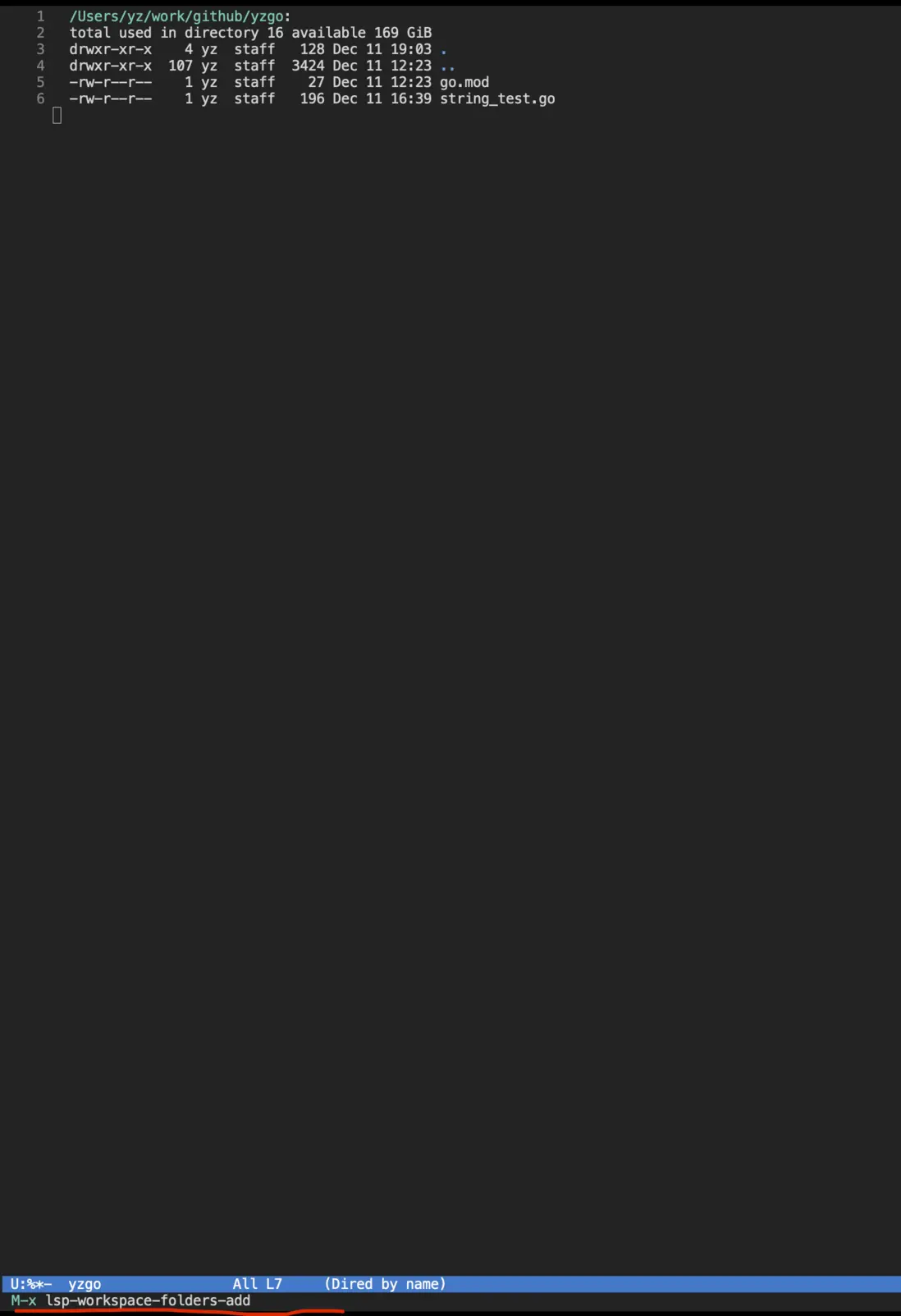 |
| 2 | 添加項目根目錄 | 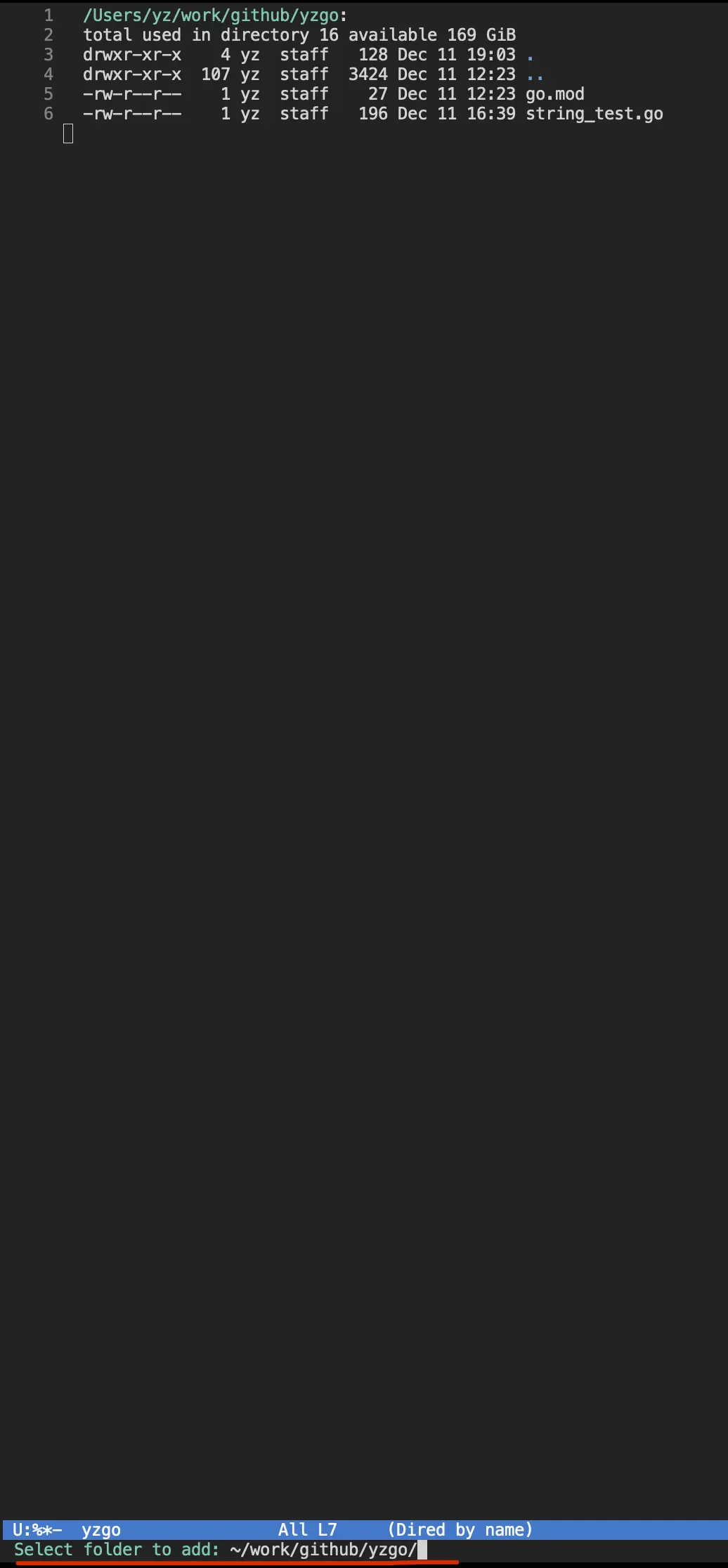 |
| 3 | 建立連接 | 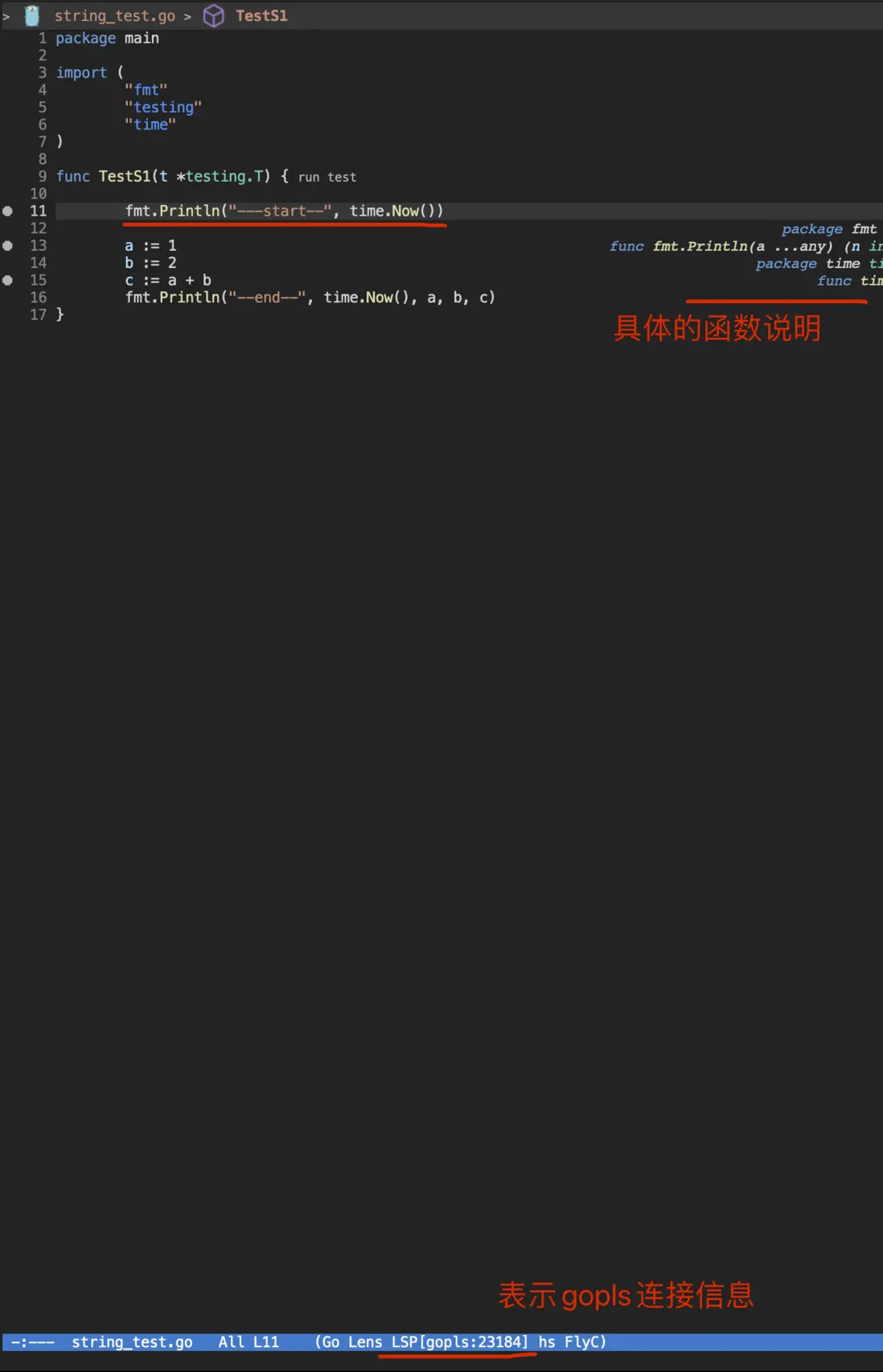 |
一般進入目錄時候,會有提示,配置lsp-server,此處選擇 i

3.3 lsp-mode 中的常用命令
四、代碼debug
4.1 開啓debug
| 序號 | 命令 | 説明 | 示例 |
|---|---|---|---|
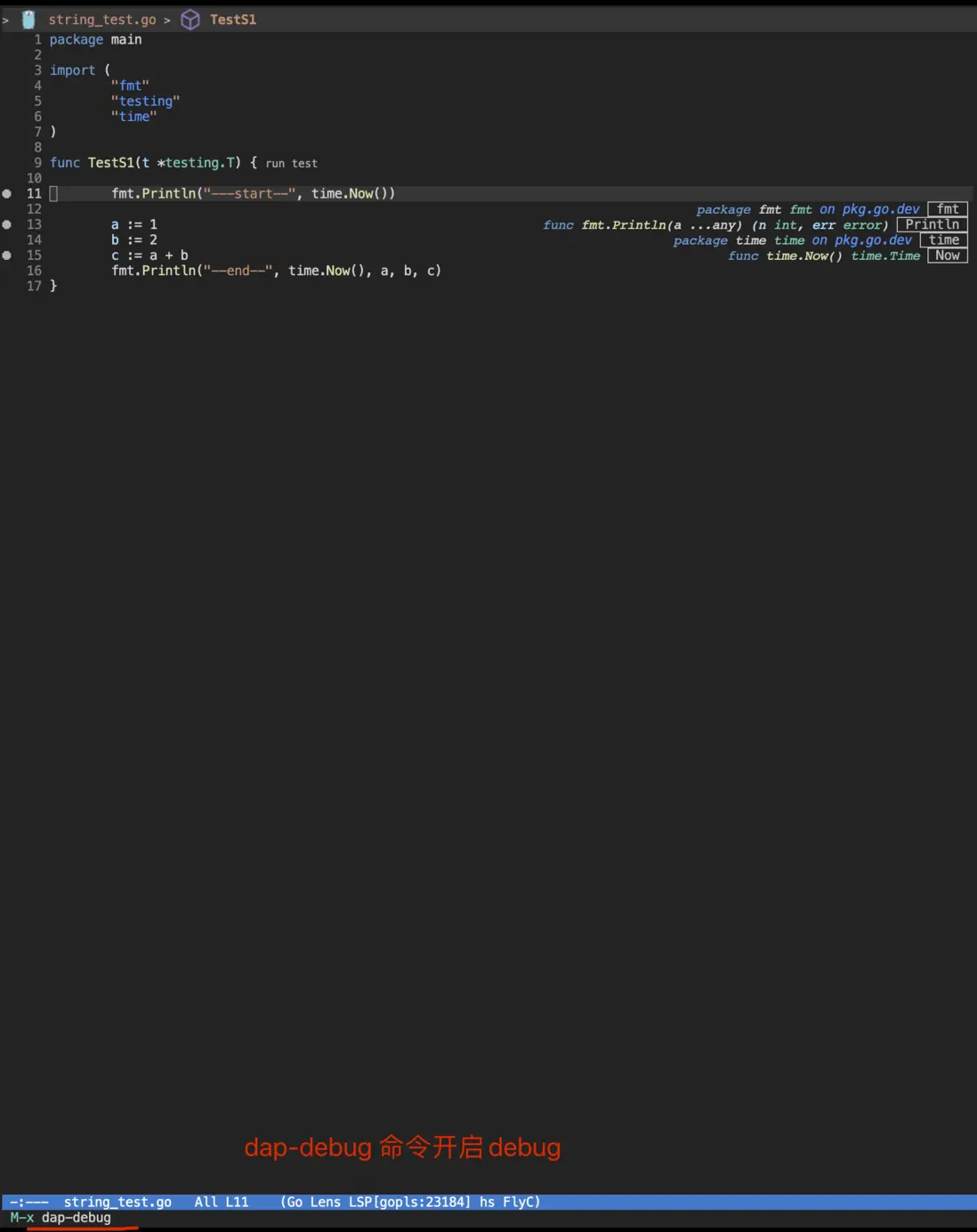
| 1 | dap-debug |
M-x dap-debug開啓項目debug |
 |
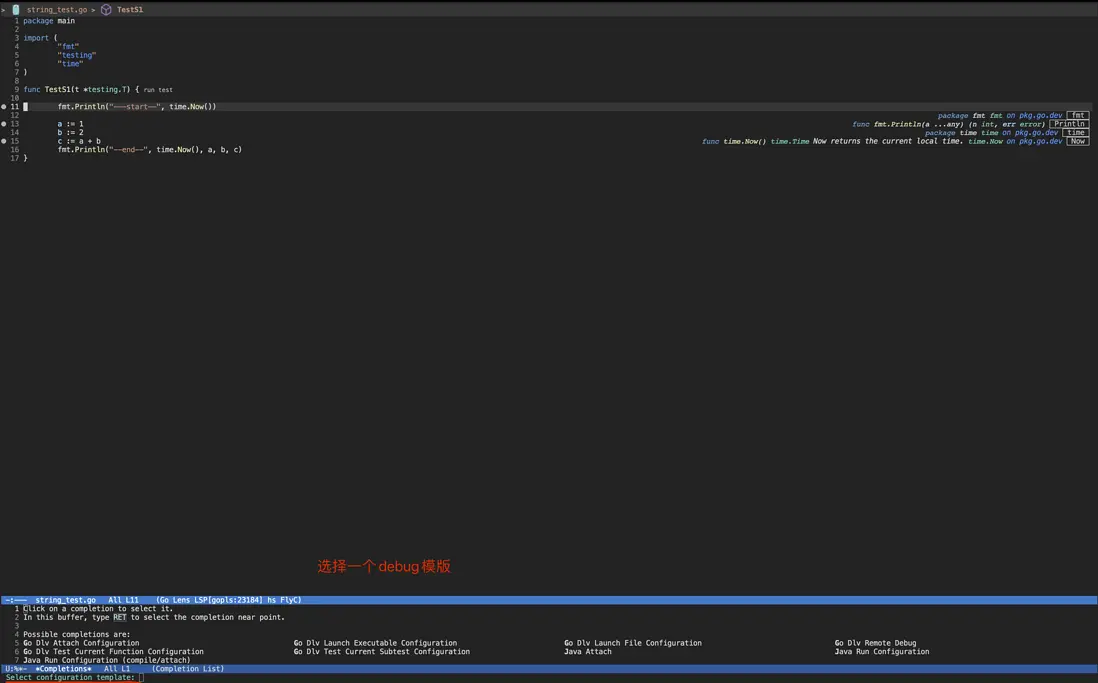
| 2 | 選擇debug 模版 | 此處是對於單個函數的debug,選擇 Go Dlv Test Current Function Configuration |
 |
| 3 | debug 詳情頁 | 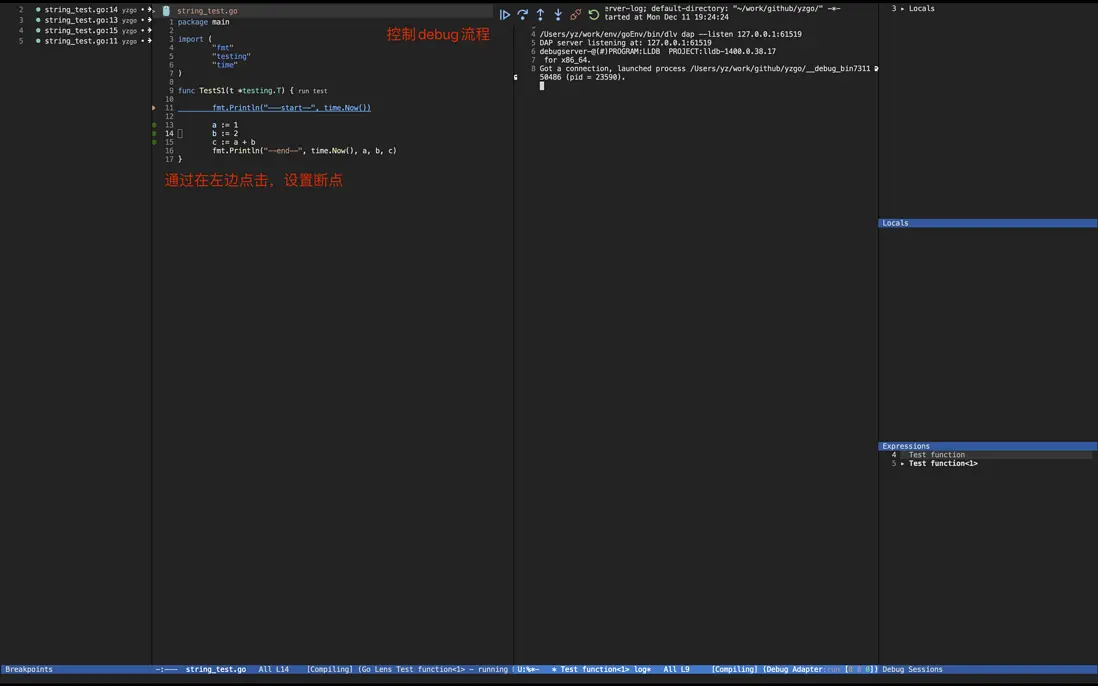 |
4.2 集成命令面板 dap-hydra
通過命令M-x dap-hydra可以進入debug命令終端
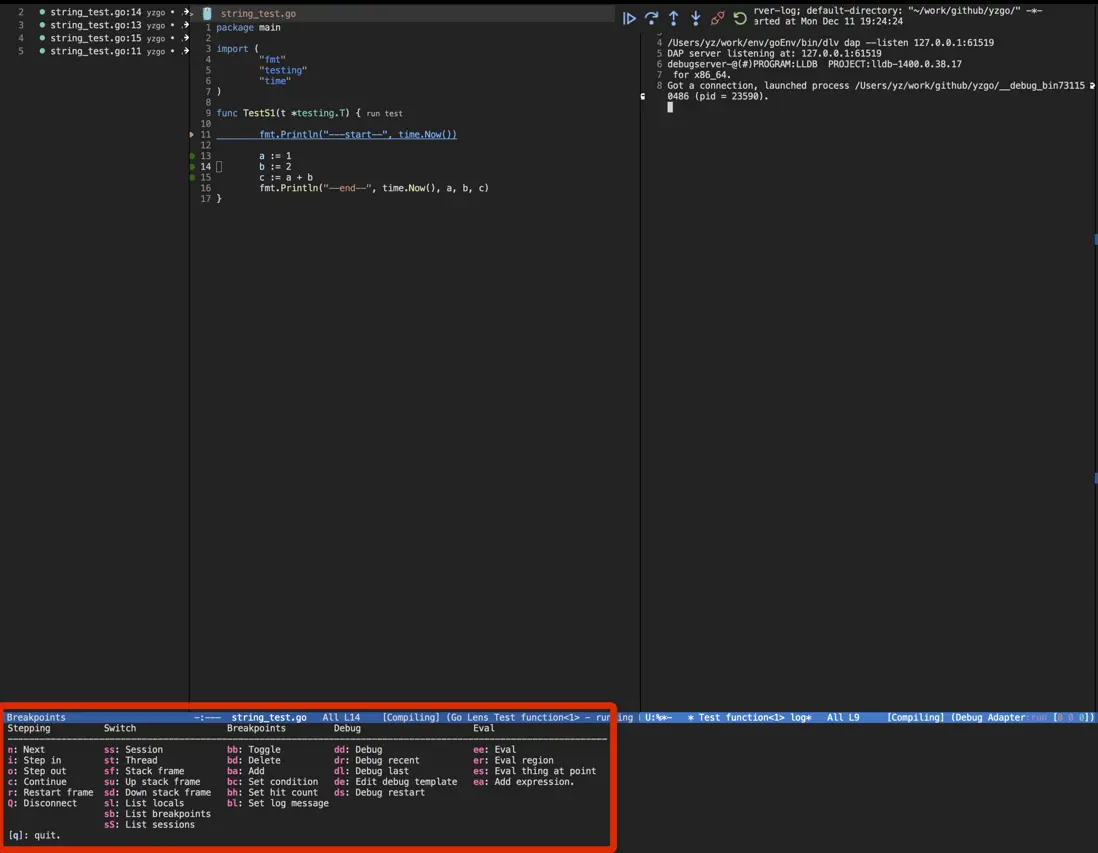
經常使用命令如下
| 序號 | 命令 | 説明 | 示例 |
|---|---|---|---|
| 1 | ee |
用於查看debug過程中的變量信息 | 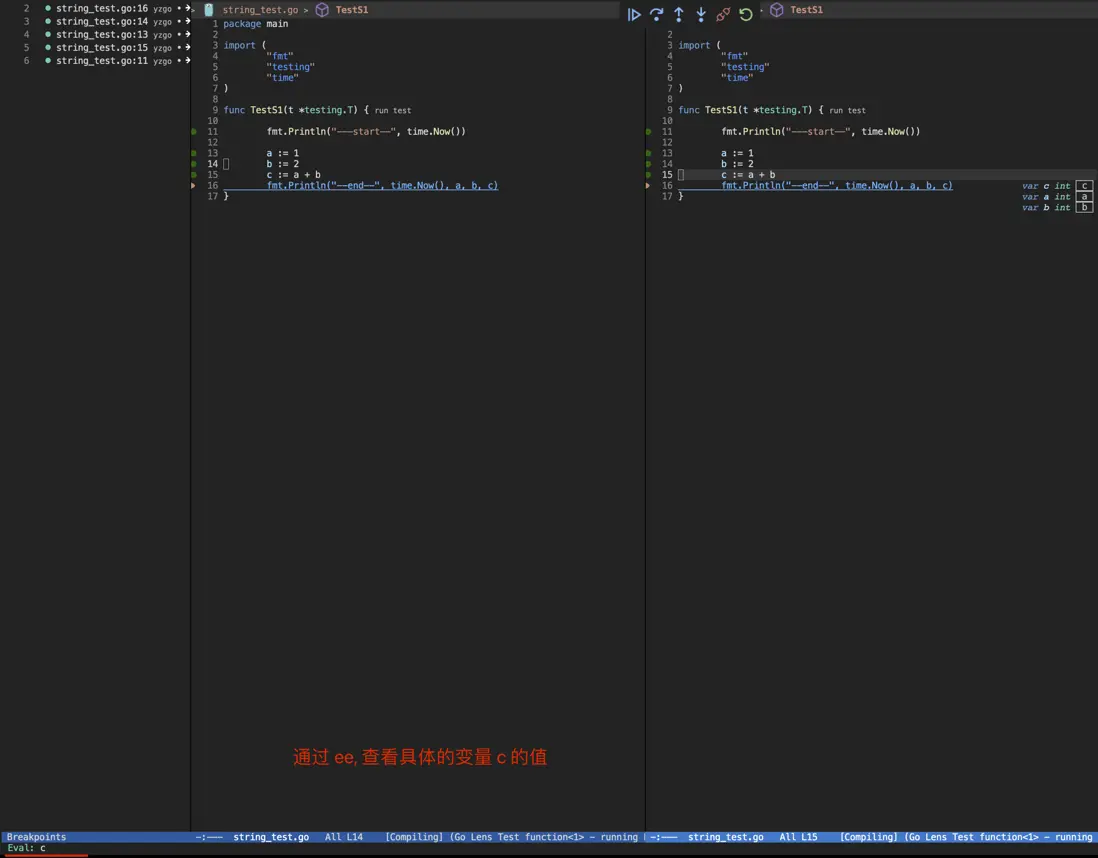 |
| 2 | sl |
查看所有的變量 | 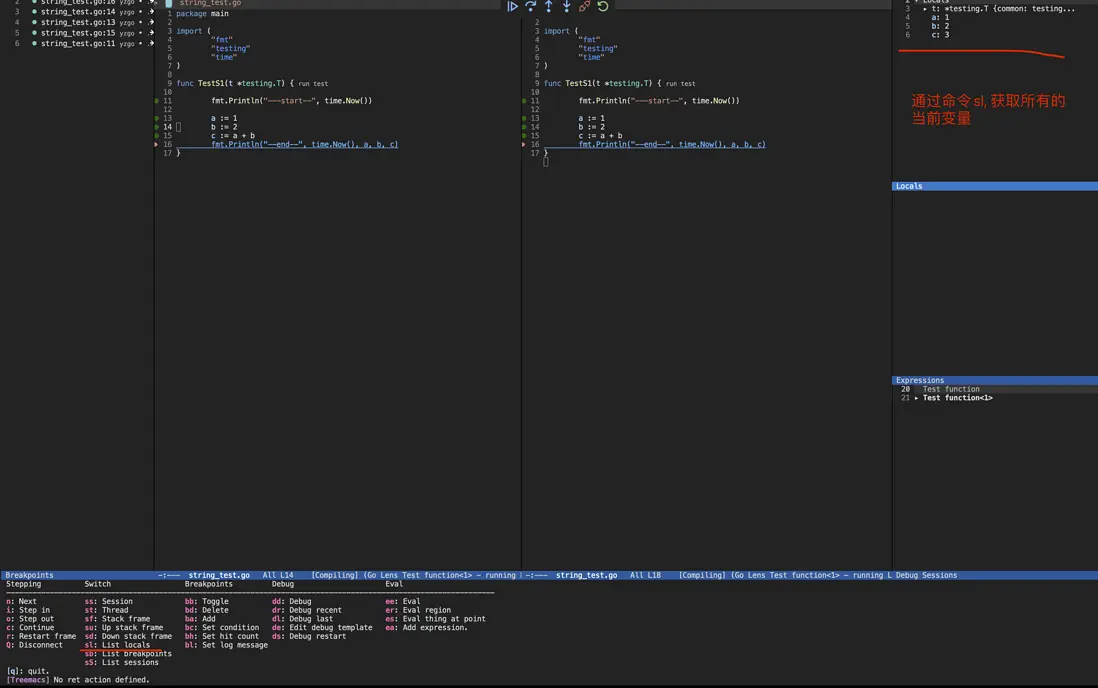 |
