在寫一個網站組件,我決定使用tailwindcss,究竟它的魅力在何處,start有73k,然後看到它代碼更新頻率還是屬於正常維護的
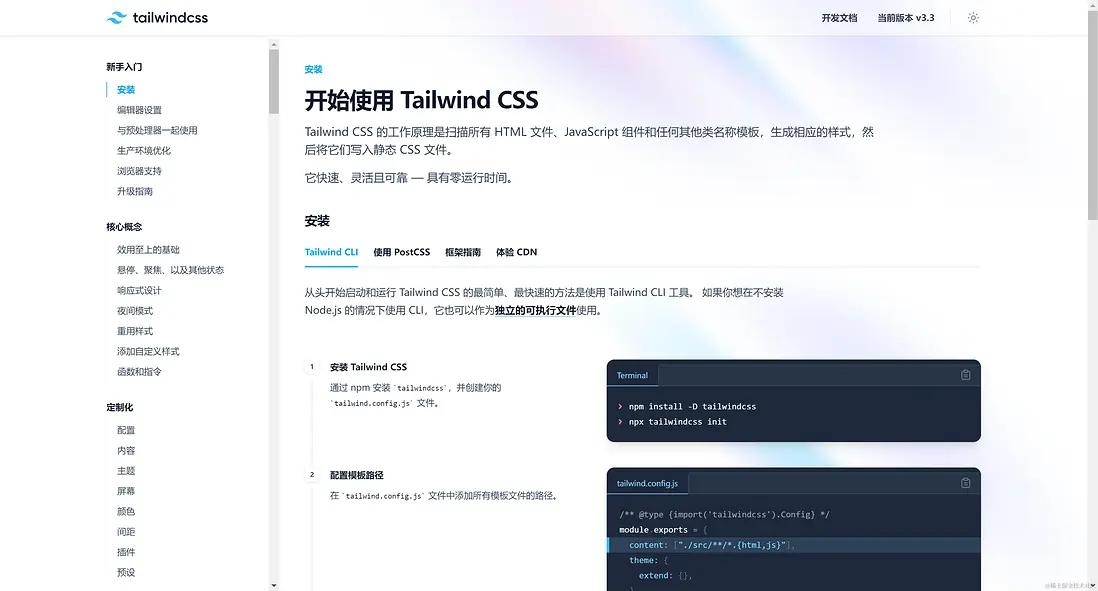
發現它的中文文檔也很友好tailwindcss.中文文檔

我寫了個組件,一個響應的組件,整行代碼不足50行左右,看下效果如下

代碼如下,完整代碼不足50行左右
<div class="px-3 py-3 rounded-[5px] bg-white mb-4 overflow-hidden">
    <div class="flex max-sm:flex-col max-md:flex-col max-lg:flex-col max-xl:flex-row max-2xl:flex-row xl:space-x-3 2xl:space-x-4">
        <div class="relative max-sm:basis-full max-md:basis-full max-lg:basis-full basis-8/12">
        <h1 class="text-[18px] font-normal">赤壁市第六小學新建項目</h1>
        <p class="text-[14px] pt-4 leading-5 text-justify line-clamp-2">赤壁市錦華工程造價諮詢有限公司赤壁市錦華工程造價諮詢有限公司赤壁市錦華工程造價諮詢有限公司赤壁市錦華工程造價諮詢有限公司赤壁市錦華工程造價諮詢有限公司</p>
        <div class="pt-2 space-x-3 space-y-2 pb-8">
            <UBadge class="bg-gray-100 text-slate-900 cursor-pointer hover:bg-green-500 hover:text-white" :ui="{ rounded: 'rounded-full' }" size="sm">
                <svg class="icon stroke-2 mr-1" aria-hidden="true">
                    <use xlink:href="#haiwb-biaoqian"></use>
                </svg>
    測試
            </UBadge>
            <UBadge class="bg-gray-100 text-slate-900 cursor-pointer hover:bg-green-500 hover:text-white" :ui="{ rounded: 'rounded-full' }" size="sm">
            <svg class="icon stroke-2 mr-1" aria-hidden="true">
                <use xlink:href="#haiwb-biaoqian"></use>
            </svg>
        測試
            </UBadge>
        </div>
        <div class="mt-3 flex items-center flex-row space-x-2 absolute bottom-0 left-0 w-full">
            <div class="flex items-center flex-row flex-shrink-0">
            <svg class="icon stroke-2 mr-1" aria-hidden="true">
            <use xlink:href="#haiwb-naozhong"></use>
            </svg>
            <span class="text-[12px] text-gray-500">2023年07月16日 星期日</span>
        </div>
            <div class="flex items-center flex-row flex-shrink-0">
            <svg class="icon stroke-2 mr-1" aria-hidden="true">
            <use xlink:href="#haiwb-zuixinziyuan"></use>
            </svg>
            <span class="text-[12px] text-gray-500">32131</span>
        </div>
        <div class="flex items-center flex-row flex-shrink-0">
            <svg class="icon stroke-2 mr-1" aria-hidden="true">
            <use xlink:href="#haiwb-zixun"></use>
            </svg>
            <span class="text-[12px] text-gray-500">測試</span>
        </div>
        <div class="flex items-center flex-row basis-full justify-end">
            <a class="flex items-center flex-row bg-slate-100 rounded-[5px] px-2 py-1" href="">
                <svg class="icon stroke-2 mr-1" aria-hidden="true">
                    <use xlink:href="#haiwb-biaoqiankuozhan_wode-285"></use>
                </svg>
                <span class="text-[12px] text-gray-500">測試</span>
            </a>
        </div>
    </div>
        </div>
        <div class="max-sm:basis-full max-sm:mt-2 max-md:basis-full max-md:mt-2 max-lg:basis-full max-lg:mt-2 basis-4/12 ">
            <div class="h-40">
                <img fit="cover" class="w-full h-full object-cover" loading="lazy" src="https://p9-juejin.byteimg.com/tos-cn-i-k3u1fbpfcp/24e5e1b9bf8c41d4a638efdf6fecc239~tplv-k3u1fbpfcp-jj-mark:960:960:0:0:q75.avis#?w=800&h=250&s=23344&e=jpg&b=83728c" />
            </div>
        </div>
    </div>
</div>
寫完之後,我發現邊距以及瀏覽器的兼容規範寫法,tailwindcss都幫我們做好了,其實在線現實工作中又很大一部分人沒有按照css的規範去編寫樣式,導致了自己也沒有搞懂的css引發的邊各種屬性衝突問題
有很多人覺的引入了tailwindcss包變大,其實不然,tailwindcss官方早就幫我做好了,Tailwind CSS 非常注重性能,旨在通過僅生成你在項目中實際使用的 CSS 來生成儘可能小的 CSS 文件,結合縮小和網絡壓縮,這通常會導致 CSS 文件小於 10kB
配置
在你的項目根目錄新建文件tailwind.config.js即可
module.exports = {
    theme: {
        extend: {
            // 配置去官網參考配置,按需要去定製自己的符合樣式
        }
    }
}
Tailwind CSS 的工作原理是掃描所有 HTML 文件、JavaScript 組件和任何其他類名稱模板,生成相應的樣式,然後將它們寫入靜態 CSS 文件