

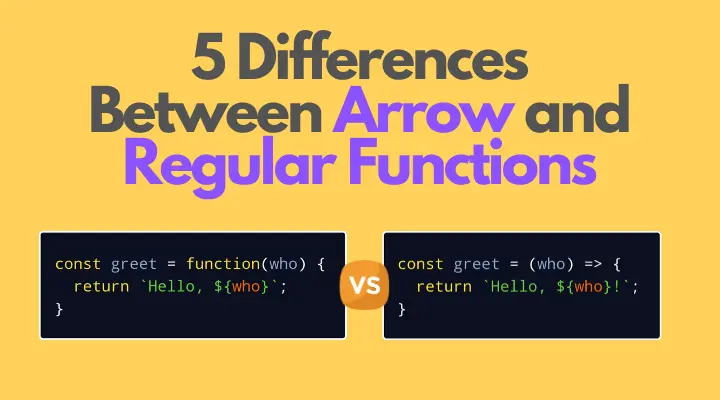
在 JavaScript 中,可以使用許多的方法聲明函數。首先通常方法是使用 function 關鍵字:
// 函數聲明
function greet(who) {
  return `Hello, ${who}!`;
}
// 函數表達式
const greet = function (who) {
return `Hello, ${who}`;
};我將函數聲明和函數表達式稱之為_常規函數_。
第二種方式是在 ES2015 中加入的_箭頭函數語法_:
const greet = (who) => {
  return `Hello, ${who}!`;
};
面對兩種聲明函數的常規與箭頭語法,你是否使用其中的一種替代另一種呢?這是個有意思的問題。
在這篇文章中,我將展示這兩者之間的主要不同,讓你能夠在需要時選擇正確的語法。
#this 的值
#常規函數
在 JavaScript 常規函數中,this 的值(又稱為執行上下文)是動態的。
動態的上下文意味着 this 的值依賴於該函數是如何被引用的。在 JavaScript 中,有 4 種方式引用常規函數。
在_簡單引用_中 this 的值等價於全局對象(或者 undefined,如果該函數運行在嚴格模式下):
function myFunction() {
  console.log(this);
}

// 簡單引用
myFunction(); // 輸出全局對象(window)
在_方法引用_中 this 的值為擁有該方法的對象:
const myObject = {
  method() {
    console.log(this);
  },
};
// 方法引用
myObject.method(); // 輸出 "myObject"
在使用 myFunc.call(context, arg1, ..., argN) 或 myFunc.apply(context, [arg1, ..., argN]) 的_間接引用_中 this 的值等價於第一個參數:
function myFunction() {
  console.log(this);
}

const myContext = { value: 'A' };

myFunction.call(myContext); // 輸出 { value: 'A' }
myFunction.apply(myContext); // 輸出 { value: 'A' }
在_構造函數引用_中使用 new 關鍵字的 this 等價於新創建的實例:
function MyFunction() {
  console.log(this);
}

new MyFunction(); // 輸出一個 MyFunction 的實例
#箭頭函數
箭頭函數內部 this 的行為與常規函數的 this 行為有很多的不同。
無論怎樣或在任意地方被執行,箭頭函數內部 this 的值總是等價於它外部的函數的 this 值。一句話,箭頭函數綁定 this 解析。換句話説,箭頭函數不能聲明它自己的執行上下文。
在下面的例子,myMethod() 是在函數 callback() 外部的箭頭函數:
const myObject = {
  myMethod(items) {
    console.log(this); // 輸出 "myObject"
    const callback = () => {
      console.log(this); // 輸出 "myObject"
    };
    items.forEach(callback);
  },
};

myObject.myMethod([1, 2, 3]);
箭頭函數 callback() 內部的 this 值等價於外部函數 myMethod() 的 this 值。
this 綁定解析是箭頭函數一個巨棒的功能。當在方法內部使用回調函數時可以確認箭頭函數不聲明它自己的 this:不再需要使用 const self = this 或 callback.bind(this) 之類的變通技巧。
#構造函數
#常規函數
如同上面章節所見,常規函數很容易創建構建函數。舉例來説,創建 Car() 函數的實例 car:
function Car(color) {
  this.color = color;
}

const redCar = new Car('red');
redCar instanceof Car; // => true
Car 是一個常規函數,並且使用 new 關鍵字,它創建屬於 Car 類型的新實例。
#箭頭函數
一件重要的事是 this 綁定解析的箭頭函數不能被用於構造函數。
如果嘗試在箭頭函數前面使用 new 關鍵字,JavaScript 將拋出一個錯誤:
const Car = (color) => {
  this.color = color;
};

const redCar = new Car('red');
// TypeError: Car is not a constructor
#arguments 對象
#常規函數
在常規函數的內部,arguments 是一個特別的類數組對象,該對象包含函數引用的參數列表。
讓我們引用 2 個參數運行 myFunction 函數:
function myFunction() {
  console.log(arguments);
}

myFunction('a', 'b'); // 輸出 { 0: 'a', 1: 'b'}
類數組對象 arguments 包含函數運行參數:'a' 和 'b''。
#箭頭函數
注意,在箭頭函數內部沒有特殊的 arguments 對象。
再次(與 this 值相同),按 arguments 詞法解析對象:箭頭函數中訪問 arguments 從外部函數一致。
讓我們嘗試在箭頭函數內部訪問 arguments:
function myRegularFunction() {
  const myArrowFunction = () => {
    console.log(arguments);
  };

  myArrowFunction('c', 'd');
}

myRegularFunction('a', 'b');
// 輸出 { 0: 'a', 1: 'b' }
箭頭函數 myArrowFunction() 引用參數 c, d。然而,arguments 對象依然等價於 myRegularFunction() 的參數:a, b。
如果想要直接訪問箭頭函數的參數,可以使用擴展參數功能:
function myRegularFunction() {
  const myArrowFunction = (...args) => {
    console.log(args);
  };

  myArrowFunction('c', 'd');
}

myRegularFunction('a', 'b');
// 輸出 { 0: 'c', 1: 'd' }
...args 擴展參數聚合箭頭函數執行時參數:{ 0: 'c', 1: 'd' }。
#內部返回 return
#常規函數
僅能通過 return expression 表達式聲明函數的返回結果值:
function myFunction() {
  return 42;
}

myFunction(); // => 42
如果缺失 return 聲明,或者在 return 聲明之後沒有表達式,常規函數將返回 undefined:
function myEmptyFunction() {
  42;
}

function myEmptyFunction2() {
  42;
  return;
}

myEmptyFunction(); // => undefined
myEmptyFunction2(); // => undefined
#箭頭函數
你可以在箭頭函數中使用與常規函數相同的方式返回值,但有一種例外用法。
如果箭頭函數包含一個表達式,並且刪除了函數的括號包裹,那麼表達式結果被直接返回。稱之為行內箭頭函數。
const increment = (num) => num + 1;

increment(41); // => 42
increment() 箭頭函數僅包含一個表達式 num + 1。箭頭函數不需要使用 return 關鍵字直接返回該表達式。
#方法
#常規函數
在類中常規函數使用通常的方式聲明方法。
在下面的類 Hero 中,方法 logName() 使用常規函數聲明:
class Hero {
  constructor(heroName) {
    this.heroName = heroName;
  }

  logName() {
    console.log(this.heroName);
  }
}

const batman = new Hero('Batman');
通常來説,常規函數作為方法在使用。有時,需要提供方法作為回調函數,舉例來説 setTimeout 或者事件監聽器。在這些用例中,可能遭遇不同訪問 this 的方式。
讓我們使用 logName() 方法作為 setTimeout 的回調函數:
setTimeout(batman.logName, 1000);
// after 1 second logs "undefined"
1 秒後,undefined 在控制枱中被打印出來。setTimeout 簡單引用 logName(這時 this 是全局對象)。
讓我們手動綁定 this 的值到正確的上下文:
setTimeout(batman.logName.bind(batman), 1000);
// after 1 second logs "Batman"
batman.logName.bind(batman) 綁定 this 到 batman 實例。現在可以確定該方法沒有失去上下文。
手動綁定這個需要大量的代碼,尤其是當你有很多方法的時候。還有一個更好的方法:將箭頭函數作為類字段。
#箭頭函數
感謝 Class fields 提案,現在可以使用箭頭函數在類內部作為方法。
現在,與常規函數不同,方法聲明使用箭頭函數綁定 this 解析到類的實例。我們使用箭頭函數作為字段:
class Hero {
  constructor(heroName) {
    this.heroName = heroName;
  }

  logName = () => {
    console.log(this.heroName);
  };
}

const batman = new Hero('Batman');
現在可以使用 batman.logName 作為回調函數而無需手動綁定 this。logName() 方法內部的 this 值總是類的實例:
setTimeout(batman.logName, 1000);
// after 1 second logs "Batman"
#總結
瞭解常規函數與箭頭函數之間的不同有助於在需要時選擇正確的語法。
常規函數內部的 this 值是動態的並且依賴於引用。但是箭頭函數內部的 this 綁定等價於外部函數。
arguments 對象包含了常規函數中的參數列表。而箭頭函數則相反,不定義參數(但你可以使用擴展參數 ...args 輕鬆訪問箭頭函數的參數)。
如果箭頭函數有一個表達式,那麼即使不使用 return 關鍵字,該表達式也會隱式返回。
最後但同樣重要的是,你可以在類內部使用箭頭函數語法定義方法。箭頭方法將 this 值綁定到類的實例。
無論箭頭方法如何被調用,this 值總是等於類實例,這在方法被用作回調時非常有用。
原文鏈接:https://wenjun.me/2020/05/differences-between-arrow-and-regular-functions.html本文鏈接:https://segmentfault.com/a/1190000023892802
