

一、簡介
粒子動畫是通過在限定區域內隨機生成大量粒子的運動,進而組合成的動畫效果,通過Particle組件來實現。動畫的基本構成元素為單個粒子,這些粒子可以表現為圓點或圖片等形式。開發者能夠通過對粒子在顏色、透明度、大小、速度、加速度、自旋角度等多個維度上的動態變化做動畫,以營造特定的氛圍,例如模擬下雪場景時,飄舞的雪花實際上是由一個個雪花粒子的動畫效果所構成。
粒子動畫的簡單實現如下所示
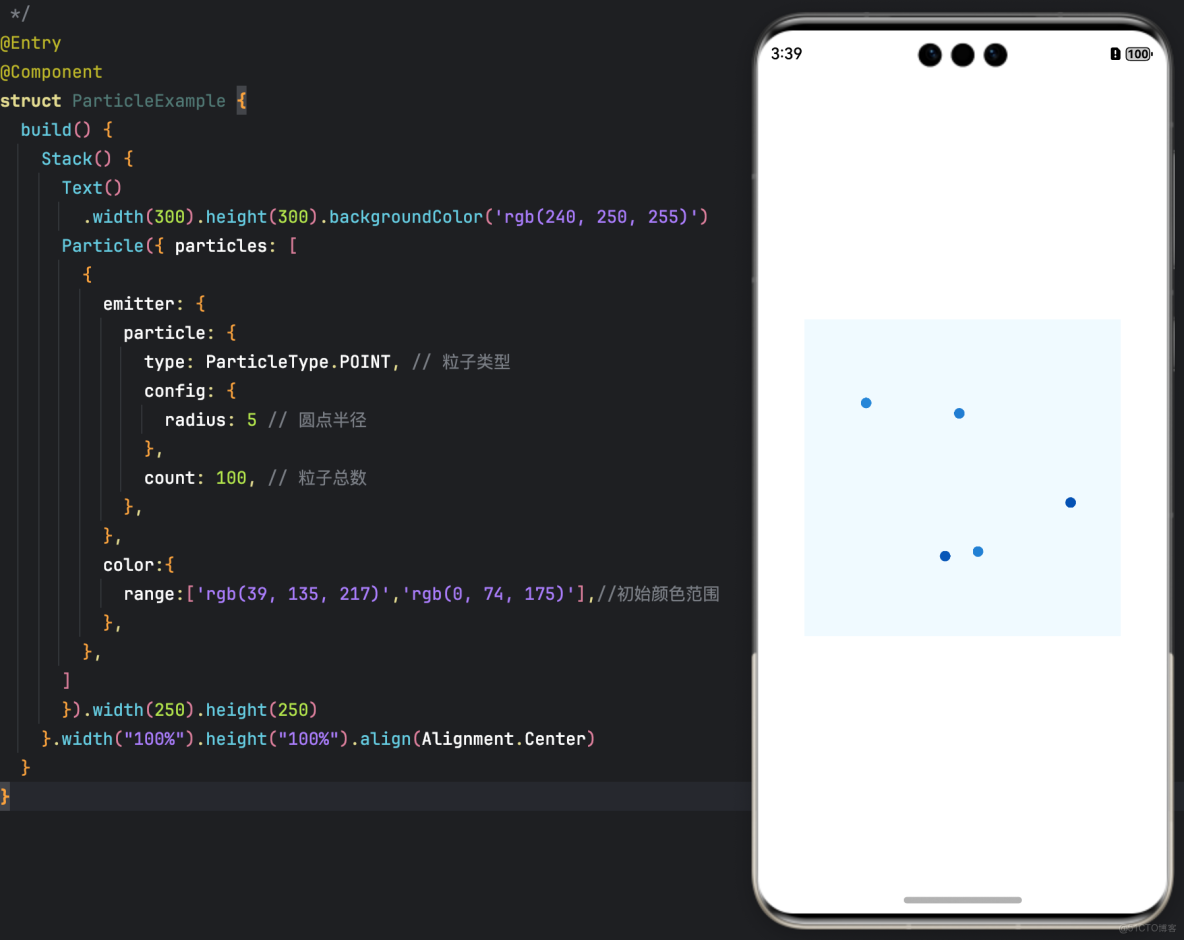
示例代碼
@Entry
@Component
struct ParticleExample {
  build() {
    Stack() {
      Text()
        .width(300).height(300).backgroundColor('rgb(240, 250, 255)')
      Particle({ particles: [
        {
          emitter: {
            particle: {
              type: ParticleType.POINT, // 粒子類型
              config: {
                radius: 5 // 圓點半徑
              },
              count: 100, // 粒子總數
            },
          },
          color:{
            range:['rgb(39, 135, 217)','rgb(0, 74, 175)'],//初始顏色範圍
          },
        },
      ]
      }).width(250).height(250)
    }.width("100%").height("100%").align(Alignment.Center)
  }
}
二、實現粒子發射器
粒子發射器(Particle Emitter)主要定義粒子的初始屬性(如類型、位置和顏色),控制粒子的生成速率,以及管理粒子的生命週期。可通過emitter方法調整粒子發射器的位置、發射速率和發射窗口的大小,實現發射器位置的動態更新。
示例效果圖
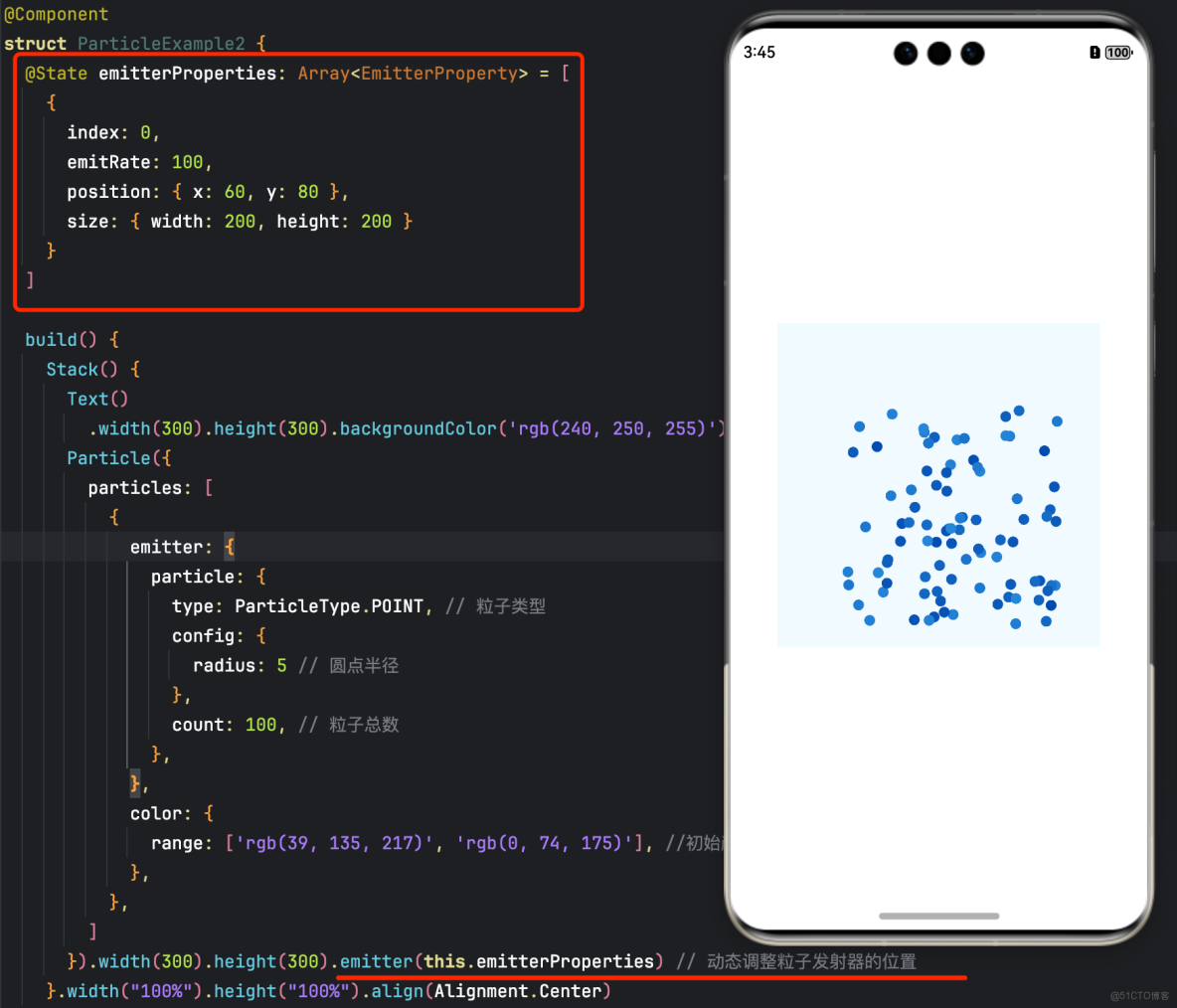
示例代碼
@Entry
@Component
struct ParticleExample2 {
  @State emitterProperties: Array<EmitterProperty> = [
    {
      index: 0,
      emitRate: 100,
      position: { x: 60, y: 80 },
      size: { width: 200, height: 200 }
    }
  ]

  build() {
    Stack() {
      Text()
        .width(300).height(300).backgroundColor('rgb(240, 250, 255)')
      Particle({
        particles: [
          {
            emitter: {
              particle: {
                type: ParticleType.POINT, // 粒子類型
                config: {
                  radius: 5 // 圓點半徑
                },
                count: 100, // 粒子總數
              },
            },
            color: {
              range: ['rgb(39, 135, 217)', 'rgb(0, 74, 175)'], //初始顏色範圍
            },
          },
        ]
      }).width(300).height(300).emitter(this.emitterProperties) // 動態調整粒子發射器的位置
    }.width("100%").height("100%").align(Alignment.Center)
  }
}
三、設置粒子顏色
可以通過range來確定粒子的初始顏色範圍,而distributionType則用於指定粒子初始顏色隨機值的分佈方式,具體可選擇均勻分佈或者高斯(正態)分佈。
// ...
color: {
  range: ['rgb(39, 135, 217)','rgb(0, 74, 175)'], // 初始顏色範圍
  distributionType: DistributionType.GAUSSIAN // 初始顏色隨機值分佈
},
// ...
四、粒子的生命週期
粒子的生命週期(Lifecycle)是粒子從生成至消亡的整個過程,用於確定粒子的存活時間長度。粒子的生命週期可通過設置lifetime和lifetimeRange來指定。
// ...
emitter: {
  particle: {
    // ...
    lifetime: 300, // 粒子生命週期,單位ms
    lifetimeRange: 100 // 粒子生命週期取值範圍,單位ms
  },
  emitRate: 10, // 每秒發射粒子數
  position: [0, 0],
  shape: ParticleEmitterShape.RECTANGLE // 發射器形狀
},
color: {
  range: ['rgb(39, 135, 217)','rgb(0, 74, 175)'], // 初始顏色範圍
},
// ...
五、設置粒子擾動場
擾動場(Disturbance Field)是一種影響粒子運動的機制。通過在粒子所在的空間區域內施加特定的力,擾動場能夠改變粒子的軌跡和行為,進而實現更為複雜和自然的動畫效果。擾動場的配置可以通過disturbanceFields方法來完成。
// ...
Particle({ particles: [
  {
    emitter: // ...
    color: // ...
    scale: {
      range: [0.0, 0.0],
      updater: {
        type: ParticleUpdater.CURVE,
        config: [
          {
            from: 0.0,
            to: 0.5,
            startMillis: 0,
            endMillis: 3000,
            curve: Curve.EaseIn
          }
        ]
      }
    },
    acceleration: { //加速度的配置,從大小和方向兩個維度變化,speed表示加速度大小,angle表示加速度方向
      speed: {
        range: [3, 9],
        updater: {
          type: ParticleUpdater.RANDOM,
          config: [1, 20]
        }
      },
      angle: {
        range: [90, 90]
      }
    }

  }
]
}).width(300).height(300).disturbanceFields([{
  strength: 10,
  shape: DisturbanceFieldShape.RECT,
  size: { width: 100, height: 100 },
  position: { x: 100, y: 100 },
  feather: 15,
  noiseScale: 10,
  noiseFrequency: 15,
  noiseAmplitude: 5
}])
// ...