
MariaDB介紹
MariaDB是開源社區維護的一個MySQL分支,由MySQL的創始人Michael Widenius主導開發,採用GPL授權許可證。
MariaDB的目的是完全兼容MySQL,包括API和命令行,使之能輕鬆成為MySQL的代替品。
Galera Cluster介紹
Galera Cluster是基於MySQL/innodb二次開發而成的一個支持“多主同步”的數據庫主從集羣,具有高可用,易於擴展等特點。
1. 添加yum源
[root@localhost ~]# vi /etc/yum.repos.d/CentOS-MariaDB.repo
添加如下幾行:
[mariadb]
name = MariaDB
baseurl = http://yum.mariadb.org/5.5/rhel6-amd64
gpgkey = https://yum.mariadb.org/RPM-GPG-KEY-MariaDB
gpgcheck = 1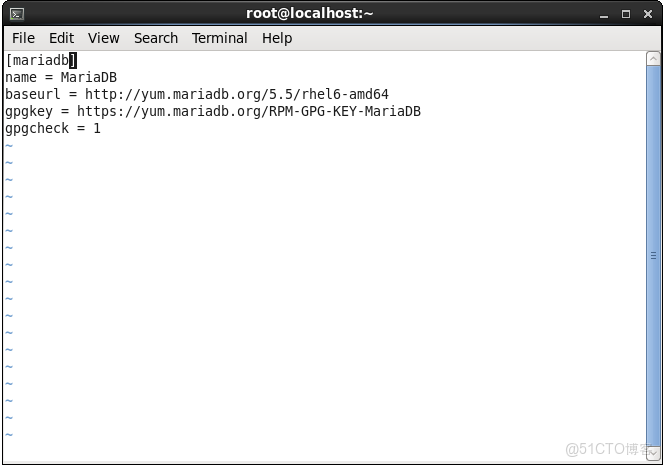
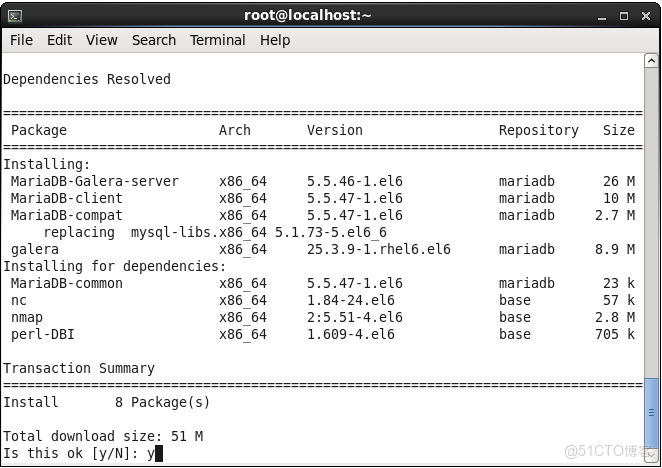
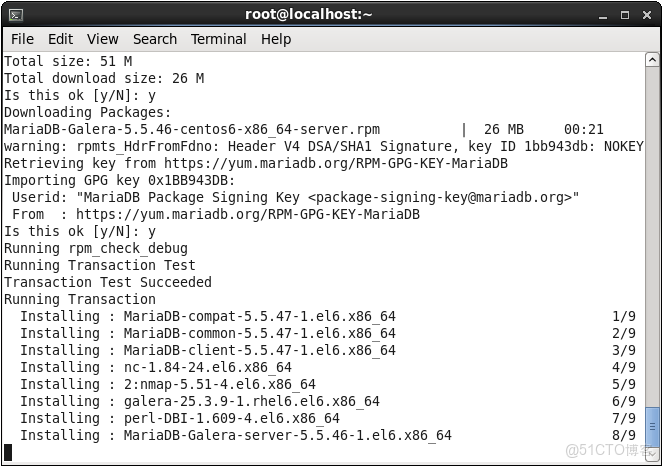
2. 安裝mariadb galera軟件包
[root@localhost ~]# yum install MariaDB-Galera-server MariaDB-client galera
3. 修改防火牆配置
[root@localhost ~]# vi /etc/sysconfig/iptables
添加如下幾行:
-A INPUT -m state --state NEW -m tcp -p tcp --dport 3306 -j ACCEPT
-A INPUT -m state --state NEW -m tcp -p tcp --dport 4444 -j ACCEPT
-A INPUT -m state --state NEW -m tcp -p tcp --dport 4567 -j ACCEPT
-A INPUT -m state --state NEW -m tcp -p tcp --dport 4568 -j ACCEPT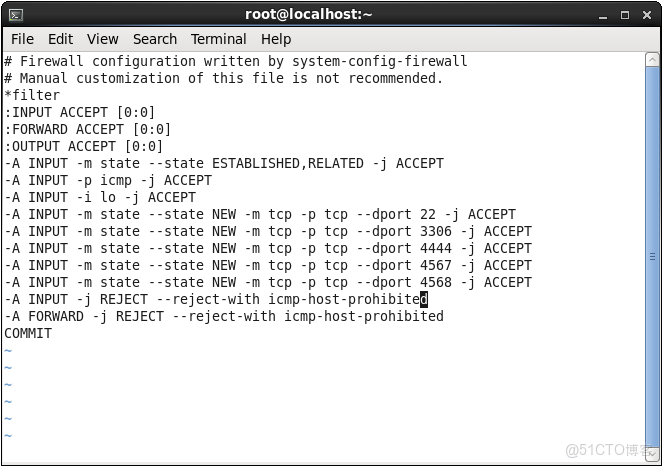
4. 重啓防火牆功能
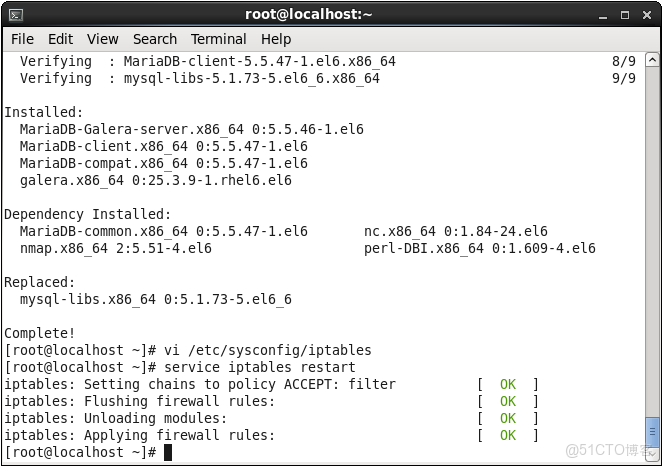
[root@localhost ~]# service iptables restart
5. 安裝selinux管理工具
[root@localhost ~]# yum provides /usr/sbin/semanage
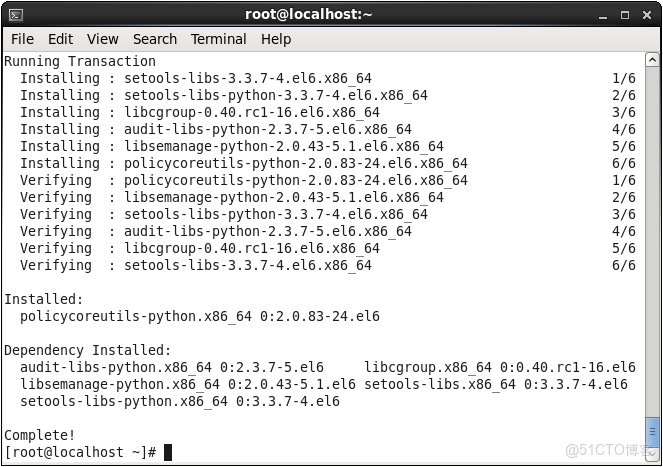
[root@localhost ~]# yum -y install policycoreutils-python
6. 修改selinux安全策略
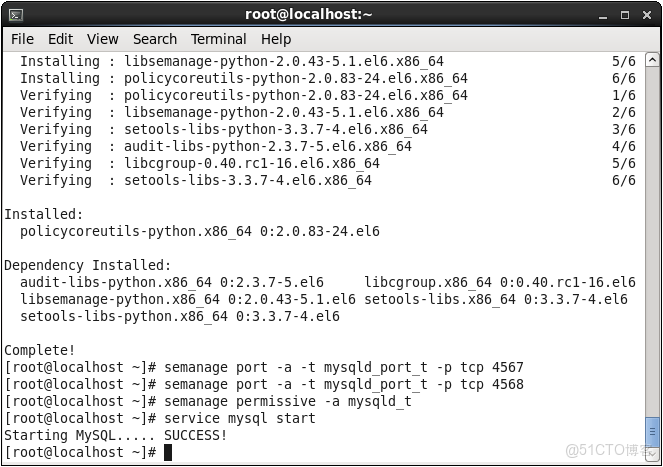
[root@localhost ~]# semanage port -a -t mysqld_port_t -p tcp 4567
[root@localhost ~]# semanage port -a -t mysqld_port_t -p tcp 4568
[root@localhost ~]# semanage permissive -a mysqld_t
7. 啓動mysql服務
[root@localhost ~]# service mysql start
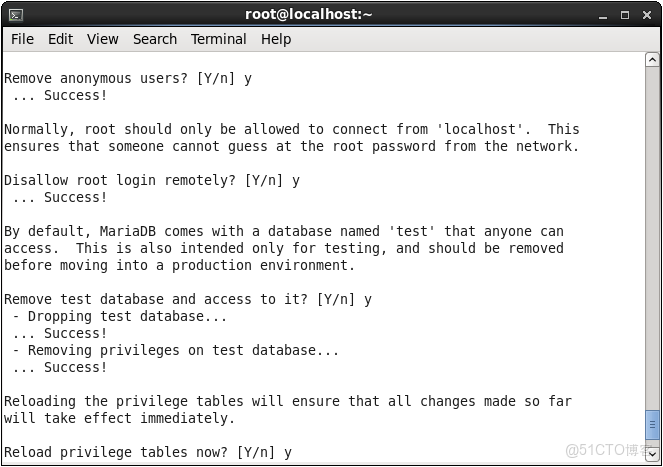
8. 執行mysql安全設置
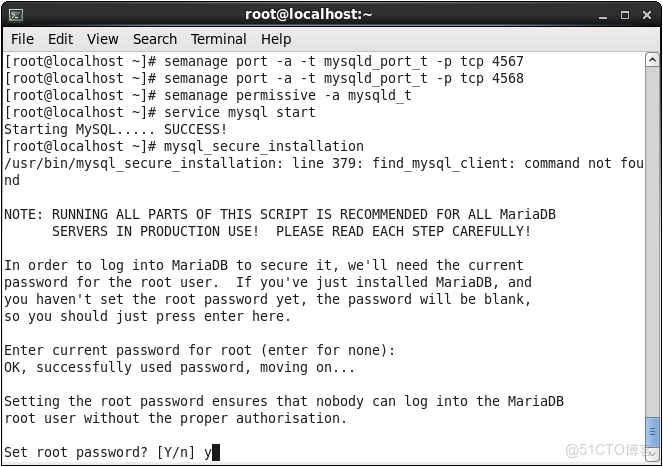
[root@localhost ~]# mysql_secure_installation
(先設置root賬户密碼,再一直“y”下去即可)
9. 創建用於節點同步的賬號
[root@localhost ~]# mysql -uroot -p
MariaDB [(none)]> grant usage on *.* to sst@'%' identified by '123456';
MariaDB [(none)]> flush privileges;
10. 修改mysql默認字符集
MariaDB [(none)]> show variables like 'character%';
MariaDB [(none)]> set character_set_server = utf8;
MariaDB [(none)]> set character_set_database = utf8;
11. 修改集羣節點配置
[root@localhost ~]# cp /usr/share/mysql/wsrep.cnf /etc/my.cnf.d/
[root@localhost ~]# vi /etc/my.cnf.d/wsrep.cnf
修改如下幾行:
wsrep_provider=/usr/lib64/galera/libgalera_smm.so
wsrep_cluster_address="gcomm://"    #集羣節點N的地址(注意把前面的"#"刪掉!)
wsrep_sst_auth=sst:123456 #節點N的數據庫賬户和密碼- 參數説明
"gcomm://" 是特殊的地址,僅僅是galera cluster初始化啓動時候使用。
如果集羣啓動以後,我們關閉了第一個節點,那麼再次啓動的時候必須先修改"gcomm://"為其他節點的集羣地址,例如wsrep_cluster_address="gcomm://192.168.0.152"。
檢查/etc/my.cnf中有沒有!includedir /etc/my.cnf.d/這一行,沒有則添加。
[root@localhost ~]# vi /etc/my.cnf
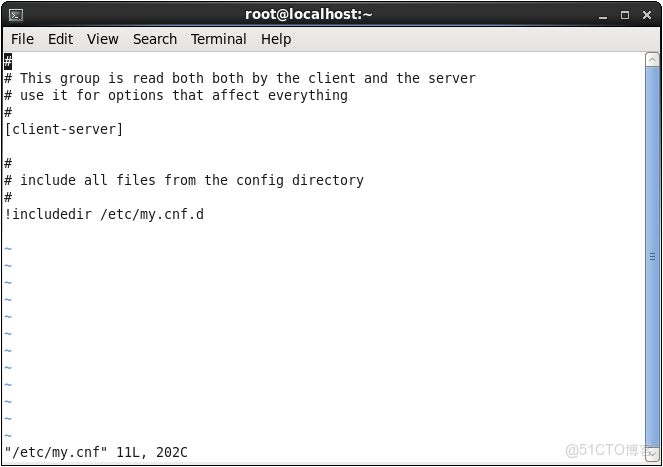
到這裏,第1個節點的配置就完成了,然後在另一台主機上按照步驟1~11配置第2個節點,只需修改節點2的wsrep_cluster_address為節點1的IP即可,以此類推。
12. 啓動集羣節點
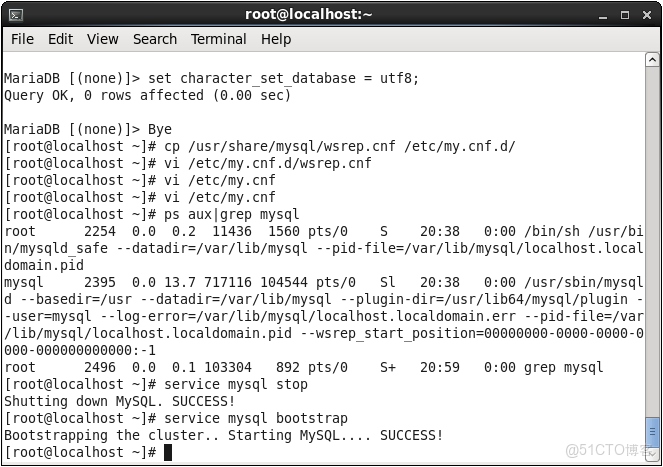
- 檢查mysql進程:[root@localhost ~]# ps aux|grep mysql
- 停止mysql服務:[root@localhost ~]# service mysql stop
- 啓動第1個節點:[root@localhost ~]# service mysql bootstrap
- 啓動第2、3、...個節點:[root@localhost ~]# service mysql start
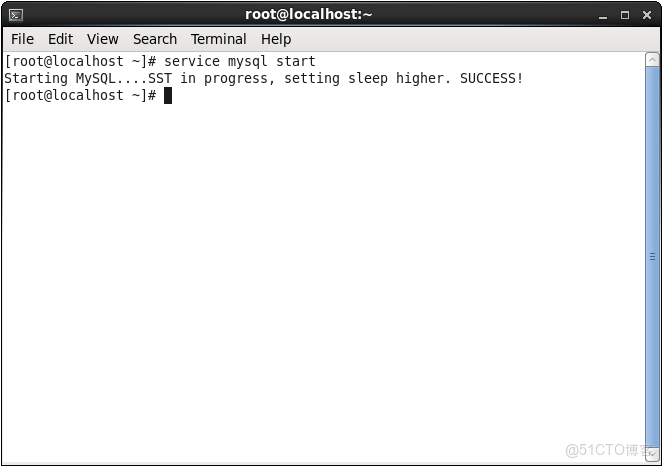
(注意:啓動mysql之前先檢查一下服務是否已經啓動,不要重複啓動,如果無法停止當前mysql服務則手動kill掉mysql的進程)
13. 檢查集羣運行狀態
[root@localhost ~]# mysql -uroot -p
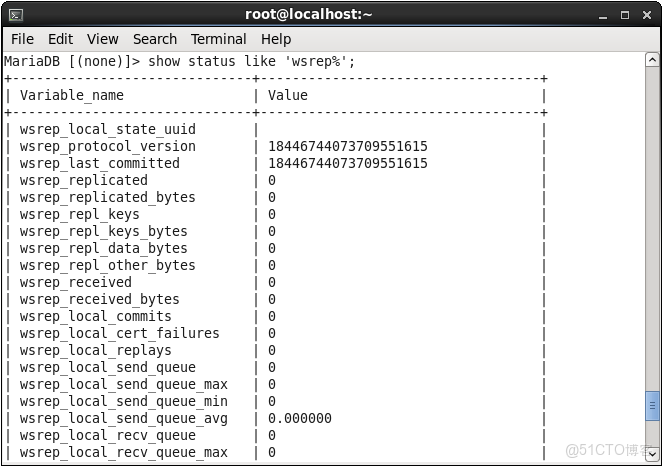
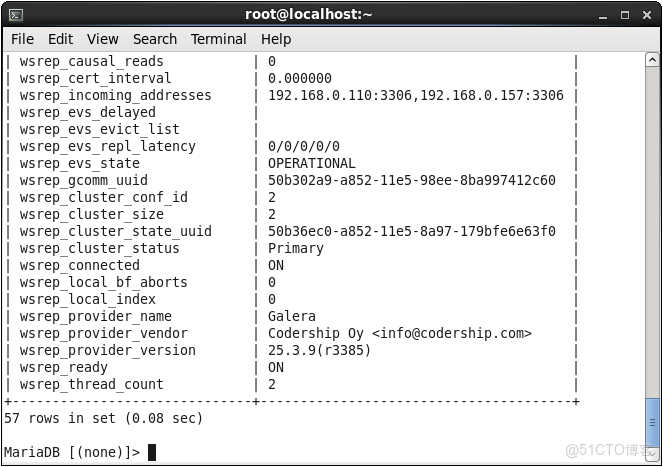
MariaDB [(none)]> show status like 'wsrep%';
如果wsrep_connected=ON且wsrep_ready=ON則説明節點成功接入集羣。
14. 配置集羣的仲裁節點
對於只有2個節點的galera cluster和其他集羣軟件一樣,需要面對極端情況下的“腦裂”狀態。為了避免這種問題,galera引入了“arbitrator(仲裁人)”。
“仲裁人”節點上沒有數據,它在集羣中的作用就是在集羣發生分裂時進行仲裁,集羣中可以有多個“仲裁人”節點。將“仲裁人”節點加入集羣的方法很簡單,運行如下命令即可:
[root@localhost ~]# garbd -a gcomm://<節點IP> -g my_wsrep_cluster -d
- 參數説明
-a 集羣地址
-g 集羣名稱
-d 以daemon模式運行
15. 檢查數據庫是否符合要求
部署到集羣之前,建議先檢查數據庫是否符合galera的要求,比如存儲引擎必須是innodb、數據表必須有主鍵等,否則記錄將不會在多台複製。
選擇指定的數據庫,執行以下SQL輸出不符合要求的表及其原因,根據相應的原因修改即可:
select distinct concat( t.table_schema, '.', t.table_name ) as tbl, t. engine,
    if ( isnull(c.constraint_name), 'nopk', '' ) as nopk,
    if ( s.index_type = 'fulltext', 'fulltext', '' ) as ftidx,
    if ( s.index_type = 'spatial', 'spatial', '' ) as gisidx
from information_schema. tables as t
left join information_schema.key_column_usage as c
on ( t.table_schema = c.constraint_schema and t.table_name = c.table_name and c.constraint_name = 'primary' )
left join information_schema.statistics as s
on ( t.table_schema = s.table_schema and t.table_name = s.table_name and s.index_type in ('fulltext', 'spatial'))
where t.table_schema not in ( 'information_schema', 'performance_schema', 'mysql' ) and t.table_type = 'base table'
and ( t.engine <> 'innodb' or c.constraint_name is null or s.index_type in ('fulltext', 'spatial'))
order by t.table_schema, t.table_name;
16. 常見問題
1)啓動mysql時出錯:SST in progress, setting sleep higher. ERROR!
- 確保本機已安裝rsync:[root@localhost ~]# yum list|grep rsync
- 確保已允許galera sst使用的端口4444、4567、4568通過防火牆並重啓防火牆功能
- 確保selinux已對端口4444開放權限:[root@localhost ~]# semanage port -a -t mysqld_port_t -p tcp 4444
2)查看galera集羣狀態時wsrep_connected和wsrep_ready的值均為OFF!
打開/etc/my.cnf.d/wsrep.cnf文件,找到wsrep_cluster_address="gcomm://"這一行,檢查前面是否有"#",如果有則刪掉並重啓mysql。
