
利用MATLAB與VREP做了一個循跡小車的聯合仿真,用到了視覺傳感器,導入mesh,等一些操作.
文章目錄
- 最終效果
- VREP中的設計
- Matlab中的設計
- 其他設置
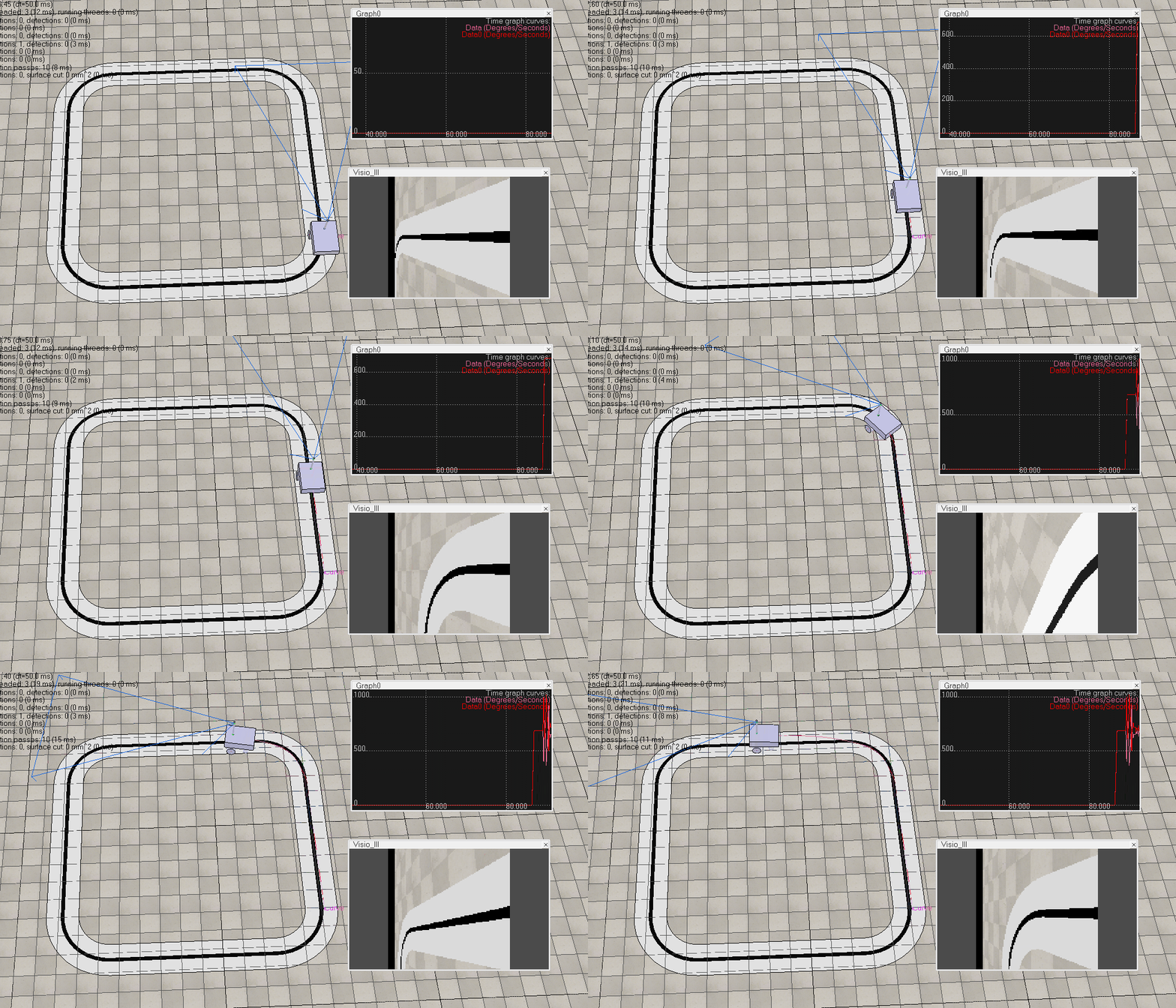
最終效果
VREP中的設計
可以參考https://www.jianshu.com/p/eb3f38c0c5fa的前三篇教程,跟着這個教程做完第三篇的設計後,進行以下幾步:
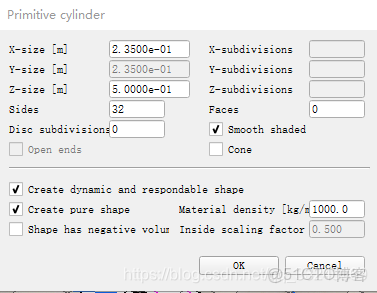
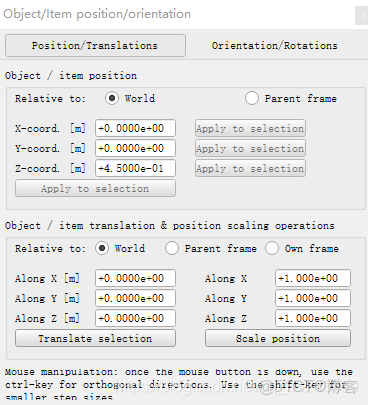
1.添加一個用於支撐視覺傳感器的杆,名稱為gan(隨便什麼名),菜單欄->Add->Primitive shape->Cylinder,參數設置如下:
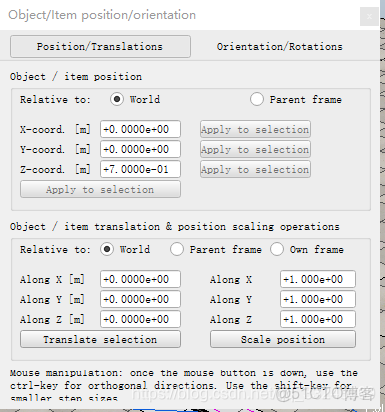
然後選中剛才加的shape,做平移,參數如下:
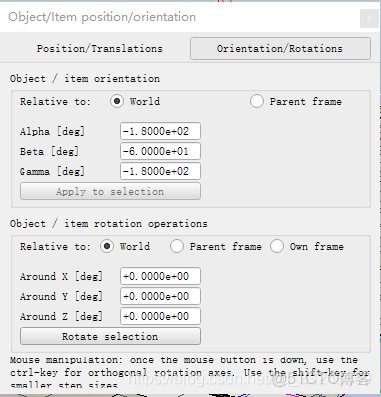
2.添加視覺傳感器,菜單欄->Add->Vision sensor->perspective type,選中它,更改名稱為Visio_lll,然後位移,參數如下:
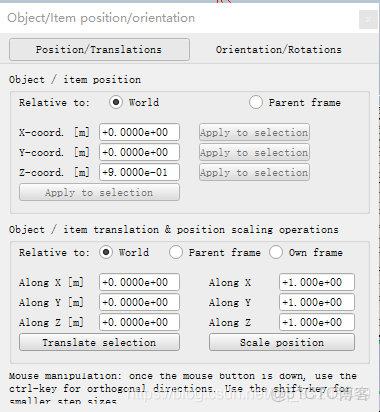
然後旋轉,參數如下:
3.添加兩個力傳感器,連接視覺傳感器與杆,杆和車身.操作是,菜單欄->Add->Force sensor
,名稱是Force_sensor1與Force_sensor0,保持原名稱就行,兩個力傳感器的位移分別如下:

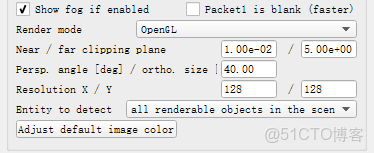
4.對視覺傳感器的參數設置,雙擊視覺傳感器圖標,進行以下設置:
5.車速過快,有可能會翻車,所以在後面再加兩個圓球:
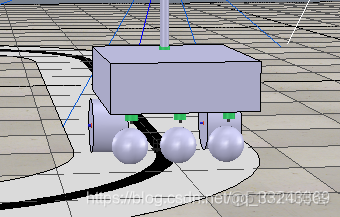
直接對原來中間的圓球和力傳感器進行復制粘貼兩次,保留層次關係,然後進行平移,參數分別如下:
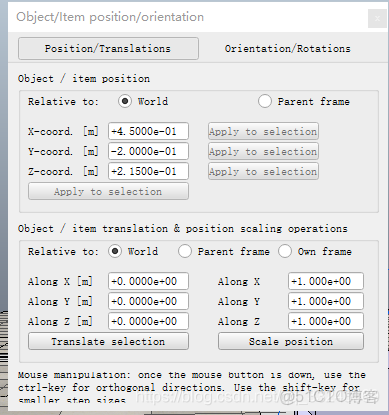
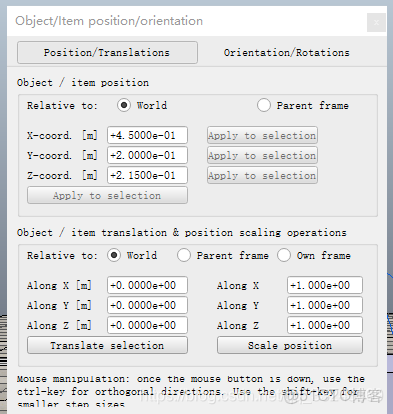
6.最終得到層次關係如下:
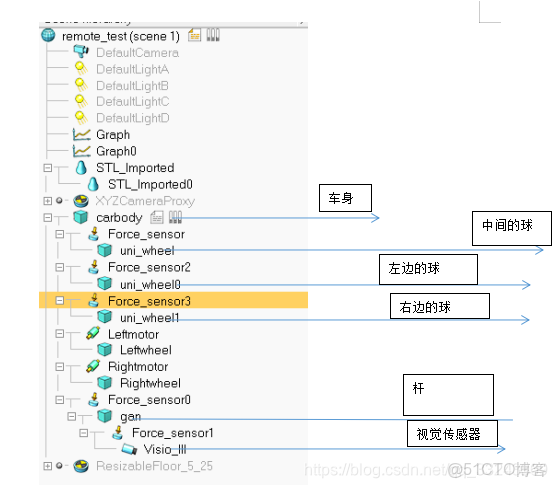
7.然後導入賽道,菜單欄->File->import->mesh ,選擇在solider中畫的賽道.導入後即上圖中的STL開頭的那兩個.
Matlab中的設計
1.首先需要建立工作目錄,目錄下需要有remApi.m,remoteApi.dll等幾個文件.
這幾個文件在
C:\Program Files (x86)\V-REP3\V-REP_PRO_EDU\programming\remoteApiBindings\matlab\matlab,以及C:\Program Files (x86)\V-REP3\V-REP_PRO_EDU\programming\remoteApiBindings\lib\lib\64Bit,
如果是32位電腦複製32Bit文件夾下的,把這兩個文件夾下的文件都複製到工作目錄下.
3.程序設計,
主程序如下:
clear
disp('Program started');
vrep=remApi('remoteApi'); % using the prototype file (remoteApiProto.m)
vrep.simxFinish(-1); % just in case, close all opened connections
clientID=vrep.simxStart('127.0.0.1',19999,true,true,5000,5);
if (clientID>-1)
disp('Connected to remote API server');
vrep. simxSynchronous(clientID,true);
 vrep. simxStartSimulation(clientID,vrep.simx_opmode_oneshot);
 [rec ,handle]=vrep.simxGetObjectHandle (clientID,'Visio_lll',vrep.simx_opmode_blocking);
 [rec ,left_handle]=vrep.simxGetObjectHandle (clientID,'Leftmotor',vrep.simx_opmode_blocking);
 [rec ,right_handle]=vrep.simxGetObjectHandle (clientID,'Rightmotor',vrep.simx_opmode_blocking);
 t=clock;
   currentTime=t(5)*60+t(6);
   startTime=t(5)*60+t(6);
out=0;
max_force=5;
v_max=12;
  while (currentTime-startTime < 5000)
 [rec,arr, image]=vrep.simxGetVisionSensorImage2( clientID, handle,1 , vrep.simx_opmode_oneshot);
 if(arr(1)==128)
 a_out=ident_ima(image);
 out= dir_cmd(a_out);
 if(out>12)
      out=12;
 end
  if(out<-12)
     out=-12;
  end
vrep.simxPauseCommunication(clientID,1);
 if(max_force<9)
     max_force=max_force+0.1
 end
 rec=vrep.simxSetJointForce(clientID,left_handle,max_force,vrep.simx_opmode_oneshot);
 rec=vrep.simxSetJointForce(clientID,right_handle,max_force,vrep.simx_opmode_oneshot);
%rec=vrep.simxSetJointForce(clientID,left_b_handle,max_force,vrep.simx_opmode_oneshot);
 %rec=vrep.simxSetJointForce(clientID,right_b_handle,max_force,vrep.simx_opmode_oneshot);
 rec=vrep.simxSetJointTargetVelocity(clientID,left_handle,v_max+out,vrep.simx_opmode_oneshot);
 rec=vrep.simxSetJointTargetVelocity(clientID,right_handle,v_max-out,vrep.simx_opmode_oneshot);
vrep.simxPauseCommunication(clientID,0);
currentTime=currentTime+10;
 vrep.simxSynchronousTrigger(clientID);
  end
  end
     vrep.simxStopSimulation(clientID,vrep.simx_opmode_blocking);
        vrep.simxFinish(clientID);
else
        disp('Failed connecting to remote API server');
end
    vrep.delete(); % call the destructor!
    disp('Program ended');
其中控制函數dir_cmd如下:
function output = dir_cmd(input)
persistent last_err;
if isempty(last_err)
   last_err=0;
end
err=64-input;
if(abs(err)<2)
    output=0;
else
output=err*0.2+50*(err-last_err);
end
last_err=err;
end
其中圖像識別函數如下:
function out = ident_ima(img)
img=imbinarize(img');
out=64*ones(70,30);
cnt=1;
for i=1:1:70
    for j=1:1:128
        if (img(129-i,129-j)==0)
            out(i,cnt)=128-j;
            cnt=cnt+1;
        end
    end
    cnt=1;
end
out=mean(out);
out=mean(out);
out=round(out);
end
其他設置
作為動力的兩個轉動關節初值設置如下:
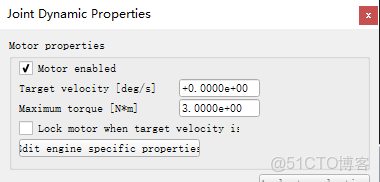
後添加的兩個小球,質量0.01
車身質量3
車輪質量都是1
杆的質量保持默認
中間的球質量 1
