Office365與本地Exchange互遷移用户及錯誤提示解決方案
我們前面的文章有介紹Office365與本地Exchange2013 CU9的混合部署,混合部署後,我們需要測試一下如何將本地的Exchange郵箱用户遷移到Office365 online上,及將Office365 Online上的用户遷移到本地的Exchange上。具體操作我們就開始了。我們在此次的操作中遇到點錯誤,最終節後後,將解決方案一併分享給有需要的童鞋,具體見下:
以下連接是微軟官網提供的一些解決方案,希望對有需要的童鞋幫助。
https://technet.microsoft.com/zh-CN/library/jj150487(v=exchg.150).aspx
https://technet.microsoft.com/en-us/library/jj906432%28v=exchg.150%29.aspx
我們通過本地服務器登陸EMC後,單擊切換到office364後---遷移
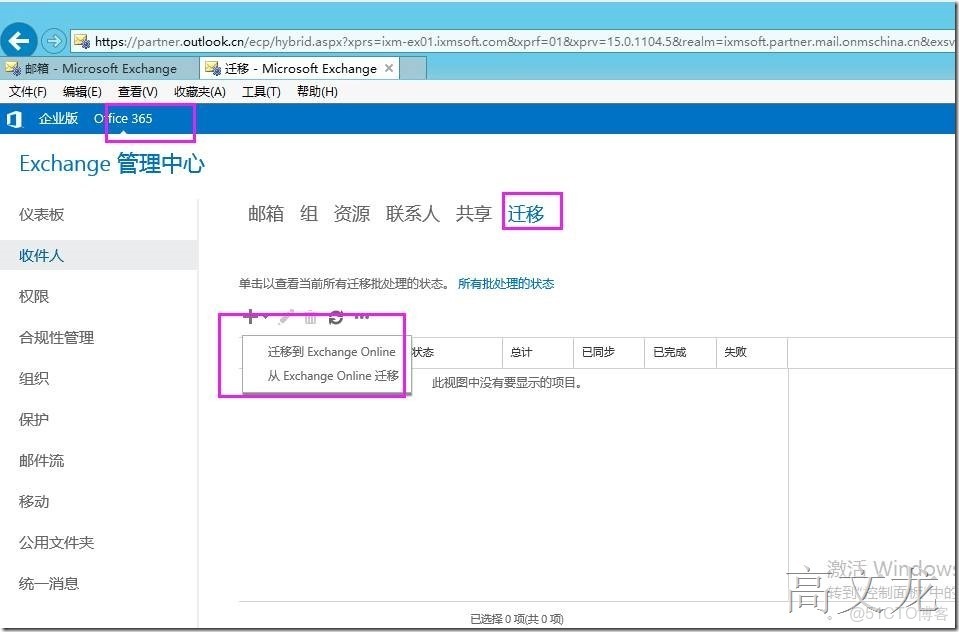
我們可以看見有兩個遷移選項,一個就是將本地Exchange郵箱用户遷移到Office365 Online上,另外一個就是將Office 365郵箱用户遷移到本地的Exchange服務器上。
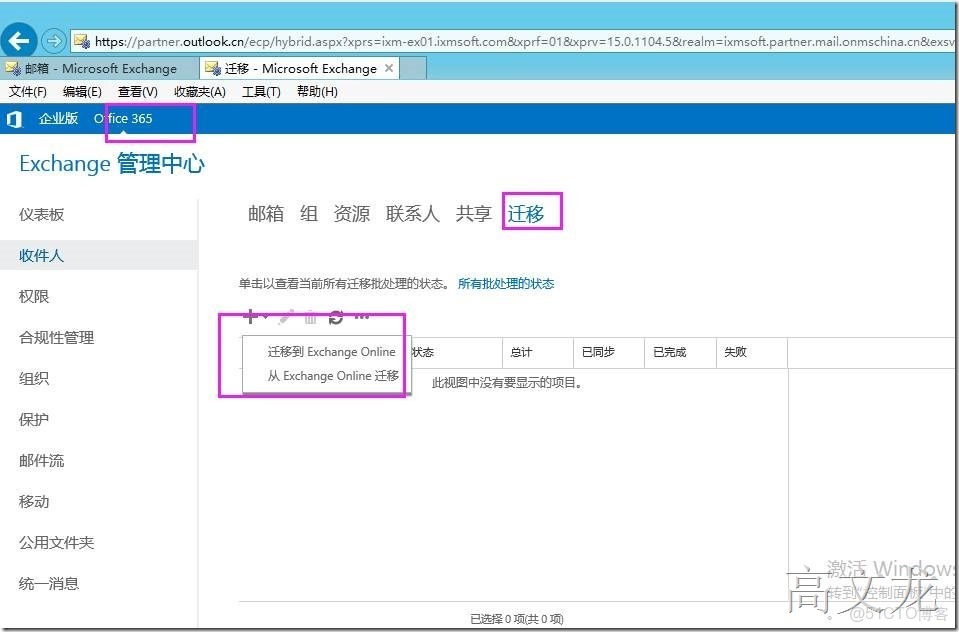
我們測試將本地的Exchange郵箱用户遷移到Office365 Online上;我們單擊選擇需要遷移的用户
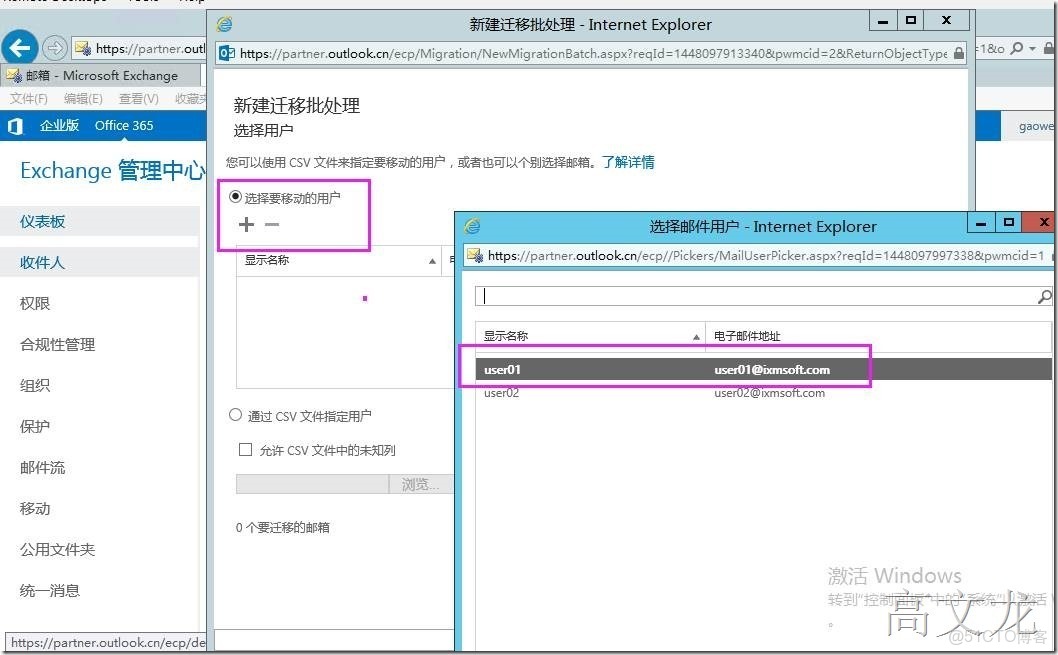
我們選擇user02
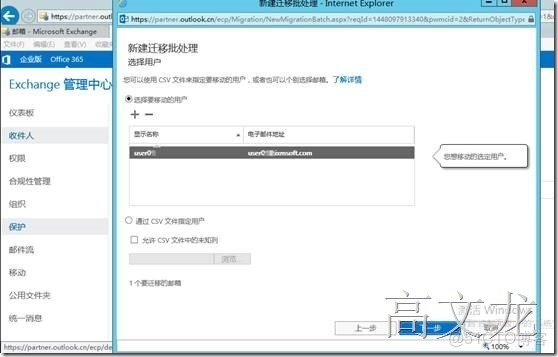
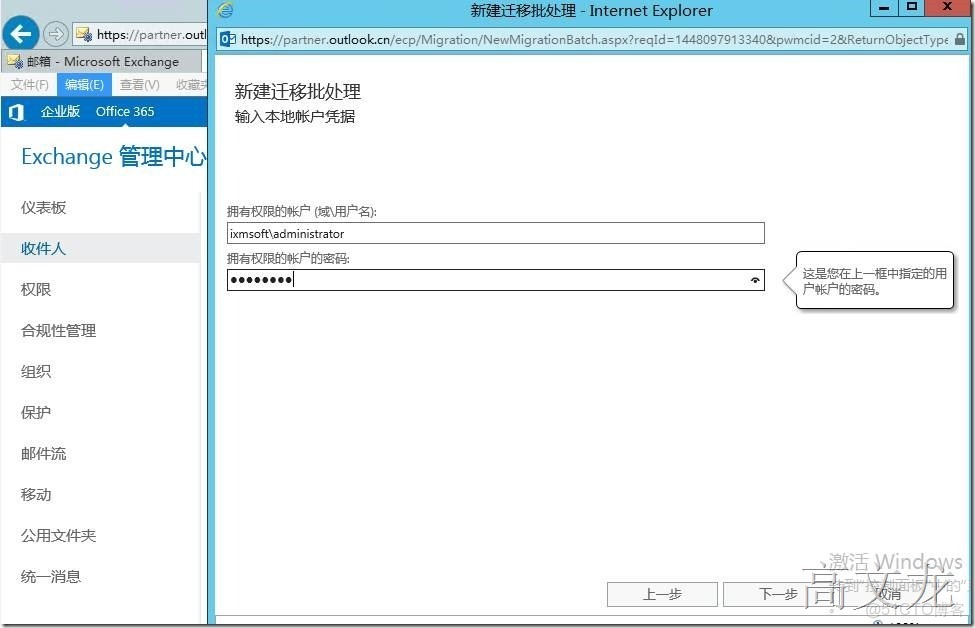
輸入Exchange服務器的全局管理員(organzition server)組用户,在此我們使用administrator進行驗證
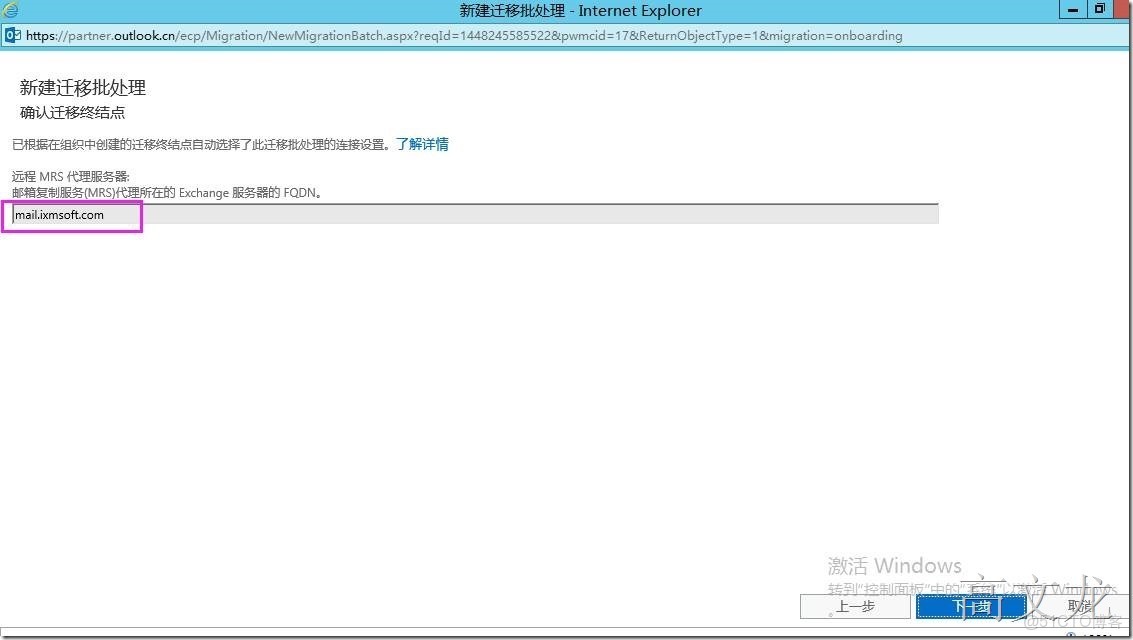
我們選擇遠程的MRS代理服務器:
MRS代理服務器為在外部可以訪問Exchange服務器內部服務器的代理服務,該服務我們可以理解為CAS服務器的對方訪問地址。通過該服務地址我們可以在外部訪問本地的Exchane郵箱用户及收發郵件。
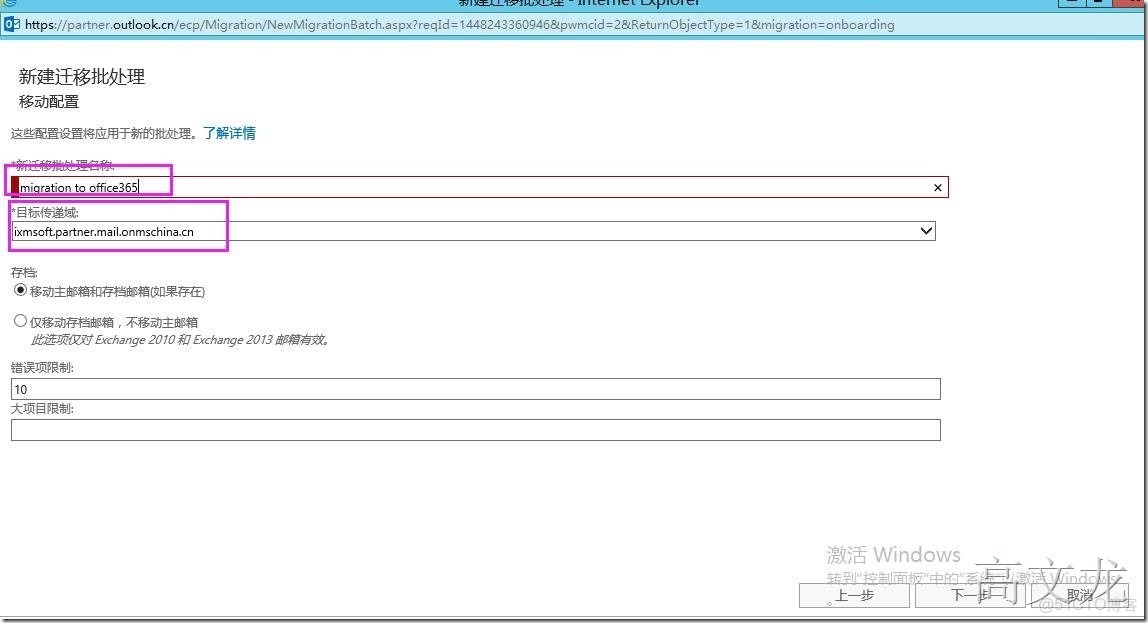
然後定義一個遷移名稱,在此我們定義為:migration to office365
定義遷移後的服務通知報告,在此我們選擇gaowenlong、user01郵箱用户。在此可以選擇任意用户
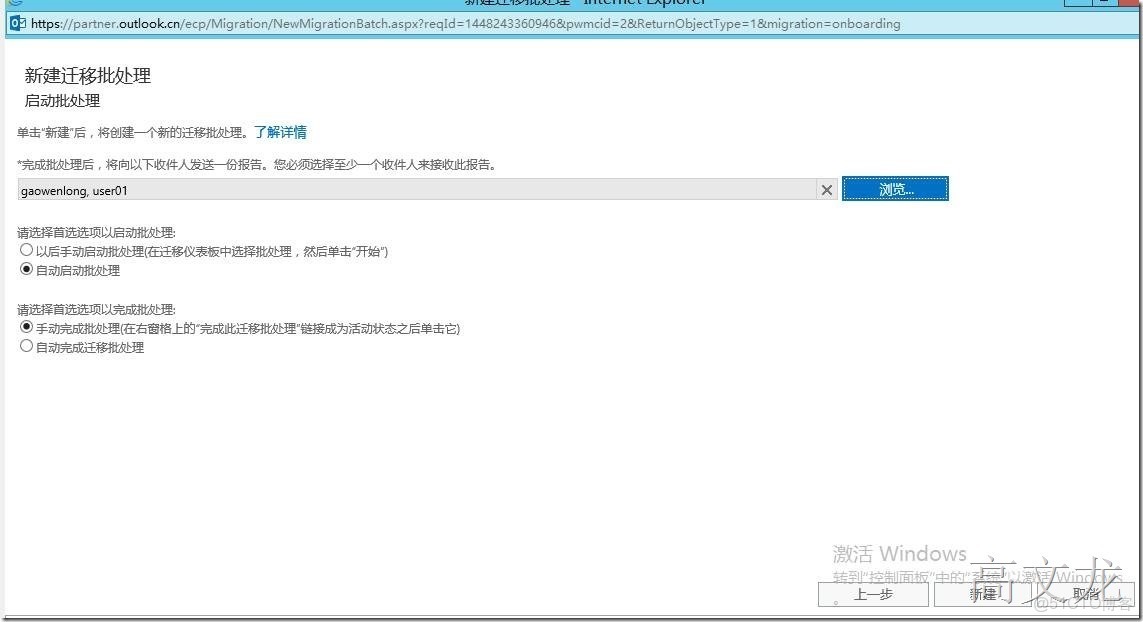
開始遷移,提示正在同步
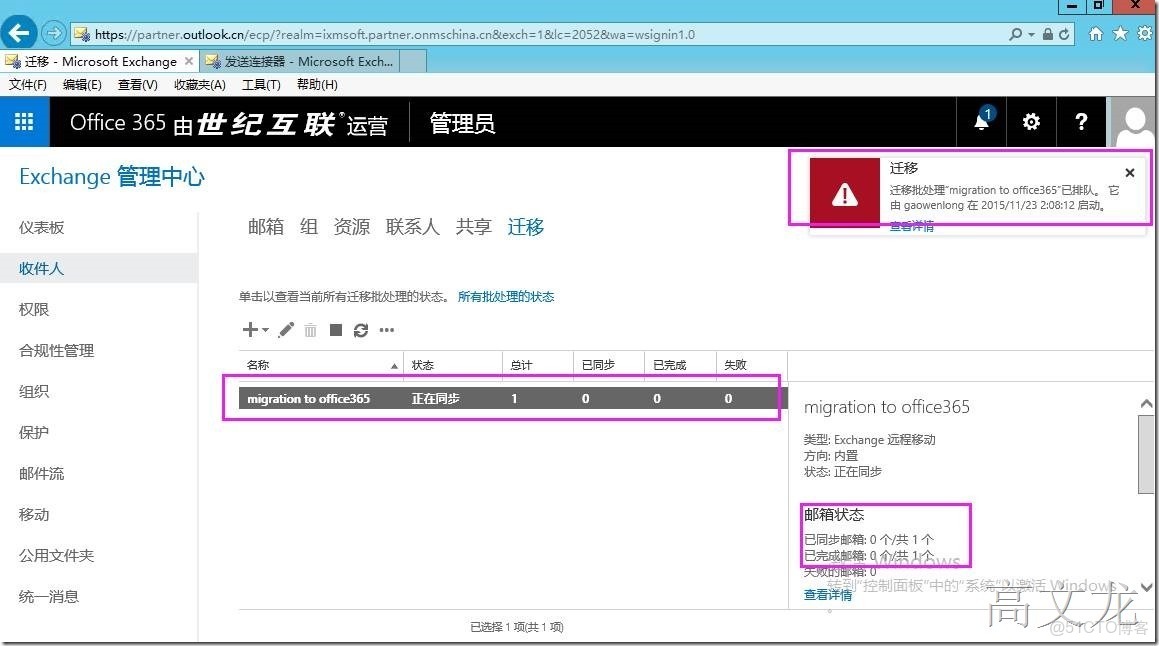
提示正在同步一個用户
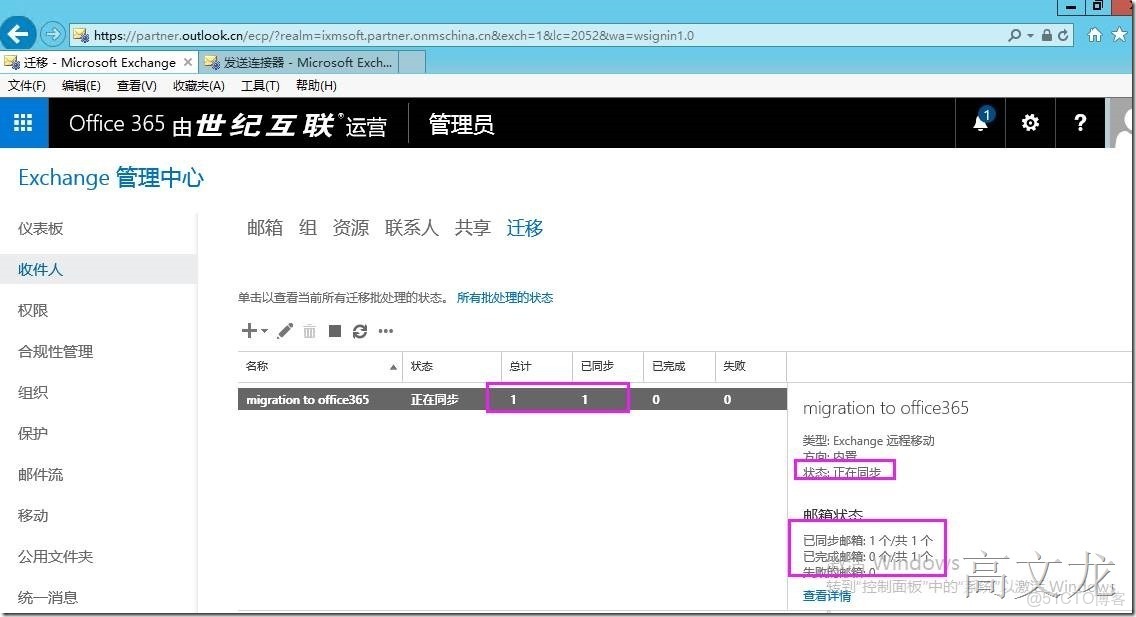
遷移數據已同步完成—遷移完成
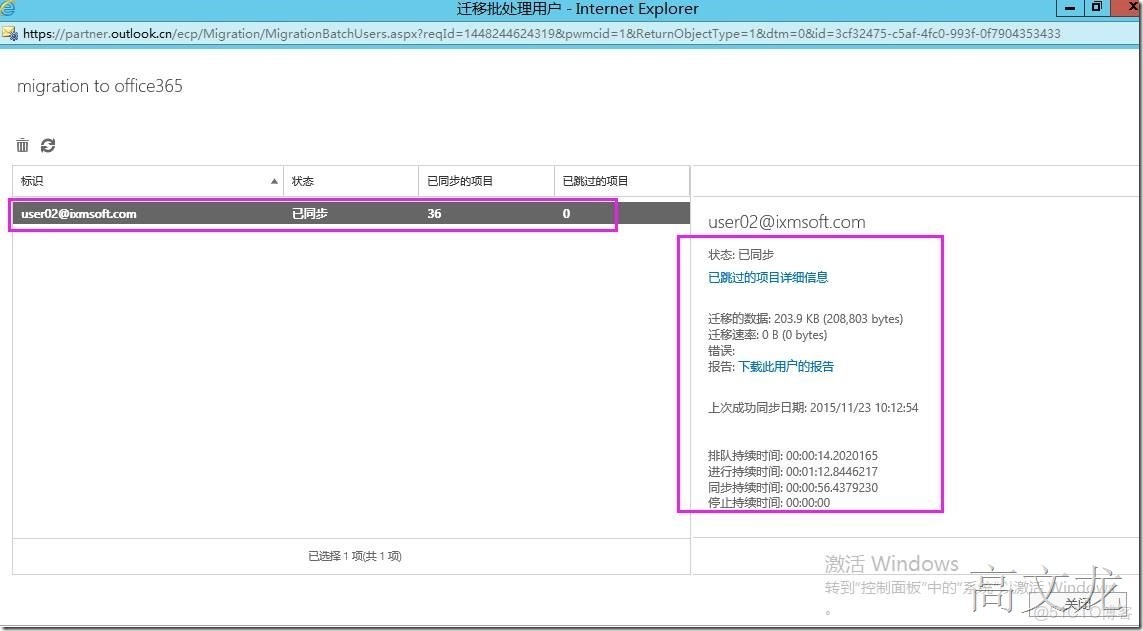
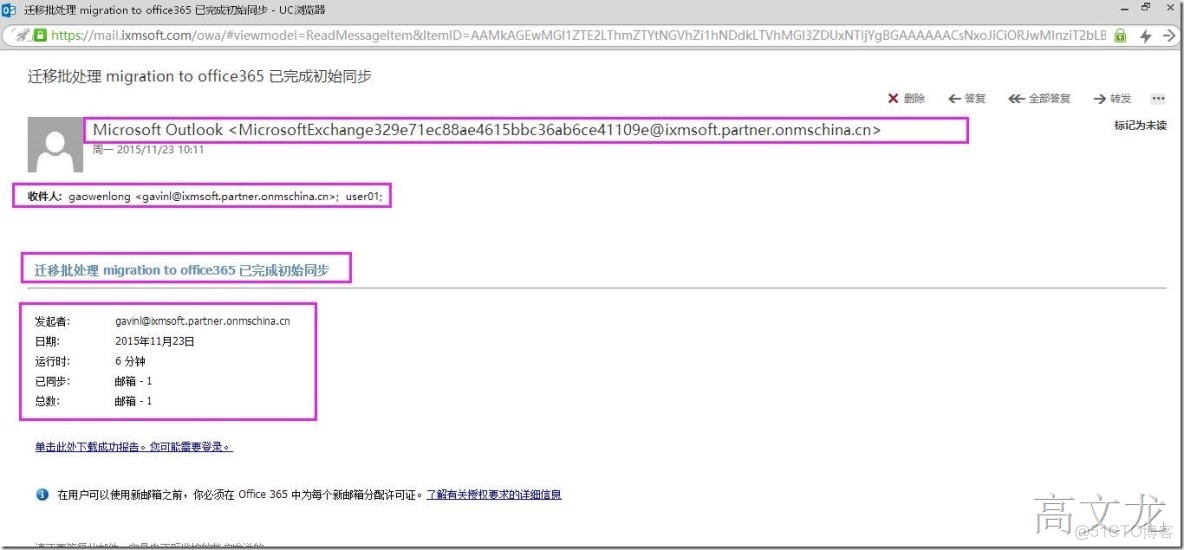
遷移後,我們登錄到gaowenlong、user01郵箱下,可以看見系統發送的一封遷移報告
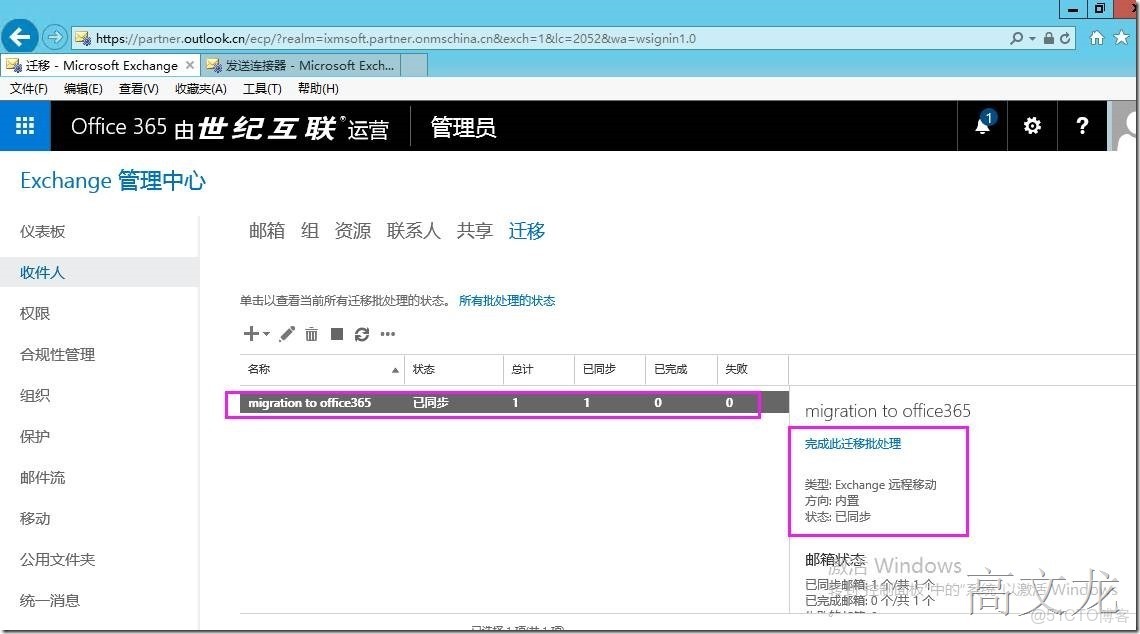
同步完成後,我們需要對同步用户進行批處理遷移配置
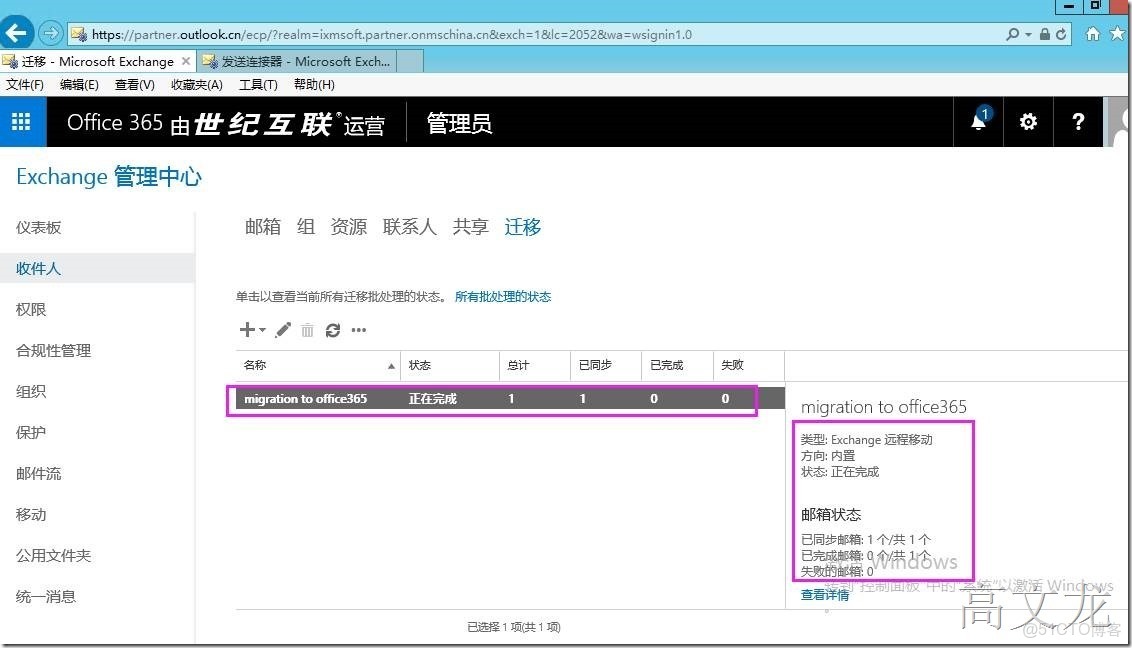
遷移用户操作已經完成。
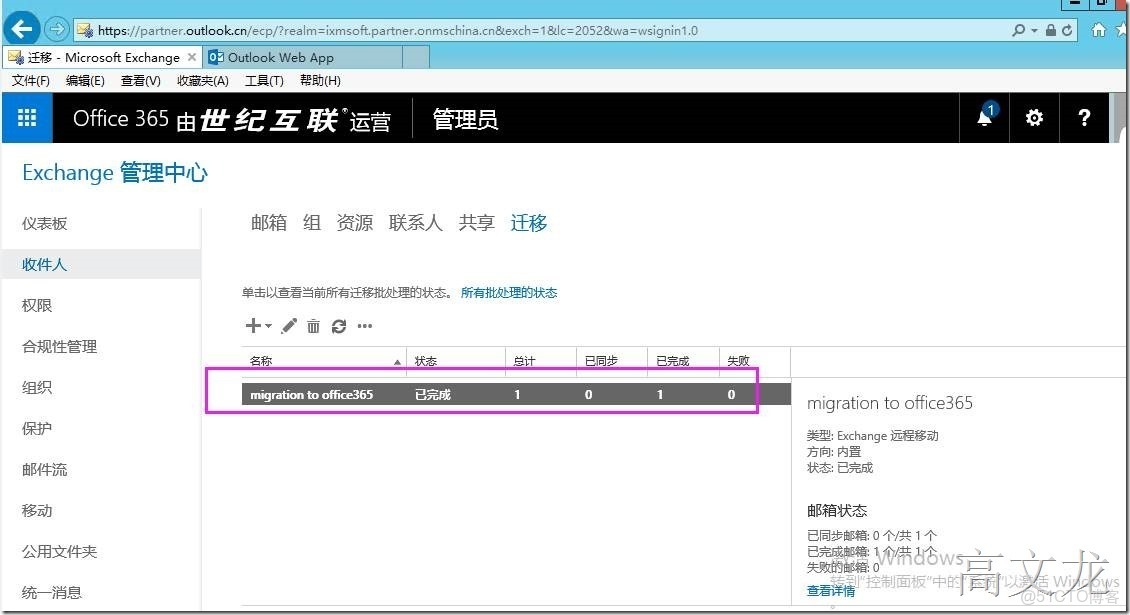
接下來我們登錄office365郵箱管理中心,查看遷移的用户狀態,發現剛才遷移的用户沒有顯示

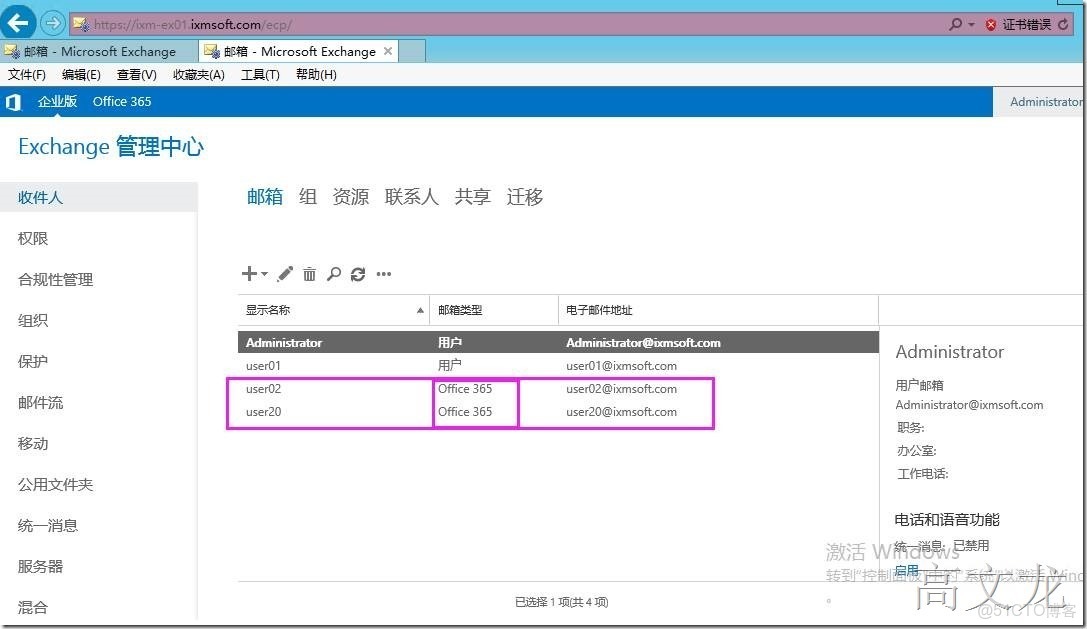
遷移到office365上的用户,如果需要登錄郵箱的話,我們需要對office365上的用户分配許可
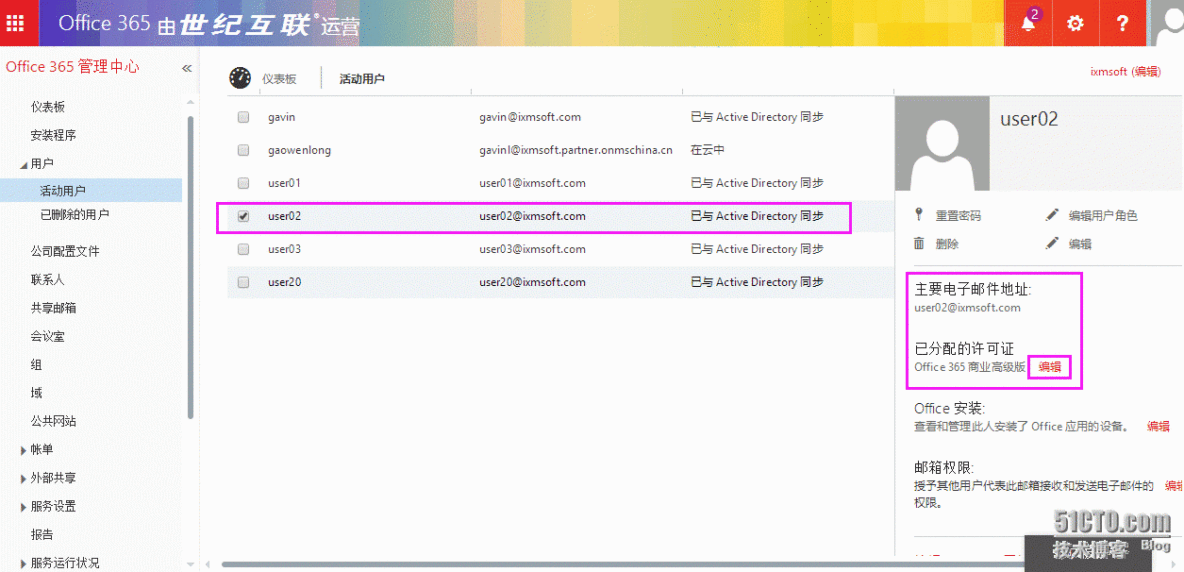
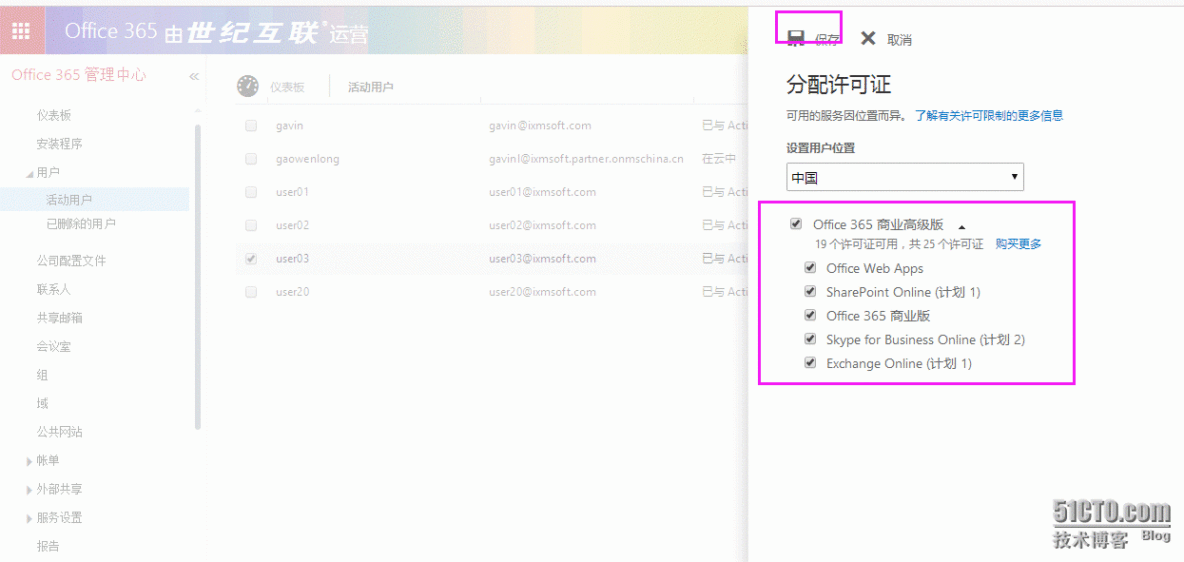
選定用户---編輯---分配許可
我們通過本地的Exchange訪問服務進行登錄剛才遷移的用户,會提示需要訪問以下鏈接才可以登錄用户郵箱。
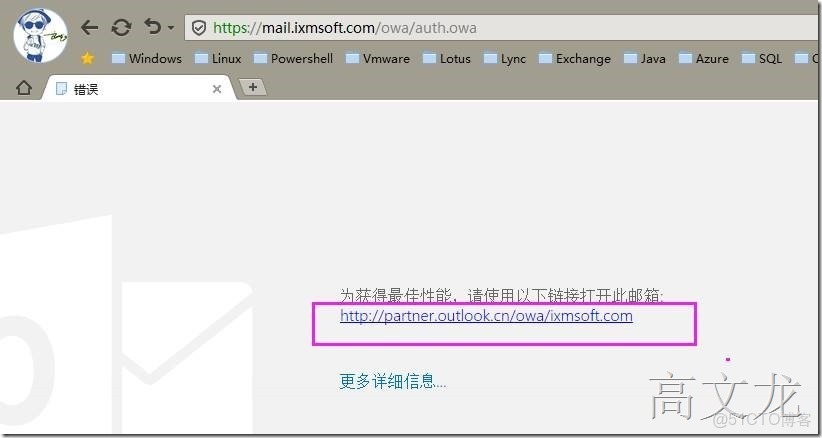
我們單擊跳轉指定鏈接後,user02可以正常登錄user02的郵箱服務
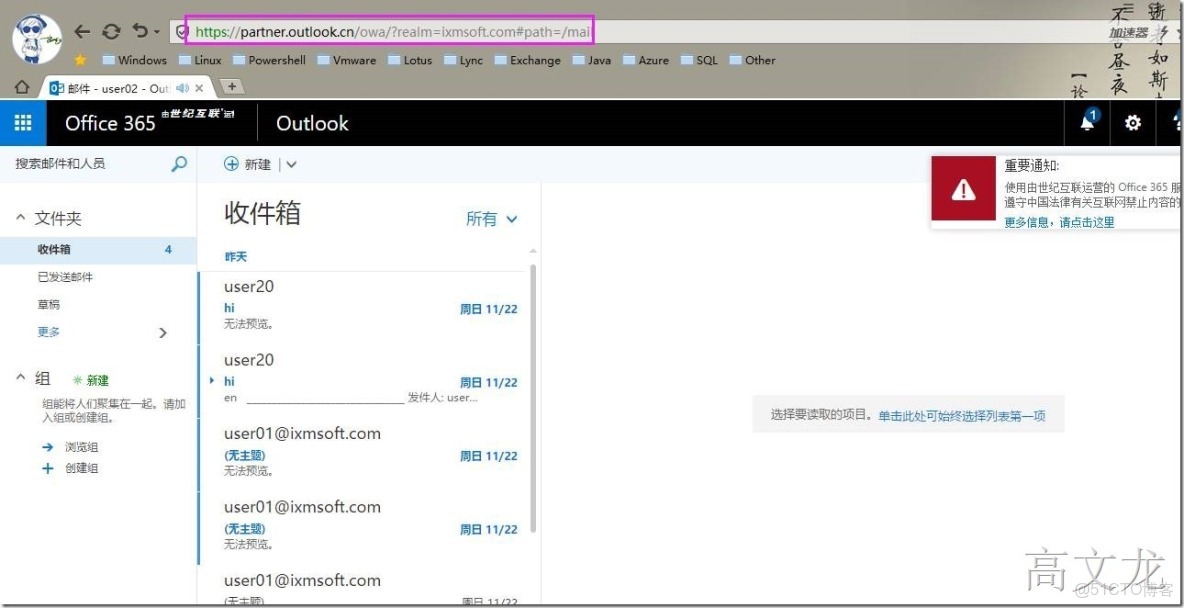
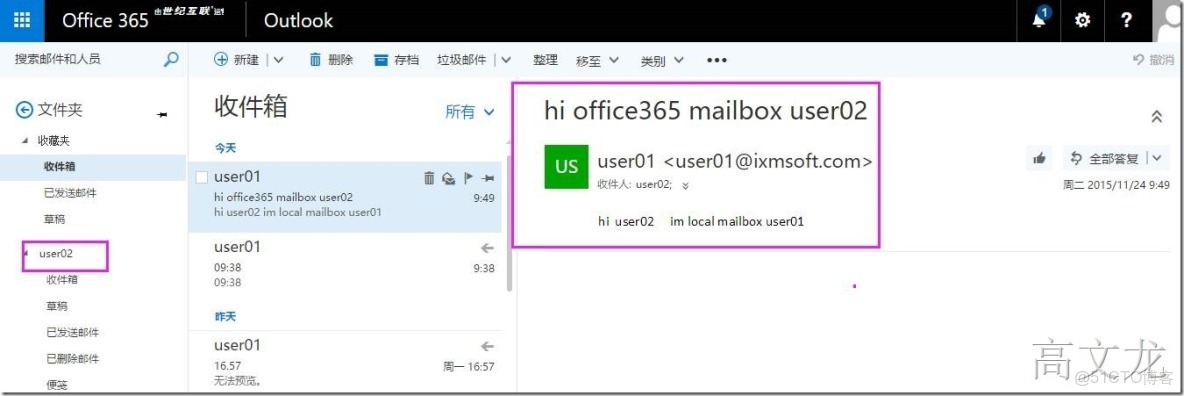
我們測試使用本地的user01給office365上的user02發送測試郵件
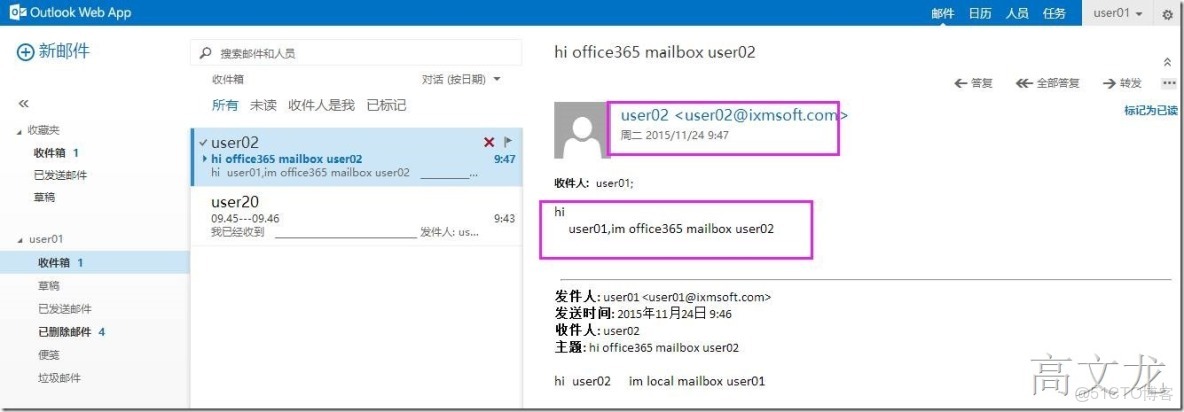
使用office365上的user02用户回覆本地的user01用户
接下來我們測試將office365上的賬户遷移到本地
我們首先在office365上創建一個郵箱用户
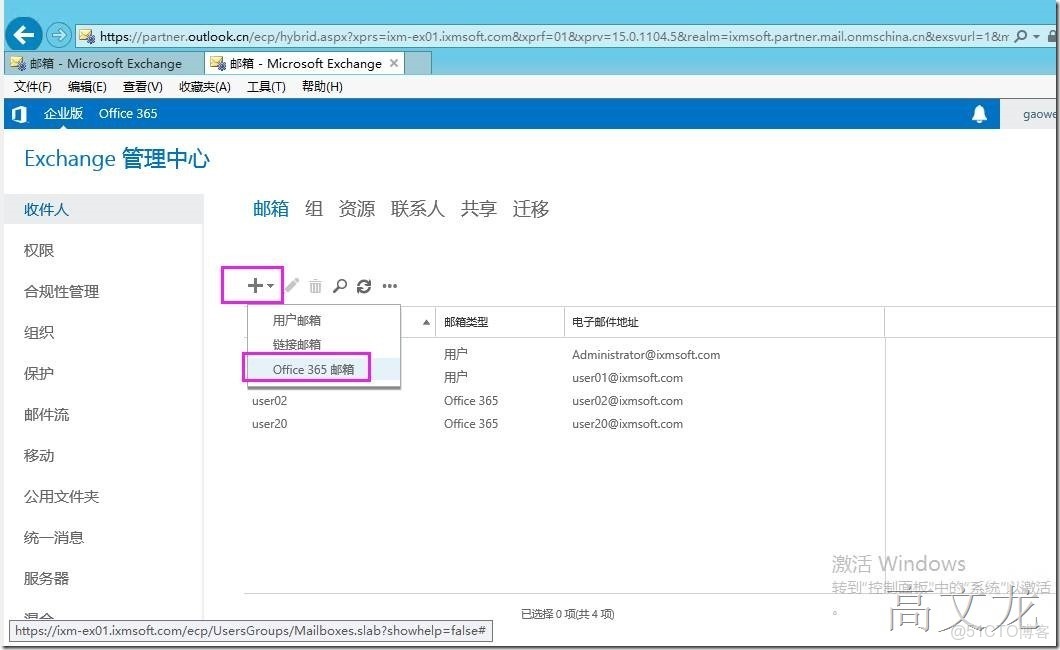
創建一個office365用户user03
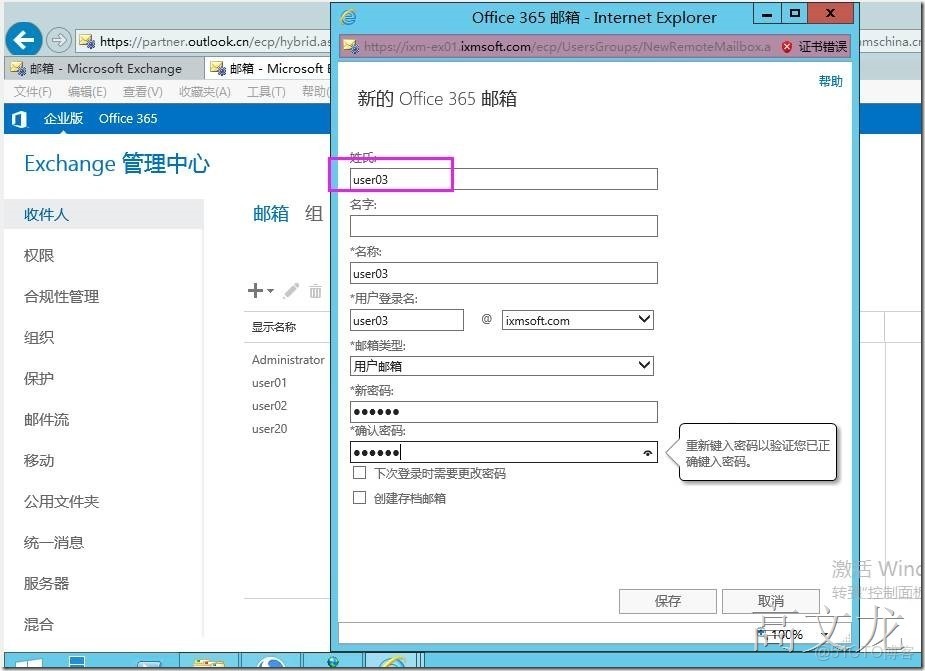
用户創建完成
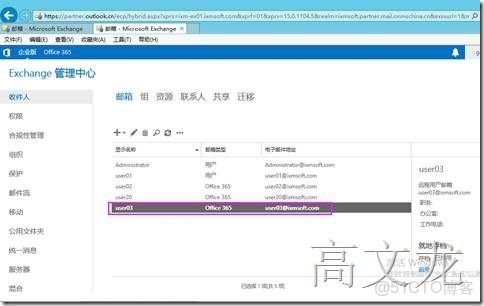
創建後,我們需要使用dirsync同步到office365上
Start-onlinecoexistencesync
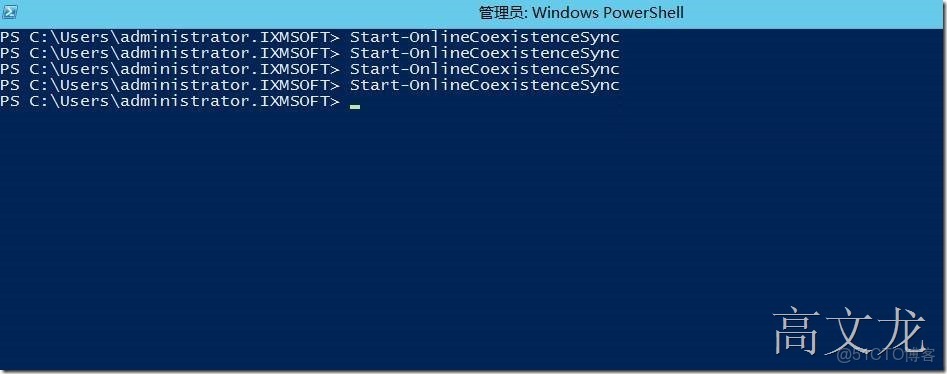
執行強制同步後,我們登錄office365管理中心,可以看見剛才創建的office365用户user03
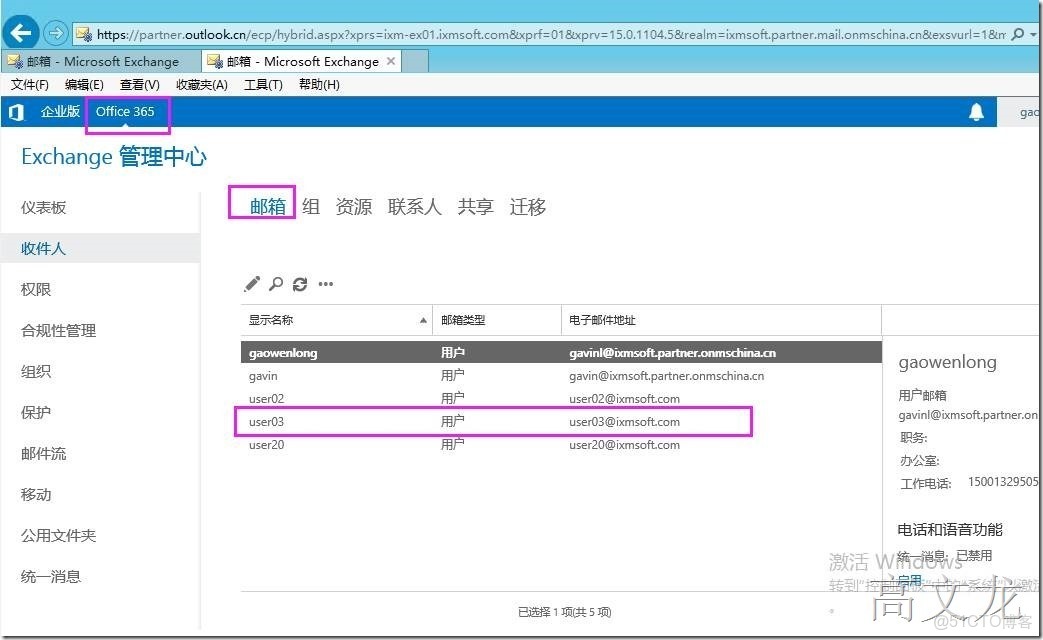
我們準備將office365上的用户user03遷移到本地
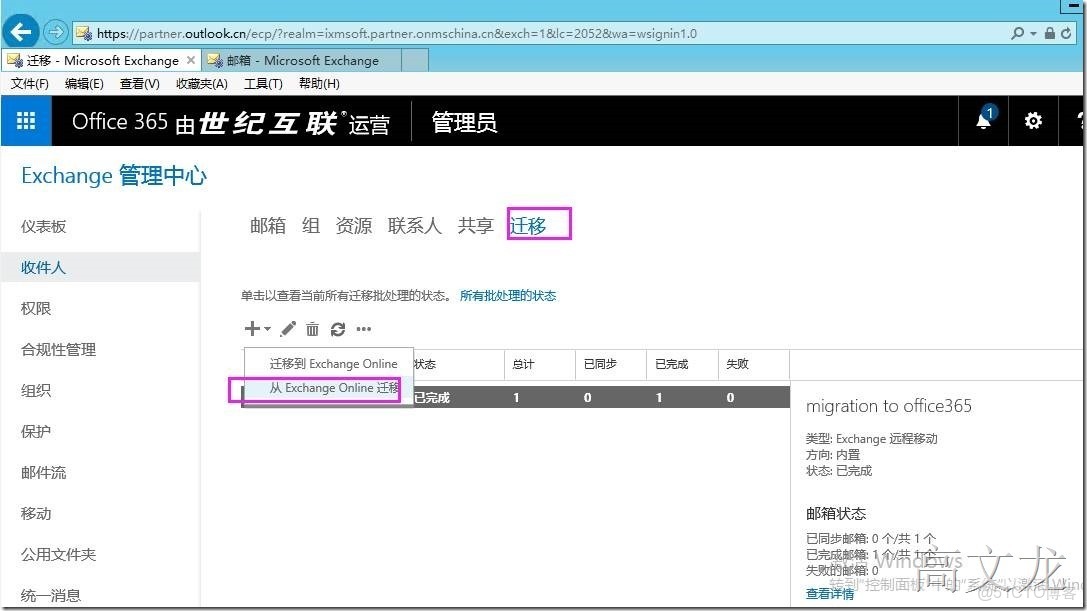
遷移----從exchange onlie遷移
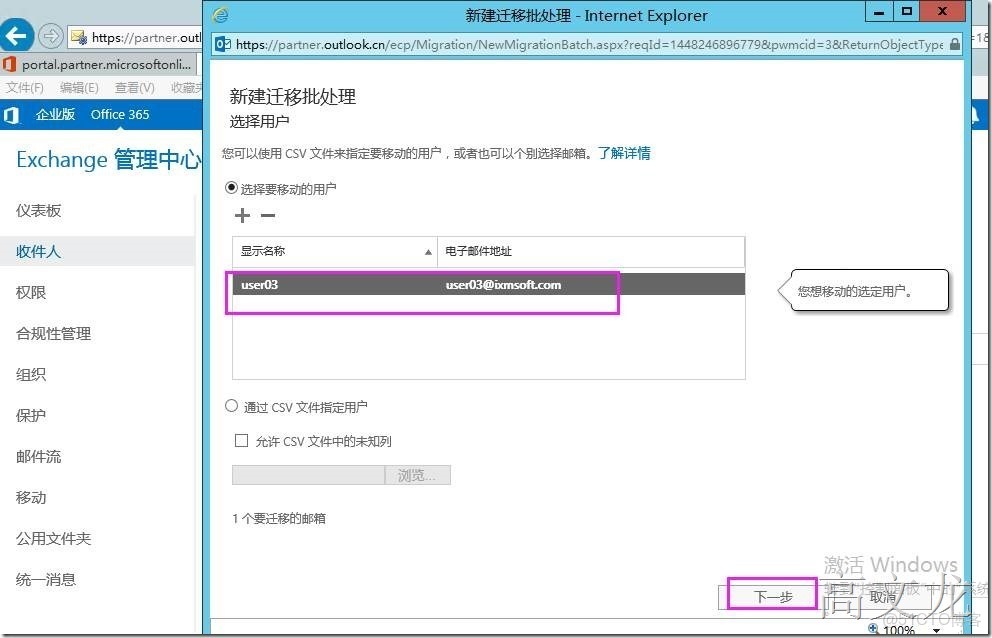
我們選擇user03
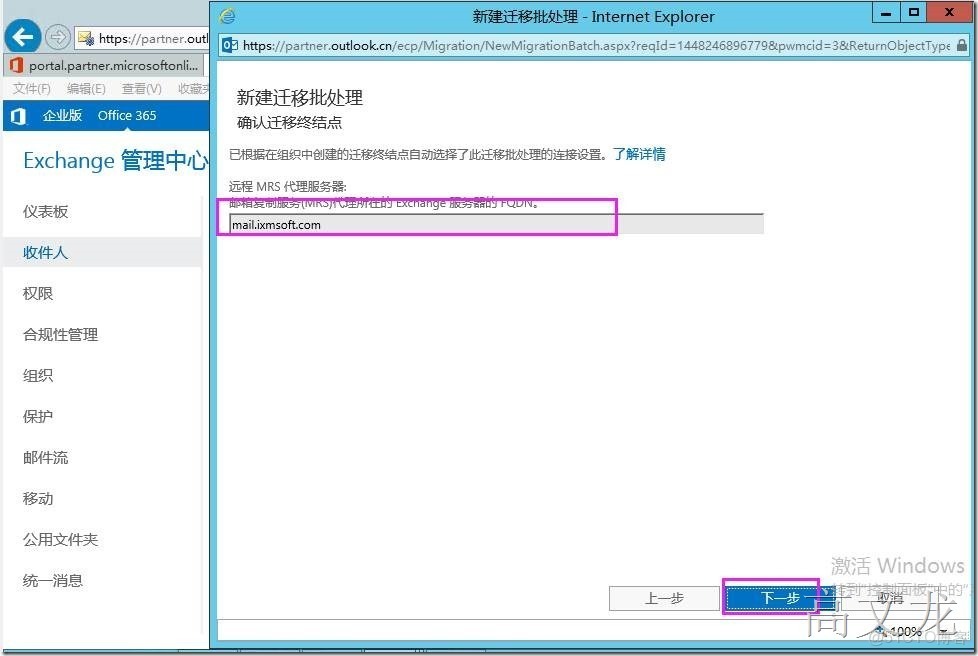
同樣選擇遠程MRS代理服務器
我們再次給本地服務器添加了一個數據庫;
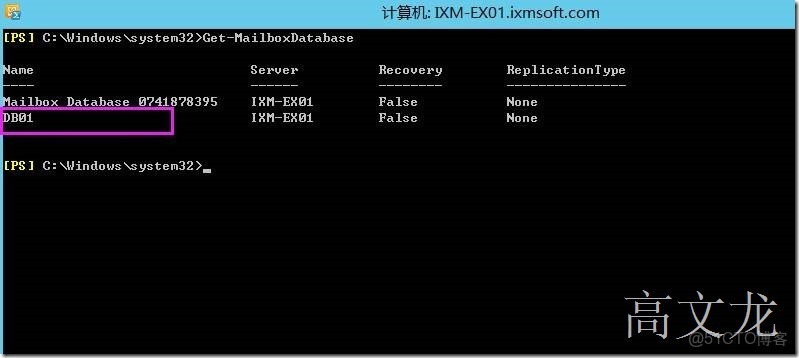
在遷移本地之前確認數據庫的名稱;再次建議大家在做本地遷移的時候,數據庫名稱不建議有空格,如果有空格那樣遷移的話會有問題,提示找不到用户的數據庫guid,為了保險起見,建議修改默認數據庫名稱或者添加新的數據庫
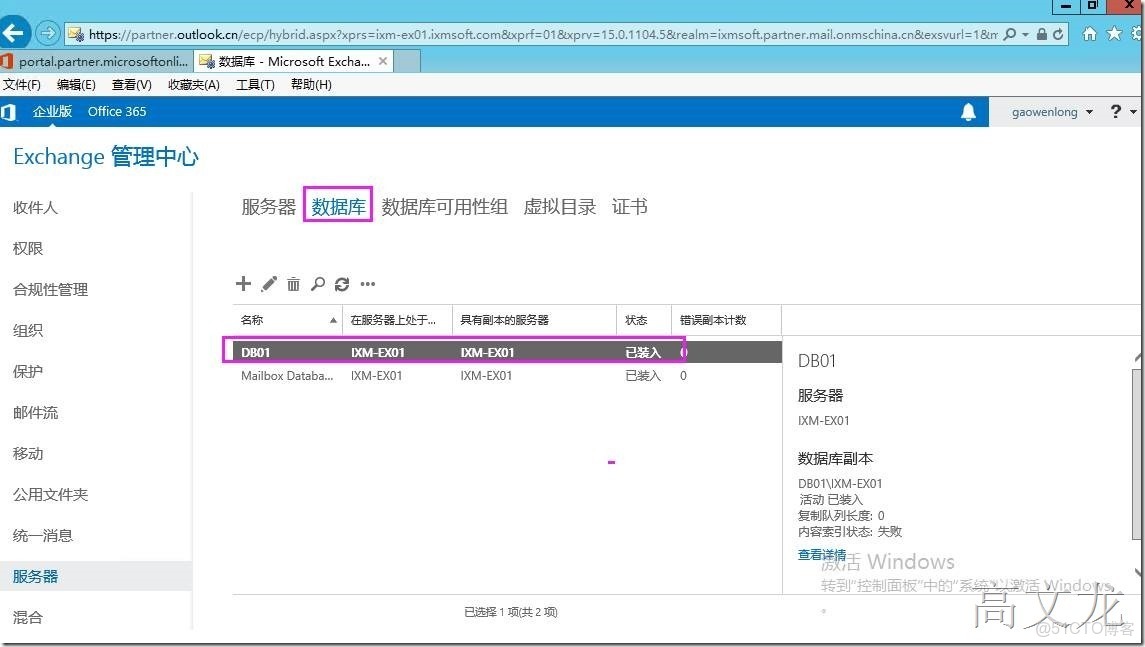
查看當前服務器的數據庫服務
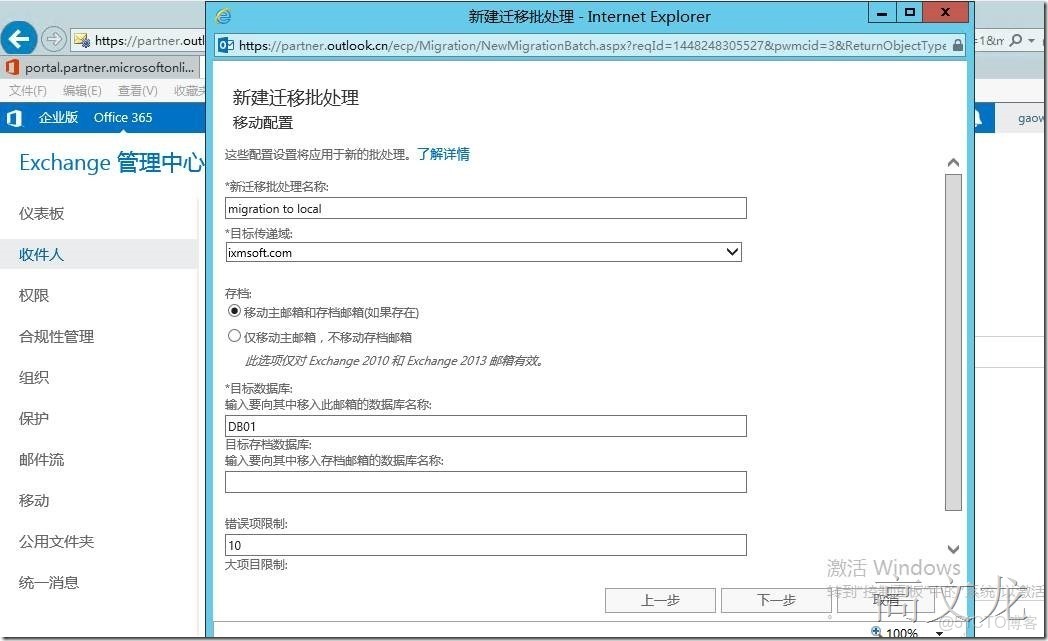
接下來定義定義遷移處理名稱----migration to local
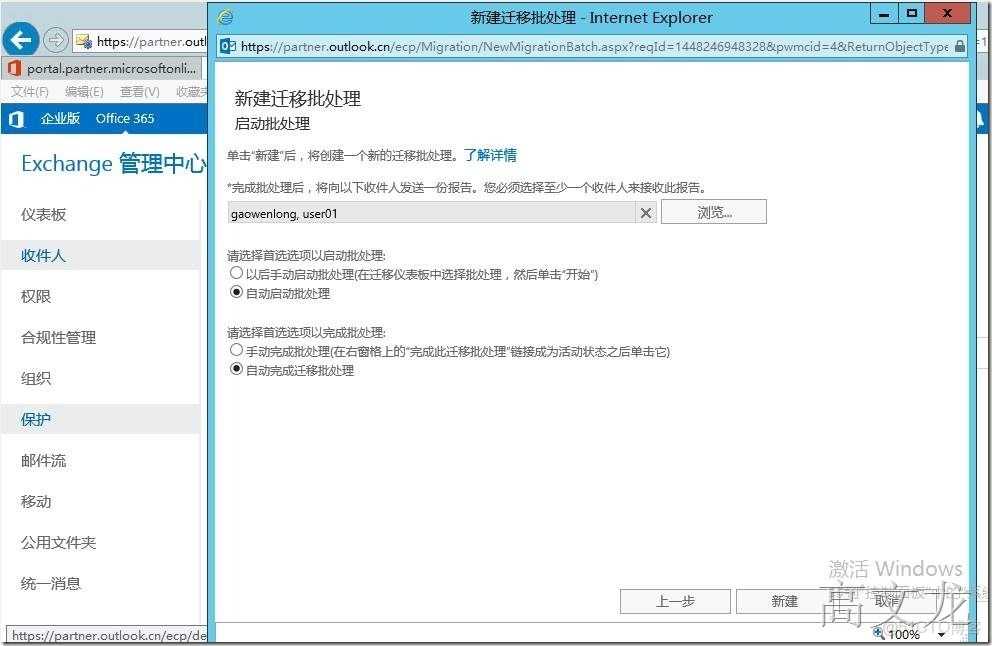
定義遷移屬性,在此建議自動啓動批處理程序
我們發現用户遷移失敗
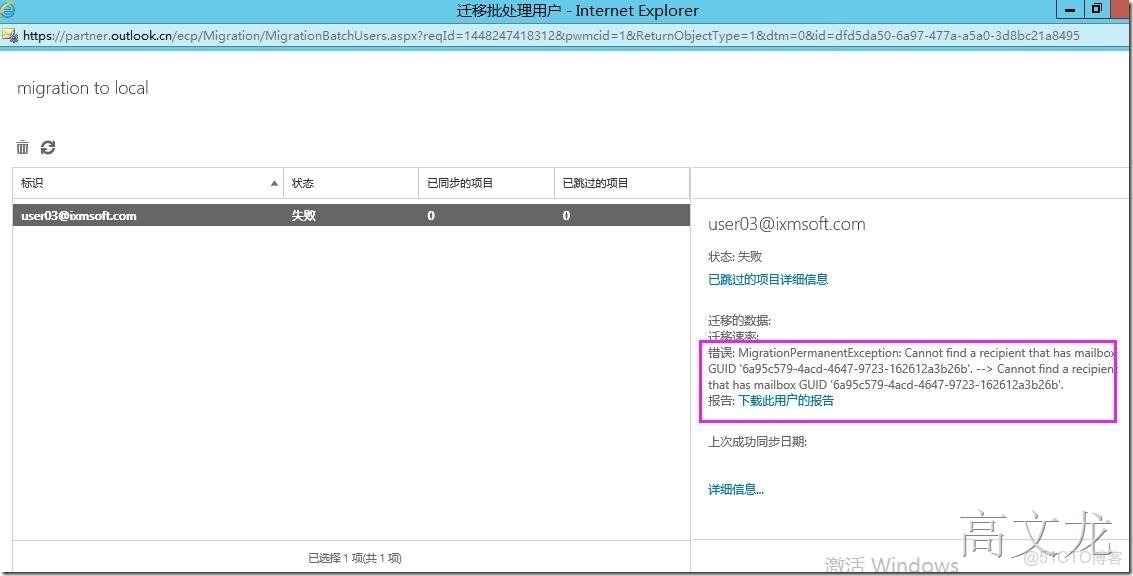
我們根據錯誤搜索解決方案
https://support.microsoft.com/en-us/kb/2956029
CAUSE
This behavior occurs because the value of the mailbox GUID isn't stamped on the associated mailbox in the on-premises organization.
Note The mailbox value is stored in the ExchangeGUID property (also known as the msExchMailboxGUID attribute).
This situation occurs because the value of the property isn't synced to the associated remote mailbox in the on-premises organization when a mailbox is created in Exchange Online.
To move a mailbox, the value of the ExchangeGUID property must be the same in the Exchange Online mailbox and in the associated on-premises remote mailbox.
SOULTION
Set the ExchangeGUID property on the associated on-premises remote mailbox before you move the mailbox to the on-premises organization. To do this, follow these steps:
1.Open the Exchange Management Shell on the on-premises server, and then run the following command to check whether the ExchangeGUID property of the on-premises remote mailbox is set:
Get-RemoteMailbox <alias of cloud mailbox to move> | Format-List ExchangeGUID    Note If the ExchangeGUID property returns all zeros, the value isn't stamped on the on-premises remote mailbox.
get-remotemailbox user03 | format-list exchangeGuid
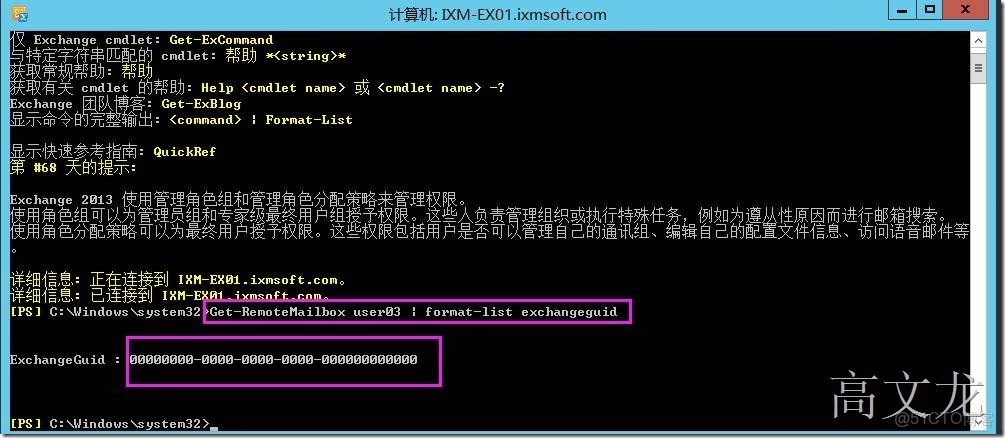
Note If the ExchangeGUID property returns all zeros, the value isn't stamped on the on-premises remote mailbox.
2.Open Windows PowerShell (don't use the Exchange Management Shell), and then connect to Exchange Online. For more info about how to do this, see Connect to Exchange Online Using Remote PowerShell.
使用以下鏈接進行操作
https://technet.microsoft.com/library/jj984289(v=exchg.160).aspx
使用windows powershell 鏈接到exchange online
開始之前我們需要準備
您可以使用 Windows 的以下版本:
Windows 10
Windows 8 或 Windows 8.1
Windows Server 2012 或 Windows Server 2012 R2
Windows 7 Service Pack 1 (SP1)*
Windows Server 2008 R2 SP1*
* 您需要安裝 Microsoft.NET Framework 4.5 或更高版本,然後安裝 Windows Management Framework 3.0 或 Windows Management Framework 4.0。有關詳細信息,請參閲安裝 .NET Framework 和 Windows Management Framework 3.0 或 Windows Management Framework 4.0。
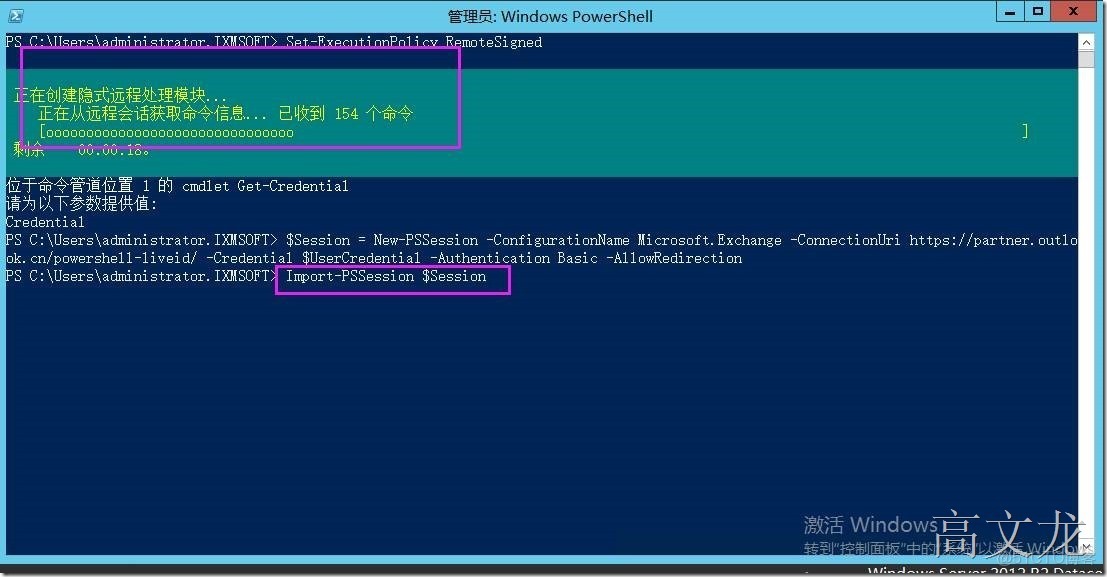
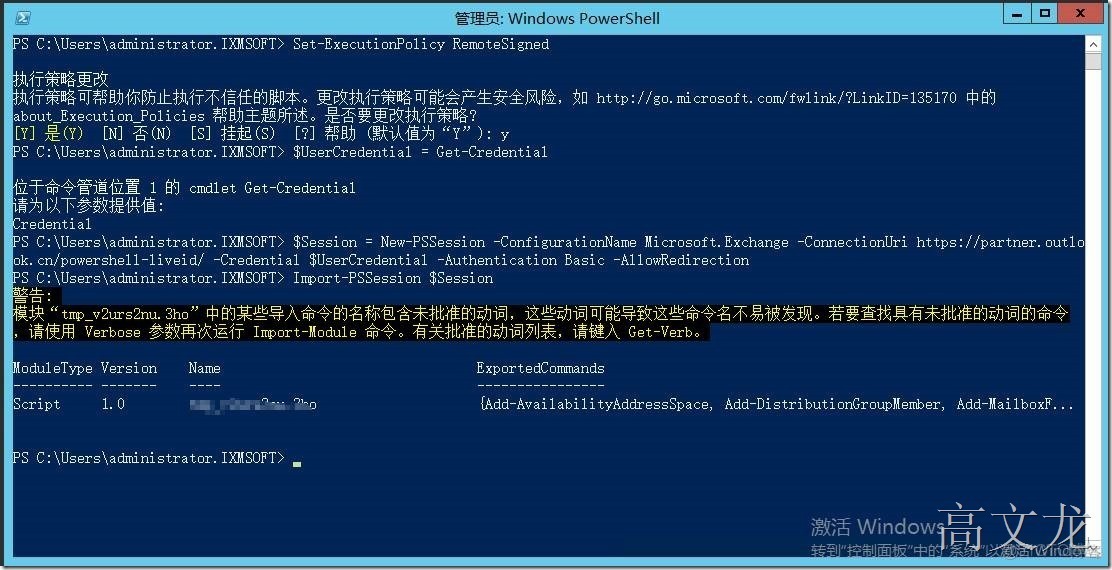
2.1打開本地的級算計上的windows powershell,運行以下命令
set-executionpolicy remotesigned 允許簽名
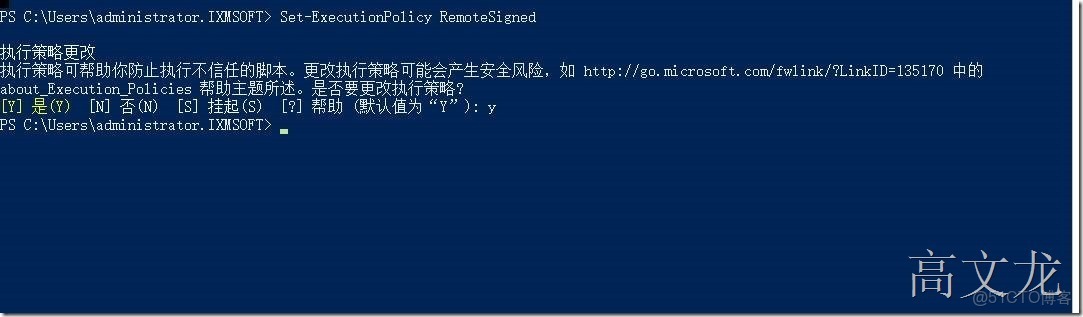
$UserCredential = Get-Credential在“Windows PowerShell 憑據請求”對話框中,鍵入您的 Office 365 用户名和密碼,然後單擊“確定”
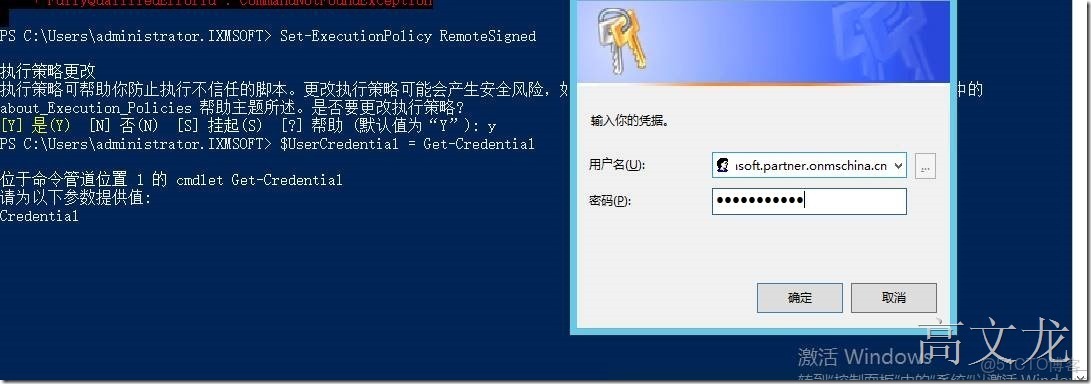
2.2
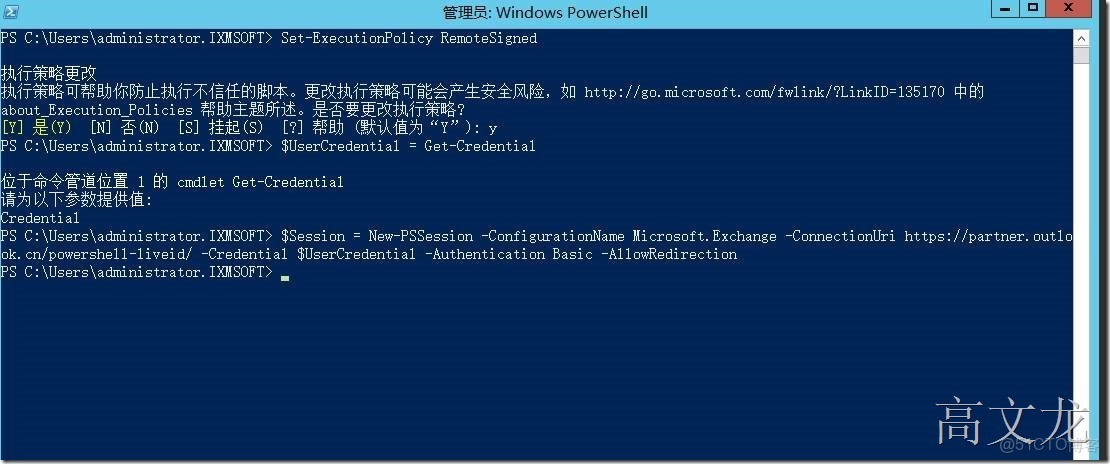
$Session = New-PSSession -ConfigurationName Microsoft.Exchange -ConnectionUri https://outlook.office365.com/powershell-liveid/ -Credential $UserCredential -Authentication Basic -AllowRedirection
如果您是由世紀互聯運營的中國 Office 365 客户,請為 ConnectionUri 參數使用以下值:https://partner.outlook.cn/PowerShell.
因為我們環境是世紀互聯的
$Session = New-PSSession -ConfigurationName Microsoft.Exchange -ConnectionUri
https://partner.outlook.cn/powershell-liveid/
 -Credential $UserCredential -Authentication Basic -AllowRedirection
2.3
Import-PSSession $Session
2.4
最後操作完成後,我們可以使用以下命令完成斷開與遠程的powershell 會話鏈接
Remove-PSSession $Session2.5
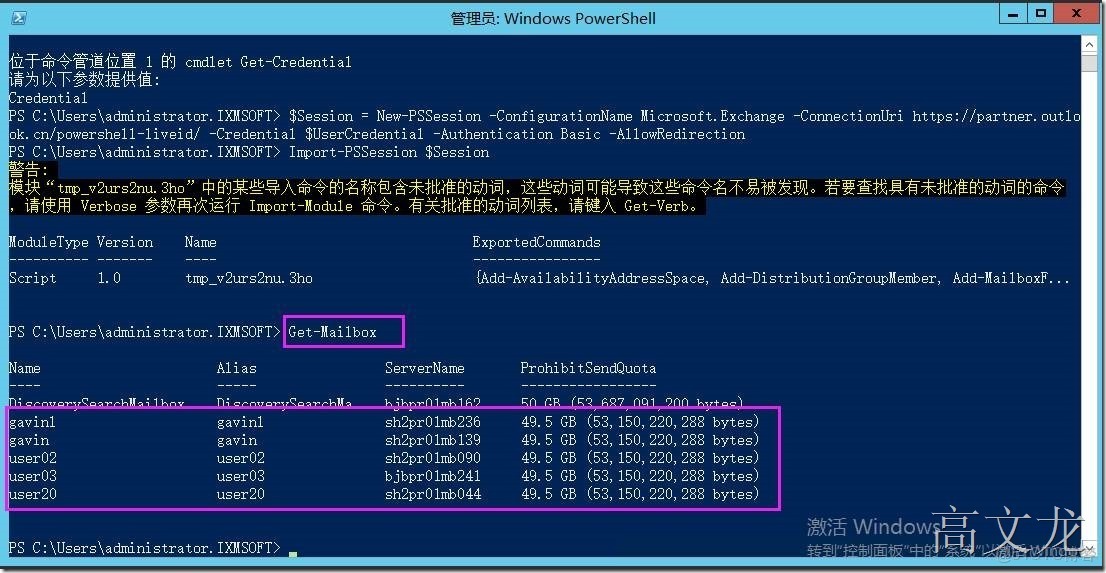
確認是否鏈接成功
get-mailbox
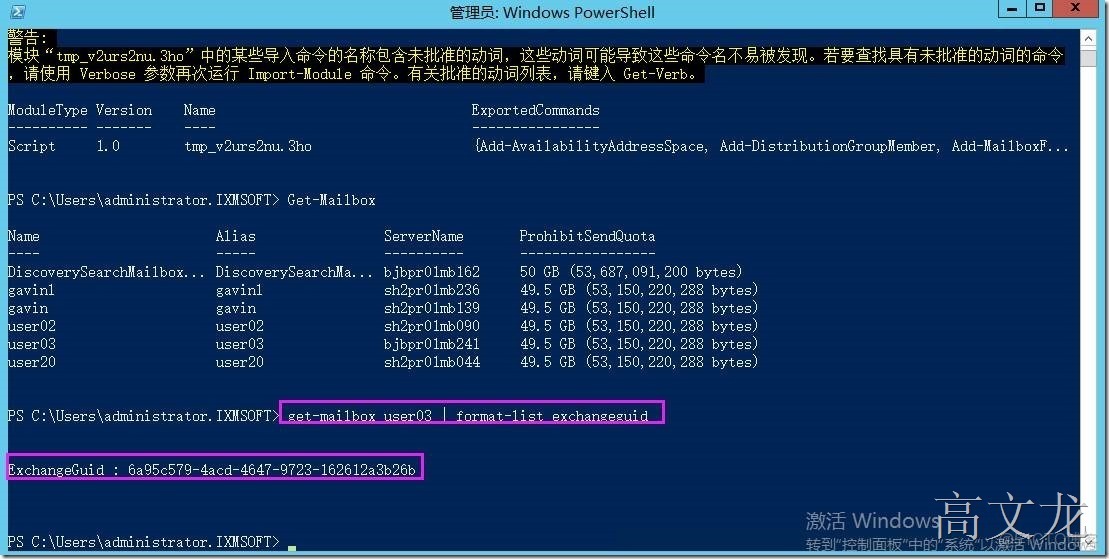
3.Run the following command to retrieve the value of ExchangeGUID property of the mailbox that you want to move.
Get-Mailbox <MailboxName> | Format-List ExchangeGUID
4.Run the following command to set the value of the ExchangeGUID property on the on-premises remote mailbox to the value that you retrieved in step 3:
Set-RemoteMailbox <MailboxName> -ExchangeGUID <GUID>
get-remotemailbox user03 -exchangeguid 6axxxxxxxx
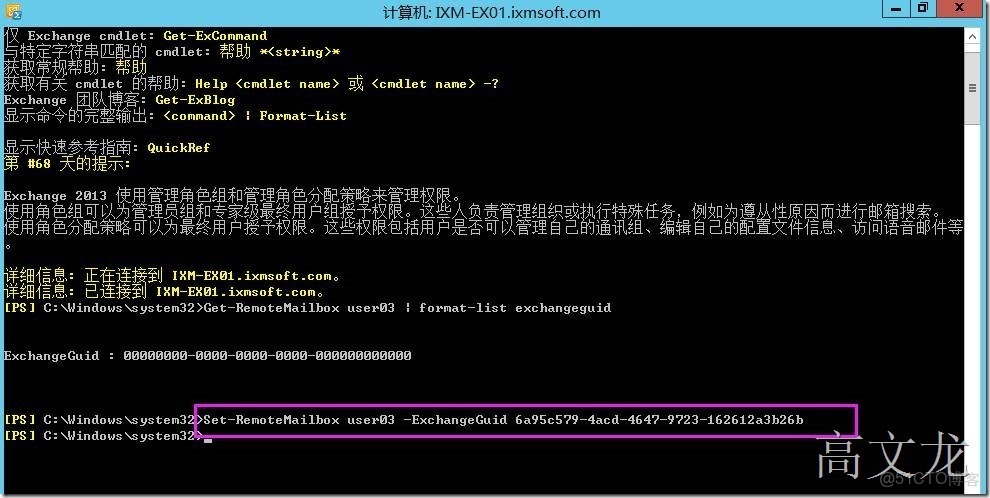
5.Force directory synchronization. For more info about how to do this, see the "Force directory synchronization" section of Synchronize your directories.
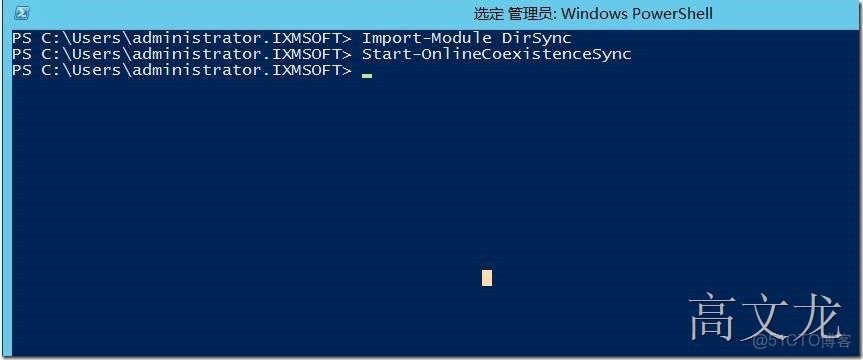
然後我們嘗試再次遷移
我們把原來的錯誤的遷移信息刪除
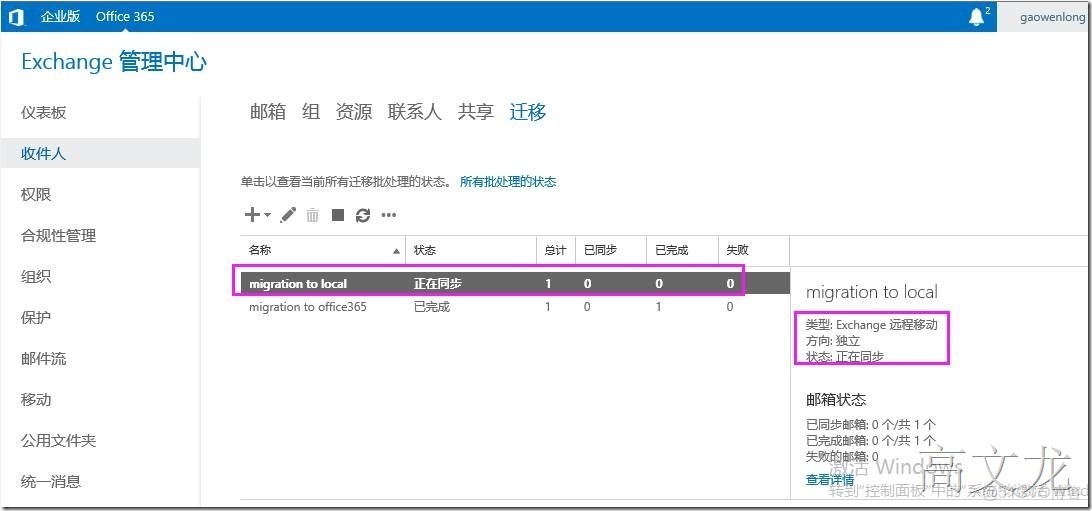
提示已經同步完成
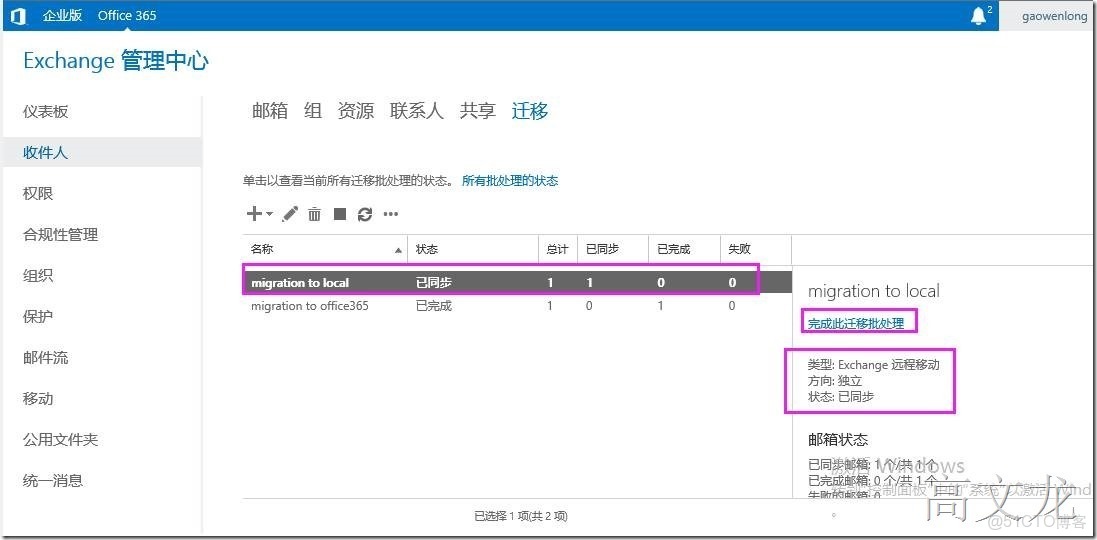
同步完成後,正在處理批處理程序
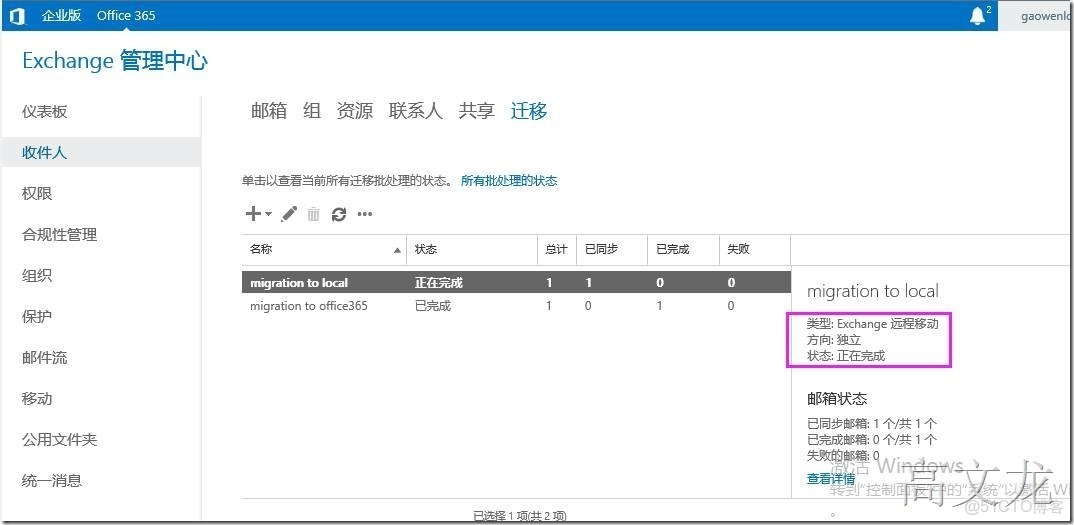
用户遷移成功
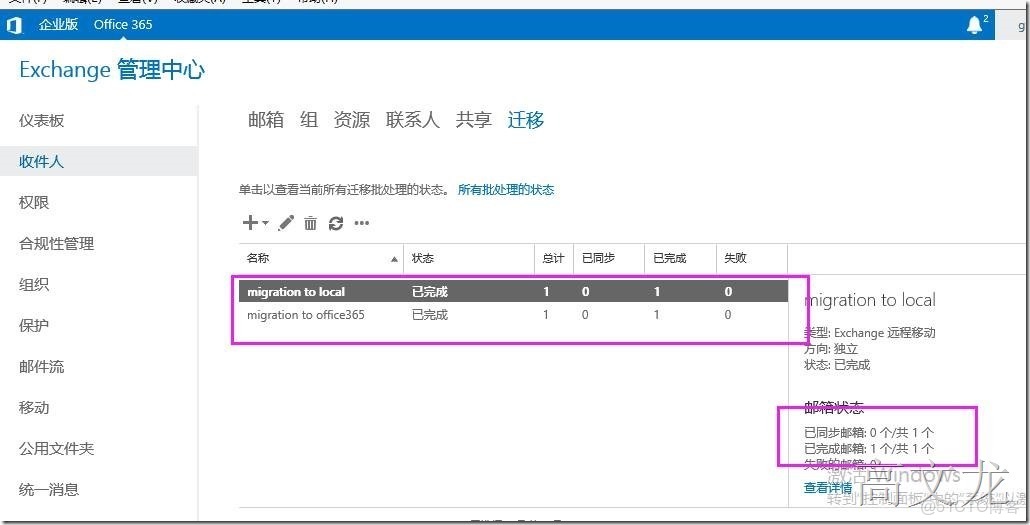
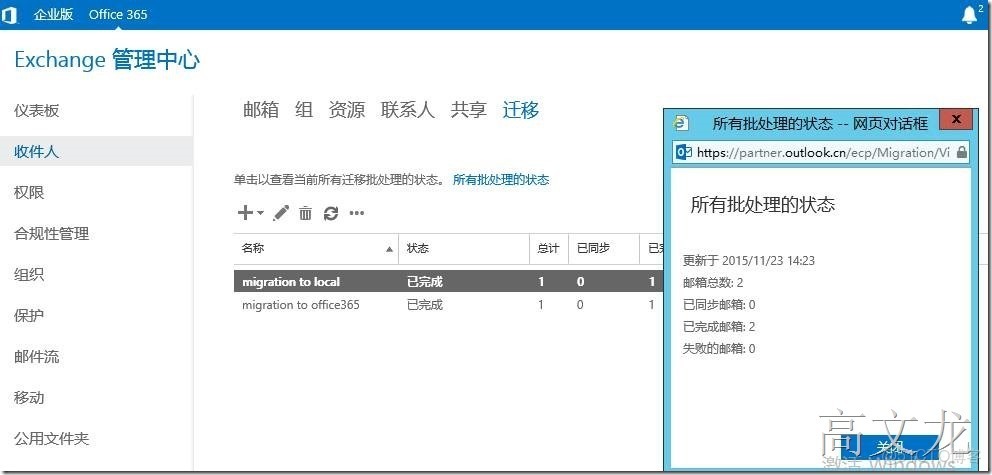
office365上的用户列表中已沒有user03了
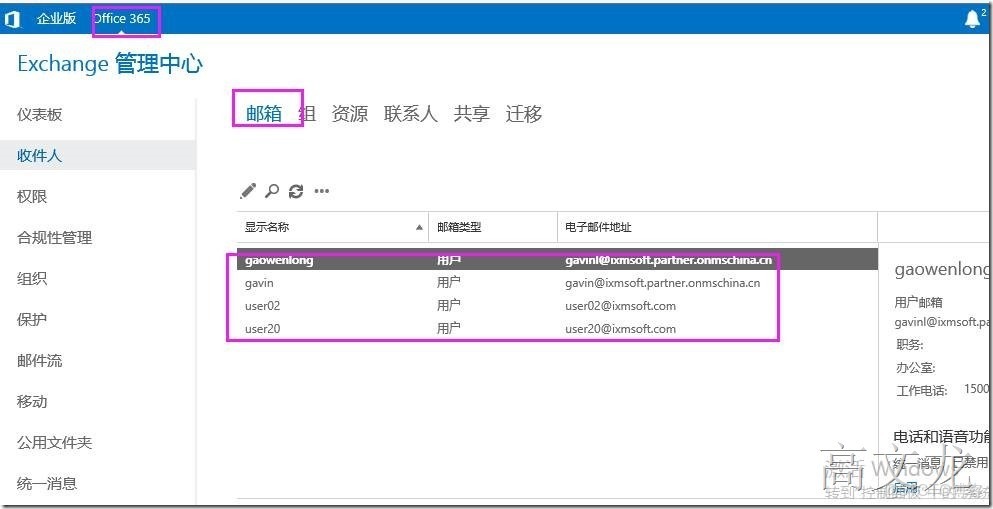
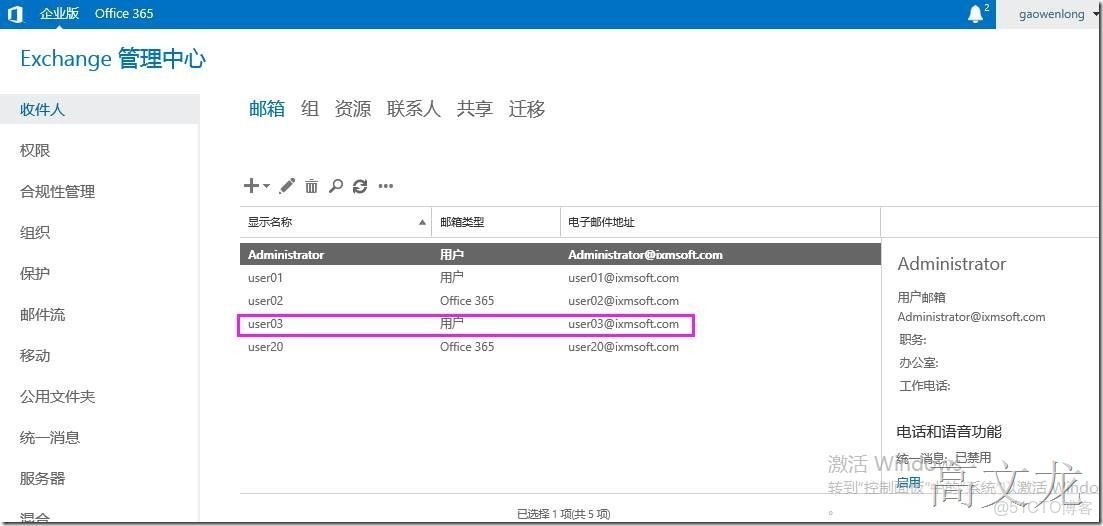
我們查看user03已成為本地用户
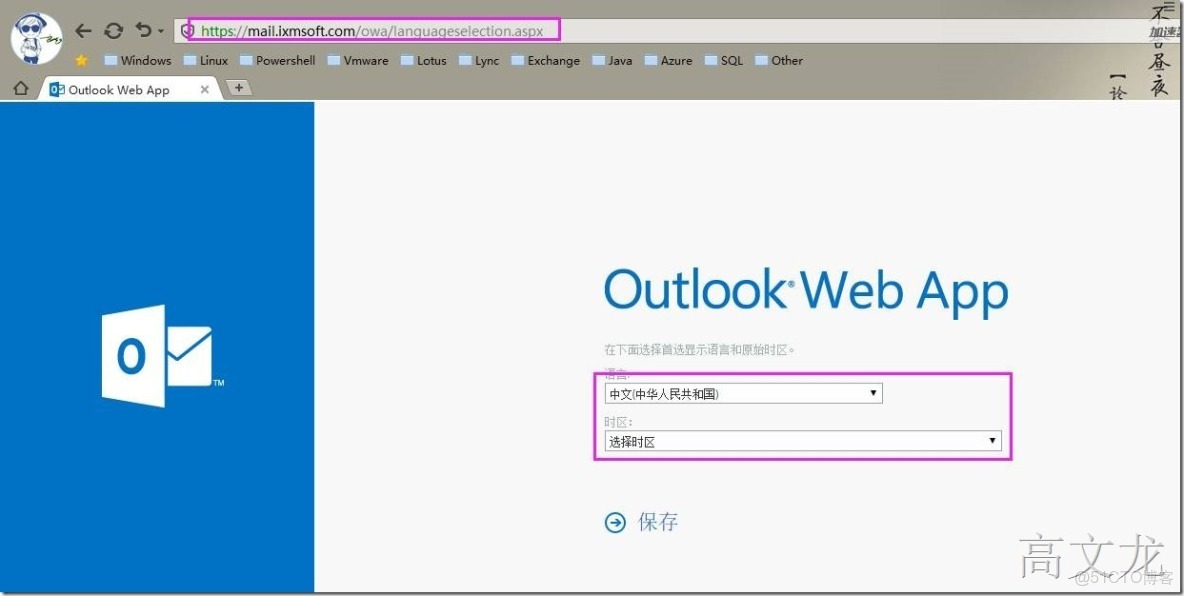
最後我們通過本地的服務器訪問地址進行登錄user03
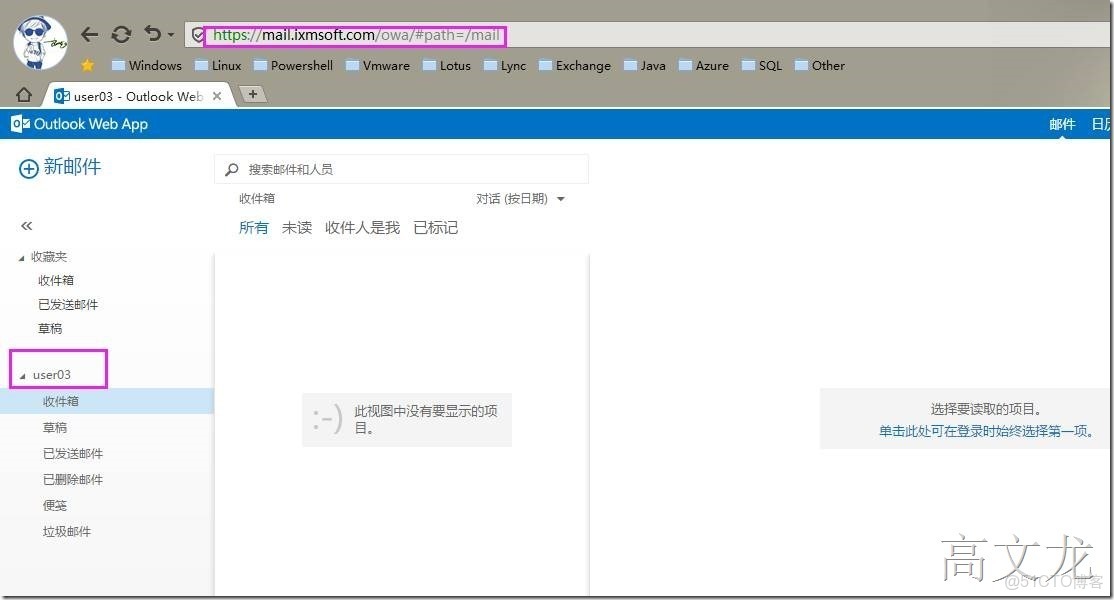
登錄成功
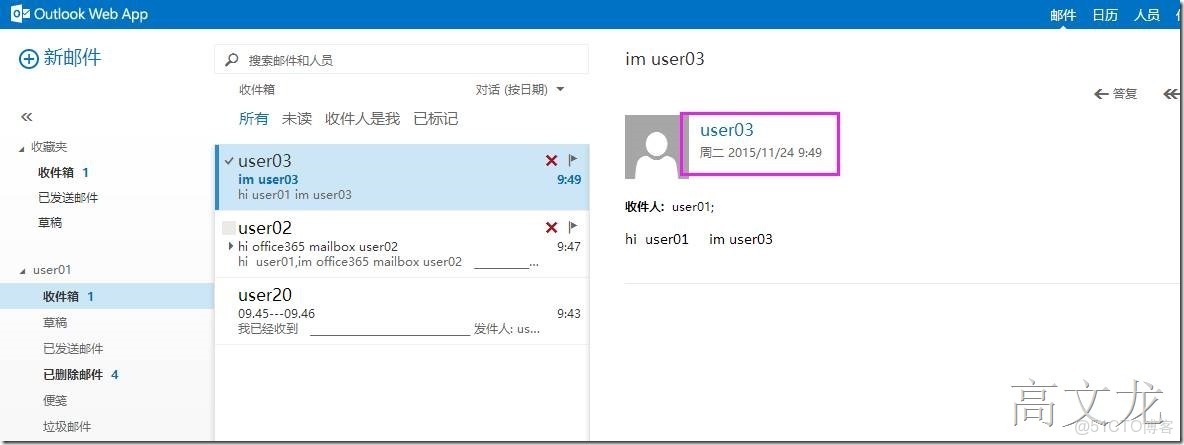
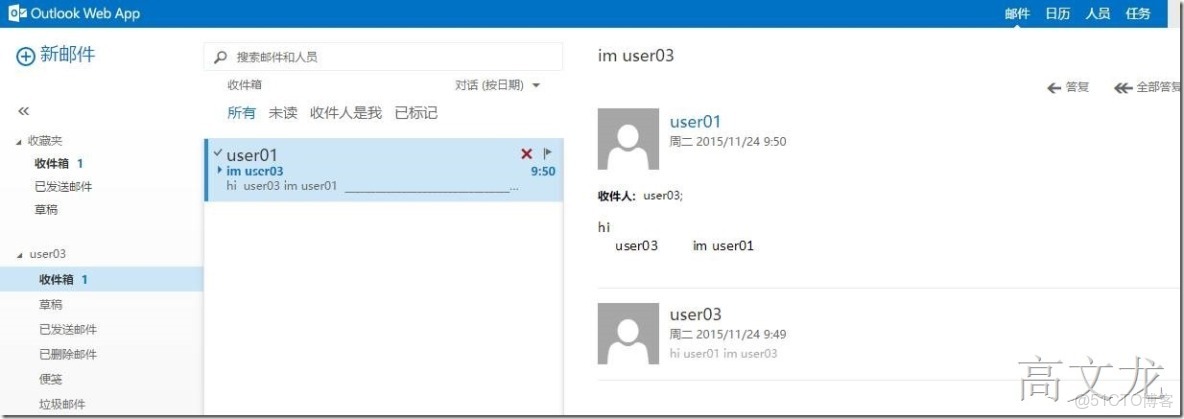
我們使用user03給user01發送測試郵件
再使用user01的本地郵箱給user03發送測試郵件
最後我們總結一下,其實遷移用户後,用户屬性會發送變化
如果從本地遷移到office365 onlie上的話 ,會在用户屬性多一個targetaddress配置屬性
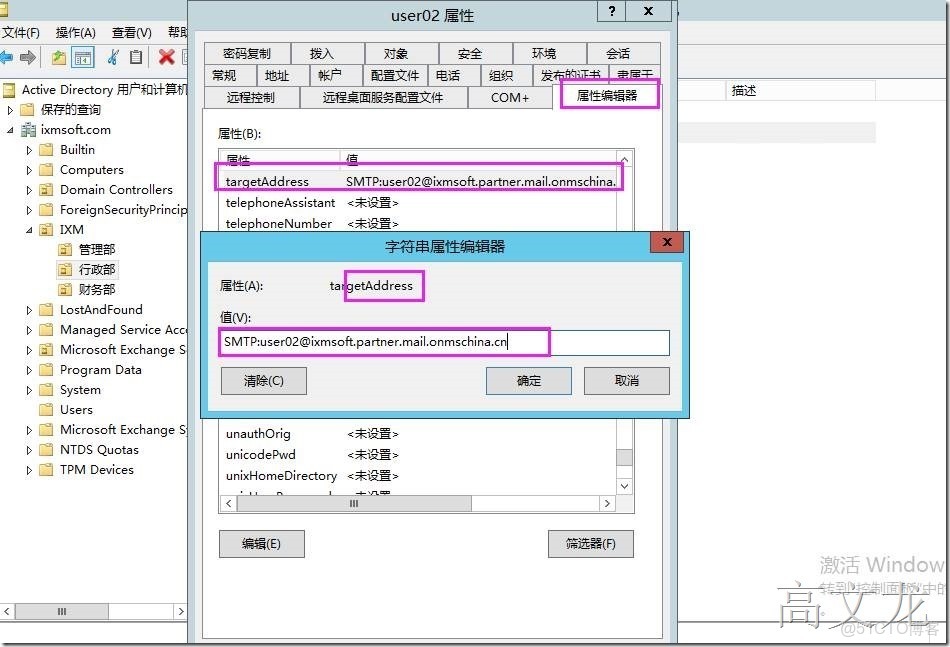
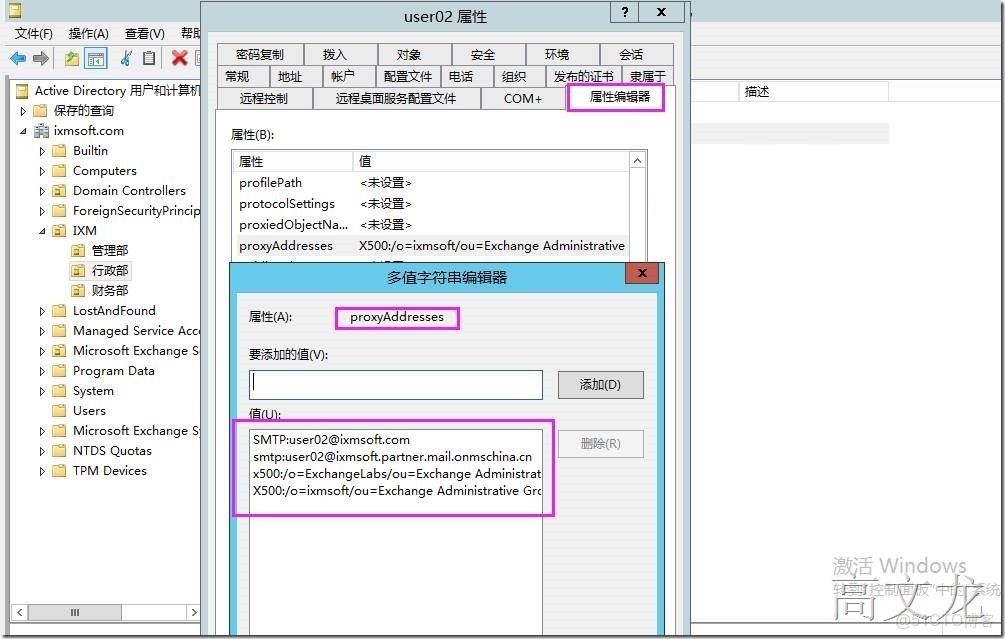
用户關聯後,我們一般使用的是從office365到本地的用户之間私用的是proxyaddress