
網上下載phpmailer文件
第一步:引入phpmailer
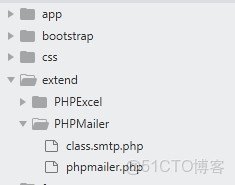
在extend目錄下創建PHPMailer 裏面放入class.smtp.php和phpmailer.php文件
第二步:配置email發送郵件參數
先開啓發送郵箱的服務器開啓stmp服務
這裏有兩種方法
一:在自己服務器配置stmp/pop3/imap等服務 具體操作請百度自行搜索
二:使用第三方email服務
我這裏是用的第二種 而且用的是網易的stmp (騰訊的有點坑 我以前也用過)建議國內的話用網易的
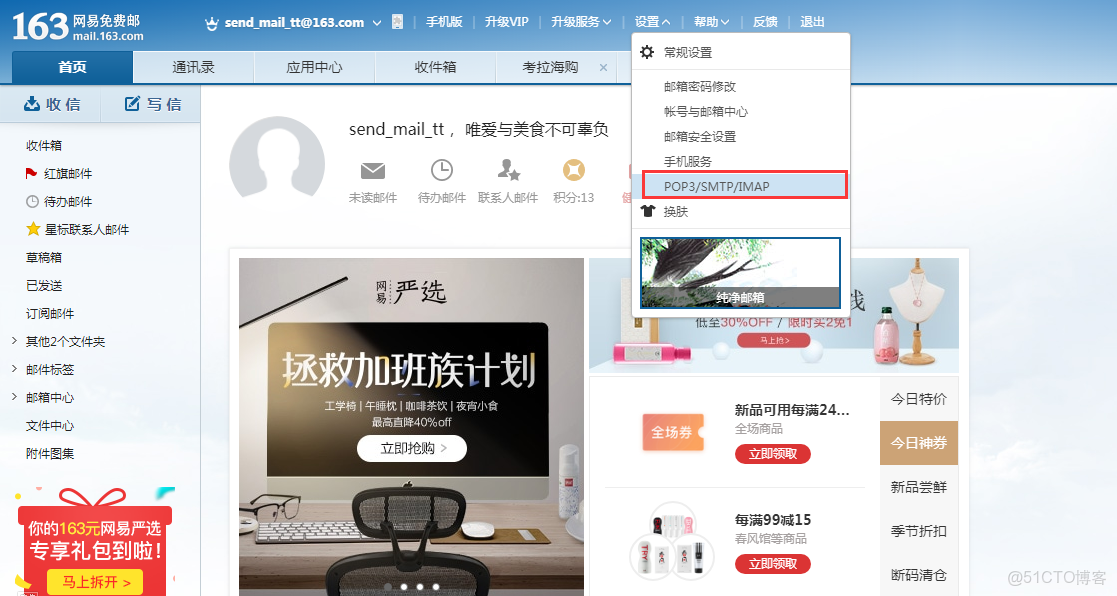
1.登錄郵箱賬號->設置->pop3/smtp/imap
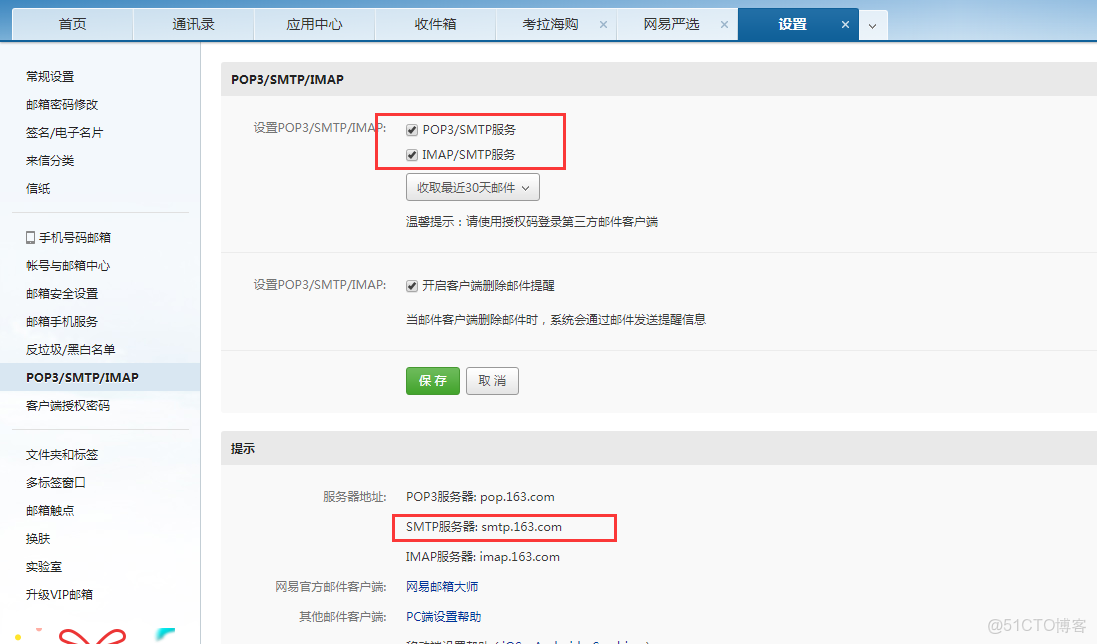
2.勾選stmp服務 然後獲取smtp服務器地址s
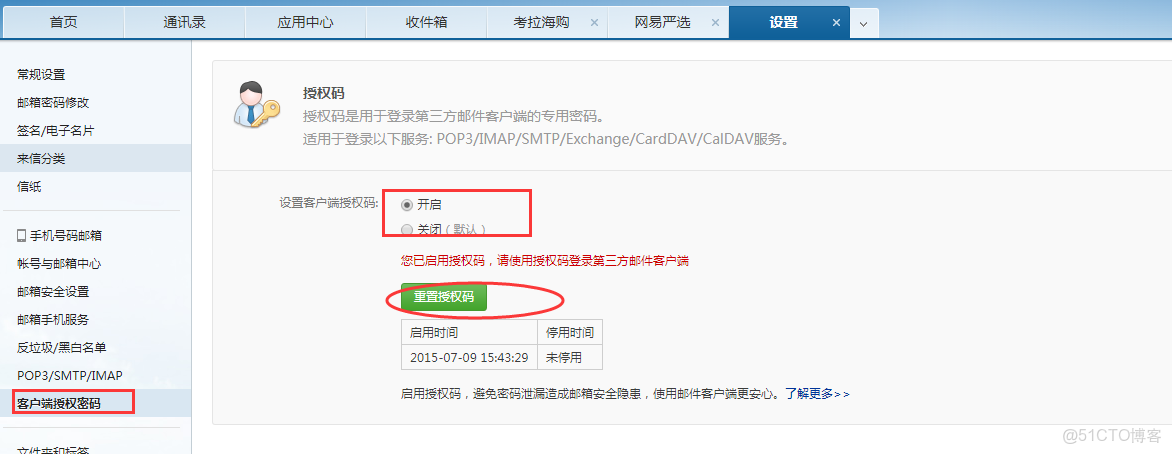
3.獲取授權碼 左側菜單->客户端授權碼 ->開啓 如果沒有顯示就點擊重置授權碼 我這裏已經獲取過了 獲取了最好自己保存一下 我們這裏假設授權密碼是testpassword
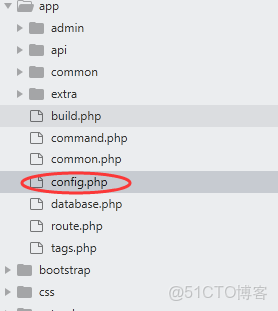
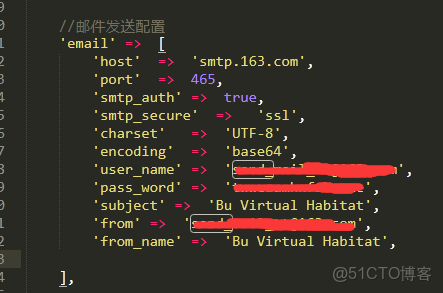
4.進入項目目錄下config.php 配置一個email 的發送配置 我這裏存在php文件裏 也可以存在數據庫 或文件裏
//郵件發送配置
    'email' =>  [
          'host'  =>  'smtp.163.com',//郵件服務器
          'port'  =>  465,//發送郵件端口,默認有25,465,587 其中465 587是ssl協議 加密傳輸
          'smtp_auth' =>  true,//驗證
          'smtp_secure'  =>   'ssl',//驗證方式
          'charset'   =>  'UTF-8',//編碼
          'encoding'  =>  'base64',//加密方式
          'user_name' =>  'test@163.com',//stmp郵箱賬號
          'pass_word' =>  'testpassword',//stmp授權密碼,前面步驟已獲取
          'subject' =>  'test',//主題
          'from' =>  'test@163.com',//發送郵箱
          'from_name' =>  'test',//發送人姓名    ],
第三步:添加發送郵件公共函數
引入phpmailer
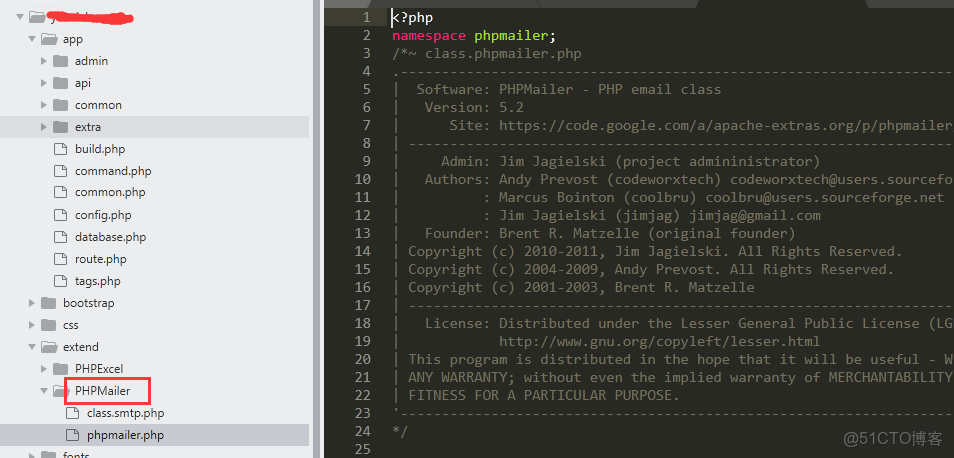
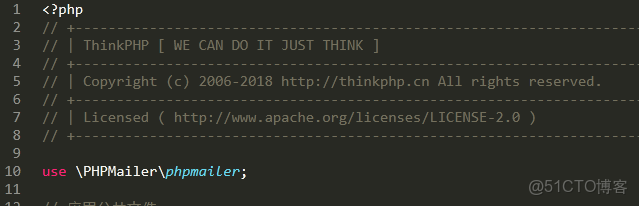
注意:PHPMailer為文件目錄 切記
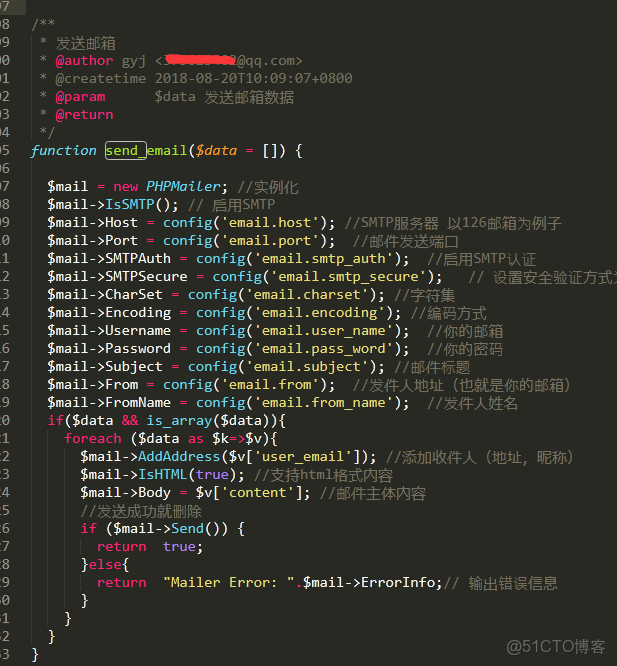
/**
 * 發送郵箱
 * @author gyj <test@qq.com>
 * @createtime 2018-08-20T10:09:07+0800
 * @param      $data 發送郵箱數據
 * @return
 */
function send_email($data = []) {

  $mail = new PHPMailer; //實例化
  $mail->IsSMTP(); // 啓用SMTP
  $mail->Host = config('email.host'); //SMTP服務器 以126郵箱為例子
  $mail->Port = config('email.port');  //郵件發送端口
  $mail->SMTPAuth = config('email.smtp_auth');  //啓用SMTP認證
  $mail->SMTPSecure = config('email.smtp_secure');   // 設置安全驗證方式為ssl
  $mail->CharSet = config('email.charset'); //字符集
  $mail->Encoding = config('email.encoding'); //編碼方式
  $mail->Username = config('email.user_name');  //你的郵箱
  $mail->Password = config('email.pass_word');  //你的密碼
  $mail->Subject = config('email.subject'); //郵件標題
  $mail->From = config('email.from');  //發件人地址(也就是你的郵箱)
  $mail->FromName = config('email.from_name');  //發件人姓名
  if($data && is_array($data)){
    foreach ($data as $k=>$v){
      $mail->AddAddress($v['user_email']); //添加收件人(地址,暱稱)
      $mail->IsHTML(true); //支持html格式內容
      $mail->Body = $v['content']; //郵件主體內容
      //發送成功就刪除
      if ($mail->Send()) {
        return  true;
      }else{
        return  "Mailer Error: ".$mail->ErrorInfo;// 輸出錯誤信息
      }
    }
  }
}
第四步:調用
$mail_res = send_email([['user_email'=>'test@qq.com','content'=>'test']]);本文章為轉載內容,我們尊重原作者對文章享有的著作權。如有內容錯誤或侵權問題,歡迎原作者聯繫我們進行內容更正或刪除文章。
