
Hadoop集羣安裝配置教程_Hadoop3.1.3_Ubuntu
http://dblab.xmu.edu.cn/blog/2544-2/
林子雨編著《大數據技術原理與應用(第3版)》教材配套大數據軟件安裝和編程實踐指南
http://dblab.xmu.edu.cn/post/13741/
hadoop hbase hive spark對應版本
hbase與phoenix整合(使用phoenix操作hbase數據)
http://blog.itpub.net/25854343/viewspace-2638600/
hbase時間不同步問題引起的bug
HBase啓動後RegionServer自動掛原因及解決辦法【ntp】
關閉Hbase出現stopping hbasecat:/tmp/hbase-root-master.pid:No such file or directory
解決方式是在hbase-env.sh中修改pid文件的存放路徑,配置項如下所示: # The directory where pid files are stored. /tmp by default. export HBASE_PID_DIR=/var/hadoop/pids
saveasnewapihadoopdatast 保存數據到hbase報空指針異常什麼情況 python語言開發的
conf = SparkConf().setMaster("local").setAppName("ReadHBase").set("spark.hadoop.validateOutputSpecs", False)
Linux重要命之sed命令詳解
https://www.linuxprobe.com/detailed-description-of-sed.html
Linux sed命令完全攻略(超級詳細)
http://c.biancheng.net/view/4028.html
Linux sed 命令
https://www.runoob.com/linux/linux-comm-sed.html
Sed命令中含有轉義字符的解決方法
linux sed命令刪除特殊字符(含斜線、冒號等轉義字符)
CentOS 查看系統 CPU 個數、核心數、線程數
Linux機器之間免密登錄設置
Shell腳本實現SSH免密登錄及批量配置管理
WARN: Establishing SSL connection without server's
大數據hive之hive連接mysql並啓動,出現SSL警告,如何解決?
分佈式集羣一鍵部署穩定版瞭解一下
mysql與hive2.1.1安裝和配置
hive建表出錯:Specified key was too long; max key length is 767 bytes
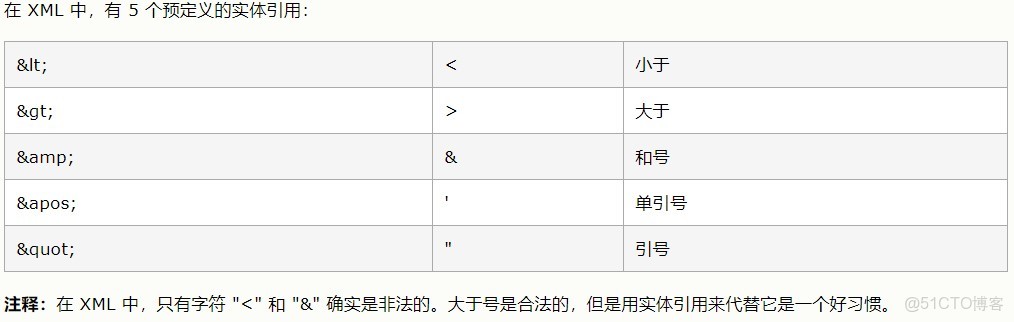
XML轉義特殊字符
< < 小於號
> > 大於號
& & 和
' ' 單引號
" " 雙引號
空格
FAILED: SemanticException org.apache.hadoop.hive.ql.metadata.HiveException: java.lang.RuntimeExcepti

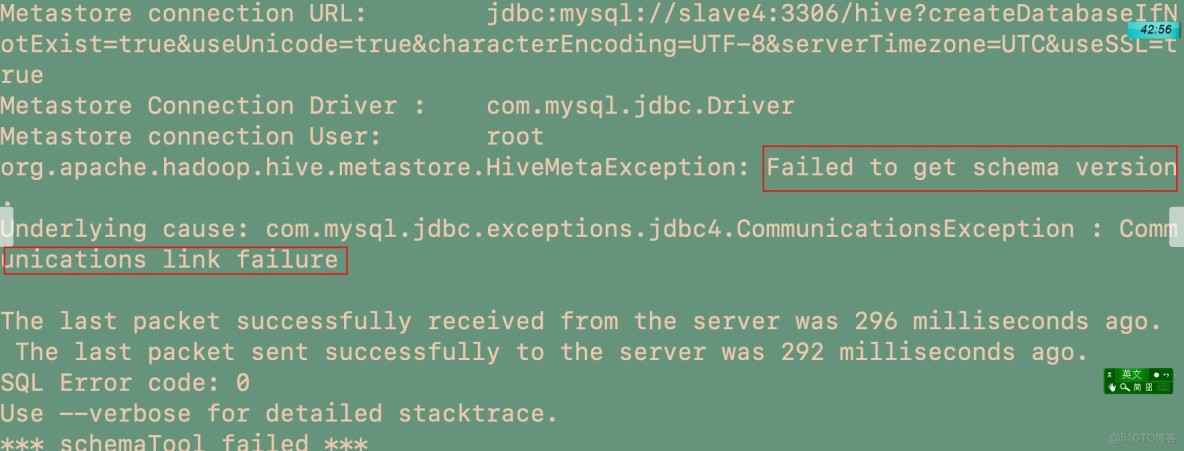
若不配置characterEncoding=UTF-8,則在hive中會出現中文亂碼,若mysql開啓了ssl驗證,(高版本mysql默認開啓)但是my.cnf裏沒有配置秘鑰,則會出現以下通信錯誤。
MySQL開啓SSL認證,以及簡單優化
MySQL8中的SSL連接的關閉
https://jingyan.baidu.com/article/5552ef470a1522118ffbc9ef.html
FAILED: SemanticException org.apache.hadoop.hive.ql.metadata.HiveException: java.lang.RuntimeExcepti
hive的服務端沒有打開 hive --service metastore & 然後Ctrl+C 再hive,進去
大數據hive之hive連接mysql並啓動,出現SSL警告,如何解決?
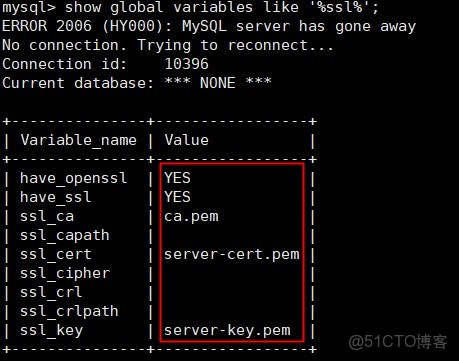
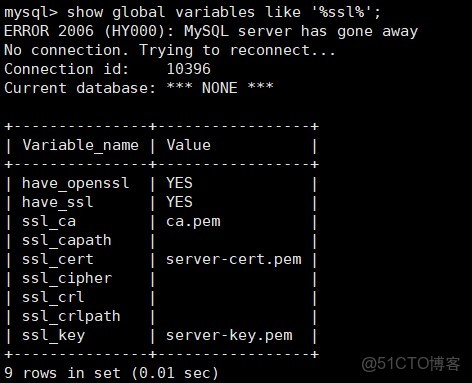
首先查看mysql ssl是否開啓
show global variables like '%ssl%';
啓動Hive報錯:mysql://localhost:3306/hive?createDatabaseIfNotExist=true, username = root. Terminating con
hive安裝配置過程中還需要注意的一些問題:
–>hive 2.0以上版本,安裝配置完成之後需要先初始化元數據庫
執行: schematool -dbType mysql -initSchema
–>比如一定要把這個mysql-connector-java-5.1.40-bin.jar包放在hive安裝目錄的lib下,不能是包含這個這個包的壓縮包等。
–>Exception in thread “main” java.lang.RuntimeException: java.lang.RuntimeException: Unable to instantiate org.apache.hadoop.hive.ql.metadata.SessionHiveMetaStoreClient 這個錯誤應該就是沒有正確的將jar包放在Lib目錄下。
–>啓動hive過程中還遇到過,報這個警告,但是可以啓動, Sat Nov 02 15:42:13 CST 2019 WARN: Establishing SSL connection without server’s identity verification is not recommended. According to MySQL 5.5.45+, 5.6.26+ and 5.7.6+ requirements SSL connection must be established by default if explicit option isn’t set. For compliance with existing applications not using SSL the verifyServerCertificate property is set to ‘false’. You need either to explicitly disable SSL by setting useSSL=false, or set useSSL=true and provide truststore for server certificate verification.
有説在hive配置文件中的mysql連接url中加一個參數的,
因為原因是MySQL在高版本需要指明是否進行SSL連接。
解決方案如下: 在mysql中查看有沒有開啓ssl
mysql> show global variables like ‘%ssl%’;
如果是have_ssl 對應disabled,
那就在hive配置文件conf/hive-site.xml中的mysql連接url中添加參數useSSL=false
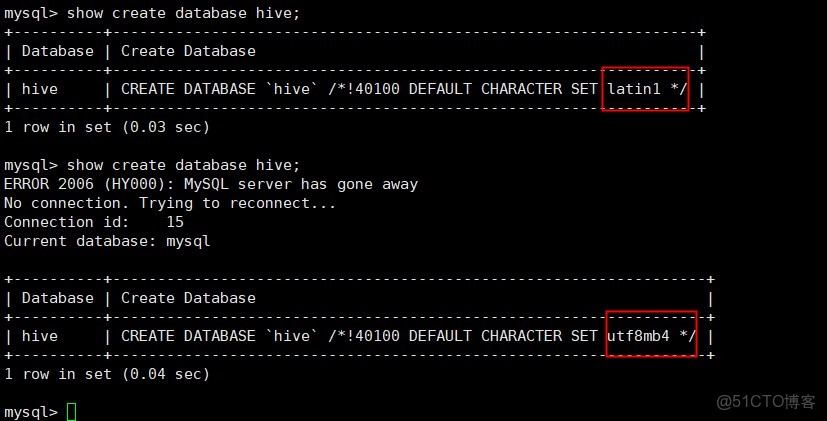
hive配置MySQL時的亂碼解決方案
show variables like 'char%';
Hive之metastore服務啓動錯誤解決方案org.apache.thrift.transport.TTransportException: Could not create ServerSock
https://www.pianshen.com/article/1984355270/
錯誤org.apache.thrift.transport.TTransportException: Could not create ServerSocket on address 0.0.0.0/0.0.0.0:9083.
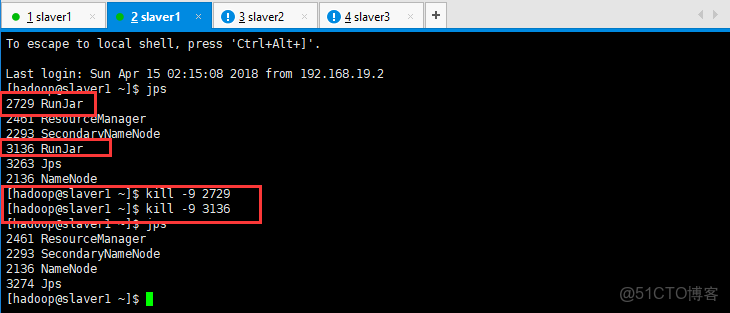
metastore重複啓動
netstat -apn|grep 9083
執行查看linux端口命令,發現9083 端口被佔用
kill進程後重新啓動即可解決問題 先jps查看進程
重啓hive metastore服務
hive --service metastore &
Hive-異常處理Hive Schema version 2.3.0 does not match metastore's schema version 1.2.0 Metastore is not
https://github.com/apache/hive/blob/master/metastore/scripts/upgrade/mssql/upgrade-2.2.0-to-2.3.0.mssql.sql
MetaException(message:Hive Schema version 2.3.0 does not match metastore's schema version 1.2.0
SBT命令行打包spark程序
https://zhuanlan.zhihu.com/p/65572399
下載安裝配置 Spark-2.4.5 以及 sbt1.3.8 打包程序
安裝最新版sbt工具方法和體會
http://dblab.xmu.edu.cn/blog/2546-2/#more-2546
Sbt——安裝、配置、詳細使用
scala的jar包在spark,scala,java上的執行
https://zhuanlan.zhihu.com/p/87355394
spark的動態資源配置
Hadoop _ 疑難雜症 解決1 - WARN util.NativeCodeLoader: Unable to load native-hadoop library for your plat
hadoop 2.x安裝:不能加載本地庫 - java.library.path錯誤
運行Spark-shell,解決Unable to load native-hadoop library for your platform
解決Hadoop啓動時,沒有啓動datanode
http://dblab.xmu.edu.cn/blog/818-2/
關於Spark報錯不能連接到Server的解決辦法(Failed to connect to master master_hostname:7077)
Spark啓動的時候出現failed to launch: nice -n 0 /soft/spark/bin/spark-class org.apache.spark.deploy.worker
大部分人説需要在root用户下的.bashrc配置JAVA_HOME,試過之後發現還是原來的錯誤;
最後發現需要在/spark/sbin/spark-config.sh 加入JAVA_HOME的路徑。
還有一個錯誤非常隱蔽,環境變量報錯,可能是在/etc/profile.d目錄下配置了環境變量。
Linux系統重啓後/etc/hosts自動添加主機名解析
https://support.huaweicloud.com/intl/zh-cn/trouble-ecs/ecs_trouble_0320.html
kafka啓動方式
在Windows中 啓動Kafka出現The Cluster ID doesn't match stored clusterId錯誤
https://www.jianshu.com/p/d51ef3369b37
spark work目錄處理 And HDFS空間都去哪了?
spark work目錄_Spark常見的腳本及參數詳解
