
利用python處理一些小問題,主要學習此過程中語言如何應用,與c/cpp不同的地方。
列表與元組
給定一個聯繫人列表,每個聯繫人用一個元組表示,其中有聯繫人的姓名name和年齡age。
編寫該程序,輸入一個字符串,在聯繫人列表中搜索該人名,並以示例格式輸出該聯繫人的年齡。
沒找到聯繫人輸出Not Found
contacts = [
    ('James', 42),
    ('Amy', 24),
    ('John', 31),
    ('Amanda', 63),
    ('Bob', 18)
]

name = input()

notfound = True

for x in contacts:
    if(x[0] == name):
        print(f"{name} is {x[1]}")
        notfound = False

if notfound:
    print("Not Found")
1.元組是有序的(1,2,3),集合是無序的{1,2,3}
2.在列表中的元組,for x in contacts,是一個元組一個元組遍歷,而元組x[0],x[1]分別表示元組中第幾個元素(有序的)
3.輸出表示:print(f"{name} is {x[1]}")
面向對象編程題目
1.石頭剪刀布
#電腦隨機生成數字
import random

class Game():
    #我們通過類裏面的方法獲得類的屬性值
    def __init__(self):
        self.computer_pick = self.get_computer_pick()
        self.user_pick = self.get_user_pick()
        self.result = self.get_result()

    #電腦隨機生成選項    def get_computer_pick(self):
        random_num = random.randint(1,3)
        options = {1:"paper",2:"scissors",3:"rock"}
        return options[random_num]

    #用户輸入獲取
    def get_user_pick(self):
        while True:
            user_pick = input('輸入石頭/剪子/布:')
            user_pick = user_pick.lower()
            if user_pick in ("paper","scissors","rock"):
                break
            else:
                print('error input!')
        return user_pick

    #判斷勝負
    def get_result(self):
        if self.computer_pick == self.user_pick:
            result = '平局'
        elif self.user_pick =='paper' and self.computer_pick == 'rock':
            result = '獲勝'
        elif self.user_pick =='rock' and self.computer_pick == 'scissors':
            result = '獲勝'
        elif self.user_pick =='scissors' and self.computer_pick == 'paper':
            result = '獲勝'
        else:
            result = '失敗'
        return result

    #打印情況
    def print_result(self):
        print(f"Computer's pick: {self.computer_pick}")
        print(f'Your pick: {self.user_pick}')
        print(f'You {self.result}')

# 運行
if __name__ == '__main__':
    game = Game()
game.print_result()1.我第一次寫的時候(剛學完類)將方法前面的self遺漏了,導致報錯,代碼會找全局函數get_computer_pick(),所以類裏面的方法和屬性需要加self哦!
2.之所以不需要調用game.get_user_pick(),game.get_computer_pick()和game.get_result()是因為把這些方法調用寫入了__init__(),創建對象的時候自動調用了,只需要給輸入即可打印情況!
3.其次可以學習一下利用隨機模塊random和字典生成不同選項的用法
#電腦隨機生成選項
def get_computer_pick(self):
        random_num = random.randint(1,3)
        options = {1:"paper",2:"scissors",3:"rock"}
        return options[random_num]
-------------------------------------------------------
def get_computer_pick():
    options = ('rock', 'paper', 'scissors')
    return random.choice(options)
4.學習一下用户輸入獲取正確的方法
5.學一下用類構建這類遊戲的思維(函數也能構建)
2.井字遊戲
在這個項目中,我們將用Python創建一個井字形遊戲。
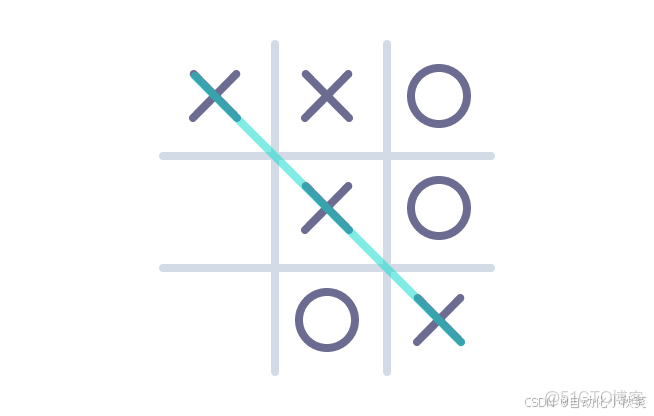
我們將使用面向對象的編程來創建這個遊戲。我們的遊戲將有三個類:
- 棋盤:處理井字棋盤並處理獲勝/抽籤邏輯
- 玩家:處理玩家的名字和他們所使用的符號
- 遊戲:處理遊戲邏輯
棋盤類
Board類的對象有一個名為board的屬性,它是一個包含9個項目的列表。 開始的時候,每個項目的值是一個空格。 一旦玩家開始選擇位置的符號,我們將用X或O更新這個列表的項目。 print_board()方法會以一種視覺上的直觀方式打印棋盤。
class Board:
    def __init__(self):
        #用列表建立棋盤,每個格都有序號
        self.board = [' ',' ',' ',
                      ' ',' ',' ',
                      ' ',' ',' ']
    #打印棋盤
    def print_board(self):
        print('\n')
        print(' ' + self.board[0] + ' | ' + self.board[1] + ' | ' + self.board[2])
        print('-------')
        print(' ' + self.board[3] + ' | ' + self.board[4] + ' | ' + self.board[5])
        print('-------')
        print(' ' + self.board[6] + ' | ' + self.board[7] + ' | ' + self.board[8])

board = Board()
玩家類
添加Player類。這個類的對象有兩個屬性。
type: 用於符號 "X" 或 "O"。name:用於存儲玩家的名字。
假設第一個球員總是採取 "X" 符號,第二個球員總是採取 "O" 符號。
get_name()方法用來獲取球員的名字。
class Player:
    def __init__(self,type):
        self.type = type
        self.name = self.get_player_name()
        self.print_player()

    def get_player_name(self):
        if self.type == 'X':
            name = input('選擇X的玩家輸入姓名:')
        else:
            name = input('選擇O的玩家輸入姓名:')
        return name
    def print_player(self):
        print(f'玩家{self.name}選擇{self.type}')

# 創建用於測試的玩家對象
player1 = Player('X')
player2 = Player('O')
1.注意__init__()函數中初始化順序,self.type必須在self.get_player_name()前面,因為get_player_name()中用到了self.type,此時需要被定義才行。
2.代碼專業性角度分析寫法:把 self.name 的賦值封裝在 get_name() 裏是否更高效可行?
可行,但不高效。
class Player:
    def __init__(self, type):
        self.type = type
        self.ask_name()

    def ask_name(self):
        if self.type == 'X':
            self.name = input('選擇 X 的玩家,請輸入你的名字:')
        else:
            self.name = input('選擇 O 的玩家,請輸入你的名字:')
注意看此時與上面的區別。
不好在:跑單元測試時必須人肉輸入,或打補丁 input() || 類永遠綁定了“控制枱交互”這一上下文,想以後改成 GUI、網頁、API 都得改類。直接賦值給self.name可讀性差,點開ask_name()才知道self.name在此賦值。
優化:在__init__()里加入name
class Player:
    def __init__(self, type, name=None):
        self.type = type
        self.name = name or self.ask_name()   # 外部沒給就自己去問

    def ask_name(self):
        return input(f'選擇 {self.type} 的玩家,請輸入名字:')
這樣既能在生產環境自動提問,也能在測試時直接 Player('X', 'Alice') 秒建對象
遊戲類
先完成簡單的棋盤更新邏輯
update_board()方法
這個方法需要三個參數:
self:調用此方法的對象position:用户選擇的位置(一個整數)type- 如果當前玩家是player1',它將是'X',否則它將是'O'`。
方法首先檢查position 是否已經被填充。 如果它沒有被填滿,我們將更新棋盤並返回True。 如果該位置已經被填滿,將顯示一條信息,並返回 False。
class Board:
    def __init__(self):
        #用列表建立棋盤,每個格都有序號
        self.board = [' ', ' ',' ',
                      ' ',' ',' ',
                      ' ',' ',' ']
    #打印棋盤
    def print_board(self):
        print('\n')
        print(' ' + self.board[0] + ' | ' + self.board[1] + ' | ' + self.board[2])
        print('-------')
        print(' ' + self.board[3] + ' | ' + self.board[4] + ' | ' + self.board[5])
        print('-------')
        print(' ' + self.board[6] + ' | ' + self.board[7] + ' | ' + self.board[8])

    def update_board(self,position,type):
        if self.board[position] == ' ':
            self.board[position] = type
            return True
        else:
            print('位置已經被選了,請選擇其他位置。')
            return False
然後回到play()中完成對update_board參數的更新即可:
class Game:
    def __init__(self):
        #創建對象
        self.board = Board()
        self.player1 = Player('X')
        self.player2 = Player('O')
        #剛開局是x玩家先走(current_player也是一個對象)
        self.current_player = self.player1

    def play(self):
        while True:
            message = int(input(f'{self.current_player.name},請輸入位置 (1 - 9): '))
            print(message)
            position = message-1
            flag = self.board.update_board(position,self.current_player.type)
            if flag:
                if self.current_player == self.player1:
                    self.current_player = self.player2
                else:
                    self.current_player = self.player1
                #打印棋盤
                self.board.print_board()
            else:
                continue

play1 = Game()
play1.play()
基本邏輯就有了,接下來就是判斷輸贏和平局了
- 在
Board類中增加了check_winner()和check_draw()方法。
class Board:
    def __init__(self):
        #用列表建立棋盤,每個格都有序號
        self.board = [' ', ' ',' ',
                      ' ',' ',' ',
                      ' ',' ',' ']
    #打印棋盤
    def print_board(self):
        print('\n')
        print(' ' + self.board[0] + ' | ' + self.board[1] + ' | ' + self.board[2])
        print('-------')
        print(' ' + self.board[3] + ' | ' + self.board[4] + ' | ' + self.board[5])
        print('-------')
        print(' ' + self.board[6] + ' | ' + self.board[7] + ' | ' + self.board[8])

    def update_board(self,position,type):
        if self.board[position] == ' ':
            self.board[position] = type
            return True
        else:
            print('位置已經被選了,請選擇其他位置。')
            return False
    # 檢查所有的直線上的符號是否相同
    def check_winner(self, type):
        if (self.board[0] == type and self.board[1] == type and self.board[2] == type) or \
           (self.board[3] == type and self.board[4] == type and self.board[5] == type) or \
           (self.board[6] == type and self.board[7] == type and self.board[8] == type) or \
           (self.board[0] == type and self.board[3] == type and self.board[6] == type) or \
           (self.board[1] == type and self.board[4] == type and self.board[7] == type) or \
           (self.board[2] == type and self.board[5] == type and self.board[8] == type) or \
           (self.board[0] == type and self.board[4] == type and self.board[8] == type) or \
           (self.board[2] == type and self.board[4] == type and self.board[6] == type):
            return True
        else:
            return False

    # 所有的格子都被選擇了,並且沒有勝出者。返回平局!
    def check_draw(self):
        if ' ' not in self.board:
            return True
        else:
            return False
check_winner()方法
這個方法檢查是否有三個相同的符號(類型)出現在一排。 如果有,則擁有該符號的玩家就贏得了遊戲。 在這種情況下,我們返回 "True",否則我們返回 "False"。
我們將從遊戲類的play()方法中調用這個方法。 順便説一下,類裏面的if條件非常大。這就是為什麼我們使用了\來在多行中使用我們的布爾表達式。
check_draw()方法
如果棋盤上的所有字段都被填滿,但仍然沒有贏家,那麼就是平局。 為判斷棋盤是否被填滿,我們判斷了' '是否在棋盤上。 如果棋盤列表中沒有' '(棋盤的初始值),這意味着所有的棋盤位置都被填滿。
稍後我們將從遊戲類的play()方法中調用這個方法,判斷遊戲勝負並退出循環
class Game:
    def __init__(self):
        #創建對象
        self.board = Board()
        self.player1 = Player('X')
        self.player2 = Player('O')
        #剛開局是x玩家先走(current_player也是一個對象)
        self.current_player = self.player1

    def play(self):
        while True:
            message = int(input(f'{self.current_player.name},請輸入位置 (1 - 9): '))
            print(message)
            position = message-1
            flag = self.board.update_board(position,self.current_player.type)
            if flag:
                #更新棋盤
                self.board.print_board()
                #判斷遊戲勝負並退出循環
                if self.board.check_winner(self.current_player.type):
                    print(self.current_player.name,'wins!')
                    #有玩家獲勝退出遊戲循環
                    break
                #平局
                elif self.board.check_draw():
                    print('Game is a draw!')
                    break

                #遊戲未結束,繼續
                else:
                    if self.current_player == self.player1:
                        self.current_player = self.player2
                    else:
                        self.current_player = self.player1

            else:
                continue
自此遊戲結束!
我覺得這個項目需要消化一下多練幾次才能復刻,不過不難看懂!
。。。
