
使用c#製作賽爾號登錄器
需求:
打開賽爾號官網,發現我的chrome瀏覽器無法運行Flash。這是因為Adobe 公司放棄了對 Flash Player 的支持。
那麼如果我想要玩遊戲,又不想下載別的瀏覽器,只好自己寫一個登陸器了。

創建項目
首先創建新項目
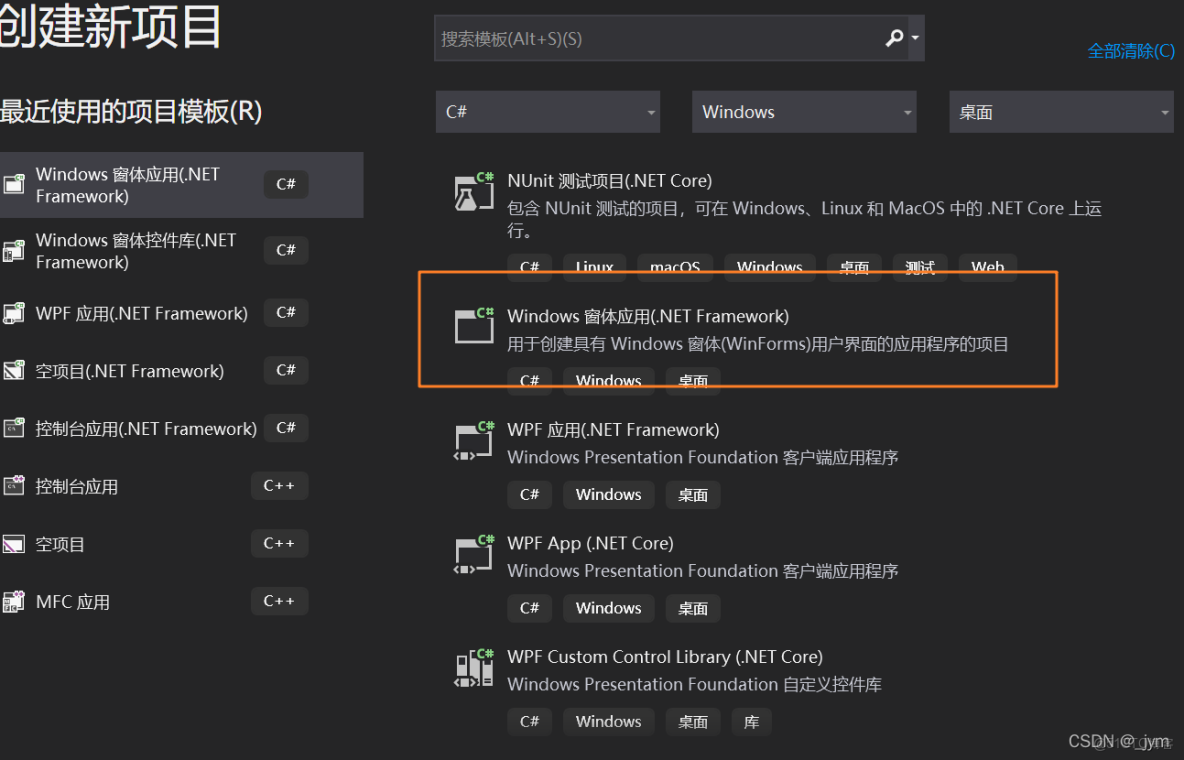
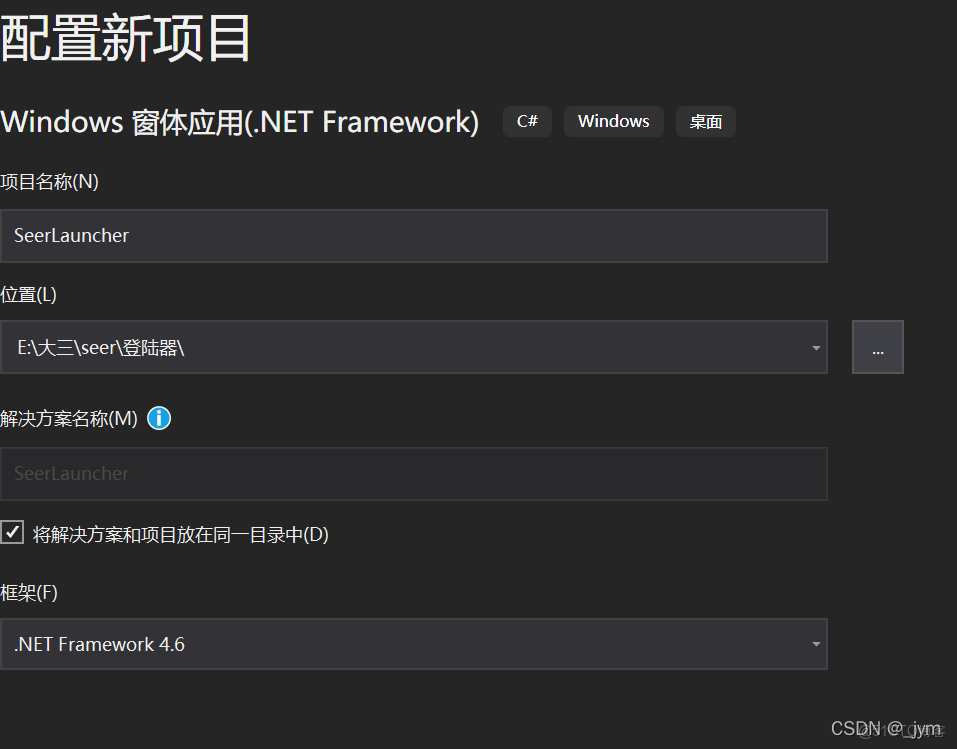
然後建幾個窗體

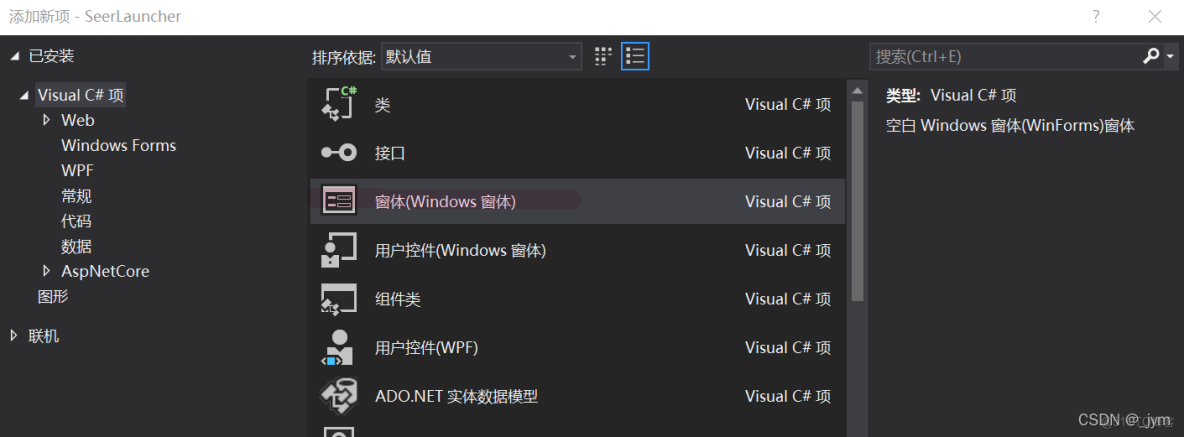
建好大致就是下面這樣。
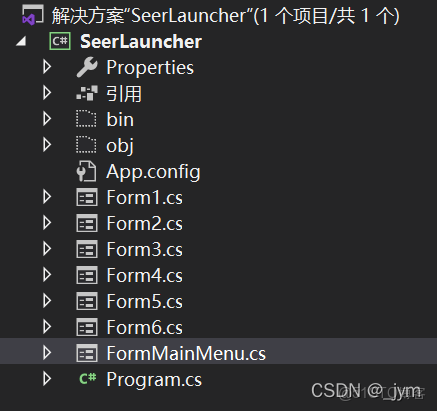
FromMainMenu窗體
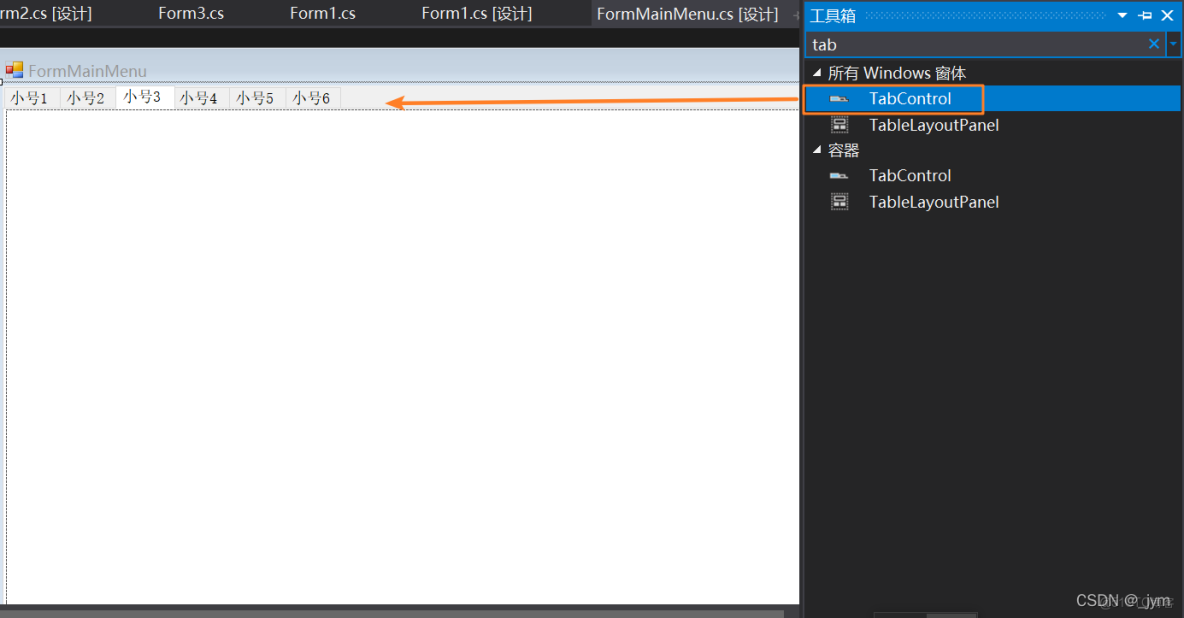
然後設計窗體,mainMenu窗體如下。這裏面用的是TabControl。

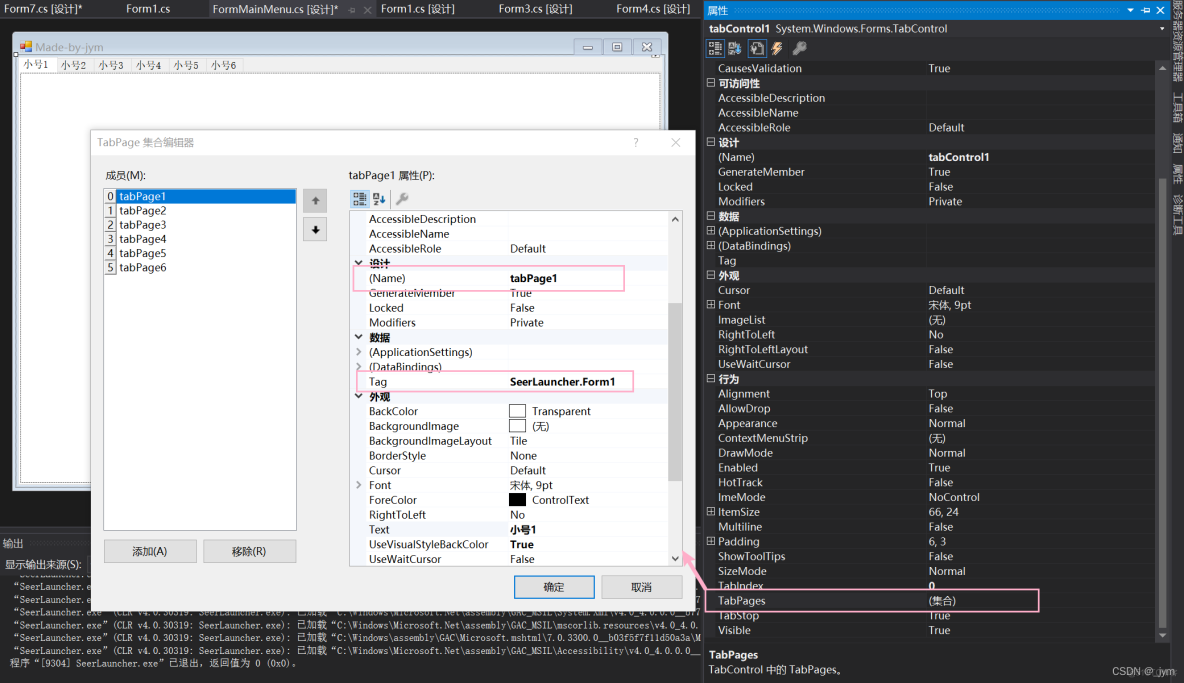
這裏面要修改每一個tabPage的Name和Tag
然後添加事件SelectedIndexChanged。
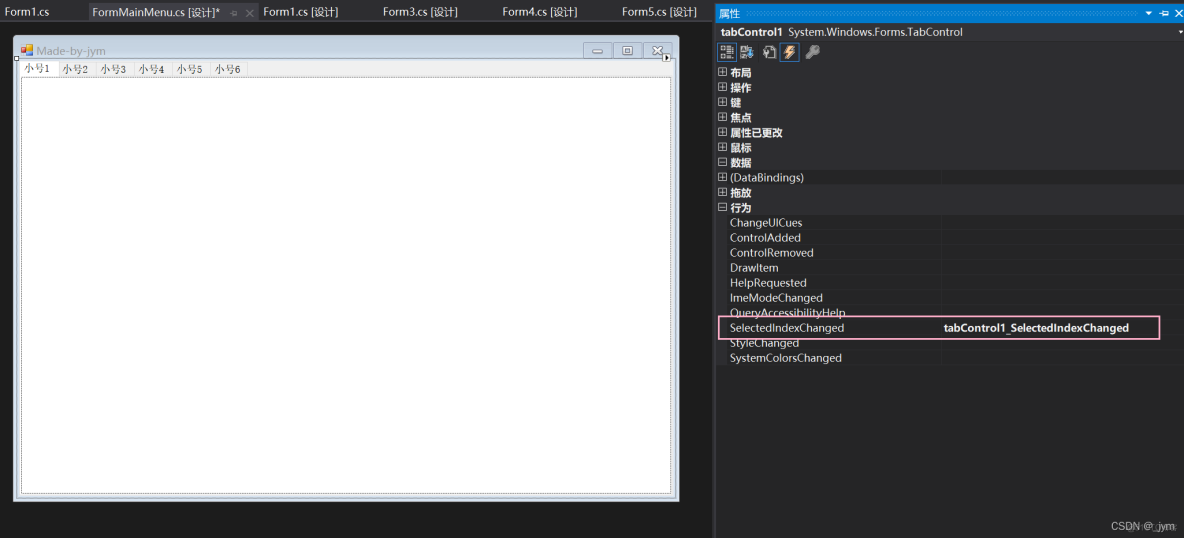
雙擊窗體,就能生成一個構造函數。
FormMainMenu整體的源代碼如下,起到一個選項卡切換窗體的功能,用來多開小號。
using System;
using System.Collections.Generic;
using System.ComponentModel;
using System.Data;
using System.Drawing;
using System.Linq;
using System.Text;
using System.Threading.Tasks;
using System.Reflection;
using System.Windows.Forms;

namespace SeerLauncher
{
    public partial class FormMainMenu : Form
    {
        public FormMainMenu()
        {
            InitializeComponent();
        }
        public int[] s = { 0, 0 , 0 , 0 , 0 , 0};//用來記錄窗體是否打開過


        private void tabControl1_SelectedIndexChanged(object sender, EventArgs e)
        {
            if (s[tabControl1.SelectedIndex] == 0)
            {
                btnX_Click(sender, e);
            }
        }
        private void FormMainMenu_Load(object sender, EventArgs e)
        {
            string formClass = "SeerLauncher.Form1";
            GenerateForm(formClass, tabControl1);
        }
        public void GenerateForm(string form, object sender)
        {
            //反射生成窗體
            Form fm = (Form)Assembly.GetExecutingAssembly().CreateInstance(form);
            //設置窗體沒有邊框,加入到選項卡中
            fm.FormBorderStyle = FormBorderStyle.None;
            fm.TopLevel = false;
            fm.Parent = ((TabControl)sender).SelectedTab;
            fm.ControlBox = false;
            fm.Dock = DockStyle.Fill;
            fm.Show();
            s[((TabControl)sender).SelectedIndex] = 1;
        }

        private void btnX_Click(object sender, EventArgs e)
        {
            string formClass = ((TabControl)sender).SelectedTab.Tag.ToString();

            GenerateForm(formClass, sender);

        }
        private void tabPage1_Click(object sender, EventArgs e)
        {

        }

        private void tabPage3_Click(object sender, EventArgs e)
        {

        }
    }
}
Form窗體
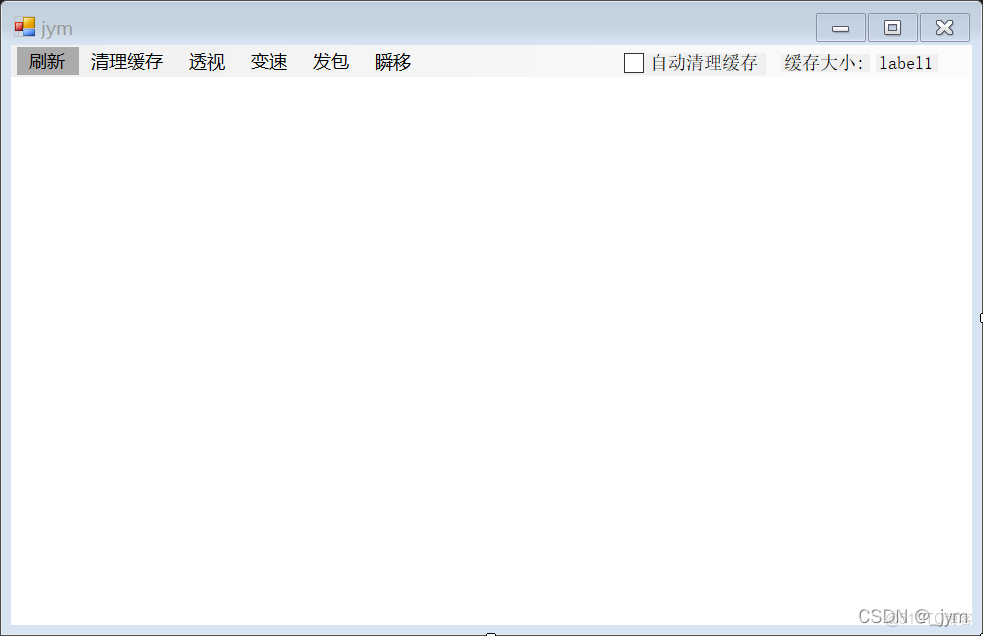
其中用了個menuStrip控件。
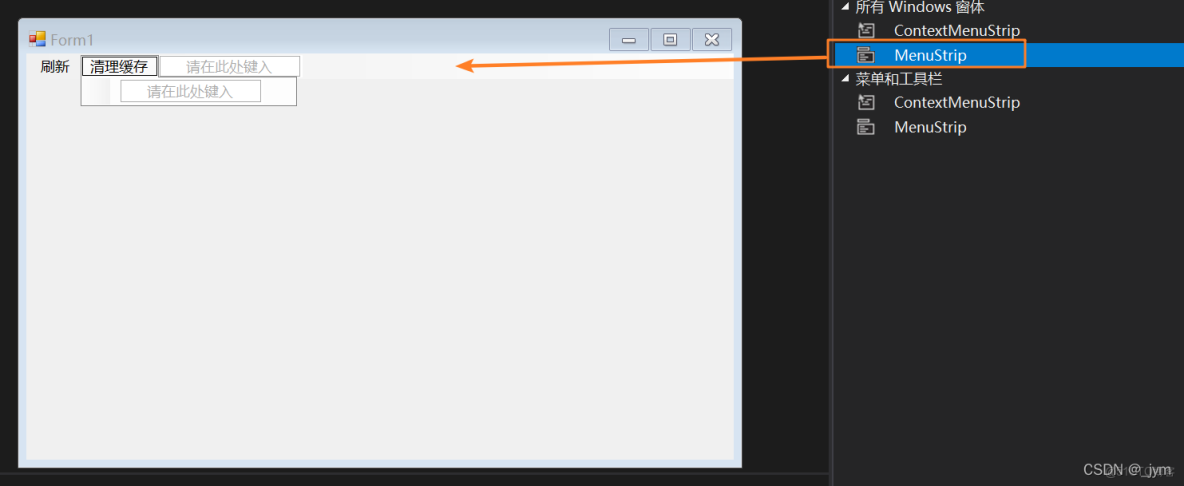
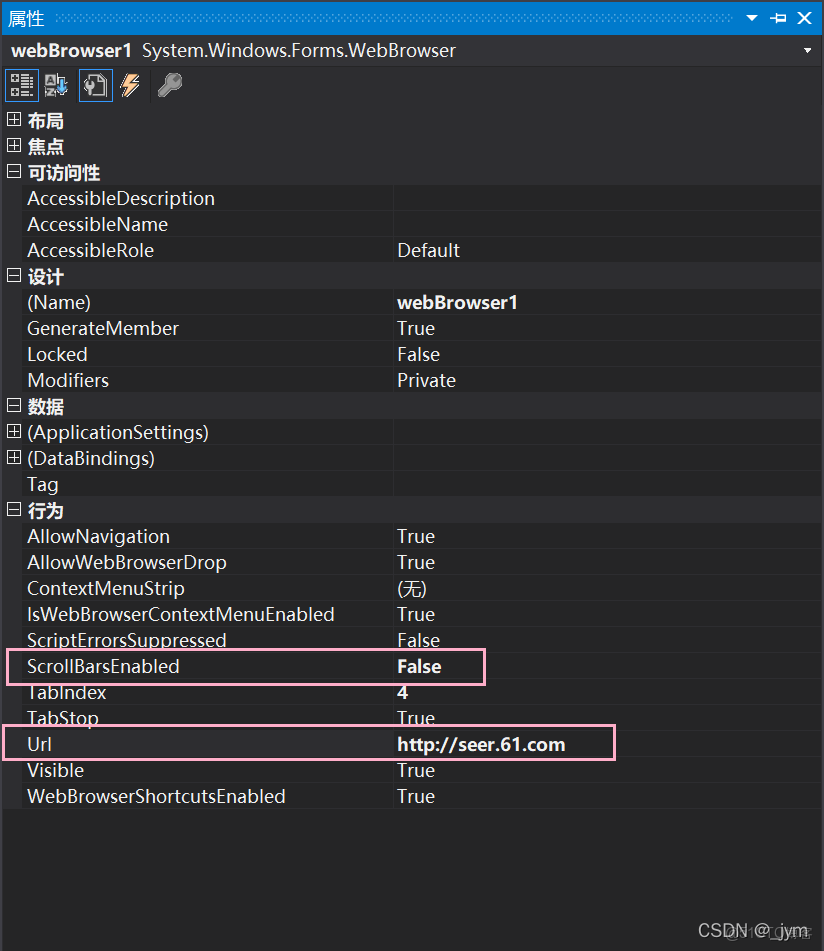
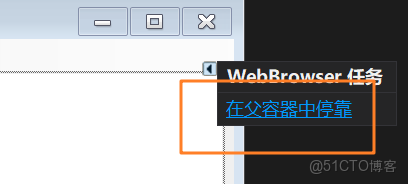
還有webBrowser控件。按照下面這樣修改屬性。
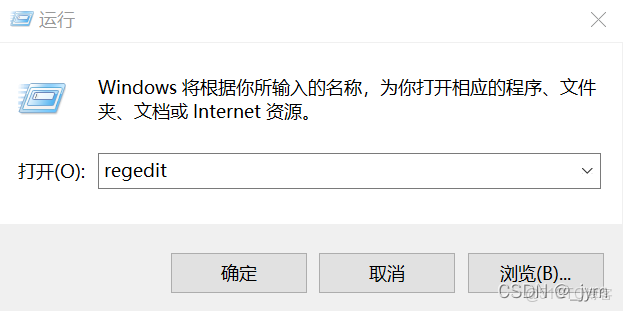
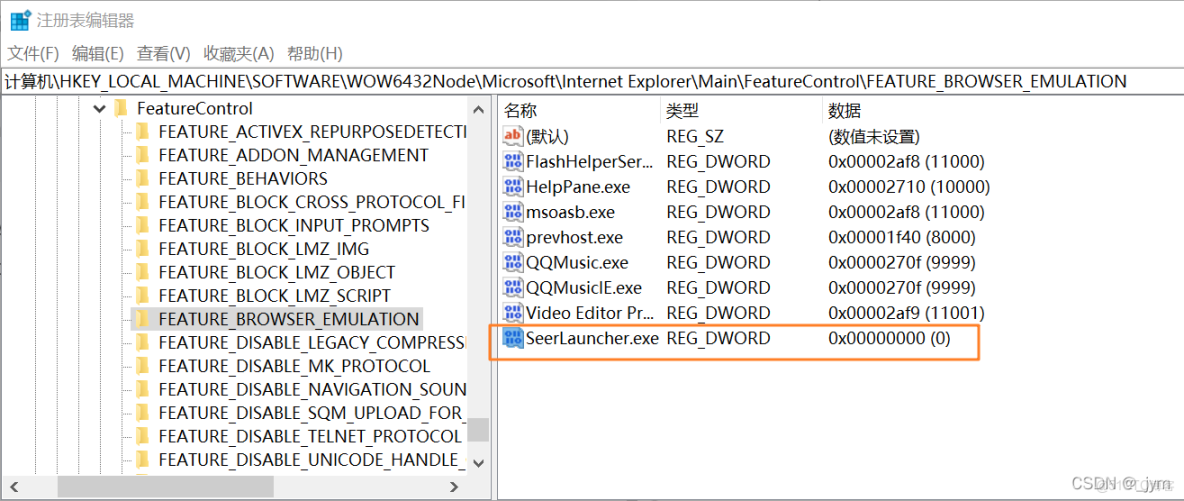
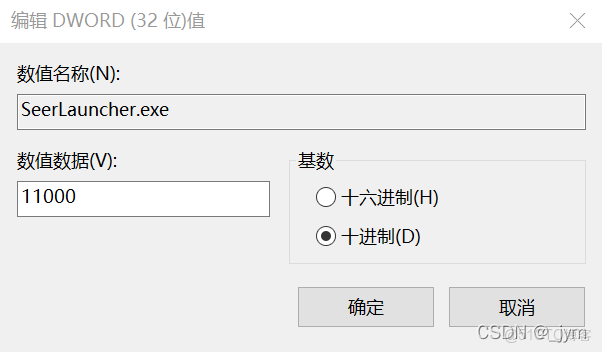
如果電腦上安裝了高版本的IE瀏覽器,Webbrowser控件會使用IE7兼容模式顯示網頁內容。
解決方法是在註冊表中為進程指定引用IE的版本號。
Form1源代碼:
using System;
using System.Collections.Generic;
using System.ComponentModel;
using System.Data;
using System.Drawing;
using System.Linq;
using System.Runtime.InteropServices;
using System.Text;
using System.Threading.Tasks;
using System.Windows.Forms;

namespace SeerLauncher
{
    public partial class Form1 : Form
    {
        [DllImport("kernel32.dll", EntryPoint = "SetProcessWorkingSetSize")]
        public static extern int SetProcessWorkingSetSize(IntPtr process, int minSize, int maxSize);
        public Form1()
        {
            InitializeComponent();
            timer1.Enabled = true;
            timer1.Interval = 1000;
            timer1.Start();
        }

        private void 刷新ToolStripMenuItem_Click(object sender, EventArgs e)
        {
            webBrowser1.Refresh();
        }

        private void 清理緩存ToolStripMenuItem_Click(object sender, EventArgs e)
        {
            Clear();
        }

        private void Clear()
        {
            SetProcessWorkingSetSize(System.Diagnostics.Process.GetCurrentProcess().Handle, -1, -1);
        }

        private void timer1_Tick(object sender, EventArgs e)
        {
            long Memory = System.Diagnostics.Process.GetCurrentProcess().WorkingSet64;
            long Temp = Memory / 1024 / 1024;
            label1.Text = Temp + " " + "M";
        }

        private void checkBox1_CheckedChanged(object sender, EventArgs e)
        {
            if (checkBox1.Checked){
                timer2.Enabled = true;
                timer2.Interval = 8000;
                timer2.Start();
            }
            else
            {
                timer2.Enabled = false;
            }
        }

        private void timer2_Tick(object sender, EventArgs e)
        {
            long Memory = System.Diagnostics.Process.GetCurrentProcess().WorkingSet64;
            long Temp = Memory / 1024 / 1024;
            if(Temp > 500)
            {
                Clear();
            }
        }

        private void Form1_Load(object sender, EventArgs e)
        {

        }

        private void webBrowser1_DocumentCompleted(object sender, WebBrowserDocumentCompletedEventArgs e)
        {

        }
    }
}
同理修改Form2到Form6。
整體效果
順利登錄賽爾號,而且具有多開小號、緩存清理等功能。

本文章為轉載內容,我們尊重原作者對文章享有的著作權。如有內容錯誤或侵權問題,歡迎原作者聯繫我們進行內容更正或刪除文章。
