
51 CTO 博客:
在部署 SharePoint 2019 時,安裝程序彈出 “Setup Errors” 提示,包含如下報錯:
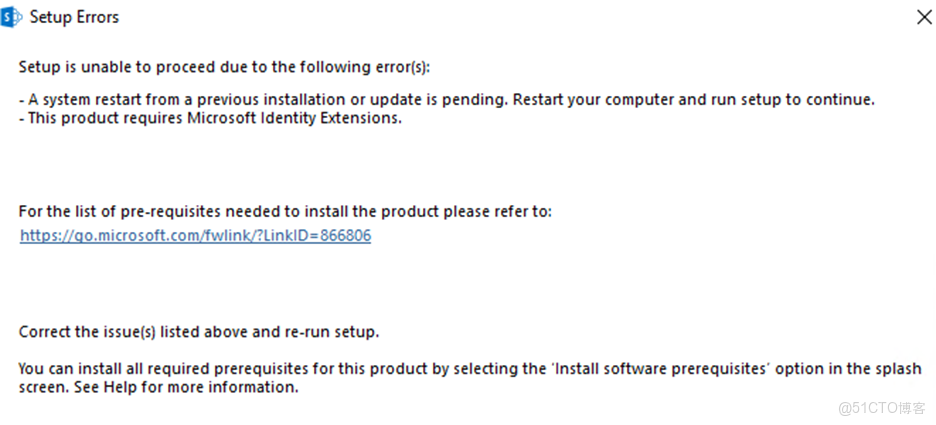
即使嘗試通過 SharePoint 安裝嚮導的 “Install software prerequisites” 選項安裝依賴,依然會卡在 “Microsoft Identity Extensions” 的安裝步驟,提示已經安裝完成,但實際上並未成功安裝,導致 SharePoint 部署無法繼續。
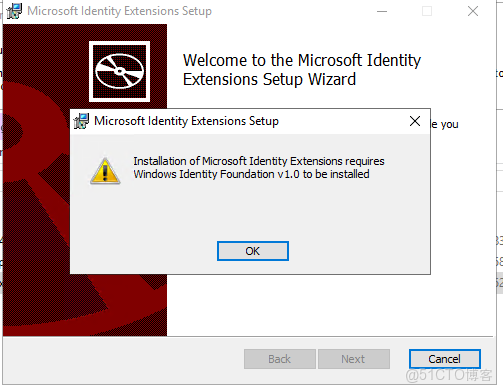
問題原因
“Microsoft Identity Extensions”(微軟身份擴展)是 SharePoint 2019 的核心依賴組件,用於身份驗證、權限管理等功能,安裝失敗的常見原因包括:
- SharePoint 預安裝嚮導的依賴下載鏈路不穩定(例如網絡限制導致無法獲取組件安裝包);
- 系統已安裝的組件版本與 SharePoint 要求不匹配,嚮導未正確識別;
- 系統缺少 “Windows Identity Foundation”(WIF)基礎服務,而該服務是 “Microsoft Identity Extensions” 的運行前提。
解決方案:PowerShell 腳本安裝 WIF 服務
通過 PowerShell 命令直接安裝系統級的 “Windows Identity Foundation” 服務,可繞過嚮導的依賴安裝異常,具體步驟如下:
1. 以管理員身份運行 PowerShell,按下Win鍵,搜索 “PowerShell”,右鍵點擊 “Windows PowerShell”,選擇 “以管理員身份運行”(若使用 Windows Server 2019,也可選擇 “Windows Terminal” 並以管理員啓動)。
2. 執行安裝命令,在 PowerShell 窗口中輸入以下命令並回車:Install-WindowsFeature Windows-Identity-Foundation

3. 命令執行後,系統會自動下載並安裝 “Windows Identity Foundation” 服務。待界面顯示 “Success” 狀態(狀態為 “已安裝”),説明服務安裝完成。
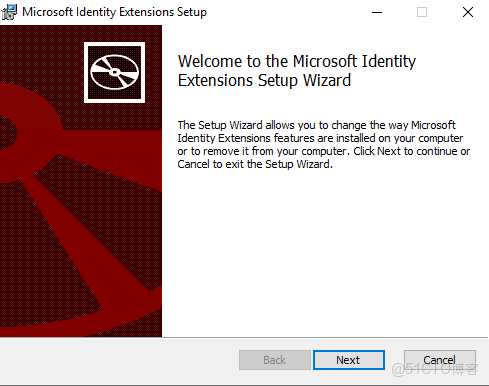
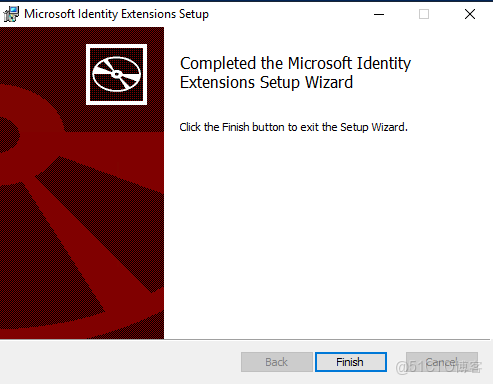
4. 回到 SharePoint 2019 的安裝包,雙擊Setup.exe啓動安裝,此時 “Microsoft IdentityExtensions” 的依賴報錯會消失,可正常進入安裝流程。
注意事項
- 執行 PowerShell 命令前需確保服務器已連接互聯網(若為離線環境,需先下載 WIF 的離線安裝包);
- 安裝完成後建議重啓一次服務器,避免組件未完全加載的問題;
- 若同時存在 “待重啓” 錯誤,可結合之前的註冊表修改方案(重命名PendingFileRenameOperations)一起解決。
