
問題描述
使用Notification Hub(通知中心)發送移動設備的通知,在Azure Notification Hub頁面,可以通過Test功能測試設備是否可以成功收到消息。
只是,這個頁面只能隨機發送10個設備,如果設備超過10個之後,當需要定向指定發送到某一個/某一類設備時,就無法達到快速的測試目的。
You can send test notifications to a specific set of registrations using this option. Leave this field empty if you like to send push notifications to 10 random registrations on the selected platform
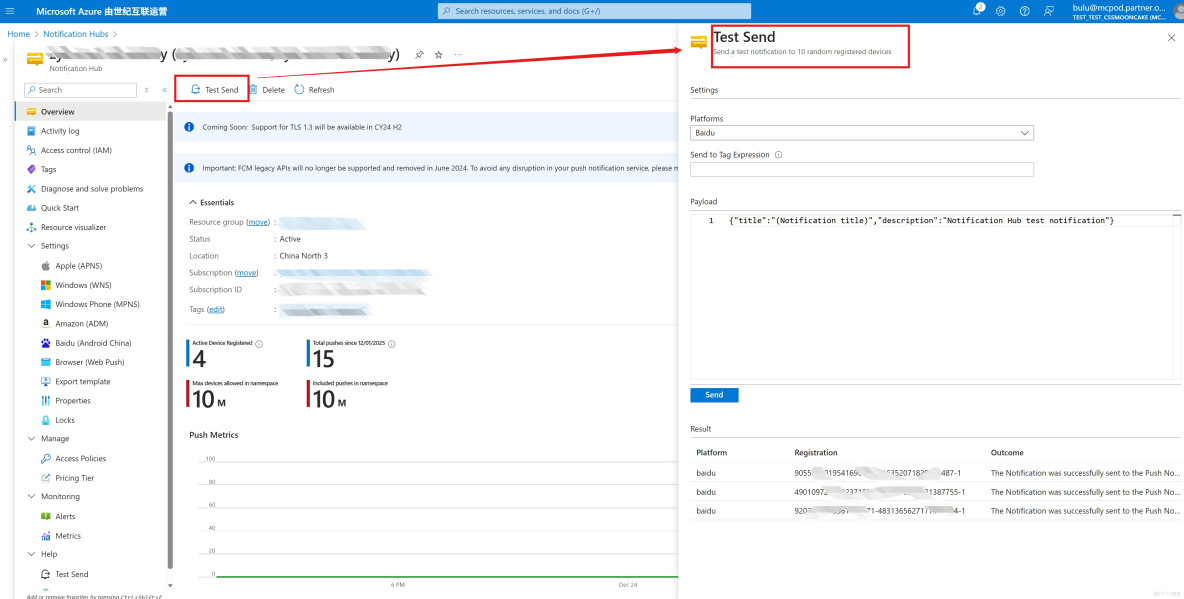
本文就將通過為設備配置Tag之後,在當前Test頁面指定Tag值來實現這一目的。
問題解答
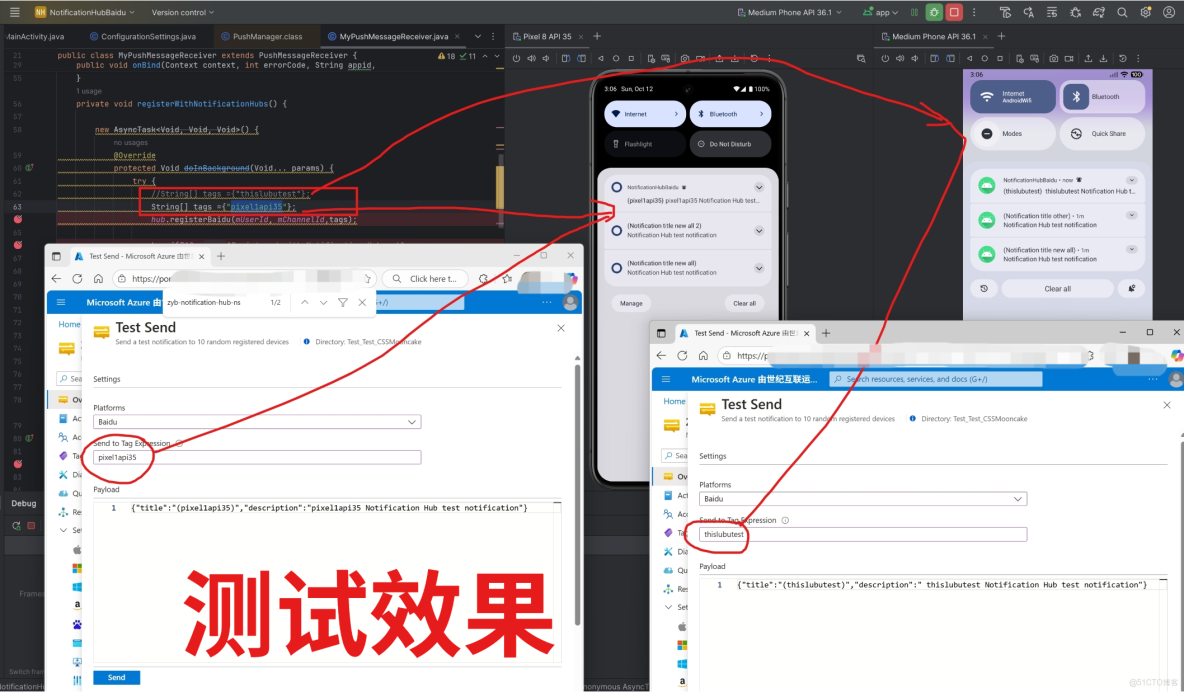
第一步:在向Notification Hub註冊設備的時候,就需要為這個設備添加Tag,代碼如下:
private void registerWithNotificationHubs() {

        new AsyncTask<Void, Void, Void>() {
            @Override
            protected Void doInBackground(Void... params) {
                try {
                    //String[] tags ={"thislubutest"};
                    String[] tags ={"pixel1api35"};
                    hub.registerBaidu(mUserId, mChannelId,tags);
                    Log.i(TAG, "Registered with Notification Hub - '"
                            + ConfigurationSettings.NotificationHubName + "'"
                            + " with UserId - '"
                            + mUserId + "' and Channel Id - '"
                            + mChannelId + "'");
                } catch (Exception e) {
                    Log.e(TAG, e.getMessage());
                }
                return null;
            }
        }.execute(null, null, null);
    }
第二步:在Test Send中,把註冊設備時使用的tags值寫入 “ Send to Tag Expression ”
參考資料
通過百度開始使用通知中心 : https://docs.azure.cn/zh-cn/notification-hubs/notification-hubs-baidu-china-android-notifications-get-started
當在複雜的環境中面臨問題,格物之道需:濁而靜之徐清,安以動之徐生。 雲中,恰是如此!
