

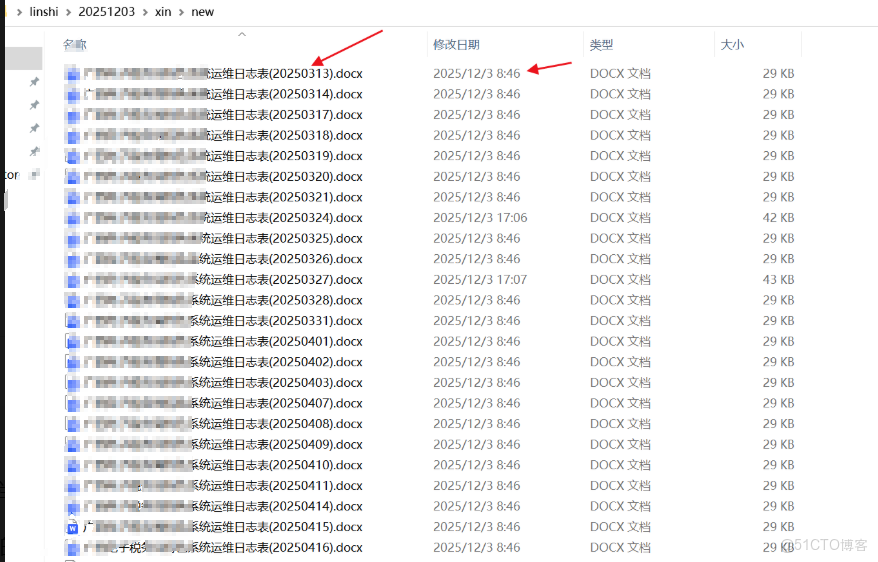
直接上圖了,我遇到的情況是 根據文件的名字後面的年月日來修改他的 創建、修改、訪問時間,使用 powershell ,直接上代碼了
# 設置目標文件夾路徑(請務必替換為你自己的路徑)
$folderPath = "C:\Users\Administrator\Desktop\linshi\20251203\xin\new" ##改你真正的文件夾
# 檢查路徑是否存在
if (-not (Test-Path $folderPath)) {
Write-Host " 文件夾不存在: $folderPath" -ForegroundColor Red
exit
}
# 獲取所有 .docx 文件
Get-ChildItem -Path $folderPath -Filter "*.docx" | ForEach-Object {
$fileName = $_.Name
# 使用正則匹配 (YYYYMMDD)
if ($fileName -match '\((\d{8})\)') {
$dateStr = $matches[1]
$year = [int]$dateStr.Substring(0,4)
$month = [int]$dateStr.Substring(4,2)
$day = [int]$dateStr.Substring(6,2)
# 驗證日期是否合法
try {
$baseDate = Get-Date -Year $year -Month $month -Day $day -Hour 0 -Minute 0 -Second 0
} catch {
Write-Host "⚠️ 跳過無效日期文件: $fileName" -ForegroundColor Yellow
return
}
# === 1. 創建時間:17:00 ~ 19:59:59(避免20:00:00整點越界)===
$createHour = Get-Random -Minimum 17 -Maximum 20 # 17, 18, 19
$createMin = Get-Random -Minimum 0 -Maximum 60
$createSec = Get-Random -Minimum 0 -Maximum 60
$creationTime = $baseDate.AddHours($createHour).AddMinutes($createMin).AddSeconds($createSec)
# === 2. 修改時間:比創建時間晚,且分鐘/秒不能完全相同 ===
$delaySeconds = Get-Random -Minimum 1 -Maximum 3600 # 1秒 ~ 1小時
$lastWriteTime = $creationTime.AddSeconds($delaySeconds)
# 強制確保分鐘或秒不同(極小概率相同,但保險起見)
while ($lastWriteTime.Minute -eq $creationTime.Minute -and
$lastWriteTime.Second -eq $creationTime.Second) {
$delaySeconds += 1
$lastWriteTime = $creationTime.AddSeconds($delaySeconds)
}
# === 3. 訪問時間:比創建時間晚(1秒 ~ 1小時)===
$accessDelay = Get-Random -Minimum 1 -Maximum 3600
$lastAccessTime = $creationTime.AddSeconds($accessDelay)
# === 應用時間戳到文件 ===
try {
$_.CreationTime = $creationTime
$_.LastWriteTime = $lastWriteTime
$_.LastAccessTime = $lastAccessTime
Write-Host " 已處理: $fileName"
Write-Host " 創建: $($creationTime.ToString('yyyy-MM-dd HH:mm:ss'))"
Write-Host " 修改: $($lastWriteTime.ToString('yyyy-MM-dd HH:mm:ss'))"
Write-Host " 訪問: $($lastAccessTime.ToString('yyyy-MM-dd HH:mm:ss'))"
Write-Host ""
}
catch {
Write-Host "❌ 無法修改文件時間(可能被佔用或只讀): $fileName" -ForegroundColor Red
Write-Host " 錯誤: $($_.Exception.Message)"
}
}
}
