用法
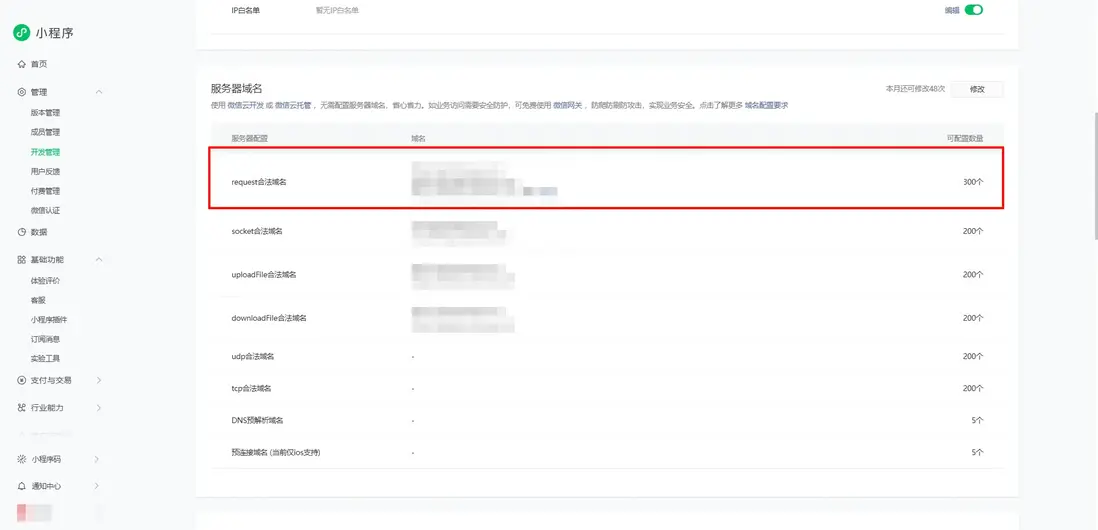
首先去小程序後台添加網絡圖片資源的域名
然後在項目的utils文件夾下新建resource.js,在裏面寫入網絡圖片資源路徑,如下:
import { ref } from "vue";

const base = 'https://xxx.xxx.com/test/image/'

const path = ref({
    logo: base + 'logo.png',
})

export { path }
頁面使用:
<template>
    <view>
        <image :src="path.logo" />
    </view>
</template>

<script setup>
import { path } from '@/utils/resource.js';
</script>
遇到的問題
在static文件夾下創建resource.js,頁面使用報錯:
<template>
    <view>
        <image :src="path.logo" />
    </view>
</template>

<script setup>
import { path } from '@/static/resource.js';
</script>
報錯信息:
14:15:14.710 MiniProgramError
14:15:14.710 module 'static/vue.js' is not defined, require args is 'vue'
14:15:14.710 Error: module 'static/vue.js' is not defined, require args is 'vue'
這是因為靜態目錄的限制,static目錄通常只存放純靜態資源,不適合放JS模塊
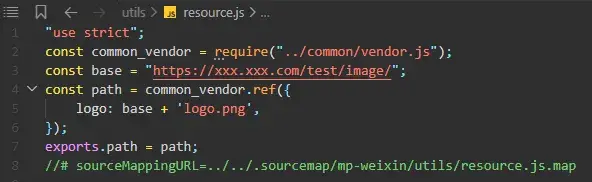
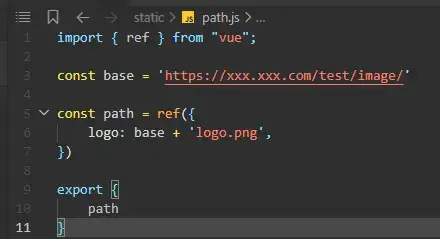
uniapp運行小程序,在微信開發者工具上查看編譯後的文件,發現內容依舊是原始內容,沒有任何變化,説明static/resource.js文件沒有經過編譯
而utils/resource.js文件則會正常編譯