

背景
上篇文章《前端項目本地調試方案》中講到開發chrome拓展插件幫助完成Cookie複製,從而實現本地項目調試。但插件採用的是原生JS開發,本文來探討如何使用creact-react-app搭建chrome插件應用?
項目實踐
初始化目錄結構
首先,執行下面命令初始化項目
create-react-app chrome-extension --template typescript創建的項目結構如下:
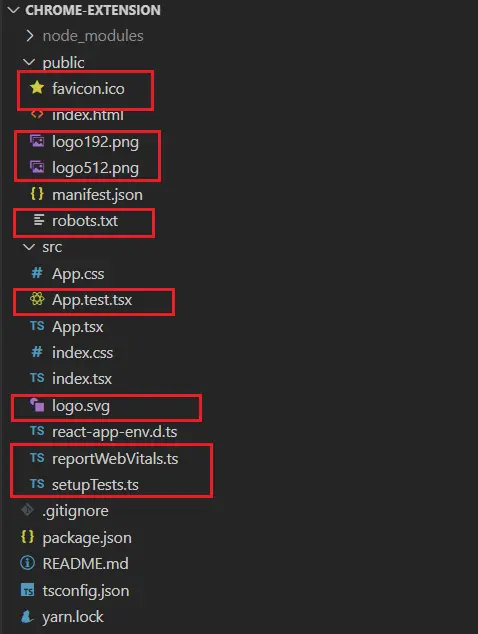
將紅色圈出的文件刪除,調整的結構如下:
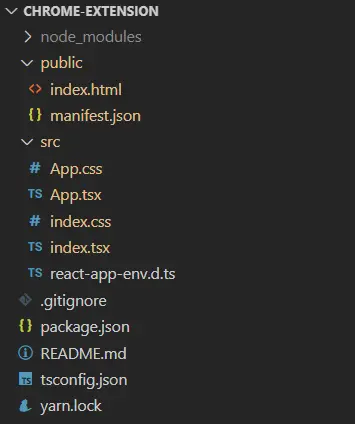
修改pubic文件夾中manifest.json配置文件,添加需要使用的圖標、權限,整體配置如下:
{
  "manifest_version": 2, // 為2時默認開啓內容安全策略
  "name": "debug",
  "description": "前端項目調試工具",
  "version": "1.0.0",
  "icons": {
    "16": "/images/icon16.png",
    "32": "/images/icon32.png",
    "48": "/images/icon48.png",
    "128": "/images/icon128.png"
  },
  "permissions": [
    "cookies",
    "tabs",
    "http://*/*",
    "https://*/*",
    "storage"
  ],
  "browser_action": {
    "default_icon": {
      "16": "/images/icon16.png",
      "32": "/images/icon32.png",
      "48": "/images/icon48.png",
      "128": "/images/icon128.png"
    },
    "default_popup": "index.html" // 彈窗頁面
  },
  "content_security_policy": "script-src 'self'; object-src 'self'" // 內容安全策略(CSP)
}刪除index.html中文件的引用,調整後如下:
<!DOCTYPE html>
<html lang="en">
  <head>
    <meta charset="utf-8" />
  </head>
  <body>
    <noscript>You need to enable JavaScript to run this app.</noscript>
    <div id="root"></div>
  </body>
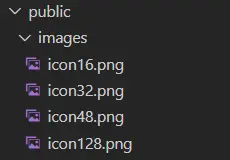
</html>在public中添加images目錄存放圖標:
Cookie複製邏輯
在App.tsx實現Cookie複製功能,這裏我引入了antd組件庫
import React from 'react';
import styles from './App.module.css';
import { Button, Form, Input } from 'antd';
declare const chrome: any;

interface ICookie {
  name: string;
  value: string;
  path: string;
  secure: string
  domain: string;
  hostOnly: boolean;
  httpOnly: boolean;
  expirationDate: number;
  storeId: string;
  session: boolean;
}

interface ITab {
  id:number;
  index:number;
  windowId:number;
  selected:boolean;
  pinned:boolean;
  url:string;
  title:string;
  favIconUrl:string;
  status:string;
  incognito:boolean;
}

function App() {

  const layout = {
    labelCol: { span: 8 },
    wrapperCol: { span: 16 },
  };

  /** 重定向 */
  const redirectTo = (url: string) => {
    window.open(url);
  }

  /** 獲取地址欄 */
  const getUrl = (): Promise<ITab> => {
    return new Promise((resolve) => {
      chrome.tabs.getSelected(null, resolve)
    })
  }

  /** 獲取Cookie */
  const getCookie = (url: string): Promise<ICookie[]> => {
    return new Promise(async (resolve) => {
      chrome.cookies.getAll({ url }, resolve)
    })
  }

  /** 設置Cookie */
  const setCookie = (cookies: ICookie[], redirect_url: string) => {
    return new Promise<void>(async (resolve) => {
      cookies.forEach((cookie) => {
        const { name, value, path, secure, expirationDate, storeId } = cookie;
        chrome.cookies.set({ url: redirect_url, name, value, path, secure, expirationDate, storeId, domain: 'localhost' });
      })
      resolve();
    })
  }

  /** 表單驗證通過後的回調 */
  const onFinish = async (values: any) => {
    const { url } = values;
    if (!url) alert('Please input your debug url!');
    const tab = await getUrl();
    const cookies = await getCookie(tab.url);
    setCookie(cookies, url).then(() => redirectTo(url));
  }

  return (
    <div className={styles.container}>
      <Form
        {...layout}
        name="basic"
        onFinish={onFinish}
        className={styles.form}
      >
        <Form.Item
          label="調試地址"
          name="url"
          rules={[{ pattern: /^https?:\/\/*\/*/, message: 'Please input your validable url!' }]}
        >
          <Input placeholder="Please input your debug url!" />
        </Form.Item>

        <Form.Item>
          <Button type="primary" htmlType="submit">調試</Button>
        </Form.Item>
      </Form>
    </div>
  );
}

export default App;
添加chrome全局變量
由於要使用chrome的API,而chrome沒有定義,使用時會報TS類型錯誤。在react-app-env.d.ts中添加
declare var chrome: any;構建
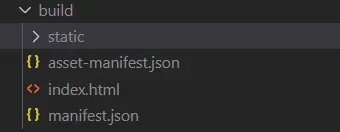
執行構建時,public中的文件會直接複製到構建輸出文件夾build中,而彈窗的腳本也會在編譯壓縮後注入到index.html
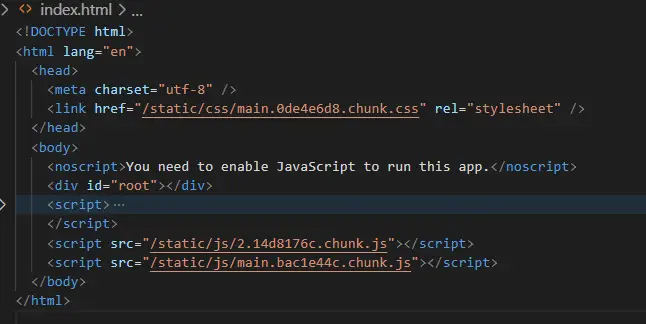
將build目錄添加到谷歌瀏覽器的拓展中
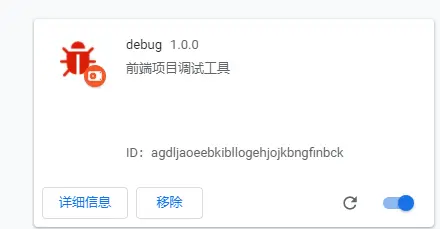
內容安全策略
使用插件後發現報瞭如下錯誤
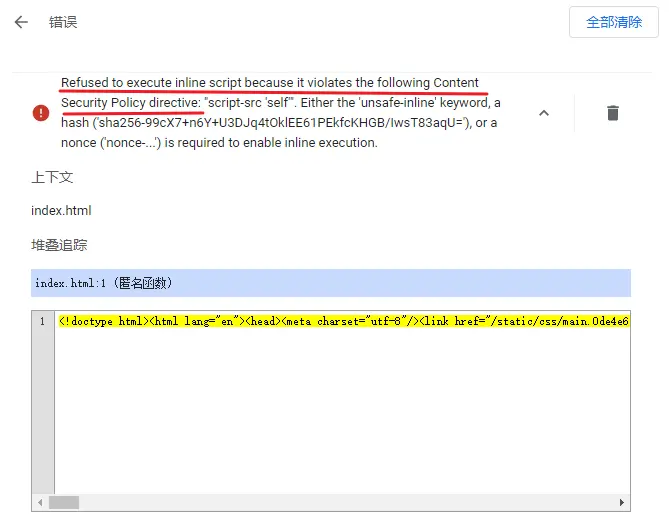
錯誤的原因是內容安全策略不允許在index.html中使用內聯腳本
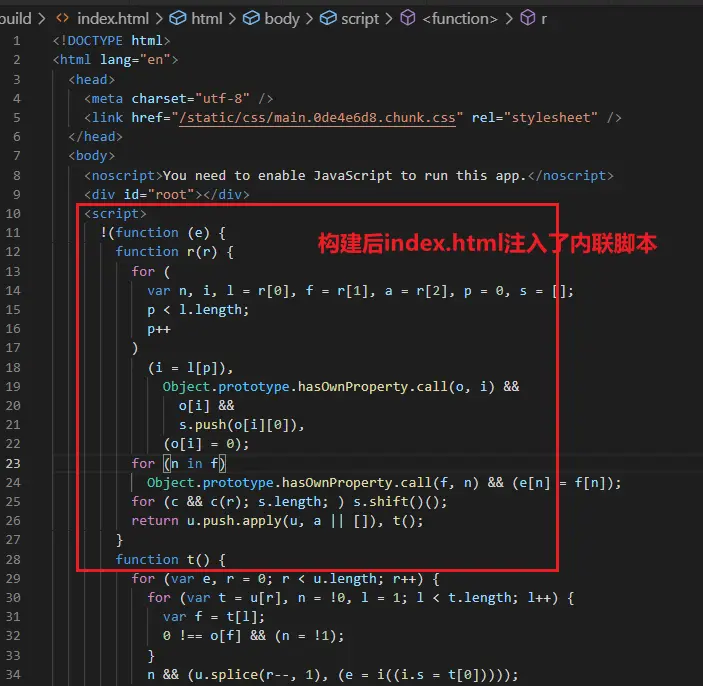
webpack可以設置不允許注入內聯腳本,可以在根目錄下創建.env文件設置環境變量,其中添加INLINE_RUNTIME_CHUNK=false,該字段表示是否允許注入內聯腳本;或者還可以安裝cross-env,更改build命令,然後重新build
"build": "cross-env INLINE_RUNTIME_CHUNK=false react-scripts build",
