

背景:
由於近期維護老項目,各種factory類,各種parent嵌parent。各種abstract extends,而且依賴項目外的許多common和中間件等。IDE內無法直接跳轉,而且急需縷清方法的調用鏈路。調研後有了以下組件的組合。
此文不涉及具體安裝步驟,核心就是文末的鏈接地址^_^
涉及基本組件
- python3
- gprof2dot.py script
- php7.*
-
xdebug
- php的extension,沒有安裝的話 訪問這個 手把手安裝
- graphviz(dot)
-
webgrind
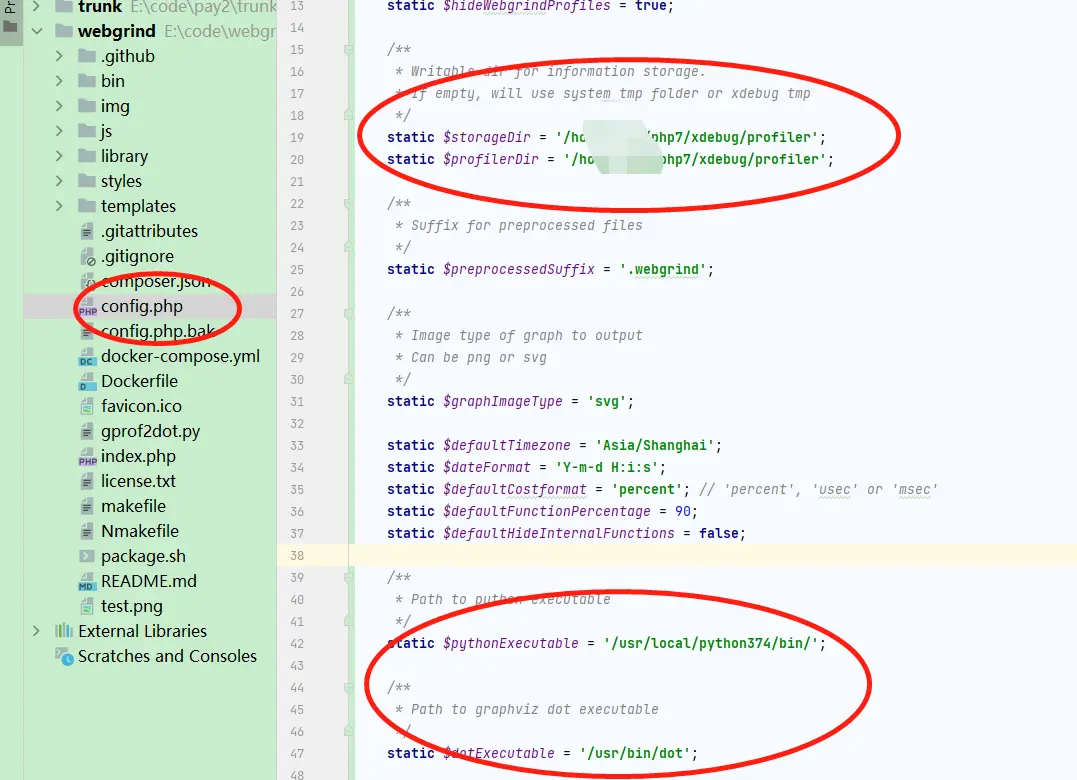
- 主要用來web圖形操作,shell_exec dot和python的,注意clone完之後需要根據自身機器安裝的python的位置,去更改
config.php】
- 主要用來web圖形操作,shell_exec dot和python的,注意clone完之後需要根據自身機器安裝的python的位置,去更改
效果
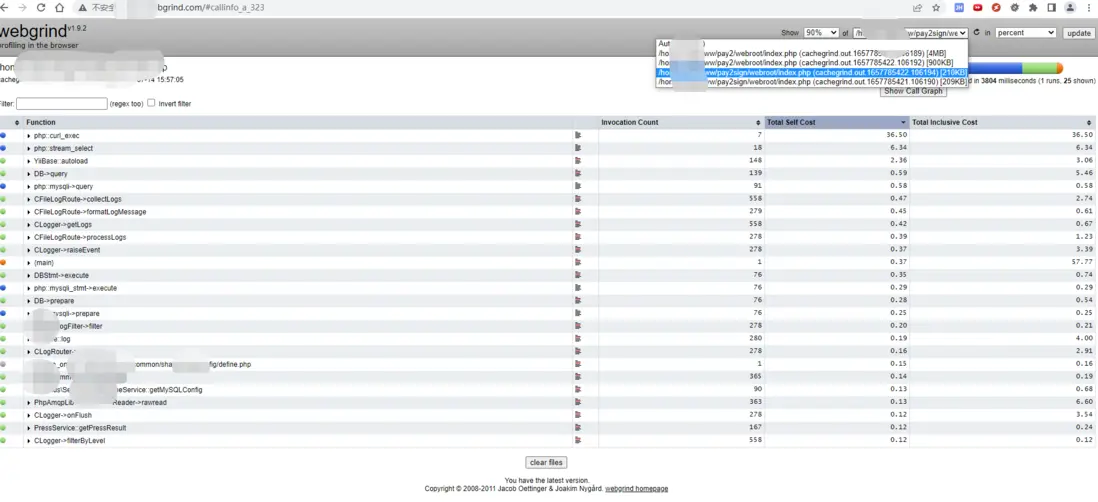
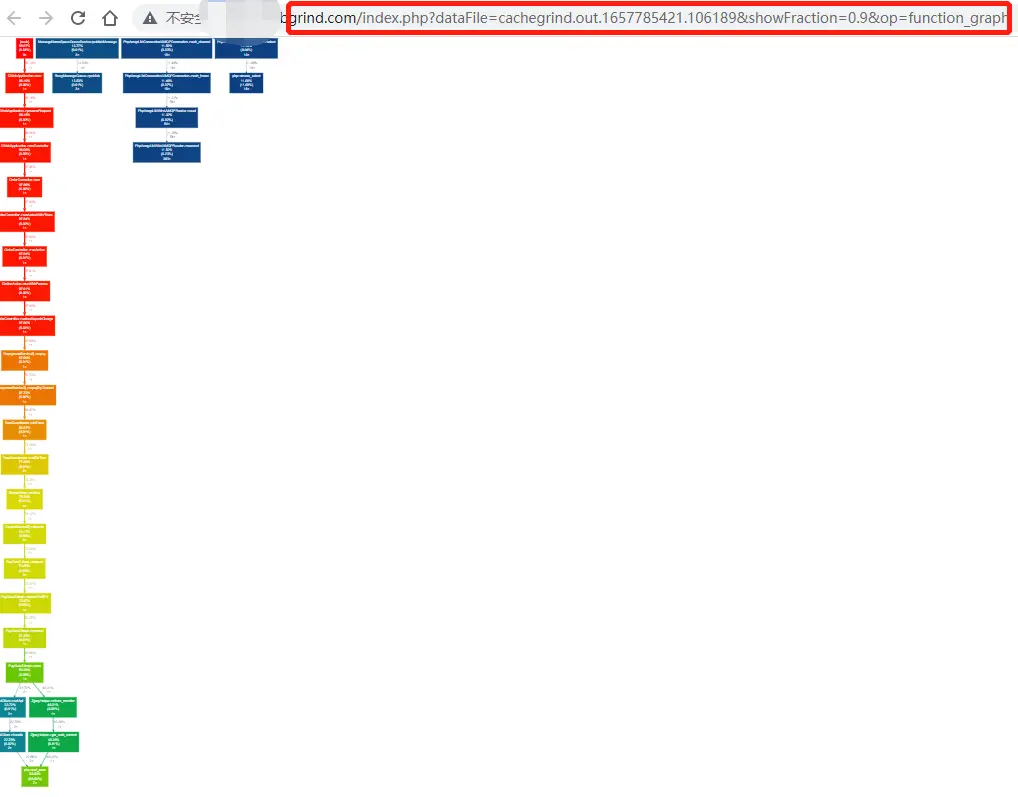
點擊上圖中的 Show Call Graph,且選擇你需要追蹤的接口(上圖下拉框中列表),即可有以下圖
可選組件
- openssl (主要是解決 pip3 install gprof2dot的'SSLError'問題,此文章不涉及解決此問題)
-
QCachegrind
如何使用安裝
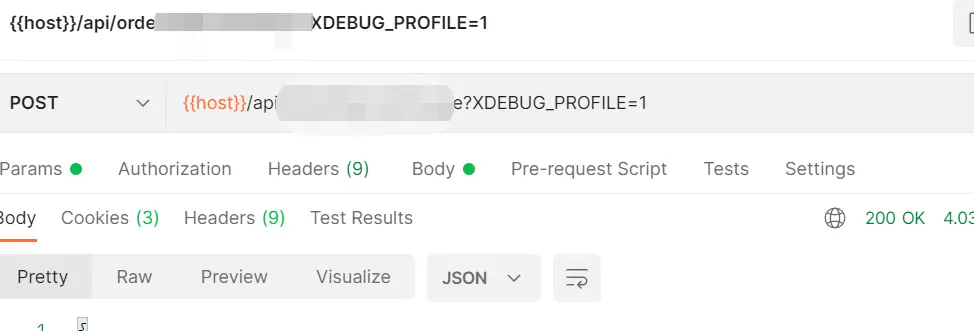
使用時在請求的url裏添加參數?XDEBUG_PROFILE,即可生成分析文件, 比如 xx.com?XDEBUG_PROFILE

xdebug配置,涉及主要是profiler相關選項
[xdebug]
zend_extension = /home/r/php7.13/lib/php/extensions/no-debug-non-zts-20151012/xdebug.so
xdebug.idekey = "PHPSTORM"
xdebug.default_enable = On
#xdebug.remote_connect_back = 1
xdebug.remote_port = 9001
xdebug.remote_enable=on
xdebug.remote_host = 10.2.23.200
xdebug.remote_port = 9001
xdebug.remote_handler = "dbgp"
xdebug.mode=profile,trace,debug
xdebug.remote_autostart="On"
xdebug.auto_trace=1
xdebug.trace_output_dir="/tmp/xdebug"
xdebug.profiler_output_dir="/tmp/xdebug"
xdebug.profile_output_name="script.%t-%s"
xdebug.profiler_output_dir = "/home/r/php7/xdebug/profiler"
#xdebug.trace_output_dir = "/home/r/www/xdebug_trace"
#xdebug.trace_output_dir = "/home/r/www/xdebug_trace"
#xdebug.trace_output_name= "%R.html"
#xdebug.collect_params=2
#xdebug.collect_return=1
#xdebug.show_mem_delta=1
#xdebug.trace_format=2
xdebug.profiler_enable_trigger=1
xdebug.profiler_output_name = cachegrind.out.%t.%p
xdebug.profiler_enable=1
xdebug.profiler_append=0
xdebug.profiler_aggregare=0
webgrind 項目的 nginx 配置
server{
   listen       80;
   server_name  p.webgrind.com;
   root /home/r/www/webgrind/webgrind;
   index index.php;


access_log /home/r/nginx/logs/webgrind.access.log;
error_log /home/r/nginx/logs/webgrind.error.log;

    location / {
        index index.php;
        try_files $uri $uri/ /index.php?$args;
    }

    location ~ .*\.(php|php7)?$ {
        fastcgi_pass 127.0.0.1:9000;
        fastcgi_param SCRIPT_FILENAME $document_root$fastcgi_script_name;
        fastcgi_index index.php;
        include fastcgi_params;
        client_max_body_size 30M;
        client_body_temp_path /data;
    }
}
其他參考配置(主要是config.php和index.php)
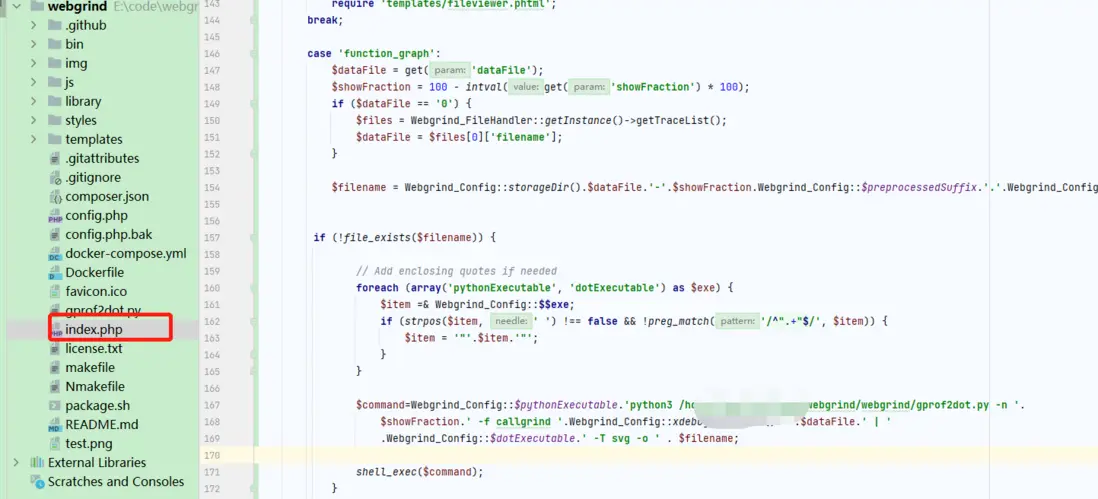
centos 6*版本
下載阿里雲的Centos-6.repo文件
wget -O CentOS-Base.repo http://mirrors.aliyun.com/repo/Centos-6.repo
重新加載yum
yum clean all
yum makecache
yum install graphviz
windows版本
windows上相對更簡單,可以先通過腳本測試xdebug收集的信息是否能用py腳本生成圖
python gprof2dot.py -n 10 -f callgrind .\cacheGrind\cachegrind.out.1657783826.106186 | dot -T png -o my.png
核心文章:
https://github.com/jrfonseca/...
https://github.com/jokkedk/we...
https://pyspace.github.io/pys...
相關下載鏈接:
http://www.openssl.org/source...
https://www.python.org/ftp/py...
https://raw.githubusercontent...
http://slproweb.com/download/...
https://gitlab.com/api/v4/pro...
https://www.seidengroup.com/p...
其他性能及調用鏈生成工具
oneAPM
xhprof+xhGui
workerman-statistics
Blackfire
newRelic
tideways
go-callvis
https://repo.seidengroup.com/...
