基於React腳手架搭建React + dva + webpack + less
Mac
- react-create-app 創建react項目及typescript,react-create-app需要自己安裝配置,不贅述
npx create-react-app [app0729-自定義文件名] --typescript
執行yarn start可以看到默認頁面了~ - 暴露webpack,即生成webpack配置等文件, config/script
yarn eject - 安裝dva
yarn add dva -
配置路由
yarn add history- src下創建routes文件夾,該文件夾內放各個頁面,每個頁面單獨創建文件夾
😊舉個栗子~
// home.tsx import { Link } from 'dva/router'; import React from 'react'; const Home = ({history}: any): JSX.Element => { return ( <div className="home-wrapper"> <h1>home</h1> <p onClick={() => { // history跳轉 history.push('/orderList'); } }>去訂單列表頁</p> // link標籤跳轉 <Link to={'/orderList'}>去訂單列表頁</Link> </div> ) } export default React.memo(Home);- 修改src/app.tsx文件 -- 控制路由
- src下創建routes文件夾,該文件夾內放各個頁面,每個頁面單獨創建文件夾
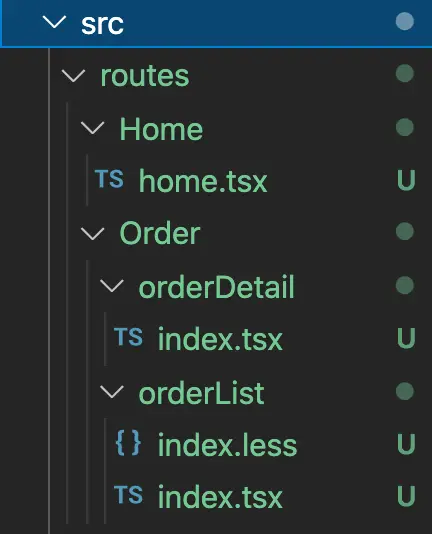
import React from 'react';

import { Router, Route, Switch } from 'dva/router';
import dynamic from 'dva/dynamic';

const routes = [
  {
      key:'home',
      path: '/',
      component: () => import('./routes/Home/home'),
  },
  {
      key:'/orderList',
      path: '/orderList',
      component: () => import('./routes/Order/orderList/index'),
  },
  {
      key:'/orderDetail',
      path: '/orderDetail',
      component: () => import('./routes/Order/orderDetail/index'),
  }
];

function RouterConfig({ history, app }: any) {

  return (
    <Router history={history}>
        <Switch>
        {
          routes.map((item: any): any => (
              <Route
                key={item.key}
                path={item.path}
                exact
                // @ts-ignore
                component={dynamic({
                  // @ts-ignore
                  app,
                  models: item.models,
                  component: item.component,
                })}
              />
            ))
        }
        </Switch>
    </Router>
  );
}

export default RouterConfig; - 修改src/index.tsx文件 入口文件
import dva from 'dva';
// import './index.css';
import { createBrowserHistory } from 'history';

// 1. Initialize
const app = dva({
    history:createBrowserHistory()
});

// 2. Plugins  -- 可以掛載loading等插件
// app.use({});

// 3. Model  -- 引入全局model  可稍後嘗試
// app.model(require('./models/app').default);

// 4. Router
app.router(require('./App.tsx').default);


// 5. Start  -- 掛載到 #root DOM上
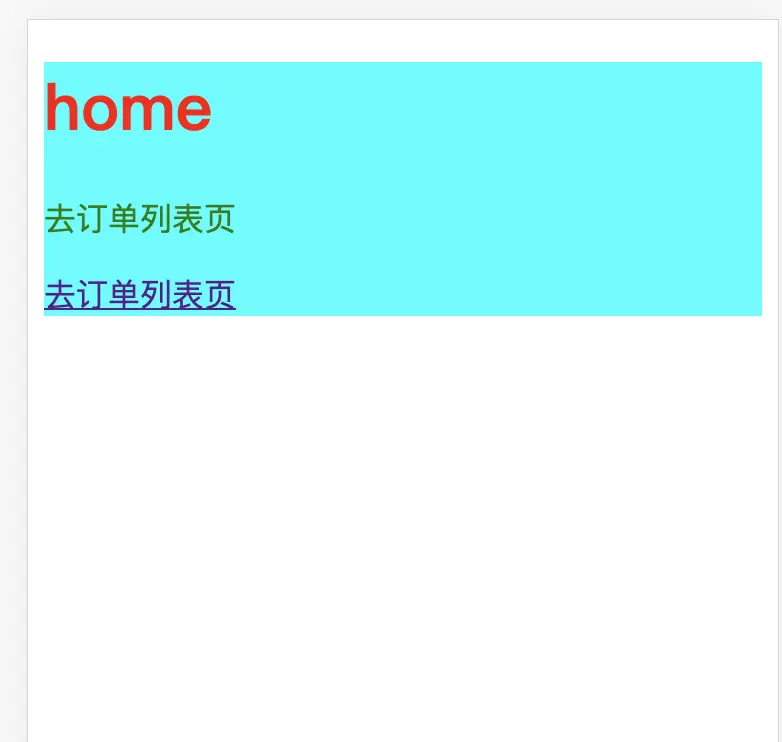
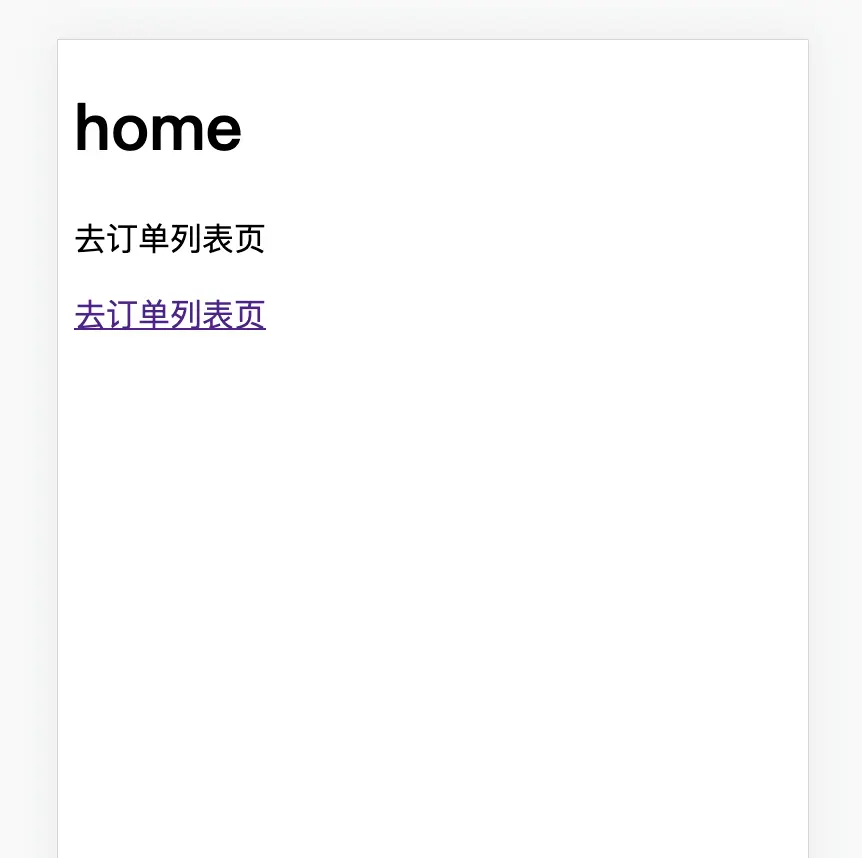
app.start('#root'); 執行yarn start已經可以看到頁面內容了,可以點擊跳轉頁面~
-
安裝less,react腳手架自帶的是sass,如果想使用sass可直接安裝
- 執行
yarn add --dev less less-loader,
如果提示node版本號錯誤如
less-loader@10.0.1: The engine "node" is incompatible with this module. Expected version ">= 12.13.0". Got "10.18.0",可執行yarn add --dev less less-loader --ignore-engines,忽略node版本號即可。- webpack配置less
-config/webpack.config.js修改 lessRegex、lessModuleRegex替換sassRegex、sassModuleRegex
- 執行
const lessRegex = /\.less$/;
const lessModuleRegex = /\.module\.less$/
// const sassRegex = /\.(scss|sass)$/;
// const sassModuleRegex = /\.module\.(scss|sass)$/;

            // Opt-in support for SASS (using .scss or .sass extensions).
            // By default we support SASS Modules with the
            // extensions .module.scss or .module.sass
            {
              test: lessRegex,  // 替換
              exclude: lessModuleRegex,  // 替換
              use: getStyleLoaders(
                {
                  importLoaders: 1,  // 替換
                  sourceMap: isEnvProduction
                    ? shouldUseSourceMap
                    : isEnvDevelopment,
                },
                'less-loader' // 替換
              ),
              // Don't consider CSS imports dead code even if the
              // containing package claims to have no side effects.
              // Remove this when webpack adds a warning or an error for this.
              // See https://github.com/webpack/webpack/issues/6571
              sideEffects: true,
            },
            // Adds support for CSS Modules, but using SASS
            // using the extension .module.scss or .module.sass
            {
              test: lessModuleRegex,  // 替換
              use: getStyleLoaders(
                {
                  importLoaders: 1,  // 替換
                  sourceMap: isEnvProduction
                    ? shouldUseSourceMap
                    : isEnvDevelopment,
                  modules: {
                    getLocalIdent: getCSSModuleLocalIdent,
                  },
                },
                'less-loader'  // 替換
              ),
},src/routes/Home下創建style.less並在home.tsx文件內引入import './style.less';, 重啓服務。
如果出現以下問題,説明安裝的less-loader版本過高,不支持getOptions方法,安裝低版本即可,執行yarn add --dev less-loader@7.0.0即可(可以自己嘗試哪個版本號可用)
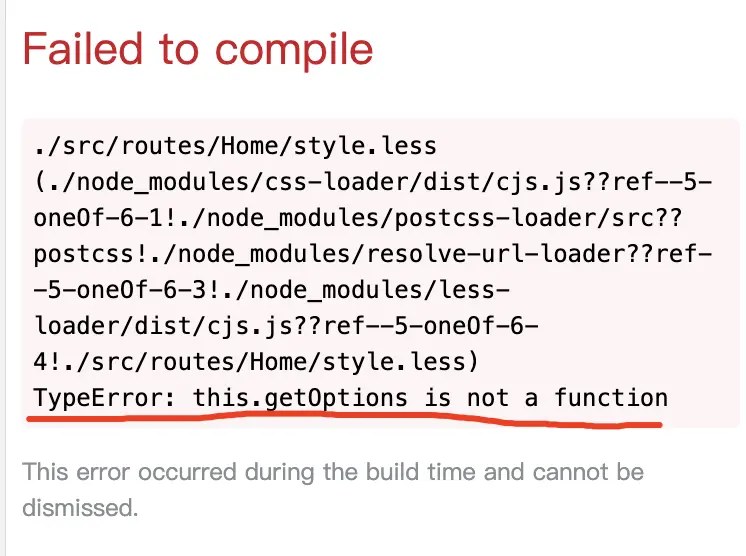
再執行yarn start就可以啓動服務了,此時less已可使用了
如果出現less生成的樣式的class名字都是hash命名,説明上述配置中的 getStyleLoaders-modules有問題,按照配置更改即可~