

需求:
需要解決1像素問題:
物理像素是設備像素的2倍,在手機上預覽,1px邊框會變成2px
參考cube-ui的mixin.styl 中1像素解決方案,如下:
border-1px($color = #ccc, $radius = 2PX, $style = solid)
  position: relative
  &::after
    content: ""
    pointer-events: none
    display: block
    position: absolute
    left: 0
    top: 0
    transform-origin: 0 0
    border: 1PX $style $color
    border-radius: $radius
    box-sizing border-box
    width 100%
    height 100%
    @media (min-resolution: 2dppx)
      width: 200%
      height: 200%
      border-radius: $radius * 2
      transform: scale(.5)
    @media (min-resolution: 3dppx)
      width: 300%
      height: 300%
      border-radius: $radius * 3
      transform: scale(.333)
問題:
我們的項目中所有樣式文件都是用less寫的,而且就用一個mixin.styl 中的這個方法而已
解決:
改成less 語法,對照less官方文檔,寫入 mixin.less文件,引用
除了語法的不同,變量定義、方法的調用外,改了一處
 //原來:
 border: 1PX $style $color

 //改成:我只需要下邊框
 border-bottom: 1PX @style @color;
改後代碼如下:
.border-1px(@color: #ccc, @radius: 2PX, @style: solid){
  position: relative;
  &::after {
    content: "";
    pointer-events: none;
    display: block;
    position: absolute;
    left: 0;
    top: 0;
    transform-origin: 0 0;
    border-bottom: 1PX @style @color;
    border-radius: @radius;
    box-sizing: border-box;
    width: 100%;
    height: 100%;
    @media (min-resolution: 2dppx){
      width: 200%;
      height: 200%;
      border-radius: @radius * 2;
      transform: scale(.5);
    }
    @media (min-resolution: 3dppx){
      width: 300%;
      height: 300%;
      border-radius: @radius * 3;
      transform: scale(.333);
    }
  }
}
使用:
@import "../../assets/style/mixin.less";

li {
    .border-1px(#E1E1E1);
}
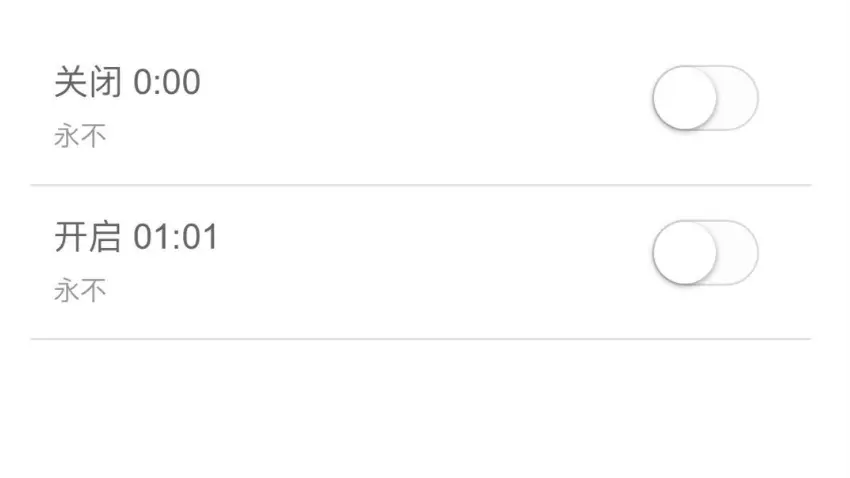
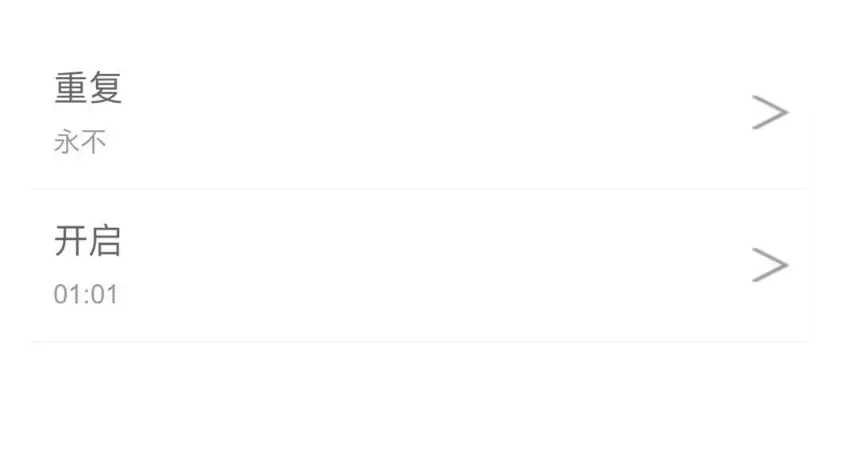
在手機上預覽,已經發生變化:
修改前:
修改後:
問題解決,下班走人!
