

Lua入門
推薦使用vscode進行開發,需要用到的插件:
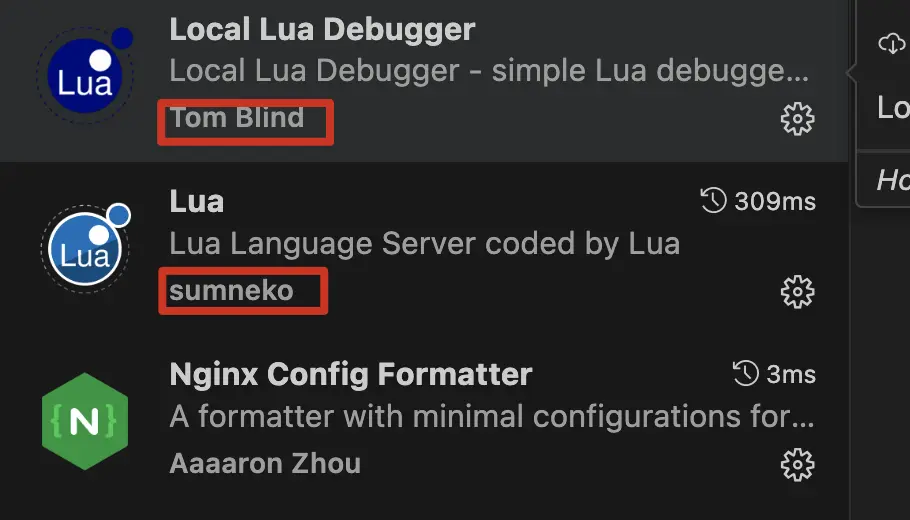
調試需要用到的launch.json:
{
    "version": "0.2.0",
    "configurations": [

        {
            "type": "lua-local",
            "request": "launch",
            "name": "OpenResty Debug",
            "program": {
                "command": "/usr/local/openresty/bin/resty", // 替換為你的 resty 路徑
            },
            "args": [
                "${file}"
            ],
        }
    ]
}
調試lua:
需要在業務代碼之前添加
require("lldebugger").start()

openresty 入門
openresty 啓動/停止(指定配置文件)
# sudo openresty -c "`pwd`/hello.conf"
# sudo openresty -c "`pwd`/hello.conf" -s stop
配置文件內容:(最簡單的lua腳本,被openresty加載)
#設置worker的進程數
worker_processes 1;

# 設置worker的併發度
events {
    worker_connections 512;
}

http {
    server {
        listen 80;
        server_name *.*;

        location / {
            content_by_lua_block {
                ngx.print("hello, world")
            }
        }
        location /echo {
            #OpenResty提供一個專用指令“content_by_lua_block”,可以在配置文件裏書寫Lua代碼,產生響應內容
            content_by_lua_block {
                -- 獲取 URL 查詢參數(?a=1&b=2)
                local args = ngx.req.get_uri_args()
                -- 獲取請求頭
                local headers = ngx.req.get_headers()
                -- 返回 JSON 格式的響應
                ngx.header['Content-Type'] = 'application/json'
                ngx.say(
                    require('cjson').encode(
                        {
                            args=args,
                            -- headers=headers,
                            method=ngx.var.request_method,
                            path = ngx.var.request_uri
                        }
                    )
                )

            }
        }
    }
}
測試:
curl 'http://localhost/echo?a=1&b=2' -H 'hello: world'
返回內容:
{"method":"GET","path":"\/echo?a=1&b=2","args":{"b":"2","a":"1"}}