

前言
react native項目中經常會用到icon,react-native-vector-icons字體庫解決了一部分icon的需求,但是還有一部分設計師給的icon需要在iconfont自行引用,關於使用react-native-vector-icons遇到的坑在之前的文章提到過react native新建項目踩坑記錄(字體問題詳見問題五),主要是兩點:
- 不要link
react-native-vector-icons庫
使用react-native unlink react-native-vector-icons - ios路徑下
Info.plist文件添加字體映射,詳見<key>UIAppFonts</key>的值
ios環境下引用iconfont
- 下載iconfont,解壓後會得到其中一個
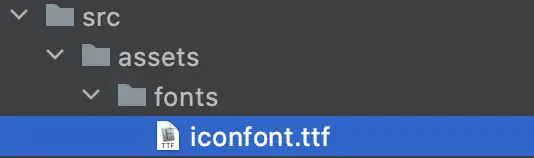
iconfont.ttf的字體文件。 - 在rn項目src(react業務代碼根目錄)下新建
assets/fonts目錄,複製解壓後的t -
打開package.json文件,配置字體路徑:
"rnpm": { "assets": [ "./src/assets/fonts/" ] } - 執行以下命令,執行完成後,重啓編輯器(注意文章開頭提醒的,如果有安裝
react-native-vector-icons字體庫的,這裏你link後運行項目肯定報錯了,需要重複開頭的兩個步驟),link後 - 如果不執行第四步,你xcode打開你的ios項目,可能是沒有Resource目錄的
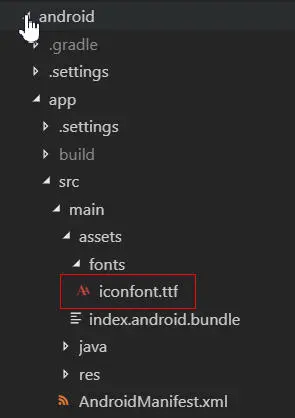
- 如果執行完第四步,重啓後會發現該字體文件已經自動拷貝到
android/app/src/main/assets/fonts目錄
和配置到Info.plist文件中, 那麼你可以直接看最後一步。 - 如果沒有出現第六步所訴的預期,那麼,此時你再打開xcode,應該有Resource這個目錄了,如果之前本來就有的可以忽略這句話
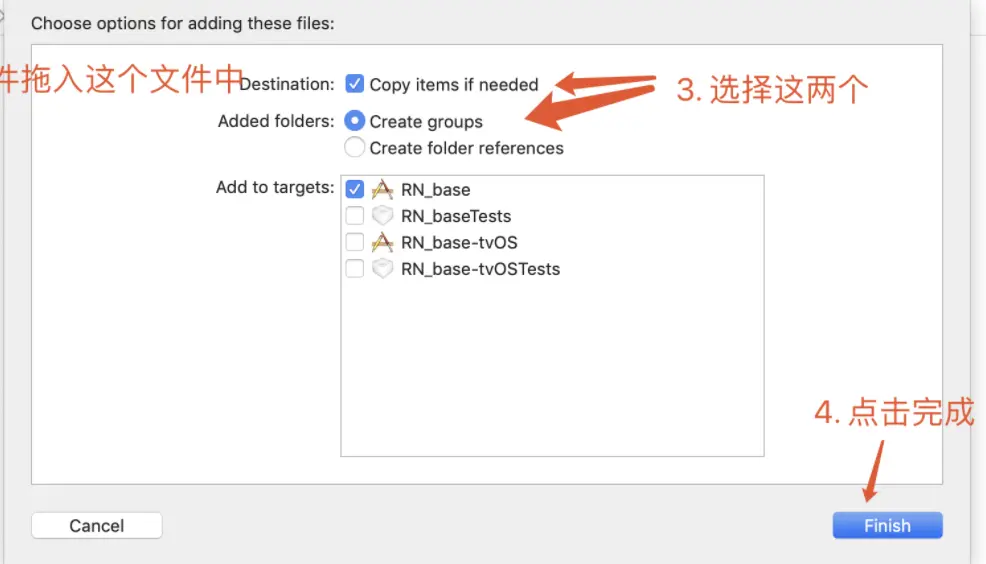
- 複製ttf文件到Resource目錄下,鬆開鼠標會彈出來彈窗,選擇
- 去Info.plist中添加 Fonts provided by application,然後在其底下添加子項,value值為字體文件名稱,如有多個,則添加多個子項,一個子項對應一個字體文件
-
添加完去rn項目下ios路徑下的
Info.plist文件查看字體完整配置:<key>UIAppFonts</key> <array> <string>iconfont.ttf</string> <string>AntDesign.ttf</string> <string>Entypo.ttf</string> <string>EvilIcons.ttf</string> <string>Feather.ttf</string> <string>FontAwesome.ttf</string> <string>FontAwesome5_Brands.ttf</string> <string>FontAwesome5_Regular.ttf</string> <string>FontAwesome5_Solid.ttf</string> <string>Fontisto.ttf</string> <string>Foundation.ttf</string> <string>Ionicons.ttf</string> <string>MaterialCommunityIcons.ttf</string> <string>MaterialIcons.ttf</string> <string>Octicons.ttf</string> <string>SimpleLineIcons.ttf</string> <string>Zocial.ttf</string> </array> - 使用
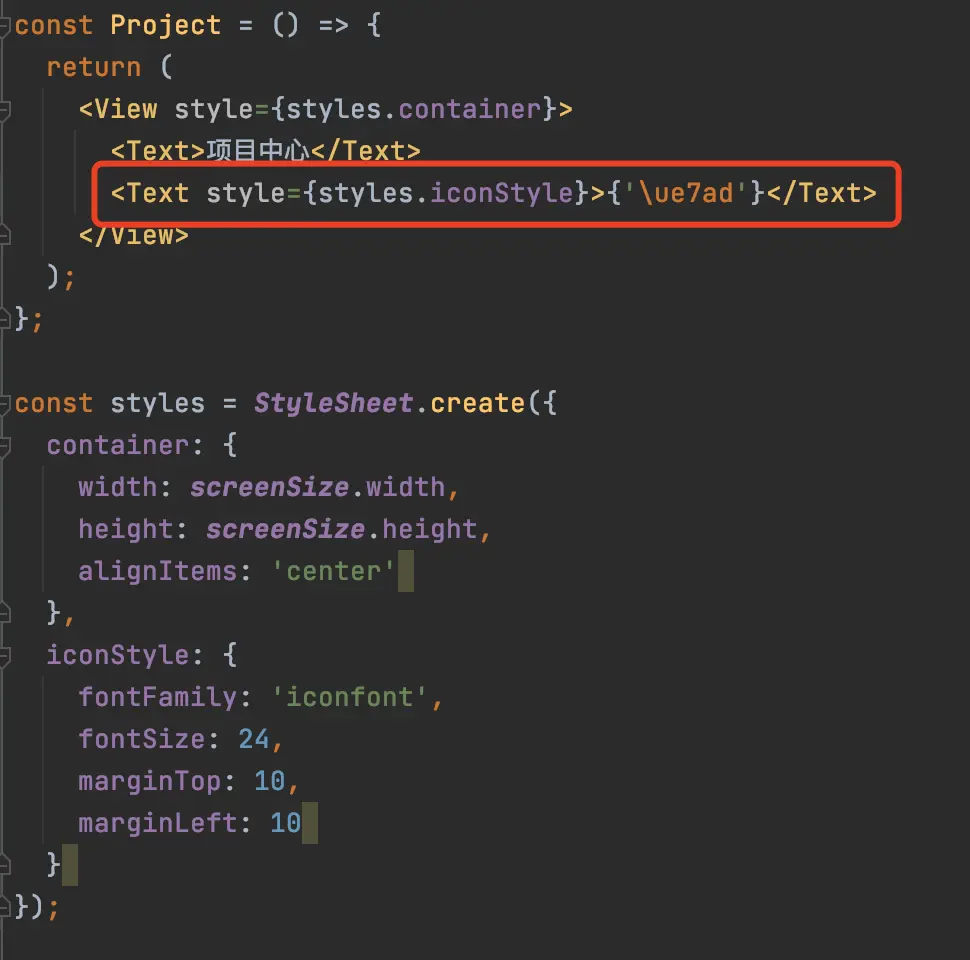
unicode顯示字體
- 效果

安卓環境下引用iconfont
待補充...
