1.配置wsl裏php環境並安裝xdebug擴展
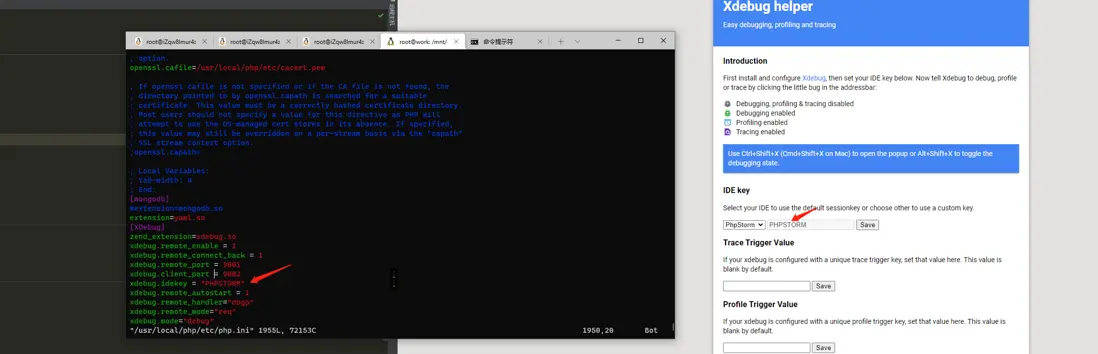
[XDebug]
zend_extension=xdebug.so
xdebug.remote_enable = 1
xdebug.remote_connect_back = 1
xdebug.remote_port = 9001
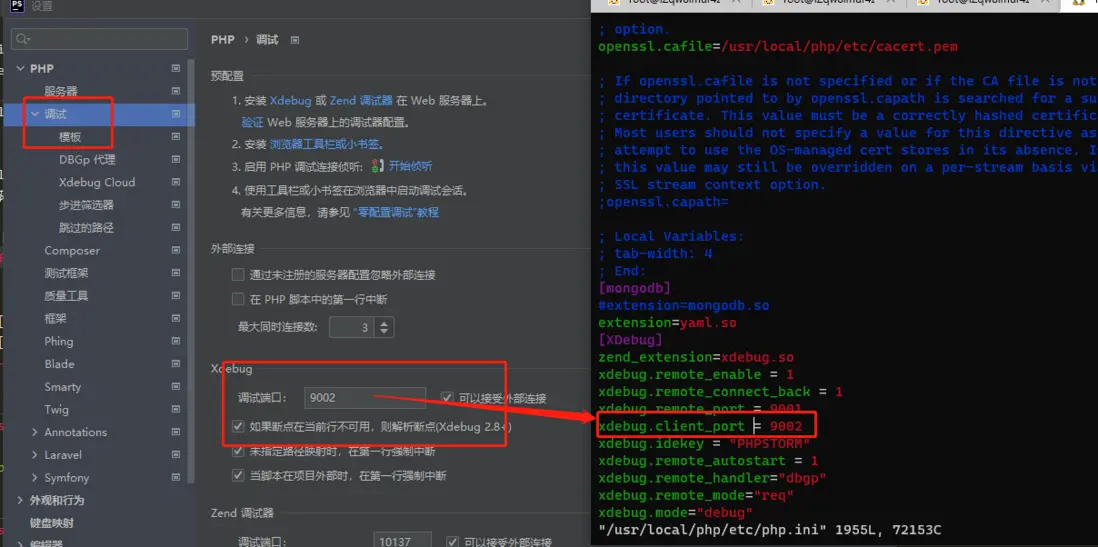
xdebug.client_port = 9002
xdebug.idekey = "PHPSTORM"
xdebug.remote_autostart = 1
xdebug.remote_handler="dbgp"
xdebug.remote_mode="req"
xdebug.mode="debug"
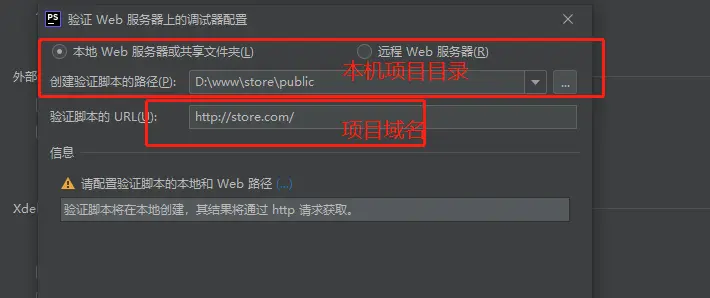
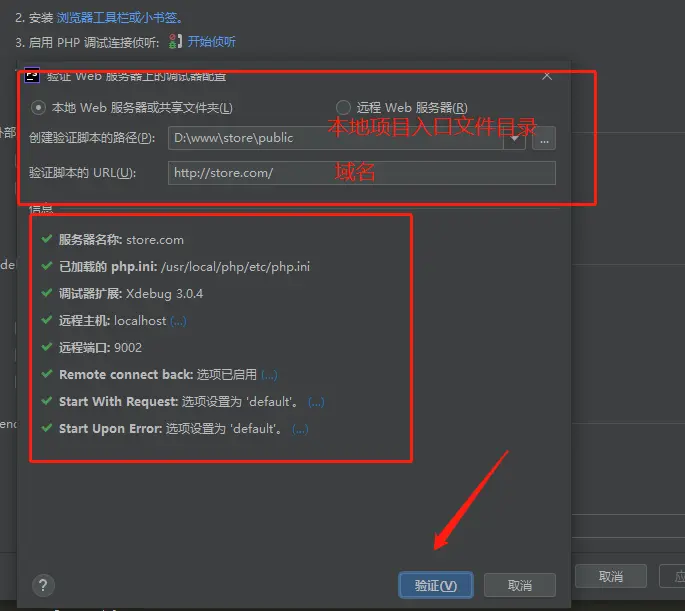
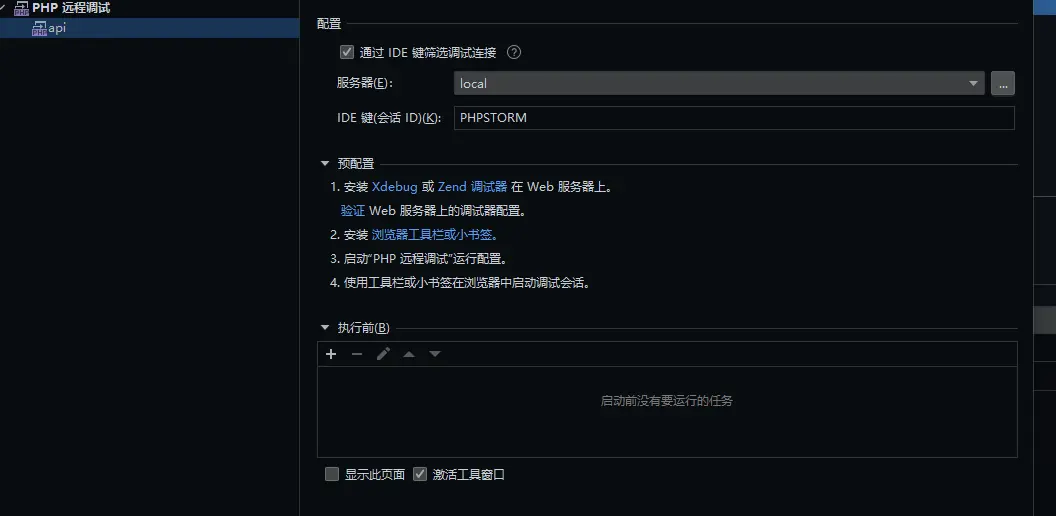
2.設置phpstorm
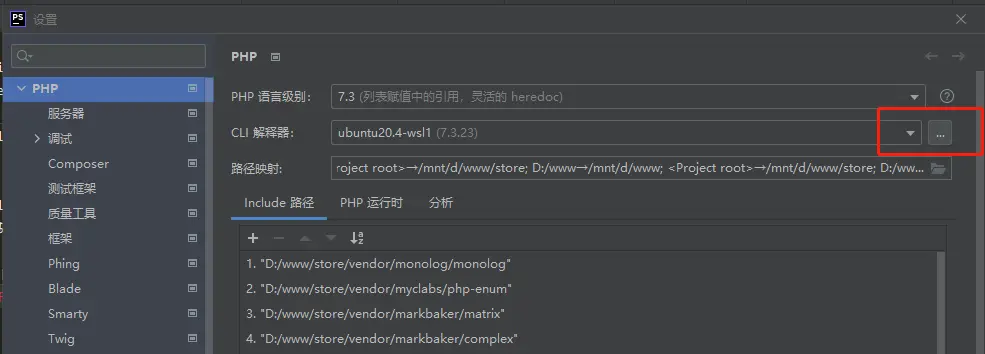
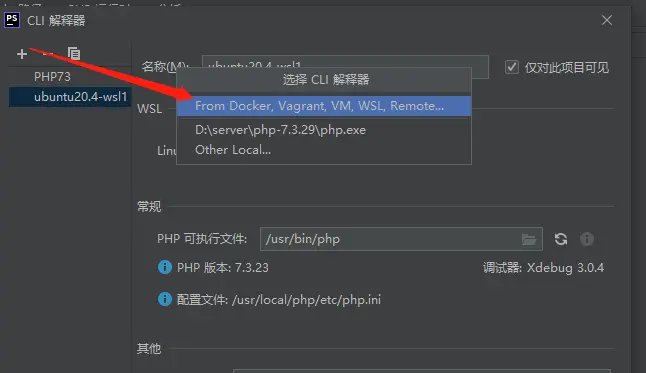
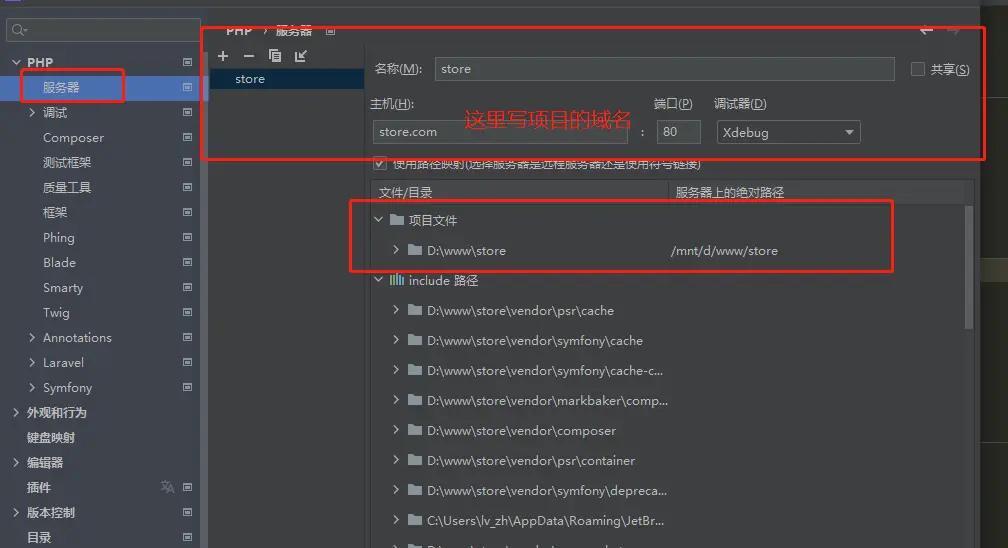
- 打開設置-》php