1、安裝與PHP版本相符的xdebug擴展,本文下載的是php7.3版本的
鏈接:http://xdebug.org/download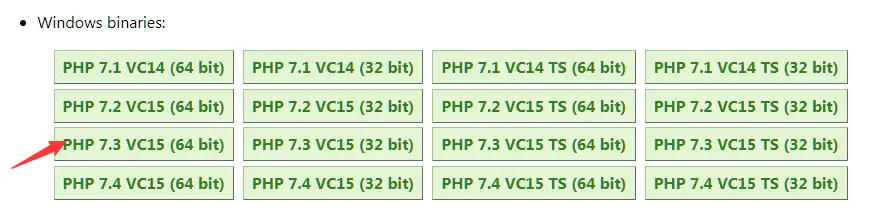
2、將xdebug.dll文件複製到php安裝目錄下
D:\phpstudy_pro\Extensions\php\php7.3.4nts\ext\php_xdebug-2.9.6-7.3-vc15-nts-x86_64.dll
3、phpstorm配置xdebug支持
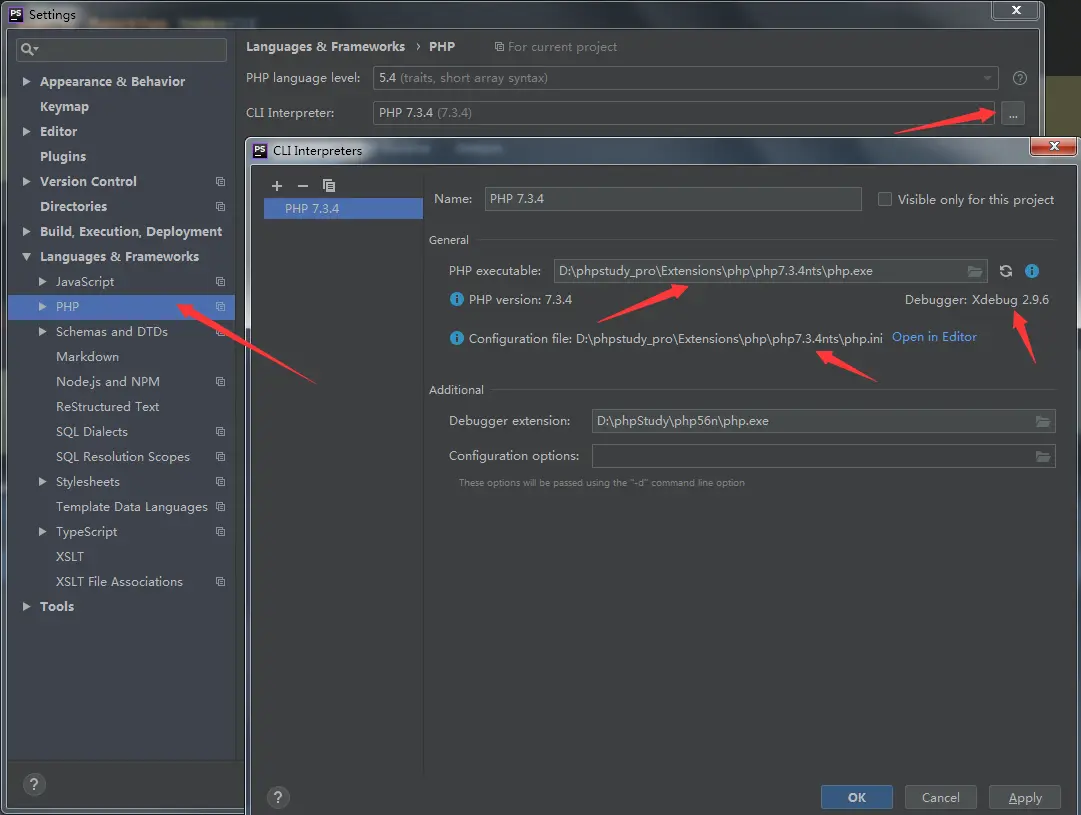
4、設置遠程端口
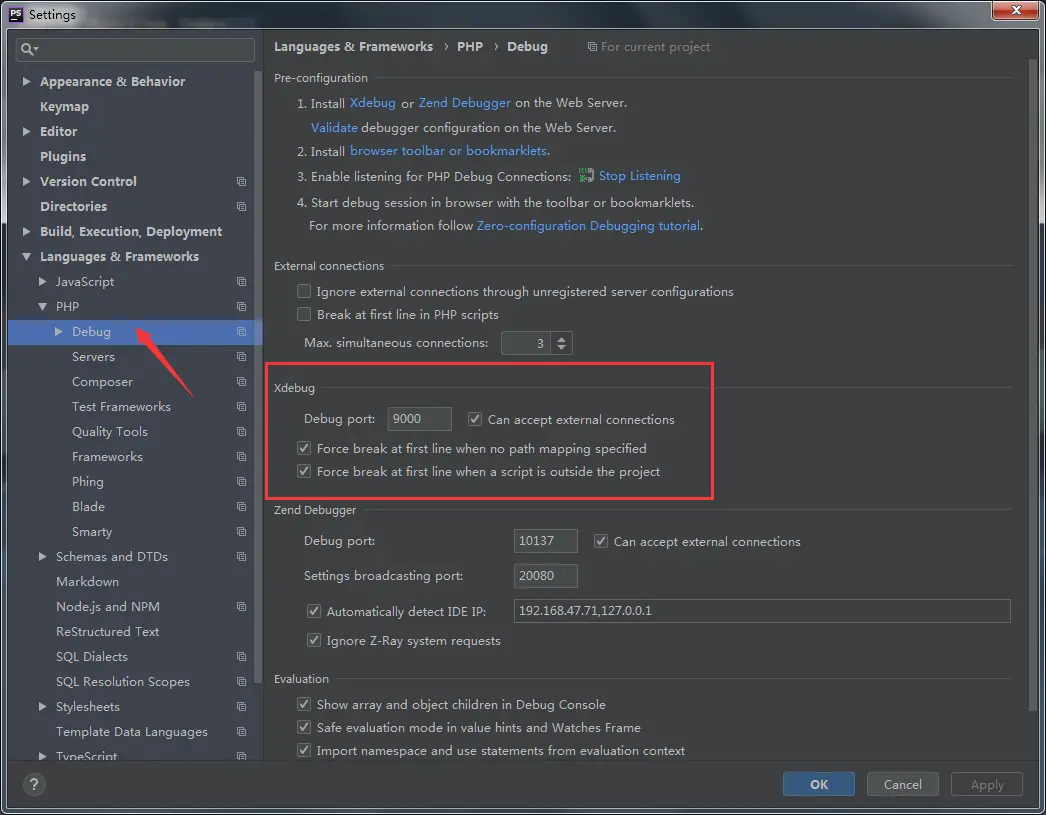
5、設置DBGP Proxy
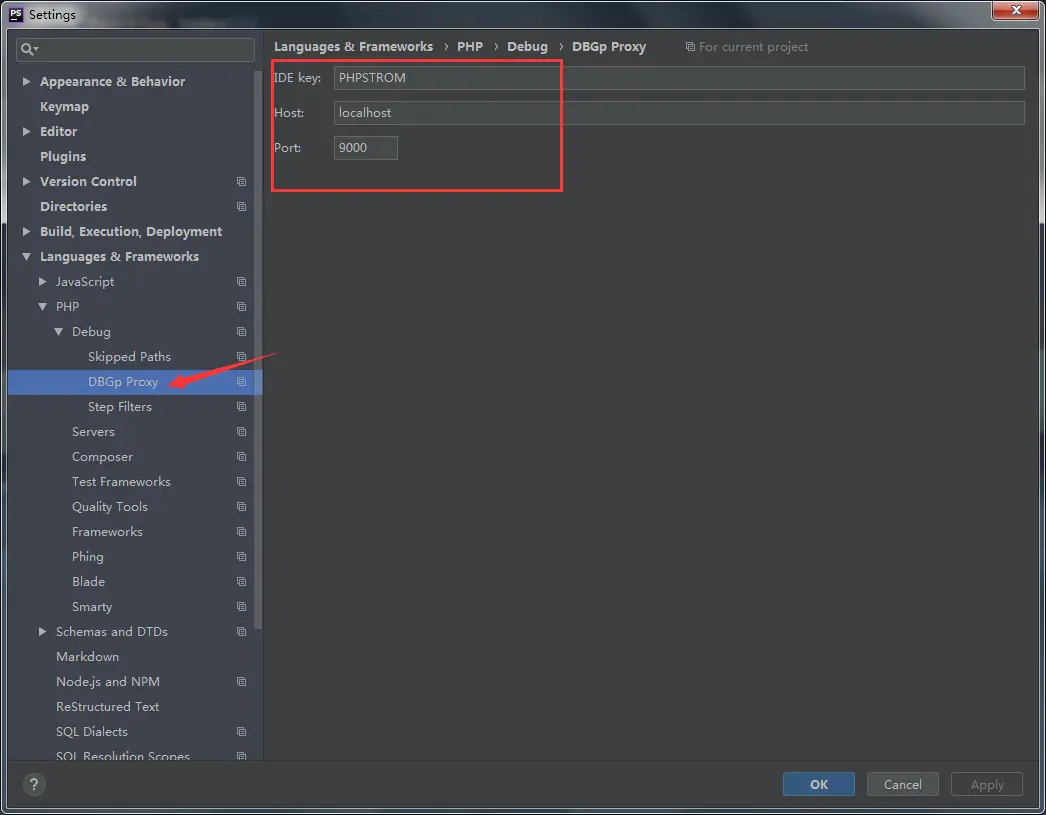
6、配置php.ini
[xdebug]
zend_extension ="D:/phpstudy_pro/Extensions/php/php7.3.4nts/ext/php_xdebug-2.9.6-7.3-vc15-nts-x86_64.dll"
xdebug.remote_enable = On
xdebug.idekey=PHPSTORM
xdebug.remote_enable = On
xdebug.remote_host=localhost
xdebug.remote_port=9000
xdebug.remote_handler=dbgp
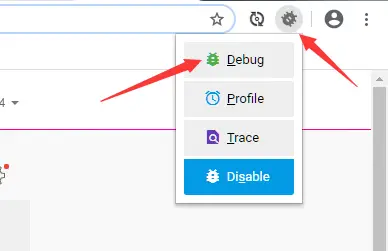
7、谷歌瀏覽器安裝需要安裝Xdebug helper,用户可以在chrome瀏覽器中的應用商店上添加Xdebug helper擴展
安裝完成後點擊debug圖標,右鍵選擇選項
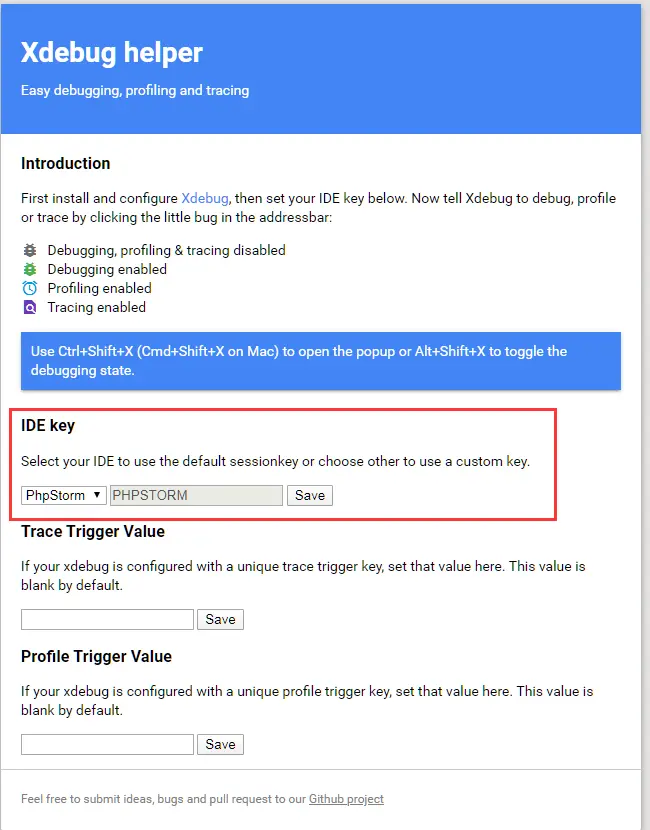
點擊debug圖標,選擇debug,並在phpstorm中設置斷點,即可完成