
大家好,今天介紹一款實用工具。
長期以來,筆者的英文查詞流程是:
查單詞用歐路詞典(Eudic),記憶單詞用墨墨背單詞(Maimemo)。
但這帶來一個很現實的長期問題 ——— 歐路與墨墨之間並沒有官方的詞庫同步功能。
桌面端每天查文獻生詞、收藏、加入詞本等動作都在歐路里完成,可真正背詞又是在移動端墨墨裏進行,兩個平台非常割裂。
為了讓整個流程真正自動化、可託管,也為了避免筆者每隔一段時間就要“整理一次詞庫”這種重複勞動,遂開發本工具。
也希望這套方案能幫助到同樣使用歐路 + 墨墨組合的朋友們,讓單詞管理真正做到“一次查詞,多端同步”。
🧩 功能概述
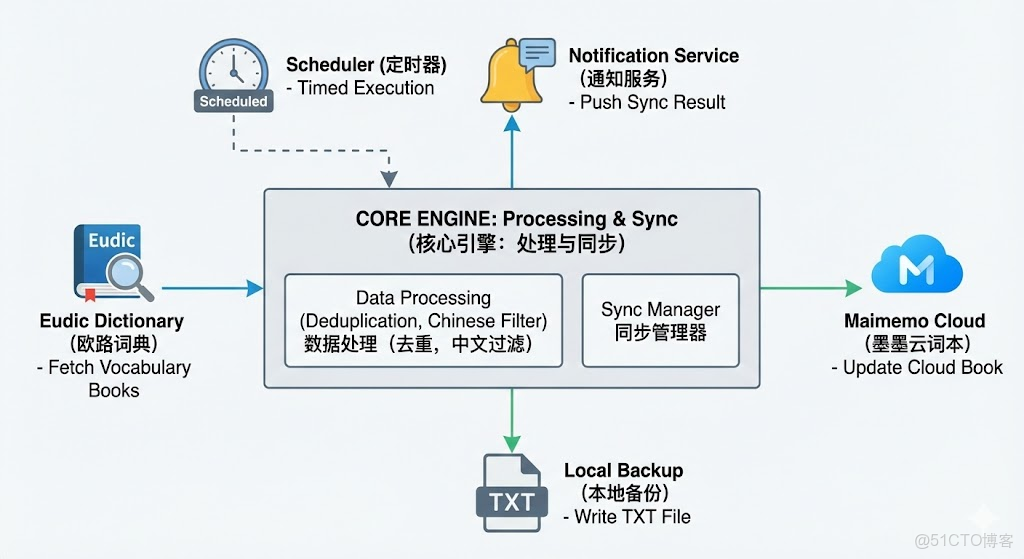
本工具支持:
- 自動抓取歐路全部生詞本
- 自動去重、過濾中文
- 寫入本地文本文件備份
- 調用墨墨 API 更新指定雲詞本
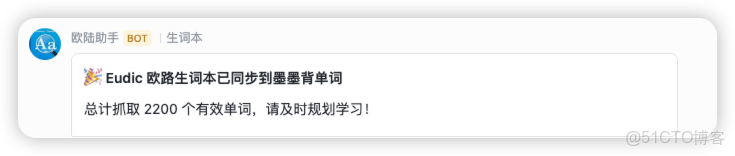
- 推送同步結果通知
- 定時自動執行
🪜 功能配置
(1)獲取歐路詞典 API Token
獲取授權:https://my.eudic.net/OpenAPI/Authorization
登錄 → 設置 → API → 複製 NISxxxx 開頭的 Token
(2)獲取墨墨背單詞 API Token
參考文檔:https://open.maimemo.com/document
墨墨移動端 → 我的 → 更多設置 → 實驗功能 → 開放 API → 複製 Token
(3)獲取墨墨 “雲詞本 ID”
使用墨墨查詢雲詞本 API 獲取雲詞本 ID

注意不是網頁 URL 顯示的編號,需要手動從開發者工具或 API 查看實際 ID
很多人搞錯這個步驟,此處必須使用真實 notepad ID

(4)創建飛書機器人 Webhook
飛書桌面端 → 新建羣組 → 羣設置 → 機器人 → 添加 Webhook
並複製 Webhook URL
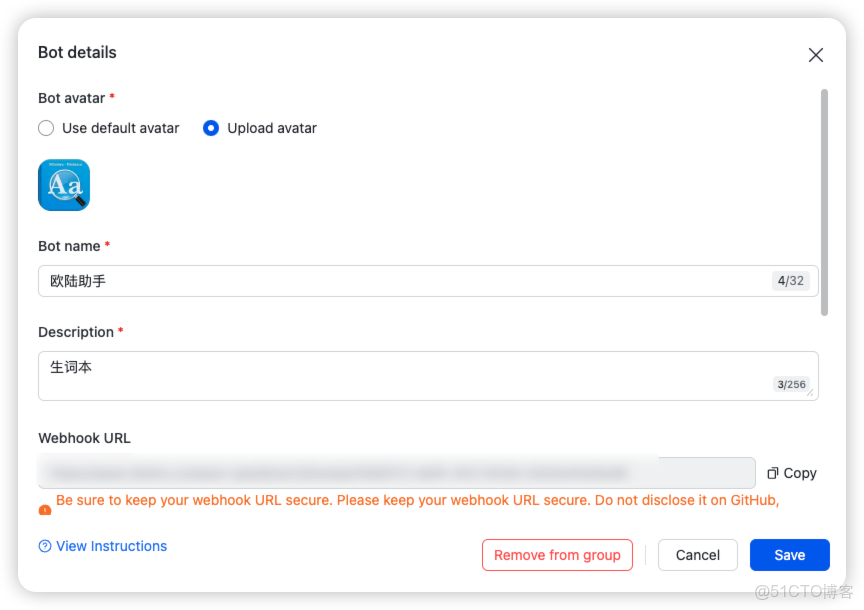
(5)服務器準備
- Python 環境
- 計劃任務設置

🧩 關鍵代碼拆解
以下是本項目的主要功能模塊
① 安全 GET 請求
歐路分頁有時候從 1 開始,為避免請求異常,必須支持自動檢測
def safe_get(url, headers=HEADERS, timeout=10, retries=2, backoff=1.0):
    for i in range(retries + 1):
        try:
            r = requests.get(url, headers=headers, timeout=timeout)
            return r
        except Exception as e:
            if i < retries:
                time.sleep(backoff * (i + 1))
            else:
                raise
② 獲取歐路全部生詞本
def get_books():
    """獲取生詞本列表"""
    r = safe_get(CATS_URL)
    if r.status_code != 200:
        raise RuntimeError(f"獲取生詞本失敗: status={r.status_code} body={r.text[:200]}")
    return r.json().get("data", [])
③ 自動判斷分頁起始位置
歐路 API 的坑,有些生詞本 page=0,另一些 page=1 所以必須自動探測:
def detect_page_start(category_id, page_size=500):
    url0 = f"{BASE}?language={EUDIC_LANGUAGE}&category_id={category_id}&page=0&page_size={page_size}"
    url1 = f"{BASE}?language={EUDIC_LANGUAGE}&category_id={category_id}&page=1&page_size={page_size}"
    r0, r1 = safe_get(url0), safe_get(url1)
    try:
        ok0 = bool(r0.json().get("data") if r0.status_code == 200 else None)
    except Exception:
        ok0 = False
    try:
        ok1 = bool(r1.json().get("data") if r1.status_code == 200 else None)
    except Exception:
        ok1 = False
    if ok0: return 0
    if ok1: return 1
    return 1
④ 抓取全部單詞並去重
def get_all_words_for_category(category_id, page_size=500):
    start_page = detect_page_start(category_id, page_size)
    page = start_page
    all_items = []
    while True:
        url = f"{BASE}?language={EUDIC_LANGUAGE}&category_id={category_id}&page={page}&page_size={page_size}"
        r = safe_get(url)
        if r.status_code != 200:
            raise RuntimeError(f"請求失敗: {url} 狀態碼 {r.status_code} 返回:{r.text[:200]}")
        try:
            data = r.json().get("data", [])
        except Exception as e:
            raise RuntimeError(f"解析 JSON 出錯: {e} body={r.text[:200]}")
        if not data:
            break
        all_items.extend(data)
        if len(data) < page_size:
            break
        page += 1
    # 去重
    seen = OrderedDict()
    for it in all_items:
        w = it.get("word")
        if w and w not in seen:
            seen[w] = None
    return list(seen.keys())
⑤ 寫入 TXT 文件
建議使用絕對路徑避免文件生成在奇怪的目錄
格式為一行一個單詞,供備份和更新墨墨雲詞本使用
def write_words_to_txt(words, path):
    """將英文單詞寫入 TXT"""
    with open(path, "w", encoding="utf-8") as f:
        for w in words:
            f.write(w + "\n")
⑥ 更新墨墨雲詞本
注意請求頭必須加:Authorization: Bearer your_token,否則返回無權限
def update_memo_notepad(content):
    """日誌行為"""
    url = f"https://open.maimemo.com/open/api/v1/notepads/{MEMO_NOTEPAD_ID}"

    payload = {
        "notepad": {
            "status": "UNPUBLISHED",
            "content": content,
            "title": "歐路詞典生詞本",
            "brief": "歐路詞典生詞,API 自動每月抓取後導入",
            "tags": ["詞典"]
        }
    }

    headers = {
        "Authorization": f"Bearer {MEMO_API_TOKEN}",
        "Accept": "application/json",
        "Content-Type": "application/json"
    }

    print("\n開始提交到墨墨雲詞本...")

    try:
        r = requests.post(url, json=payload, headers=headers, timeout=15)
        if r.status_code in (200, 201):
            print("✅ 墨墨雲詞本更新成功")
        else:
            print(f"❌ 墨墨提交失敗: status={r.status_code}")
            print("返回內容:", r.text[:500])
    except Exception as e:
        print("❌ 墨墨提交異常:", e)
⑦ 飛書通知
同步完成後可選發送飛書消息提醒功能
def send_feishu_notification(webhook_url, title, message):
    card_content = f"{message}"

    payload = {
        "msg_type": "interactive",
        "card": {
            "config": {"wide_screen_mode": True},
            "header": {"title": {"tag": "plain_text", "content": title}},
            "elements": [
                {
                    "tag": "div",
                    "text": {
                        "tag": "lark_md",
                        "content": card_content
                    }
                }
            ]
        }
    }

    try:
        resp = requests.post(webhook_url, json=payload, timeout=10)
        if resp.status_code == 200:
            print("✅ 飛書通知發送成功")
        else:
            print(f"❌ 飛書通知失敗,狀態碼: {resp.status_code}, 響應: {resp.text}")
    except Exception as e:
        print(f"❌ 飛書通知異常: {e}")
🧩 主流程
抓取 → 過濾 → 寫入 → 墨墨更新 → 飛書通知
如果在歐路中打開“查詞後自動加入生詞本”,有時查詢中文翻譯也會直接加入,故進行過濾,只保留英文單詞供同步
def run_sync():
    print("抓取生詞本...")
    books = get_books()
    if not books:
        print("未獲取到生詞本,請檢查 API_TOKEN 或網絡。")
        return

    print(f"找到 {len(books)} 個生詞本:")
    for b in books:
        print(" -", b.get("name"))

    all_words = OrderedDict()
    for b in books:
        name = b.get("name")
        cid = b.get("id")
        print(f"\n抓取生詞本: {name} (id={cid})")
        words = get_all_words_for_category(cid)
        print(f"  => {len(words)} 條")
        for w in words:
            all_words[w] = None

    # 過濾只保留英文單詞
    english_words = [w for w in all_words.keys() if EN_WORD_RE.match(w)]
    print(f"\n抓取完成,總單詞數(去重 + 英文過濾後): {len(english_words)}")

    # 寫入 txt
    try:
        txt_path = TXT_OUTPUT_PATH
        write_words_to_txt(english_words, txt_path)
        print("已將所有英文單詞寫入 txt_path,每行一個單詞。")

        try:
            with open(txt_path, "r", encoding="utf-8") as f:
                memo_text = f.read().strip()
            update_memo_notepad(memo_text)
        except Exception as e:
            print("讀取 txt_path 失敗:", e)

    except Exception as e:
        print("寫文件失敗:", e)

    # 發送飛書通知
    send_feishu_notification(
        FEISHU_WEBHOOK,
        title="🎉 Eudic 歐路生詞本已同步到墨墨背單詞",
        message=f"總計抓取 {len(english_words)} 個有效單詞,請及時規劃學習!"
    )
🧩 實現效果

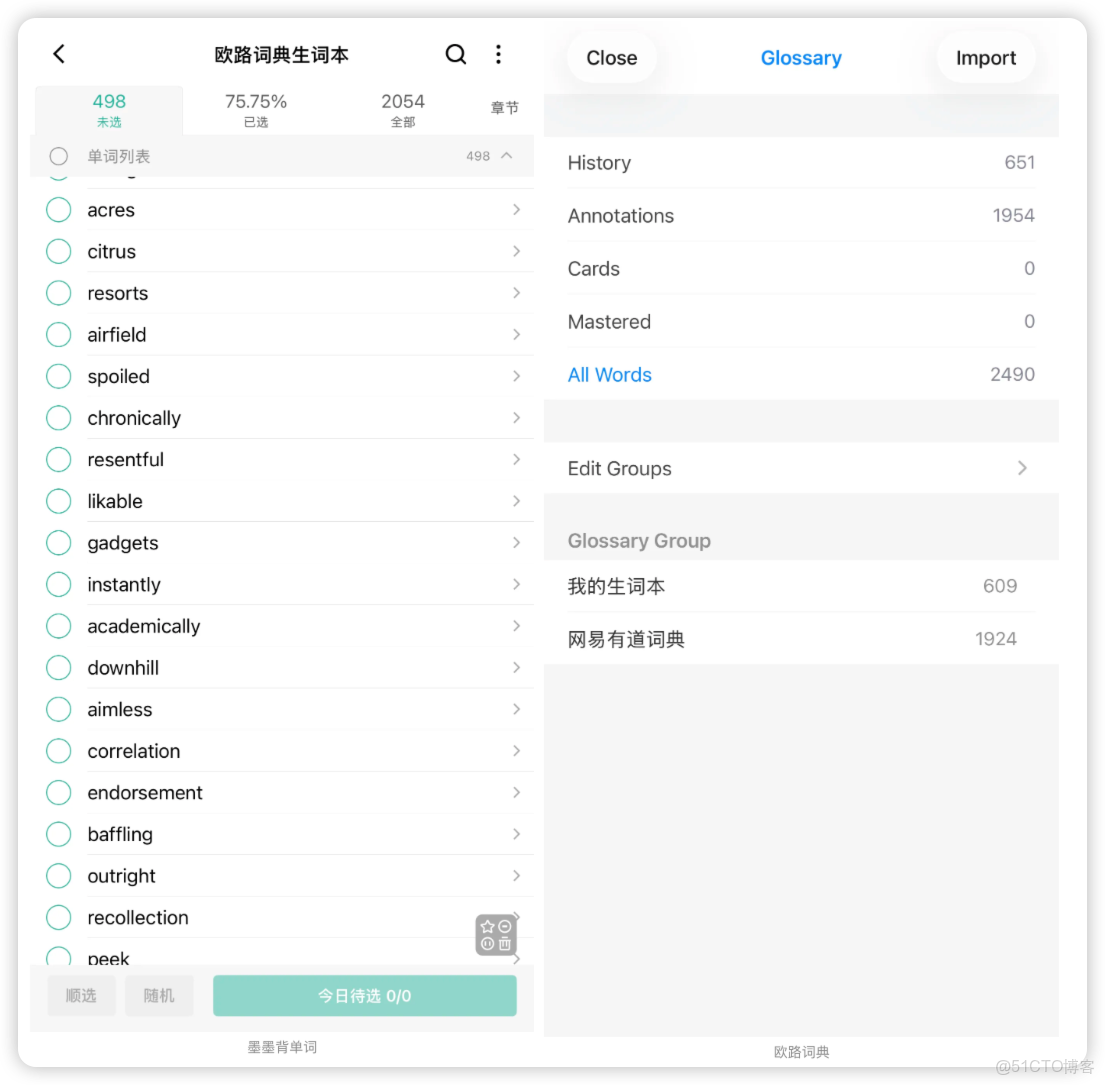
源碼獲取方式
開源地址:https://github.com/pdpeng/eudic-maimomo-words-sync
公粽浩:攻城獅傑森,後台回覆“墨墨”
