問題:Where to configure session timeout in Spartacus
答案
我假設您使用 Hybris OAuth 服務器的默認身份驗證流程(密碼流程)。 在這種情況下,會話長度是通過後台的 OAuth 客户端設置來控制的。
但是,要知道會話何時到期,您可以檢查令牌有效負載 (AuthStorageService.getToken)。屬性之一是到期時間,可用於瞭解會話何時實際結束。
Marcin is correct. Spartacus is 100% API driven, interacting with Commerce backend by sending request to configured endpoints. These endpoints require an access token to be sent with the request, and this access token needs to be retrieved by following the Client Credentials Flow that is defined by the OAuth specification.
As long as you log in successfully, you can find access token issued by Commerce backend in Chrome dev tools, application tab -> Local storage as highlighted below:
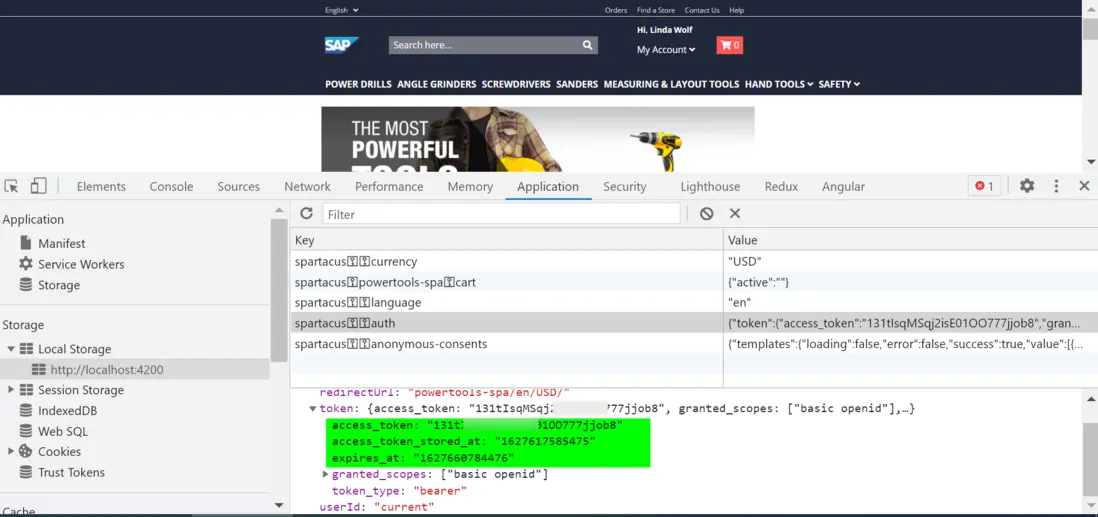
the field expires_at stores the value of exact date and time when token will be expired.
you can use the code below in console to convert it to human readable string:
new Date(1627660784476).toGMTString();

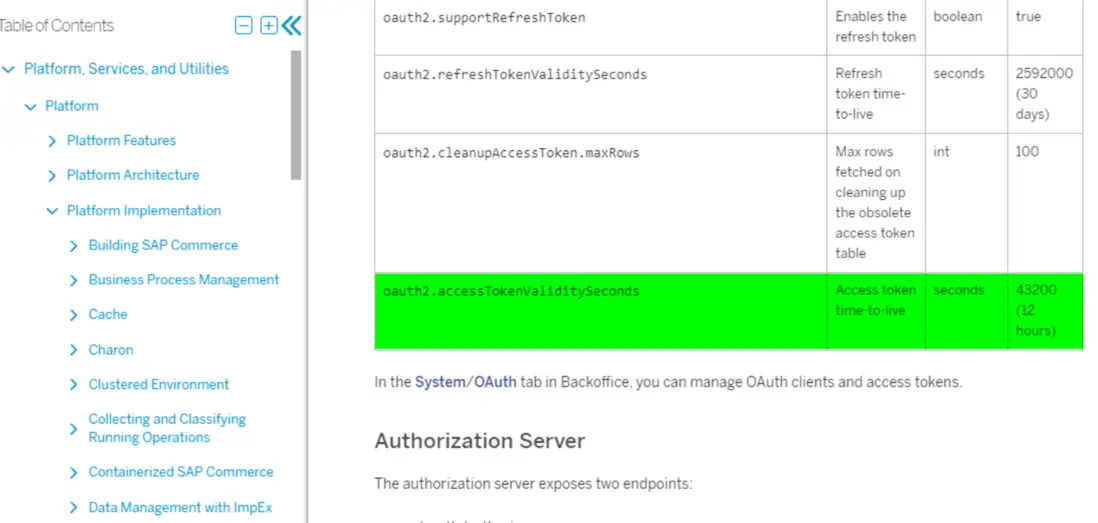
You can control the token time-to-live value via configuration in backoffice by property: oauth2.accessTokenValiditySeconds

See document for detail:
https://help.sap.com/viewer/d...
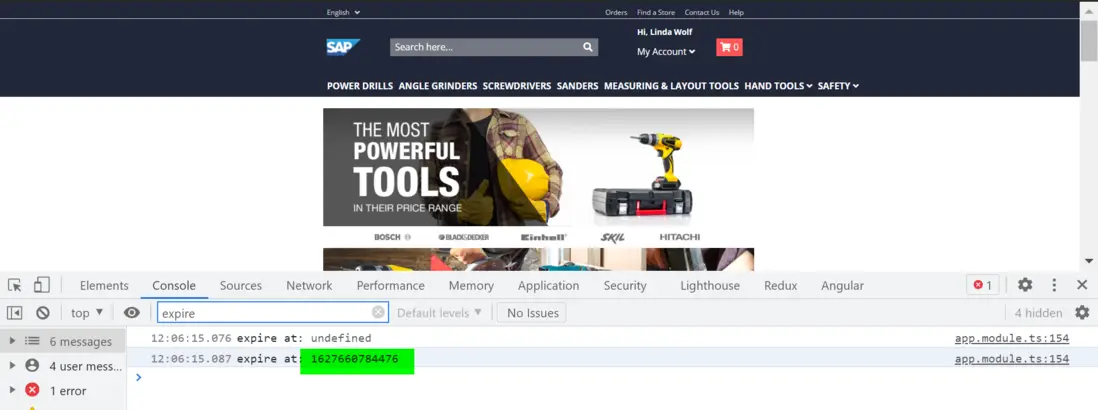
if you need to code in Spartacus to know when the token will be expired, inject AuthStorageService in your app.module.ts, and then access expires_at property of result returned by getToken method.
export class AppModule {
  constructor(private authService: AuthStorageService){
    const token: Observable<AuthToken> = this.authService.getToken();

    token.subscribe((token) => console.log('expire at:' , token.expires_at));
  }
}
更多Jerry的原創文章,盡在:"汪子熙":