

一:參考文檔
- kkFileView官方文檔:https://kkview.cn/zh-cn/index.html
- github地址:https://github.com/kekingcn/kkFileView
- docker鏡像地址:https://hub.docker.com/r/keking/kkfileview
二:docker部署kkFileView
1:拉取kkFileView鏡像
docker pull keking/kkfileview2:kkFileView鏡像構建並運行
docker run -d --name kkfile --restart always -p 8012:8012 keking/kkfileview3:kkFileView安裝驗證
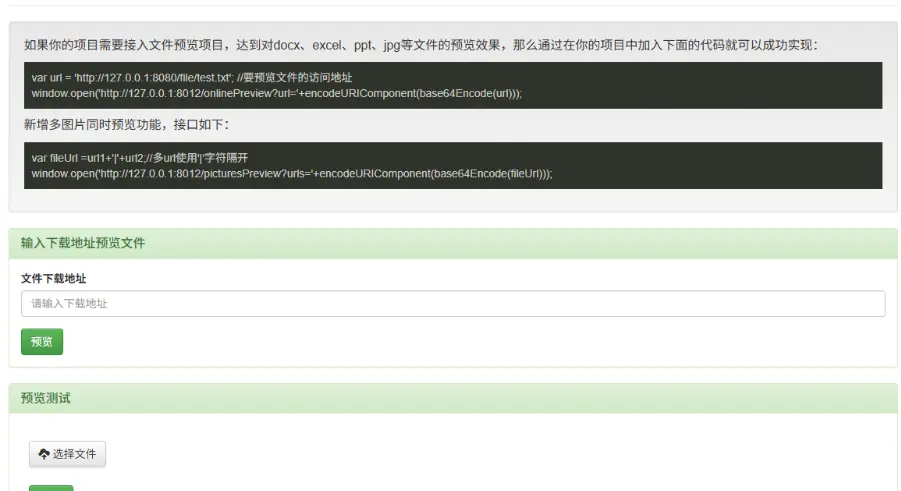
訪問http://localhost:8012/出現如下頁面表示安裝成功
三:kkFileView地址配置nginx反向代理
如果站點訪問的地址為https://www.test.com 想要使用 https://www.test.com/preview/來做預覽,kkFileView部署在內網192.168.1.2服務器上,需要在nginx中添加反向代理如下:
location /preview {
    proxy_pass 192.168.1.233:8012;
}
然後修改kkFileView的配置文件
server.servlet.context-path = /preview
base.url = https://www.test.com/preview
使用docker部署的時候執行如下命令即可
docker run -d --name kkfile --restart always -p 8012:8012 -e KK_CONTEXT_PATH="/preview" -e KK_BASE_URL="https://www.test.com/preview" keking/kkfileview