一:背景
1. 講故事
微信裏有一位朋友找到我,説他們公司的程序存在內存暴漲問題,自己分析了下沒有找到原因,讓我看下怎麼回事?由於大家都有dump分析基礎,所以交流互通上還是很順利的,接下來就是上dump分析啦。
二:內存暴漲分析
1. 為什麼會內存暴漲
先還是老套路,用 !address -summary 觀察下內存分佈情況,輸出如下:
0:000> !address -summary

--- Usage Summary ---------------- RgnCount ----------- Total Size -------- %ofBusy %ofTotal
Free                                    363     7dfd`e87c7000 ( 125.992 TB)           98.43%
<unknown>                              9276      201`e5858000 (   2.007 TB)  99.96%    1.57%
Heap                                     65        0`2547f000 ( 596.496 MB)   0.03%    0.00%
Image                                  1855        0`09d35000 ( 157.207 MB)   0.01%    0.00%
Stack                                    93        0`02c00000 (  44.000 MB)   0.00%    0.00%
Other                                     9        0`001de000 (   1.867 MB)   0.00%    0.00%
TEB                                      31        0`0003e000 ( 248.000 kB)   0.00%    0.00%
PEB                                       1        0`00001000 (   4.000 kB)   0.00%    0.00%

--- State Summary ---------------- RgnCount ----------- Total Size -------- %ofBusy %ofTotal
MEM_FREE                                363     7dfd`e87c7000 ( 125.992 TB)           98.43%
MEM_RESERVE                             690      201`2b6d4000 (   2.005 TB)  99.82%    1.57%
MEM_COMMIT                            10640        0`ec155000 (   3.689 GB)   0.18%    0.00%
從卦中可以看到,總計 3.6G 的總提交內存,看樣子都落到了 Unk 區域,最好是託管層吃掉了,否則就麻煩了,接下來使用 !dumpheap -stat 觀察,輸出如下:
0:000> !dumpheap -stat
Statistics:
          MT      Count     TotalSize Class Name
...
0179c7715cb0  1,847,901   451,265,880 Free
7ffc6e0a2888          2   536,870,960 System.WeakReference<Microsoft.Extensions.DependencyInjection.ServiceProvider>[]
7ffc6e0a2260 60,873,978 1,460,975,472 System.WeakReference<Microsoft.Extensions.DependencyInjection.ServiceProvider>
Total 63,333,893 objects, 2,494,520,292 bytes
從卦中可以看到程序中有 6087w 個弱引用,接下來使用 !dumpheap -mt 7ffc6e0a2260 觀察下列表詳情,然後用 !gcroot 觀察其引用根,參考如下:
0:000> !dumpheap -mt 7ffc6e0a2260
         Address               MT           Size
    017988001000     7ffc6e0a2260             24
    017988001018     7ffc6e0a2260             24
    017988001030     7ffc6e0a2260             24
    017988001048     7ffc6e0a2260             24
    017988001060     7ffc6e0a2260             24
    017988001078     7ffc6e0a2260             24
    017988001090     7ffc6e0a2260             24
    0179880010a8     7ffc6e0a2260             24
    ...
    017a405f1020     7ffc6e0a2260             24

0:000> !gcroot   0179880010a8
Caching GC roots, this may take a while.
Subsequent runs of this command will be faster.
等了20多分鐘都沒有出來結果,可能 6kw 的根縱橫交錯讓windbg不堪重負,沒有就沒撤了,使用內存搜索法尋找上級所屬對象。這裏就選擇 017a405f1020 對象來開刀。
0:000> !dumpobj /d 17a405f1020
Name:        System.WeakReference`1[[Microsoft.Extensions.DependencyInjection.ServiceProvider, Microsoft.Extensions.DependencyInjection]][]
MethodTable: 00007ffc6e0a2888
EEClass:     00007ffc6dbeb4f8
Tracked Type: false
Size:        536870936(0x20000018) bytes
Array:       Rank 1, Number of elements 67108864, Type CLASS (Print Array)
Fields:
None

0:000> s-q 0 L?0xffffffffffffffff 17a405f1020
00000179`c95861d0  0000017a`405f1020 03a0dcfa`03a0dcfa

0:000> !lno 0000017a`405f1020
Before:       017a405f1000 32 (0x20)                        Free
Current:      017a405f1020 24 (0x18)                        System.WeakReference<Microsoft.Extensions.DependencyInjection.ServiceProvider>[]
Error Detected: Object 17a405f1020 has a bad member at offset 12054c00: ??? [verify heap]
Could not find object after 17a405f1020
Heap local consistency not confirmed.

0:000> !lno 00000179`c95861d0
Before:       0179c95861c8 32 (0x20)                        System.Collections.Generic.List<System.WeakReference<Microsoft.Extensions.DependencyInjection.ServiceProvider>>
Next:         0179c95861e8 24 (0x18)                        System.WeakReference<Microsoft.Extensions.DependencyInjection.ServiceProvider>[]
Heap local consistency confirmed.

0:000> !dumpobj /d 179c95861c8
Name:        System.Collections.Generic.List`1[[System.WeakReference`1[[Microsoft.Extensions.DependencyInjection.ServiceProvider, Microsoft.Extensions.DependencyInjection]], System.Private.CoreLib]]
MethodTable: 00007ffc6e0a2340
EEClass:     00007ffc6dce0000
Tracked Type: false
Size:        32(0x20) bytes
File:        D:\xxx\A_api\System.Private.CoreLib.dll
Fields:
              MT    Field   Offset                 Type VT     Attr            Value Name
00007ffc6de328f0  400209f        8     System.__Canon[]  0 instance 0000017a405f1020 _items
00007ffc6dc894b0  40020a0       10         System.Int32  1 instance         60873978 _size
00007ffc6dc894b0  40020a1       14         System.Int32  1 instance         60873978 _version
00007ffc6de328f0  40020a2        8     System.__Canon[]  0   static dynamic statics NYI                 s_emptyArray

0:000> s-q 0 L?0xffffffffffffffff 179c95861c8
00000179`c77571d8  00000179`c95861c8 00000000`00000000
00000179`c95861b8  00000179`c95861c8 0800004e`00000000

0:000> !lno 00000179`c77571d8
Failed to find the segment of the managed heap where the object 179c77571d8 resides

0:000> !lno 00000179`c95861b8
Before:       0179c9586108 192 (0xc0)                       Microsoft.Extensions.DependencyInjection.DependencyInjectionEventSource
Next:         0179c95861c8 32 (0x20)                        System.Collections.Generic.List<System.WeakReference<Microsoft.Extensions.DependencyInjection.ServiceProvider>>
Heap local consistency confirmed.
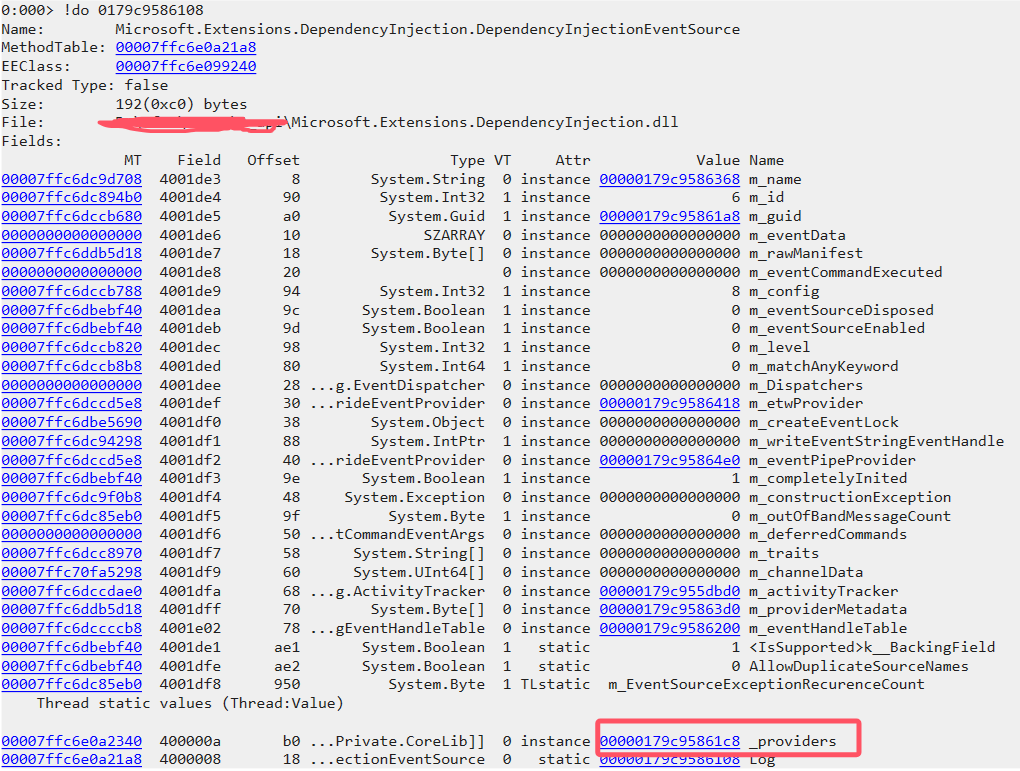
根據卦中的圖和輸出,終於找到了原來是 DependencyInjectionEventSource._providers 承擔了所有,接下來的關注點就來到了 DependencyInjectionEventSource。
2. xxxEventSource 是什麼
從名字上看和 ETW 事件有關,接下來用 !eeversion 觀察 .net 版本,尋找其對應的C#源代碼。
0:000> !eeversion
6.0.3624.51421 free
6,0,3624,51421 @Commit: f1dd57165bfd91875761329ac3a8b17f6606ad18
Workstation mode
SOS Version: 9.0.13.2701 retail build
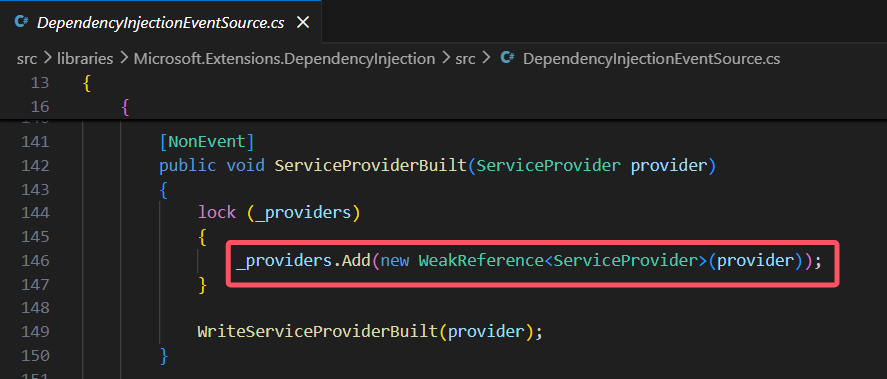
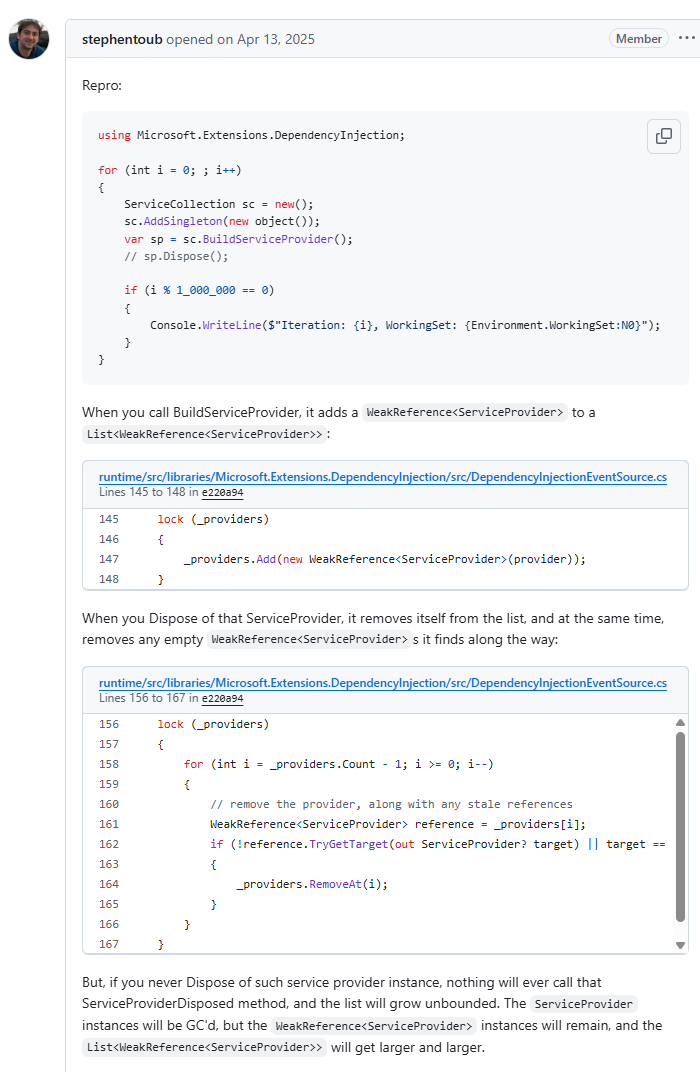
從上面的源代碼看,其實也看不出來個所以,畢竟底層的架構我不熟悉,本着我不是第一個吃螃蟹的人,所以拿關鍵詞在網上索一下,果然 stephentoub 大佬在去年4月份就發現了這個問題,在 .net10 中做了修復,看描述是一個優化級的bug,官方鏈接:https://github.com/dotnet/runtime/issues/114599 截圖如下:
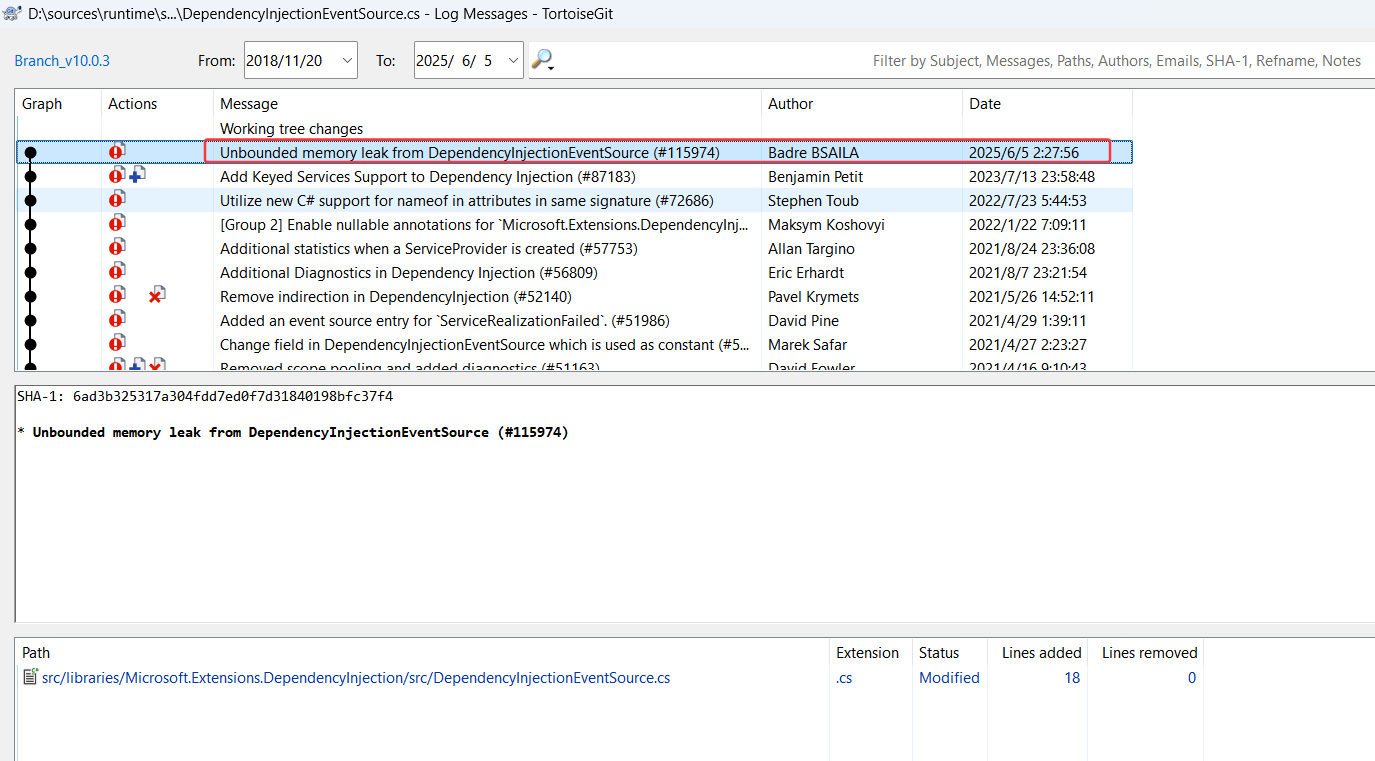
修改後的代碼如下,果然加了很多的業務邏輯來處理。
        [NonEvent]
        public void ServiceProviderBuilt(ServiceProvider provider)
        {
            lock (_providers)
            {
                int providersCount = _providers.Count;
                if (providersCount > 0 &&
                    (_survivingProvidersCount is int spc ? (uint)providersCount >= 2 * (uint)spc : providersCount == _providers.Capacity))
                {
                    _providers.RemoveAll(static p => !p.TryGetTarget(out _));
                    _survivingProvidersCount = _providers.Count;
                }

                _providers.Add(new WeakReference<ServiceProvider>(provider));
            }

            WriteServiceProviderBuilt(provider);
        }
從官方描述來看,就是有人創建了 scope,但後續沒有調用 dispose 方法來及時釋放,導致框架中的 WeakReference 引用滯留,引發內存暴漲,可以説兩者都有責任吧。
解決辦法很簡單,兩種方式:
- 檢查代碼裏寫 BuildServiceProvider 的地方沒有即時的 Dispose。
- 升級到 .NET10 ,這是最簡單粗暴的方法。
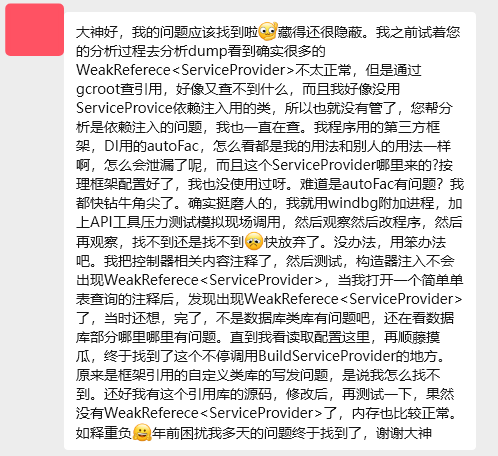
把結論告訴朋友後,朋友終於在2天后給我反饋了好消息,好心情溢於言表!
三:總結
dump之旅是一個修理工不斷自我修煉的過程,必須學會在絕望中尋找希望的能力。