
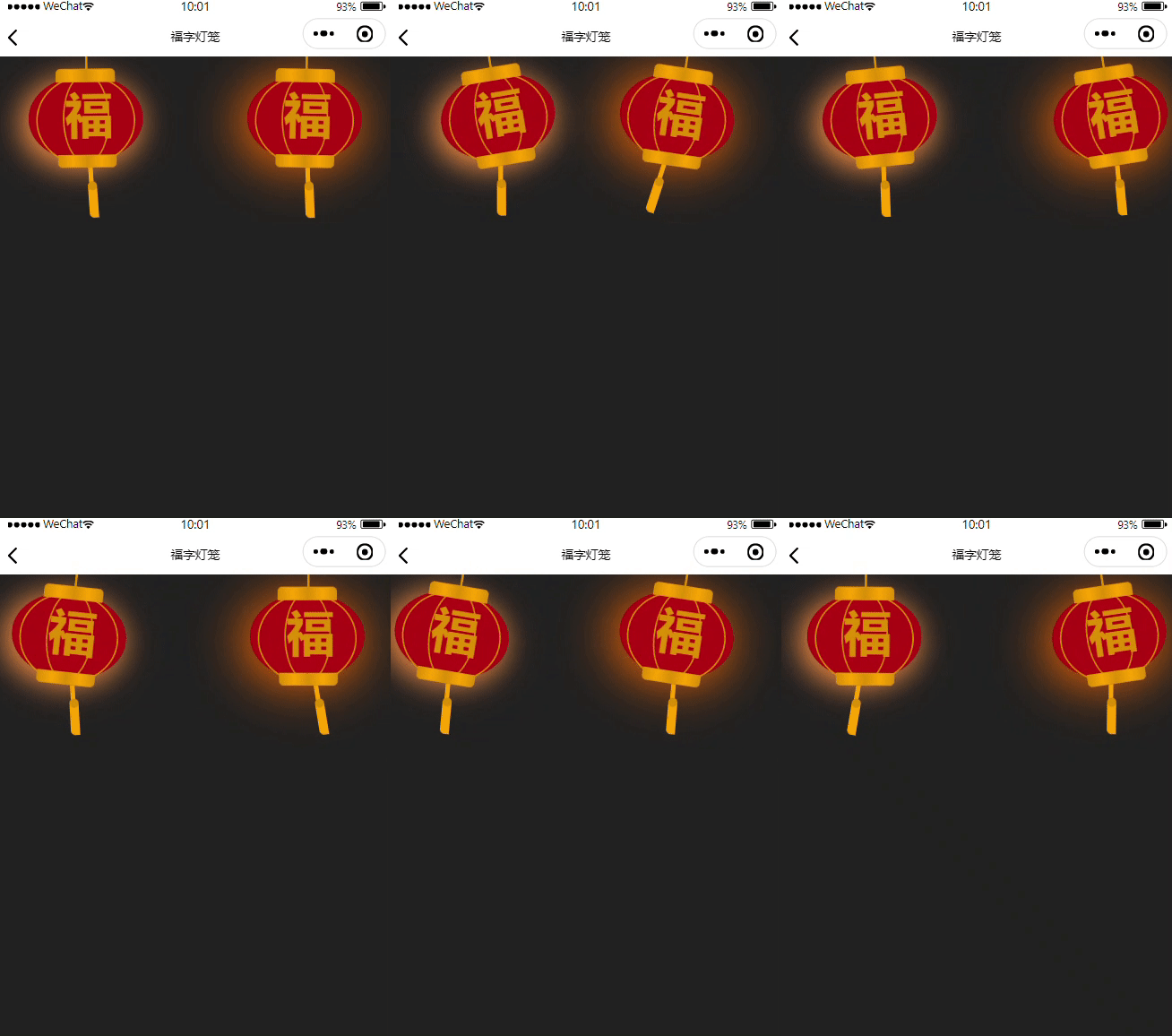
1、廢話不多説,直接上效果:
2、具體實現代碼如下:
- wxml
<view class="deng-box">
  <view class="deng">
    <view class="xian"></view>
    <view class="deng-a">
      <view class="deng-b">
        <view class="deng-t">福</view>
      </view>
    </view>
    <view class="shui shui-a">
      <view class="shui-c"></view>
      <view class="shui-b"></view>
    </view>
  </view>
</view>

<!-- 燈籠2 -->
<view class="deng-box1">
  <view class="deng">
    <view class="xian"></view>
    <view class="deng-a">
      <view class="deng-b">
        <view class="deng-t">福</view>
      </view>
    </view>
    <view class="shui shui-a">
      <view class="shui-c"></view>
      <view class="shui-b"></view>
    </view>
  </view>
</view>- wxss
page {
 background-color: #222;
}

.deng-box {
 position: fixed;
 top: -30px;
 right: -20px;
 z-index: 999;
}

.deng-box1 {
 position: fixed;
 top: -30px;
 left: -20px;
 z-index: 999;
}

.deng-box1 .deng {
 position: relative;
 width: 120px;
 height: 90px;
 margin: 50px;
 background: #d8000f;
 background: rgba(216, 0, 15, 0.8);
 border-radius: 50% 50%;
 transform-origin: 50% -100px;
 -webkit-transform-origin: 50% -100px;
 animation: swing 5s infinite ease-in-out;
 -webkit-animation: swing 5s infinite ease-in-out;
 box-shadow: -5px 5px 30px 4px rgba(252, 144, 61, 1);
}

.deng {
 position: relative;
 width: 120px;
 height: 90px;
 margin: 50px;
 background: #d8000f;
 background: rgba(216, 0, 15, 0.8);
 border-radius: 50% 50%;
 transform-origin: 50% -100px;
 -webkit-transform-origin: 50% -100px;
 animation: swing 3s infinite ease-in-out;
 -webkit-animation: swing 3s infinite ease-in-out;
 box-shadow: -5px 5px 50px 4px rgba(250, 108, 0, 1);
}

.deng-a {
 width: 100px;
 height: 90px;
 background: #d8000f;
 background: rgba(216, 0, 15, 0.1);
 margin: 12px 8px 8px 8px;
 border-radius: 50% 50%;
 border: 2px solid #dc8f03;
}

.deng-b {
 width: 45px;
 height: 90px;
 background: #d8000f;
 background: rgba(216, 0, 15, 0.1);
 margin: -4px 8px 8px 26px;
 border-radius: 50% 50%;
 border: 2px solid #dc8f03;
}

.xian {
 position: absolute;
 top: -20px;
 left: 60px;
 width: 2px;
 height: 20px;
 background: #dc8f03;
}

.shui-a {
 position: relative;
 width: 5px;
 height: 20px;
 margin: -5px 0 0 59px;
 animation: swing 4s infinite ease-in-out;
 -webkit-animation: swing 4s infinite ease-in-out;
 -webkit-transform-origin: 50% -45px;
 transform-origin: 50% -45px;
 background: #ffa500;
 border-radius: 0 0 5px 5px;
}

.shui-b {
 position: absolute;
 top: 14px;
 left: -2px;
 width: 10px;
 height: 10px;
 background: #dc8f03;
 border-radius: 50%;
}

.shui-c {
 position: absolute;
 top: 18px;
 left: -2px;
 width: 10px;
 height: 35px;
 background: #ffa500;
 border-radius: 0 0 0 5px;
}

.deng:before {
 position: absolute;
 top: -7px;
 left: 29px;
 height: 12px;
 width: 60px;
 content: " ";
 display: block;
 z-index: 999;
 border-radius: 5px 5px 0 0;
 border: solid 1px #dc8f03;
 background: #ffa500;
 background: linear-gradient(to right, #dc8f03, #ffa500, #dc8f03, #ffa500, #dc8f03);
}

.deng:after {
 position: absolute;
 bottom: -7px;
 left: 10px;
 height: 12px;
 width: 60px;
 content: " ";
 display: block;
 margin-left: 20px;
 border-radius: 0 0 5px 5px;
 border: solid 1px #dc8f03;
 background: #ffa500;
 background: linear-gradient(to right, #dc8f03, #ffa500, #dc8f03, #ffa500, #dc8f03);
}

.deng-t {
 font-family: 華文行楷, Arial, Lucida Grande, Tahoma, sans-serif;
 font-size: 3.2rem;
 color: #dc8f03;
 font-weight: bold;
 line-height: 85px;
 text-align: center;
}

.night .deng-t,
.night .deng-box,
.night .deng-box1 {
 background: transparent !important;
}


@-webkit-keyframes swing {
 0% {
   -webkit-transform: rotate(-10deg)
 }

 50% {
   -webkit-transform: rotate(10deg)
 }

 100% {
   -webkit-transform: rotate(-10deg)
 }
}

@keyframes swing {
 0% {
   -webkit-transform: rotate(-10deg)
 }

 50% {
   -webkit-transform: rotate(10deg)
 }

 100% {
   -webkit-transform: rotate(-10deg)
 }
}
3、寫在最後:實現簡單,勤於動手,不需要任何插件,你自己就可以純手擼一個‘花裏胡哨’的頁面效果,一起來試試吧,粘貼複製即用哦hahaha
