

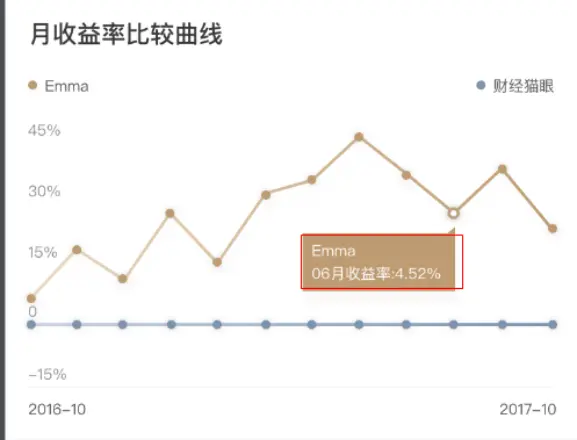
場景:
需要對每個series設置不同背景色的tooltip時,highcharts自身沒有這種配置項,就需要我們利用Highcharts原型封裝函數Wrap。
wrap對現有的highcharts示例的原型進行修改,允許在現有函數之前或之後向其中添加自己的代碼。
其用法如下:
(function (H) {
H.wrap(H.Tooltip.prototype, 'refresh', function (proceed, points) {
// When refresh is called, code inside this wrap is executed});
}(Highcharts));
(上面是一個立即執行函數的寫法,看裏面的H.wrap)
wrap函數的第一個參數為父類對象,第二個參數為要封裝的函數名稱,第三個參數為回調替換函數。
我們也可以用簡單樸素的寫法
示例代碼如下:
const H = Highcharts;
H.wrap(H.Tooltip.prototype, 'refresh', function (p, point, mouseEnents) {
p.call(this, point, mouseEnents);
const label = this.label;
if (point && label) {
label.attr({
    fill: point.series.userOptions.marker.fillColor
});
}
});
效果如下
同步更新到自己的語雀
https://www.yuque.com/diracke...



