
前言
驗證碼是一種區分用户是計算機和人的公共全自動程序。簡單來説,驗證碼就是驗證操作是人還是機器。下面我就總結一下常見的驗證碼類型都有哪些?

數字、字母組合
這種形式最為常見,也很簡單。有的是單獨使用這兩種,也有的是數字、字母混合而成,為了提高識別難度,有的會添加干擾線,如在背景中添加干擾線。
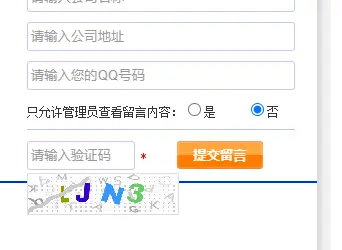
<?php
// 丟棄輸出緩衝區的內容 **
ob_clean();

// 創建畫布
$image = imagecreatetruecolor(110, 30);

// 設置白色底
$bgColor = imagecolorallocate($image, 255, 255, 255);
imagefill($image, 0, 0, $bgColor);

// 添加四個隨機數字字母
for($i=0;$i<4;$i++) {
    $fontSize = 6;
    // 隨機分配顏色
    $fontColor = imagecolorallocate($image, rand(0, 120), rand(0, 120), rand(0, 120));
    // 生成內容
    $data = "abcdefghijkmnpqrstuvwxy3456789";
    // 如果內容為空,重新輸出1個
    do {
        $fontCont = substr($data, rand(0, strlen($data)), 1);
    } while ($fontCont == '');
    // 設置範圍
    $x = ($i*110/4)+rand(5, 10);
    $y = rand(5, 10);
    // 圖片加入數字
    imagestring($image, $fontSize, $x, $y, $fontCont, $fontColor);
}

// 添加干擾點元素
for($j=0;$j<200;$j++) {
    // 點顏色
    $pointColor = imagecolorallocate($image, rand(50, 200), rand(50, 200), rand(50, 200));
    imagesetpixel($image, rand(1, 99), rand(1, 29), $pointColor);
}

// 添加干擾線元素
for($z=0;$z<4;$z++) {
    // 生成顏色線
    $lineColor = imagecolorallocate($image, rand(80, 220), rand(80, 220), rand(80, 220));
    imageline($image, rand(1, 99), rand(1, 29), rand(1, 99), rand(1, 29), $lineColor);
}

header("Content-type:image/png");
// 輸出圖片
imagepng($image);
// 銷燬內存中的圖片
imagedestroy($image);

?>
短信驗證碼
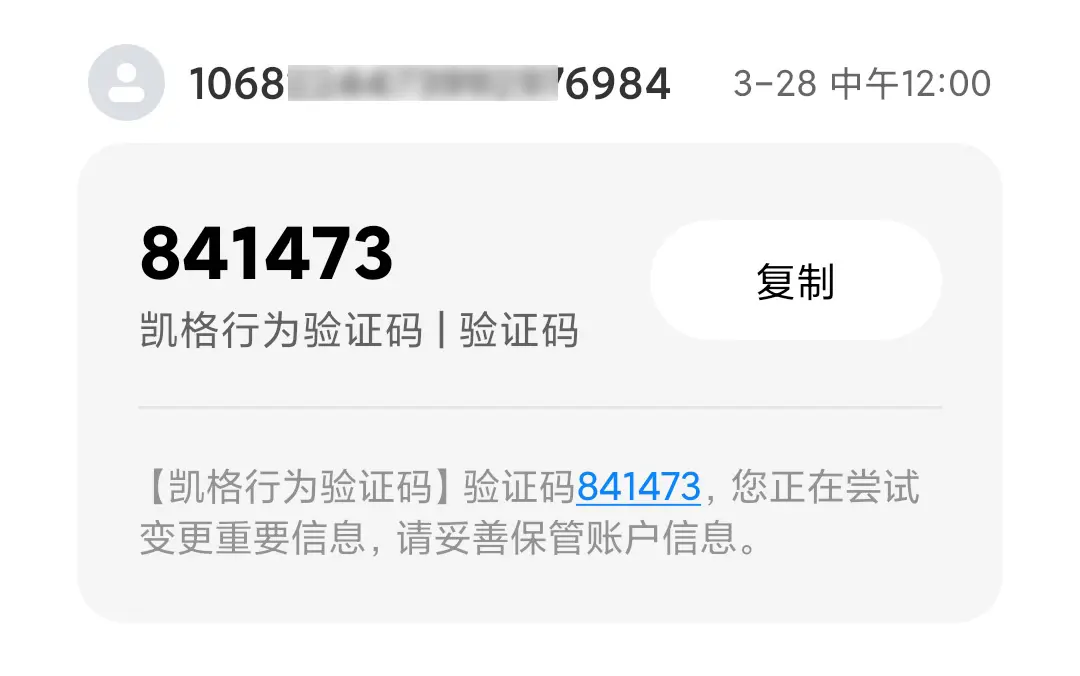
隨着手機的普及,很多APP都是用手機號註冊的。為了驗證手機號碼的真實性,防止惡意註冊,通常會向手機發送驗證碼。網上有專門的短信發送平台,向電信運營商支付短信費用,接入即可使用。
圖片識別
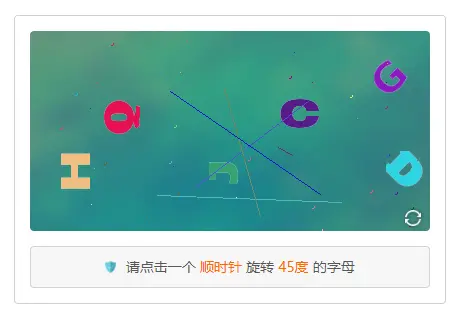
根據提示,點擊對應的元素。邏輯解題能力結合圖形符號等元素識別能力。適用於安全要求超高的業務場景。使用KgCaptcha,在用户控制枱設置驗證類型,多種類型選擇,如滑動拼圖、文字點選、語序點選、字體識別、空間推理。
<script src="captcha.js?appid=xxx"></script>
<script>
kg.captcha({
    // 綁定元素,驗證框顯示區域
    bind: "#captchaBox2",
    // 驗證成功事務處理
    success: function(e) {
        console.log(e);
    },
    // 驗證失敗事務處理
    failure: function(e) {
        console.log(e);
    },
    // 點擊刷新按鈕時觸發
    refresh: function(e) {
        console.log(e);
    }
});
</script>
<div id="captchaBox2">載入中 ...</div>
最後
SDK開源地址:https://github.com/KgCaptcha,順便做了一個演示:https://www.kgcaptcha.com/demo/
