

推薦鏡像:
- Gitee 鏡像:https://gitee.com/cunkai/HomebrewCN
- 官方網站:https://brew.sh/
Homebrew 是 macOS 上最受歡迎的包管理工具,它讓你能夠便捷地安裝、更新和管理各種軟件包。本文將介紹多種安裝方式,並提供國內鏡像加速方案。
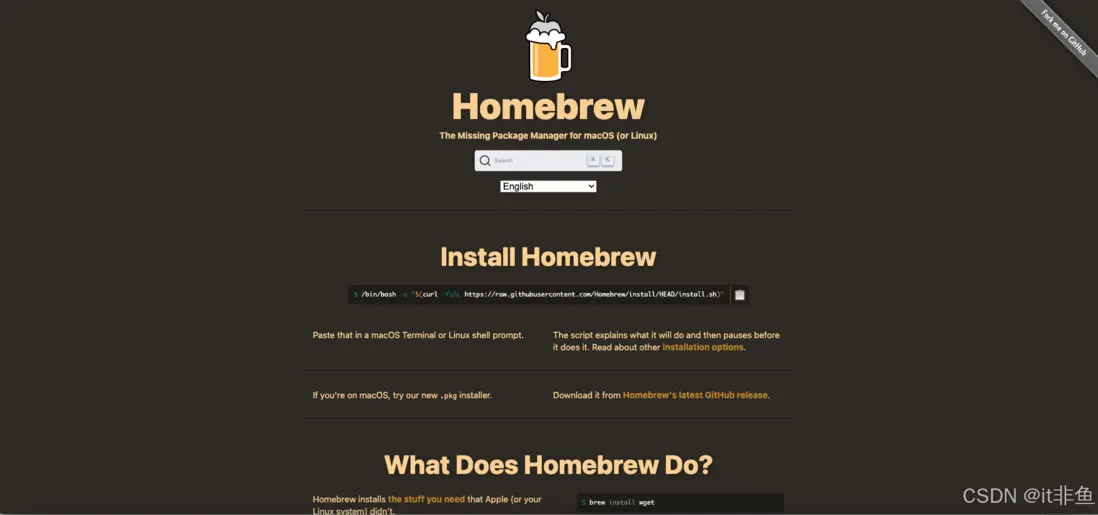
一、什麼是 Homebrew?
Homebrew 是 macOS 上最受歡迎的包管理工具,它讓你能夠便捷地安裝、更新和管理各種軟件包。
二、安裝前準備
-
確保系統要求:
- macOS Monterey (12.0) 或更高版本
- 已安裝 Command Line Tools (CLT)
-
安裝 Command Line Tools:
xcode-select --install
三、安裝方式
1. 國內鏡像安裝(推薦)
/bin/zsh -c "$(curl -fsSL https://gitee.com/cunkai/HomebrewCN/raw/master/Homebrew.sh)"2. 官方安裝腳本
/bin/bash -c "$(curl -fsSL https://raw.githubusercontent.com/Homebrew/install/HEAD/install.sh)"3. Git 克隆安裝
sudo git clone https://github.com/Homebrew/brew /opt/homebrew四、配置國內鏡像源
1. 中科大鏡像
# 替換 brew.git
git -C "$(brew --repo)" remote set-url origin https://mirrors.ustc.edu.cn/brew.git

# 替換 homebrew-core.git
git -C "$(brew --repo homebrew/core)" remote set-url origin https://mirrors.ustc.edu.cn/homebrew-core.git

# 替換 homebrew-cask.git
git -C "$(brew --repo homebrew/cask)" remote set-url origin https://mirrors.ustc.edu.cn/homebrew-cask.git
2. 清華大學鏡像
# 替換 brew.git
git -C "$(brew --repo)" remote set-url origin https://mirrors.tuna.tsinghua.edu.cn/git/homebrew/brew.git

# 替換 homebrew-core.git
git -C "$(brew --repo homebrew/core)" remote set-url origin https://mirrors.tuna.tsinghua.edu.cn/git/homebrew/homebrew-core.git

# 替換 homebrew-cask.git
git -C "$(brew --repo homebrew/cask)" remote set-url origin https://mirrors.tuna.tsinghua.edu.cn/git/homebrew/homebrew-cask.git
五、驗證安裝
# 查看 Homebrew 版本
brew --version

# 檢查 Homebrew 狀態
brew doctor
六、常見問題解決
-
權限問題
sudo chown -R $(whoami) $(brew --prefix)/* -
更新 Homebrew
brew update -
重置鏡像源(恢復官方源)
# 重置 brew.git
git -C "$(brew --repo)" remote set-url origin https://github.com/Homebrew/brew.git

# 重置 homebrew-core.git
git -C "$(brew --repo homebrew/core)" remote set-url origin https://github.com/Homebrew/homebrew-core.git

# 重置 homebrew-cask.git
git -C "$(brew --repo homebrew/cask)" remote set-url origin https://github.com/Homebrew/homebrew-cask.git
七、總結
本文介紹了在 macOS 上安裝 Homebrew 的多種方式,並提供了國內鏡像加速方案。建議國內用户使用鏡像安裝和配置鏡像源,可以顯著提升下載速度。如果遇到問題,可以參考常見問題解決方案或查看官方文檔。
參考資料
- 中科大鏡像站
- 清華大學鏡像站
- Gitee 鏡像
