

雙y軸圖的目的,是想要在同一座標系中畫兩組數據,但是他們值範圍差很多,比如一組數據是1-10,另一組是10-100,那麼可以對第一組數據做數據變化,比如第一組數據乘以 10,然後在對應的y軸上寫上1-10,雖然第一組的數據已經變成了10-100。
這種數據變換叫做歸一化(Normalization,又稱Min-Max Scaling)
把數值型某一特徵縮放到最大值和最小值在某個範圍,在sklearn中使用MinMaxScaler可以歸一化處理特徵矩陣。
from sklearn.preprocessing import MinMaxScaler
a = np.arange(1,11).reshape(-1,1)
scaler = MinMaxScaler(feature_range=(10,100)) #實例化
scaler = scaler.fit(a) #fit,在這裏本質是生成min(x)和max(x)
scaler.transform(a) #通過接口導出結果
數學計算過程
xi′=xi−min(x)max(x)−min(x)x_i'=\frac{x_i-min(x)}{max(x)-min(x)}
xi′=max(x)−min(x)xi−min(x)
在R中可以使用scales::rescale函數把某一組數據變化到某一範圍。
using(scales)
a=1:10
scales::rescale(a,c(10,100))
畫圖
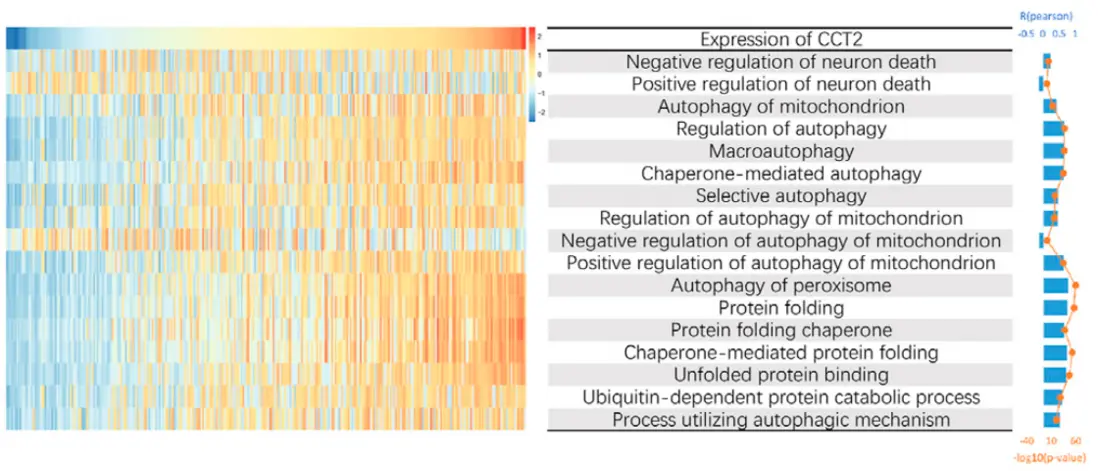
想要模仿文獻中的最右邊的雙座標圖(barplot+lineplot)
演示數據
R P
1: -0.5186650 3.363205
2: -0.5033615 3.168150
3: 0.4924422 3.034439
4: -0.4785956 2.871116
5: -0.4725588 2.802014
6: -0.4591719 2.653164
7: 0.4565071 2.624237
8: 0.4556375 2.614848
9: -0.4548278 2.606127
10: -0.4533324 2.590075
11: -0.4529072 2.585524
12: 0.4527432 2.583770
13: -0.4521214 2.577129
14: -0.4510678 2.565903
15: -0.4478618 2.531959
16: 0.4413370 2.463869
17: -0.4411496 2.461933
18: -0.4392941 2.442820
19: 0.4379135 2.428666
20: -0.4378894 2.428420
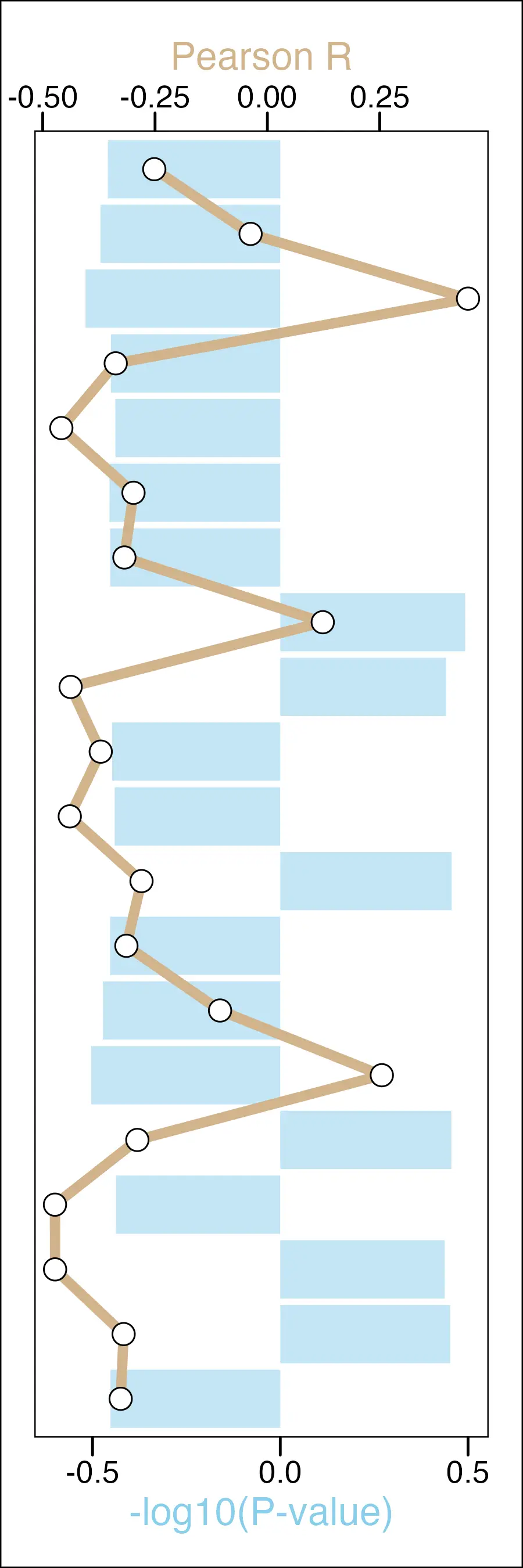
實例數據中R得範圍是[-0.5186650,0.4924422],所以可以把座標軸的範圍設置為x_min_max=[-0.6,0.5]。
在ggplot2圖形映射中(geom_line、geom_point),都把P列的範圍放縮到x_min_max這個範圍,但是在座標軸上標出真實的值範圍p_min_max。
細調,coord_flip反轉x軸和y軸,在theme中修改axis.title的顏色
r_min_max <- range(plot_data$R)
p_min_max <- range(plot_data$P)
x_min_max <- c(-0.6,0.5)
r_color <- "tan"
r_colorp_color <- "skyblue"
ggplot(plot_data,aes(x = Pathway)) +
geom_col(aes(y = R),fill=r_color,alpha=.5) +
geom_line(aes(y = rescale(P,x_min_max), group=1),size=2,color=p_color) +
geom_point(aes(y = rescale(P,x_min_max)),shape=21,fill="white",size=4)+
lims(y=x_min_max)+
scale_y_continuous(breaks=breaks_pretty(3),sec.axis = sec_axis( ~rescale(.,r_min_max),name = "Pearson R"))+
scale_x_discrete(breaks = NULL)+
coord_flip()+
labs(y="-log10(P-value)")+
theme_base(base_size=16) %+replace%
theme(
axis.title.x.bottom=element_text(color=r_color),
axis.title.x.top=element_text(color=p_color),
axis.title.y = element_blank(),
panel.border = element_blank(),
axis.line = element_blank(),
plot.margin=unit(c(0.5,0.5,0.5,0.5), 'cm'),
)
Reference
https://r-graph-gallery.com/line-chart-dual-Y-axis-ggplot2.html
