

webpack5,webpack4,webpack3多頁面腳手架
移步webpack5多頁面腳手架
移步webpack4多頁面腳手架
移步webpack3多頁面腳手架
適用於多個靜態頁面的顯示, 如官網
項目地址: https://github.com/WangZhenHao/webpack-multiple-page
示例:
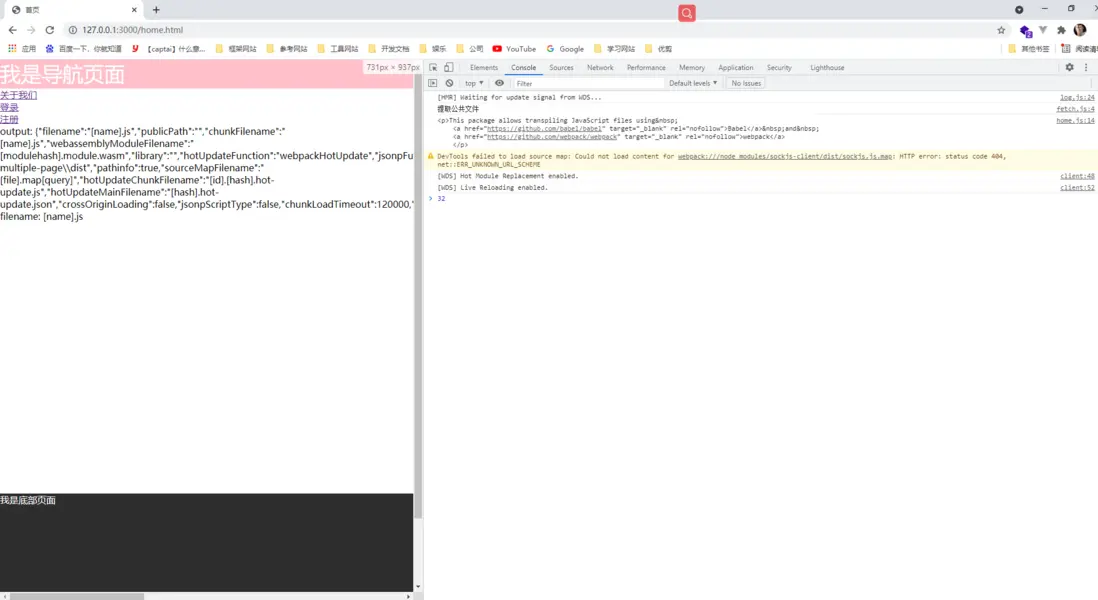
1.2.0 修改html-wbepack-plugin插件:添加{% %}分界符號 build\plugin\html-webpack-plugin\lib\compilerHtml.js
<link rel="stylesheet" href="{% webpackConfig.output.publicPath  %}/static/css/common.css">
{% include @layoutPath/nav.html %}

<div style="height: calc(100vh - 300px);" class="body-wrap">
    output: {% webpackConfig.output  %}
    filename: {% webpackConfig.output.filename  %}
</div>


1:使用分界符合 {%  %} 就可以做簡單的語法,引入知道路徑的語法`@layoutPath`是在webpack.resolve配置
{% include @layoutPath/nav.html %}

2:也可以訪問對象的
webpack配置
{% webpackConfig %}

htmlWebapckPlugin配置
{% htmlWebpackPlugin %}
1.1.0 新增自動創建文件功能
添加新增文件的配置文件  build/bin/new.js

在build/config/pages.js裏面添加對應的配置即可
目錄結構
│─build                                 多頁面配置文件
│     ├─config                          可以改變的配置
│     │ ├─pages.js                      需要打包的頁面名稱
│     │ └─ index.js                      web server配置
│     │
│     ├─webpack.base.config.js
│     ├─webpack.dev.config.js
│     └─webpack.prod.config.js
│
│
│─src                                      // src 文件夾
│    ├─pages                               // 頁面文件夾
│    │  ├─about
│    │  │      about.html
│    │  │      about.js
│    │  │      about.scss
│    │  │
│    │  │
│    │  │
│    │  └─home
│    │          home.html
│    │          home.js
│    │          home.scss
│    │
│    └─assets                          // 公共文件夾
│          └─ layout                   // 複用html
│                 nav.html             // 公共頭文件
│                 mate.html            //公共mate文件
│                 footer.html          // 公共footer文件
│
│
│
│
│
│─static                               //靜態文件文件夾
│    ├─js
│    ├─css
│    └─img                             (img)最好使用這個名稱為文件夾
│
│  .babelrc                           // babel的配置文件
│  .gitignore
│  package.json
│  README.md
構建步驟
# 安裝依賴
npm install

# 開發的時候在本地啓動, 並開始熱加載
npm run dev

# production的發佈時打包
npm run build