
1. 概述
本教程將教您如何使用 Spring AI 與由 基於 LPU 的 Groq AI 推理引擎 提供的一系列模型集成,從而構建一個聊天機器人。
Groq 通過提供 REST API 使應用程序能夠消費其服務。此外,多個編程語言(如 Python 和 JavaScript)也提供了 SDK。在 Python 中,流行的庫如 LangChain 和 LiteLLM 也對其提供了支持。 此外,Vercel AI SDK 是一種基於 JavaScript 的庫,它包含一個用於與 Groq 集成的模塊。
應用程序可以輕鬆地從 OpenAI 切換到 Groq AI 服務,因為 Groq 與 OpenAI 客户端庫完全兼容。 因此,Spring AI 的 OpenAI 聊天客户端可以通過最小的配置更改與 Groq 連接。 此外,Spring AI 不提供單獨的 Groq 庫。
2. 先決條件
Spring AI 框架通過其對應的啓動器庫,提供了與眾多 LLM 服務集成的能力。 同樣,要與 Groq 服務集成,Spring Boot 應用程序必須導入 Spring AI OpenAI 啓動器庫:
<dependency>
   <groupId>org.springframework.ai</groupId>
   <artifactId>spring-ai-openai-spring-boot-starter</artifactId>
   <version>1.0.0-M6</version>
</dependency>
通常,我們使用 Spring Initializr 工具來導入所需的庫,以獲得最佳優化。
最後,我們必須在 Groq 雲 上註冊並創建 API 密鑰,用於在 Spring AI 配置中使用。
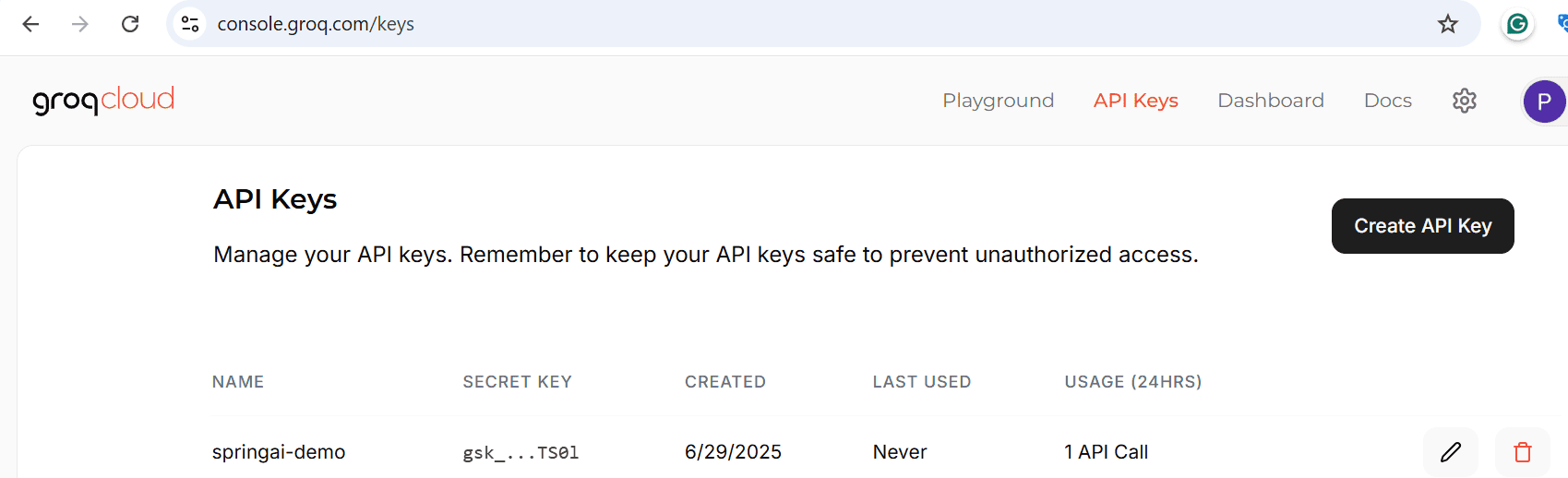
當用户在 Groq 雲上註冊時,他們將獲得免費訂閲,以便開始使用 Groq API。但是,Groq 對 API 請求應用了模型特定的 速率限制,以確保公平使用和可用性。
3. Spring AI 關鍵組件和配置
為了有效地利用 Spring AI 的 OpenAI 庫來訪問 Groq 服務 API,必須理解其關鍵類,例如 OpenAiChatModel 和 OpenAiChatOptions。 OpenAIChatModel 類是用於將 Prompt 對象傳遞給底層 OpenAI 服務客户端的類。
然而,對於本文,我們將演示如何連接到 Groq 服務。 此外,OpenAiChatOptions 類可用於指定 Groq 上可用的模型名稱、温度、maxTokens 以及其他關鍵屬性。 我們在通過將該類作為 OpenAiChatModel.call() 方法的參數傳遞給客户端來覆蓋客户端的默認屬性時使用它。 最後,還有一些其他的通用 Spring AI 類,例如 Prompt 和 ChatResponse,可用於創建聊天提示並接收響應, respectively。
要配置 OpenAiChatModel,可以指定 Spring AI 的 OpenAI 聊天配置,位於 spring.ai.openai.chat 命名空間下。 至少,我們必須覆蓋 spring.ai.openai.chat.base-url 配置,以指向 Groq API 的端點,即 api.groq.com/openai。 此外,必須設置與 spring.ai.openai.chat.api-key 屬性對應的 Groq API 密鑰。 作為最佳實踐,我們建議從環境變量或安全金庫中讀取它,然後將其設置為配置鍵。
還可以將 URL 和 API 密鑰設置為 spring.ai.openai.base-url 和 spring.ai.openai.api-key 配置中。 但是,位於 spring.ai.openai.chat 命名空間下的鍵具有優先權。
4. 自動配置 Groq 客户端
本節將介紹如何使用 OpenAiAutoConfiguration 類創建 OpenAiChatModel Bean,並使用應用程序屬性文件中的配置。
首先,讓我們在 application-groq.properties 文件中添加一些重要的 OpenAI 配置條目:
spring.application.name=spring-ai-groq-demo
spring.ai.openai.base-url=https://api.groq.com/openai
spring.ai.openai.api-key=gsk_XXXX

spring.ai.openai.chat.base-url=https://api.groq.com/openai
spring.ai.openai.chat.api-key=gsk_XXXX
spring.ai.openai.chat.options.temperature=0.7
spring.ai.openai.chat.options.model=llama-3.3-70b-versatile
正如前面討論的,在屬性文件中,我們配置了 Groq API 端點、API 密鑰以及一個大型語言模型。有趣的是,我們還指定了 API 端點和密鑰在 spring.ai.openai命名空間中。因為幾個 Spring AI Bean 依賴於它們,並且在它們缺失的情況下應用程序將無法啓動。
接下來,讓我們定義一個自定義的 Spring GroqChatService類,該類將負責調用 Groq 服務:
@Service
public class GroqChatService {
    @Autowired
    private OpenAiChatModel groqClient;

    public String chat(String prompt) {
        return groqClient.call(prompt);
    }

    public ChatOptions getChatOptions() {
        return groqClient.getDefaultOptions();
    }
}
OpenAiAutoConfiguration Bean 實例化了 OpenAiChatModel 類,並從配置文件的屬性以及一些預定義的默認屬性中獲取屬性。
在服務類中,我們已自動注入 Spring 的 OpenAiChatModel Bean。 GroqChatservice#chat() 方法使用其 call() 方法來調用 Groq 服務。 此外,GroqChatService#getChatOptions() 方法返回包含聊天客户端配置的 ChatOptions 對象。
最後,讓我們通過一個 Junit 測試來觀察 Groq 聊天客户端的實際運行情況:
void whenCallOpenAIClient_thenReturnResponseFromGroq() {
    String prompt = """
      Context:
      Support Ticket #98765:
      Product: XYZ Wireless Mouse
      Issue Description: The mouse connects intermittently to my laptop.
      I've tried changing batteries and reinstalling drivers,
      but the cursor still freezes randomly for a few seconds before resuming normal movement.
      It affects productivity significantly.
      Question:
      Based on the support ticket, what is the primary technical issue
      the user is experiencing with their 'XYZ Wireless Mouse'?;
     """;
    String response = groqChatService.chat(prompt);
    logger.info("Response from Groq:{}", response);

    assertThat(response.toLowerCase()).isNotNull()
      .isNotEmpty()
      .containsAnyOf("laptop", "mouse", "connect");

    ChatOptions openAiChatOptions = groqChatService.getChatOptions();
    String model = openAiChatOptions.getModel();
    Double temperature = openAiChatOptions.getTemperature();

    assertThat(openAiChatOptions).isInstanceOf(OpenAiChatOptions.class);
    assertThat(model).isEqualTo("llama-3.3-70b-versatile");
    assertThat(temperature).isEqualTo(Double.valueOf(0.7));
}
Spring 容器中的 groqChatService Bean 在包含測試方法的類中被自動注入。 該方法通過調用 groqChatService#chat(),傳入一個包含問題和相關上下文的提示。 上下文包含關於電腦鼠標上提出的支持工單的信息。 在實際應用中,上下文通常是從向量數據庫檢索到的,對應於用户查詢。 隨後,Groq 服務會返回一個基於上下文的答案。
The primary technical issue the user is experiencing with their
'XYZ Wireless Mouse' is intermittent connectivity, resulting in the
cursor freezing randomly for a few seconds before resuming normal movement.
最後,在方法結束時,該方法斷言聊天選項,例如模型和温度,與屬性文件中的配置值相匹配。
5. 定製 Groq 客户端
我們之前已經使用過應用程序屬性文件中 Spring AI 配置來幫助自動配置聊天客户端。然而,在實際應用中,我們通常需要對其進行自定義,以設置諸如模型、温度等屬性。
首先,讓我們在 Spring 配置類中定義這樣一個自定義 <em >OpenAiChatModel</em> Bean:
@Configuration(proxyBeanMethods = false)
public class ChatAppConfiguration {
    @Value("${groq.api-key}")
    private String GROQ_API_KEY;

    @Value("${groq.base-url}")
    private String GROQ_API_URL;

    @Bean
    public OpenAiChatModel customGroqChatClient() {
        OpenAiApi groqOpenAiApi = new OpenAiApi.Builder()
          .apiKey(GROQ_API_KEY)
          .baseUrl(GROQ_API_URL)
          .build();
        return OpenAiChatModel.builder()
          .openAiApi(groqOpenAiApi)
          .build();
    }
}
ChatAppConfiguration#customGroqChatClient() 方法在類中構建了一個 OpenAiChatModel Bean,利用低級別的 OpenAiApi 類。在這裏,我們從屬性文件中讀取 API 密鑰和 URL。此外,我們還可以修改該類以包含複雜的邏輯並從下游系統讀取。當 Spring Boot 應用程序啓動時,聊天客户端對象作為 Spring Bean 具有 customGroqChatClient 的名稱可用。
接下來,讓我們定義一個 Spring Boot 服務類,其中可以自動注入我們在 Spring 配置類中構建的自定義 OpenAIChatModel Bean:
@Service
public class CustomGroqChatService {
    @Autowired
    private OpenAiChatModel customGroqChatClient;

    public String chat(String prompt, String model, Double temperature) {
        ChatOptions chatOptions = OpenAiChatOptions.builder()
          .model(model)
          .temperature(temperature)
          .build();
        return customGroqChatClient.call(new Prompt(prompt, chatOptions))
          .getResult()
          .getOutput()
          .getText();
    }
}
在 chat() 方法中,我們設置聊天客户端的配置,例如 model 和 temperature,在 ChatOptions 對象中。此外,我們還將提示和 ChatOptions 對象傳遞到 customGroqChatClient#call() 方法,最後從 ChatResponse 對象中提取響應文本。
接下來,讓我們在 Junit 測試中查看自定義 Groq 客户端的實際運行情況:
void whenCustomGroqClientCalled_thenReturnResponse() {
    String prompt = """
      Context:
      The Eiffel Tower is one of the most famous landmarks
      in Paris, attracting millions of visitors each year.
      Question:
      In which city is the Eiffel Tower located?
    """;
    String response = customGroqChatService.chat(prompt, "llama-3.1-8b-instant", 0.8);

    assertThat(response)
      .isNotNull()
      .isNotEmpty()
      .contains("Paris");
    logger.info("Response from custom Groq client: {}", response);
}
測試會調用 chat() 方法,該方法是自動注入的 customGroqChatService Bean 的一部分,並傳入 prompt(包含上下文和相關問題)、model 和 temperature。 CustomGroqChatService#call() 方法隨後提供答案。 隨後,我們驗證響應是否準確地回答了問題,在哪個城市是埃菲爾鐵塔所在地?.
最後,讓我們看一下 Groq 的響應:
The Eiffel Tower is located in Paris, France.6. 結論
本文重點介紹了 Groq 推理引擎與 Spring AI 的 OpenAI 庫的集成。此外,該庫允許使用 Groq 的工具功能來註冊和調用外部工具以執行操作。
不幸的是,Groq 對多模態模型的支持存在侷限性,因此 Spring AI 也缺乏該功能。因此,Groq 與 OpenAI 並非完全兼容。因此,在使用其 API 時,必須意識到這些 限制。

