
1. 概述
隨着微服務架構和雲原生應用開發的普及,對一個快速、輕量級應用服務器的需求日益增長。
在本入門教程中,我們將探索 Open Liberty 框架,並創建和消費一個 RESTful Web 服務。 我們還將考察它提供的幾個關鍵功能。
2. Open Liberty
Open Liberty 是 一個為 Java 生態系統設計的開源框架,它允許您使用 Eclipse MicroProfile 和 Jakarta EE 平台的特性開發微服務。
它是一個靈活、快速、輕量級的 Java 運行時環境,對於雲原生微服務開發來説前景廣闊。
該框架允許我們僅配置應用程序所需的功能,從而在啓動時減少內存佔用。 此外,它可以使用 Docker 和 Kubernetes 等容器技術在任何雲平台上進行部署。
它通過對代碼進行實時刷新支持快速開發。
3. 構建與運行
首先,我們將創建一個簡單的基於 Maven 的項目,命名為 open-liberty,然後將最新的 liberty-maven-plugin 插件添加到 pom.xml 中:
<plugin>
    <groupId>io.openliberty.tools</groupId>
    <artifactId>liberty-maven-plugin</artifactId>
    <version>3.3-M3</version>
</plugin>
或者,我們可以將最新的 openliberty-runtime Maven 依賴項作為 liberty-maven-plugin 的替代方案:
<dependency>
    <groupId>io.openliberty</groupId>
    <artifactId>openliberty-runtime</artifactId>
    <version>20.0.0.1</version>
    <type>zip</type>
</dependency>
同樣,我們也可以將最新的 Gradle 依賴項添加到 build.gradle 中:
dependencies {
    libertyRuntime group: 'io.openliberty', name: 'openliberty-runtime', version: '20.0.0.1'
}
然後,我們將添加最新的 jakarta.jakartaee-web-api 和 microprofile Maven 依賴項:
<dependency>
    <groupId>jakarta.platform</groupId>
    <artifactId>jakarta.jakartaee-web-api</artifactId>
    <version>8.0.0</version>
    <scope>provided</scope>
</dependency>
<dependency>
    <groupId>org.eclipse.microprofile</groupId>
    <artifactId>microprofile</artifactId>
    <version>3.2</version>
    <type>pom</type>
    <scope>provided</scope>
</dependency>
然後,讓我們在 pom.xml 中添加默認 HTTP 端口屬性:
<properties>
    <liberty.var.default.http.port>9080</liberty.var.default.http.port>
    <liberty.var.default.https.port>9443</liberty.var.default.https.port>
</properties>
接下來,我們將創建 server.xml 文件,該文件位於 src/main/liberty/config 目錄下:
<server description="Baeldung Open Liberty server">
    <featureManager>
        <feature>mpHealth-2.0</feature>
    </featureManager>
    <webApplication location="open-liberty.war" contextRoot="/" />
    <httpEndpoint host="*" httpPort="${default.http.port}"
      httpsPort="${default.https.port}" id="defaultHttpEndpoint" />
</server>
在此,我們添加了 mpHealth-2.0 功能,用於檢查應用程序的健康狀況。
基本設置就完成了。現在,讓我們運行 Maven 命令來首次編譯文件:
mvn clean package最後,讓我們使用 Liberty 提供的 Maven 命令來運行服務器:
mvn liberty:dev瞧!我們的應用程序已啓動,可通過以下地址訪問:localhost:9080:
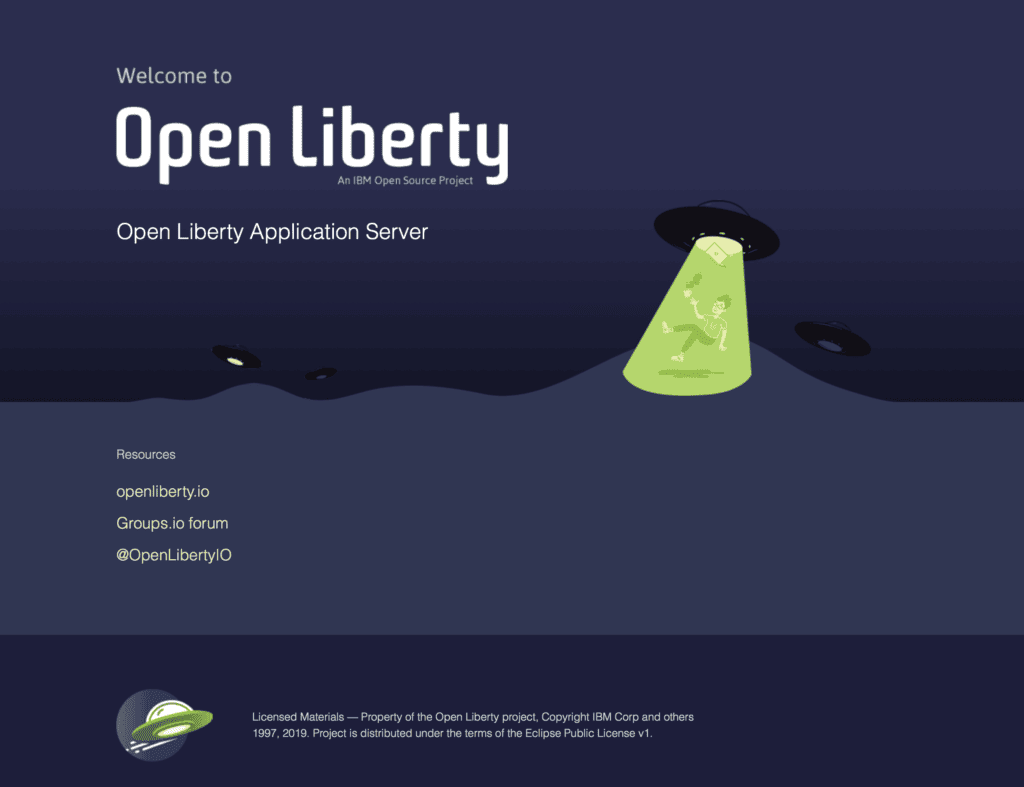
此外,我們還可以通過 localhost:9080/health 訪問應用程序的健康狀態。
{"checks":[],"status":"UP"}liberty:dev 命令啓動 Open Liberty 服務器,處於開發模式,並且能夠熱重載代碼或配置文件的任何更改,而無需重啓服務器。
同樣,liberty:run 命令可用於在生產模式下啓動服務器。
此外,可以使用 liberty:start-server 和 liberty:stop-server 命令在後台啓動/停止服務器。
4. Servlet
為了在應用程序中使用 Servlet,我們將向 server.xml 添加 servlet-4.0 功能:
<featureManager>
    ...
    <feature>servlet-4.0</feature>
</featureManager>
如果在使用 openliberty-runtime Maven 依賴項,請添加最新的 servlet-4.0 Maven 依賴項到 <pom.xml> 中:
<dependency>
    <groupId>io.openliberty.features</groupId>
    <artifactId>servlet-4.0</artifactId>
    <version>20.0.0.1</version>
    <type>esa</type>
</dependency>
但是,如果使用 liberty-maven-插件,則不需要這樣做。
然後,我們將創建一個名為 AppServlet 的類,該類繼承自 HttpServlet 類:
@WebServlet(urlPatterns="/app")
public class AppServlet extends HttpServlet {
    private static final long serialVersionUID = 1L;

    @Override
    protected void doGet(HttpServletRequest request, HttpServletResponse response)
      throws ServletException, IOException {
        String htmlOutput = "<html><h2>Hello! Welcome to Open Liberty</h2></html>";
        response.getWriter().append(htmlOutput);
    }
}
這裏我們添加了 @WebServlet 註解,它將使 AppServlet 可在指定 URL 模式下訪問。
讓我們通過 localhost:9080/app 訪問 servlet:
5. 創建 RESTful Web 服務
首先,讓我們將 jaxrs-2.1 功能添加到 server.xml 中:
<featureManager>
    ...
    <feature>jaxrs-2.1</feature>
</featureManager>
然後,我們將創建 ApiApplication 類,該類提供 RESTful Web 服務中的端點:
@ApplicationPath("/api")
public class ApiApplication extends Application {
}
這裏,我們使用了 @ApplicationPath 註解來指定 URL 路徑。
接下來,讓我們創建一個名為 Person 的類,用於提供模型。
public class Person {
    private String username;
    private String email;

    // getters and setters
    // constructors
}
接下來,我們將創建 PersonResource 類來定義 HTTP 映射:
@RequestScoped
@Path("persons")
public class PersonResource {
    @GET
    @Produces(MediaType.APPLICATION_JSON)
    public List<Person> getAllPersons() {
        return Arrays.asList(new Person(1, "normanlewis", "[email protected]"));
    }
}
在這裏,我們添加了 getAllPersons 方法,用於 GET 映射到 /api/persons 端點。 這樣,我們已經準備好了一個 RESTful Web 服務,並且 liberty:dev 命令將會在運行時加載更改。
讓我們使用 curl GET 請求訪問 /api/persons RESTful Web 服務:
curl --request GET --url http://localhost:9080/api/persons然後,我們會收到一個 JSON 數組作為響應:
[{"id":1, "username":"normanlewis", "email":"[email protected]"}]同樣,我們也可以通過創建 addPerson 方法來添加 POST 映射:
@POST
@Consumes(MediaType.APPLICATION_JSON)
public Response addPerson(Person person) {
    String respMessage = "Person " + person.getUsername() + " received successfully.";
    return Response.status(Response.Status.CREATED).entity(respMessage).build();
}
現在,我們可以使用 curl POST 請求調用該端點:
curl --request POST --url http://localhost:9080/api/persons \
  --header 'content-type: application/json' \
  --data '{"username": "normanlewis", "email": "[email protected]"}'
響應將如下所示:
Person normanlewis received successfully.6. 持久性 (Persistence)
Persistence refers to the ability of a system to retain data over time, even after the system has been shut down or restarted. It's a fundamental requirement for many applications, including databases, stateful services, and any system that needs to remember information across sessions or periods of inactivity. Without persistence, data would be lost every time the application is closed.
There are several techniques for achieving persistence, including:
- Databases: Relational databases (like MySQL, PostgreSQL, and SQL Server) and NoSQL databases (like MongoDB and Cassandra) provide robust mechanisms for storing and retrieving data persistently.
- File Storage: Storing data in files (e.g., JSON, CSV, XML) is a simple approach for smaller datasets.
- Caching: While caching primarily focuses on improving performance by storing frequently accessed data in memory, it can also contribute to persistence by ensuring that data remains available between requests.
Choosing the right persistence strategy depends on factors such as the volume of data, the required performance, and the complexity of the application.
6.1. 配置
讓我們為我們的 RESTful Web 服務添加持久性支持。
首先,我們將添加 derby Maven 依賴項到 pom.xml 中:
<dependency>
    <groupId>org.apache.derby</groupId>
    <artifactId>derby</artifactId>
    <version>10.14.2.0</version>
</dependency>
然後,我們將添加一些功能,例如 jpa-2.2, jsonp-1.1, 和 cdi-2.0 到 server.xml:
<featureManager>
    ...
    <feature>jpa-2.2</feature>
    <feature>jsonp-1.1</feature>
    <feature>cdi-2.0</feature>
</featureManager>
在這裏,jsonp-1.1 特性提供 Java API 用於 JSON 處理,而 cdi-2.0 特性則處理作用域和依賴注入。
接下來,我們將創建 persistence.xml 文件,位於 src/main/resources/META-INF 目錄下:
<?xml version="1.0" encoding="UTF-8"?>
<persistence version="2.2"
    xmlns="http://xmlns.jcp.org/xml/ns/persistence"
    xmlns:xsi="http://www.w3.org/2001/XMLSchema-instance"
    xsi:schemaLocation="http://xmlns.jcp.org/xml/ns/persistence
                        http://xmlns.jcp.org/xml/ns/persistence/persistence_2_2.xsd">
    <persistence-unit name="jpa-unit" transaction-type="JTA">
        <jta-data-source>jdbc/jpadatasource</jta-data-source>
        <properties>
            <property name="eclipselink.ddl-generation" value="create-tables"/>
            <property name="eclipselink.ddl-generation.output-mode" value="both" />
        </properties>
    </persistence-unit>
</persistence>
在此,我們使用了 EclipseLink DDL 生成 功能,自動創建數據庫模式。 此外,我們還可以使用其他替代方案,例如 Hibernate。
接下來,我們將添加 dataSource 配置到 server.xml 中:
<library id="derbyJDBCLib">
    <fileset dir="${shared.resource.dir}" includes="derby*.jar"/>
</library>
<dataSource id="jpadatasource" jndiName="jdbc/jpadatasource">
    <jdbcDriver libraryRef="derbyJDBCLib" />
    <properties.derby.embedded databaseName="libertyDB" createDatabase="create" />
</dataSource>注意,<em jndiName</em> 與 <em jta-data-source</em> 標籤在 <em persistence.xml</em> 中具有相同的引用。
6.2. 實體與 DAO
然後,我們將添加 @Entity 註解和標識符到 Person 類中:
@Entity
public class Person {
    @GeneratedValue(strategy = GenerationType.AUTO)
    @Id
    private int id;

    private String username;
    private String email;

    // getters and setters
}
接下來,讓我們創建一個 PersonDao 類,該類將使用 EntityManager 實例與數據庫進行交互:
@RequestScoped
public class PersonDao {
    @PersistenceContext(name = "jpa-unit")
    private EntityManager em;

    public Person createPerson(Person person) {
        em.persist(person);
        return person;
    }

    public Person readPerson(int personId) {
        return em.find(Person.class, personId);
    }
}請注意,@PersistenceContext 定義了與 persistence-unit 標籤在 persistence.xml 中的相同引用。
現在,我們將向 PersonResource 類注入 PersonDao 依賴項:
@RequestScoped
@Path("person")
public class PersonResource {
    @Inject
    private PersonDao personDao;

    // ...
}
在這裏,我們使用了由 CDI 功能提供的 @Inject 註解。
最後,我們將更新 PersonResource 類中的 addPerson 方法,以持久化 Person 對象。
@POST
@Consumes(MediaType.APPLICATION_JSON)
@Transactional
public Response addPerson(Person person) {
    personDao.createPerson(person);
    String respMessage = "Person #" + person.getId() + " created successfully.";
    return Response.status(Response.Status.CREATED).entity(respMessage).build();
}這裏,addPerson方法使用@Transactional註解來控制對CDI管理Bean上的事務。
現在,讓我們使用之前討論過的curl POST請求來調用該端點:
curl --request POST --url http://localhost:9080/api/persons \
  --header 'content-type: application/json' \
  --data '{"username": "normanlewis", "email": "[email protected]"}'
然後,我們會收到一條文本回復:
Person #1 created successfully.同樣,我們添加 getPerson 方法,並使用 GET 映射來檢索 Person 對象:
@GET
@Path("{id}")
@Produces(MediaType.APPLICATION_JSON)
@Transactional
public Person getPerson(@PathParam("id") int id) {
    Person person = personDao.readPerson(id);
    return person;
}
讓我們使用 curl GET 請求來調用該端點:
curl --request GET --url http://localhost:9080/api/persons/1然後,我們將獲得 Person 對象作為 JSON 響應:
{"email":"[email protected]","id":1,"username":"normanlewis"}7. 使用 JSON-B RESTful Web Service
首先,我們將啓用直接序列化和反序列化模型的能力,通過在 server.xml 中添加 jsonb-1.0 功能來實現:
<featureManager>
    ...
    <feature>jsonb-1.0</feature>
</featureManager>
然後,讓我們創建一個名為 RestConsumer 的類,幷包含 consumeWithJsonb 方法:
public class RestConsumer {
    public static String consumeWithJsonb(String targetUrl) {
        Client client = ClientBuilder.newClient();
        Response response = client.target(targetUrl).request().get();
        String result = response.readEntity(String.class);
        response.close();
        client.close();
        return result;
    }
}
在這裏,我們使用了 ClientBuilder 類來請求 RESTful Web 服務端點。
最後,我們編寫一個單元測試來消費 /api/person RESTful Web 服務並驗證響應:
@Test
public void whenConsumeWithJsonb_thenGetPerson() {
    String url = "http://localhost:9080/api/persons/1";
    String result = RestConsumer.consumeWithJsonb(url);

    Person person = JsonbBuilder.create().fromJson(result, Person.class);
    assertEquals(1, person.getId());
    assertEquals("normanlewis", person.getUsername());
    assertEquals("[email protected]", person.getEmail());
}
在這裏,我們使用了 JsonbBuilder 類將 String 響應解析為 Person 對象。
此外,通過添加 mpRestClient-1.3 功能,可以使用 MicroProfile Rest Client 消費 RESTful Web 服務。它提供了 RestClientBuilder 接口,用於請求 RESTful Web 服務端點。
8. 結論
本文介紹了 Open Liberty 框架——一個快速、輕量級的 Java 運行時環境,它提供了 Eclipse MicroProfile 和 Jakarta EE 平台的全部功能。
首先,我們使用 JAX-RS 創建了一個 RESTful Web 服務。然後,我們通過啓用 JPA 和 CDI 等特性來啓用持久化。
最後,我們使用 JSON-B 消費了 RESTful Web 服務。

