
1. 概述
在上一篇 Spring Cloud 文章中,我們已將 Zipkin 支持添加到我們的應用程序中。 在本文中,我們將向我們的堆棧中添加一個前端應用程序。
到目前為止,我們一直在完全在後端構建我們的雲應用程序。 但如果應用程序沒有用户界面,那麼一個 Web 應用程序有什麼用? 在本文中,我們將通過將單頁應用程序集成到我們的項目中的解決方案。
我們將使用 Angular 和 Bootstrap 構建此應用程序。 Angular 代碼的風格感覺與編寫 Spring 應用程序非常相似,這對於 Spring 開發者來説是一個自然的過渡! 雖然前端代碼將使用 Angular,但本文的內容可以輕鬆擴展到任何前端框架,只需少量的努力。
在本文中,我們將構建一個 Angular 應用程序並將其連接到我們的雲服務。 我們將演示如何通過 SPA 和 Spring Security 之間的身份驗證進行集成。 我們還將演示如何使用 Angular 對 HTTP 通信的支持來訪問應用程序的數據。
2. 網關變更
在前台構建完成後,我們將切換到基於表單的登錄方式,併為特權用户安全化UI的部分進行調整。 這需要對我們的網關安全配置進行修改。
2.1. 更新 HttpSecurity
首先,讓我們更新我們在網關 SecurityConfig.java 類中的 configure(HttpSecurity http) 方法:
@Bean
public SecurityWebFilterChain filterChain(ServerHttpSecurity http) {
    http.formLogin()
        .authenticationSuccessHandler(
            new RedirectServerAuthenticationSuccessHandler("/home/browser/index.html"))
        .and().authorizeExchange()
        .pathMatchers("/book-service/**", "/rating-service/**", "/login*", "/").permitAll()
        .pathMatchers("/eureka/**").hasRole("ADMIN")
        .anyExchange().authenticated()
        .and().logout().and().csrf().disable()
        .httpBasic(withDefaults());
    return http.build();
}
首先,我們添加了一個默認成功 URL,指向 /home/browser/index.html,因為這是我們的 Angular 應用運行的地方。接下來,我們配置了 ant 匹配器,允許所有請求通過網關,除非是 Eureka 資源。這將把所有安全檢查委託給後端服務。
接下來,我們移除了註銷成功 URL,因為默認重定向回登錄頁面即可正常工作。
2.2. 添加主端點
接下來,我們添加一個端點以返回已認證的用户。這將用於我們的 Angular 應用中進行登錄並識別用户擁有的角色。這將幫助我們控制用户在網站上可以執行的操作。
在網關項目下,添加一個 <em >AuthenticationController</em> 類:
@RestController
public class AuthenticationController {

    @GetMapping("/me")
    public Principal getMyUser(Principal principal) {
        return principal;
    }
}
控制器返回當前已登錄的用户對象給調用者。這使我們能夠獲取所有控制 Angular 應用所需的信息。
2.3. 添加登陸頁面
讓我們添加一個簡單的登陸頁面,以便用户在訪問應用程序的根目錄時看到一些內容。
在 <em src/main/resources/static</em> 中,添加一個 <em index.html</em> 文件,其中包含指向登錄頁面的鏈接:
<!DOCTYPE html>
<html lang="en">
<head>
    <meta charset="UTF-8">
    <title>Book Rater Landing</title>
</head>
<body>
    <h1>Book Rater</h1>
    <p>So many great things about the books</p>
    <a href="/login">Login</a>
</body>
</html>
3. Angular CLI 與啓動項目
在開始新的 Angular 項目之前,請務必安裝最新版本的 Node.js 和 npm。
3.1. 安裝 Angular CLI
為了開始,我們需要使用 npm 下載並安裝 Angular 命令行界面。 打開終端並運行:
npm install -g @angular/cli這將下載並全局安裝 CLI。
3.2. 安裝新項目
在終端中,導航到網關項目目錄,進入網關/src/main 文件夾。創建一個名為“angular”的目錄,並進入該目錄。從這裏運行:
ng new ui請耐心等待;CLI 正在設置一個全新的項目,並使用 npm 下載所有 JavaScript 依賴項。這個過程通常需要花費數分鐘。
ng 命令是 Angular CLI 的快捷方式,new 參數指示 CLI 創建一個新的項目,而 ui 命令則為項目指定名稱。
3.3. 運行項目
完成 新命令 的執行後,請導航到創建的 ui 文件夾並運行:
ng serve項目構建完成後,請訪問 http://localhost:4200。您應該在瀏覽器中看到以下內容:
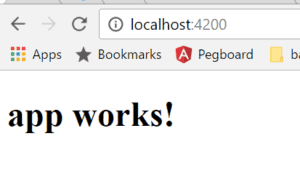
恭喜!我們剛剛構建了一個 Angular 應用!
3.4. 安裝 Bootstrap
使用 npm 安裝 Bootstrap。 在 ui 目錄下運行以下命令:
npm install [email protected] --save這將下載 Bootstrap 到 node_modules 文件夾中。
在 ui 目錄下,打開 angular.json 文件。 這是用於配置項目某些屬性的文件。 找到 projects > styles 屬性,並添加 Bootstrap CSS 類的文件位置:
"styles": [
    "styles.css",
    "../node_modules/bootstrap/dist/css/bootstrap.min.css"
],
這將指示 Angular 將 Bootstrap 包含在項目構建的編譯後的 CSS 文件中。
3.5. 設置構建輸出目錄
接下來,我們需要告訴 Angular 將構建文件放置在哪裏,以便我們的 Spring Boot 應用可以提供它們。 Spring Boot 可以從 resources 文件夾的兩個位置提供文件:
- src/main/resources/static
- src/main/resource/public
由於我們已經在 static 文件夾中提供了一些資源供 Eureka 使用,並且每次構建 Angular 應用時,Angular 會刪除此文件夾,因此我們應該將 Angular 應用構建到 public 文件夾中。
再次打開 angular.json 文件,找到 options > outputPath 屬性,並更新該 string:
"outputPath": "../../resources/static/home",如果 Angular 項目位於 src/main/angular/ui 目錄下,則構建輸出將位於 src/main/resources/public 文件夾中。如果應用程序位於其他文件夾中,則需要修改此字符串以正確設置位置。
3.6. 使用 Maven 自動化構建
最後,我們將設置一個自動化構建,以便在編譯代碼時自動運行。此 Ant 任務將每當運行“mvn compile”時,運行 Angular CLI 構建任務。 將此步驟添加到網關的 POM.xml 中,以確保每次編譯時都能獲取最新的 UI 更改:
<plugin>
    <artifactId>maven-antrun-plugin</artifactId>
    <executions>
        <execution>
            <phase>generate-resources</phase>
            <configuration>
                <tasks>
                    <exec executable="cmd" osfamily="windows"
                      dir="${project.basedir}/src/main/angular/ui">
                        <arg value="/c"/>
                        <arg value="ng"/>
                        <arg value="build"/>
                    </exec>
                    <exec executable="/bin/sh" osfamily="mac"
                      dir="${project.basedir}/src/main/angular/ui">
                        <arg value="-c"/>
                        <arg value="ng build"/>
                    </exec>
                </tasks>
            </configuration>
            <goals>
                <goal>run</goal>
            </goals>
        </execution>
    </executions>
</plugin>
需要注意的是,此配置要求 Angular CLI 必須存在於類路徑中。將此腳本推送到沒有該依賴的環境中,將會導致構建失敗。
現在讓我們開始構建我們的 Angular 應用程序!
4. Angular
在本教程的這一部分,我們將為我們的頁面構建一個身份驗證機制。我們使用基本身份驗證,並遵循一個簡單的流程來實現它。
用户有一個登錄表單,他們可以在其中輸入用户名和密碼。
接下來,我們使用他們的憑據創建一個 base64 身份驗證令牌,並請求 “/me” 端點。該端點返回一個 Principal 對象,其中包含該用户的角色。
最後,我們將憑據和 principal 存儲在客户端,以便在後續請求中使用。
讓我們看看如何完成這項工作!
4.1. 模板
在網關項目中,導航至 src/main/angular/ui/src/app 目錄,並打開 app.component.html 文件。這是 Angular 首次加載的模板,用户登錄後將在此模板中出現。
在這裏,我們將添加一些代碼以顯示一個包含登錄表單的導航欄:
<nav class="navbar navbar-toggleable-md navbar-inverse fixed-top bg-inverse">
    <button class="navbar-toggler navbar-toggler-right" type="button"
      data-toggle="collapse" data-target="#navbarCollapse"
      aria-controls="navbarCollapse" aria-expanded="false"
      aria-label="Toggle navigation">
    <span class="navbar-toggler-icon"></span>
    </button>
    <a class="navbar-brand" href="#">Book Rater
        <span *ngIf="principal.isAdmin()">Admin</span></a>
    <div class="collapse navbar-collapse" id="navbarCollapse">
    <ul class="navbar-nav mr-auto">
    </ul>
    <button *ngIf="principal.authenticated" type="button"
      class="btn btn-link" (click)="onLogout()">Logout</button>
    </div>
</nav>

<div class="jumbotron">
    <div class="container">
        <h1>Book Rater App</h1>
        <p *ngIf="!principal.authenticated" class="lead">
        Anyone can view the books.
        </p>
        <p *ngIf="principal.authenticated && !principal.isAdmin()" class="lead">
        Users can view and create ratings</p>
        <p *ngIf="principal.isAdmin()"  class="lead">Admins can do anything!</p>
    </div>
</div>
這段代碼設置了一個帶有 Bootstrap 類別的導航欄。導航欄內嵌入了一個內聯登錄表單。Angular 使用這種標記與 JavaScript 動態交互,以渲染頁面的各個部分並控制諸如表單提交之類的操作。
例如,語句(ngSubmit)=”onLogin(f)”僅僅指示當表單提交時調用方法“onLogin(f)”並將表單傳遞給該函數。在jumbotron div 中,我們有段落標籤,它們將根據我們的 principal 對象的狀態動態顯示。
接下來,讓我們編寫支持此模板的 Typescript 文件。
4.2. TypeScript
從同一目錄下打開 app.component.ts 文件。在該文件中,我們將添加所有必要的 TypeScript 屬性和方法,以使模板功能正常工作:
import {Component} from '@angular/core';
import {RouterOutlet} from '@angular/router';
import {Principal} from "./principal";
import {HttpClientModule, HttpResponse} from "@angular/common/http";
import {Book} from "./book";
import {HttpService} from "./http.service";
import {CommonModule} from '@angular/common';

@Component({
  selector: 'app-root',
  standalone: true,
  imports: [RouterOutlet, CommonModule, HttpClientModule],
  providers: [HttpService],
  templateUrl: './app.component.html',
  styleUrl: './app.component.css'
})
export class AppComponent {
  selectedBook: Book = null;
  principal: Principal = new Principal(false, []);
  loginFailed: boolean = false;

  constructor(private httpService: HttpService){}

  ngOnInit(): void {
    this.httpService.me()
      .subscribe((response) => {
        let principalJson = response.json();
        this.principal = new Principal(principalJson.authenticated, principalJson.authorities);
      }, (error) => {
        console.log(error);
      });
  }

  onLogout() {
    this.httpService.logout()
      .subscribe((response) => {
        if (response.status === 200) {
          this.loginFailed = false;
          this.principal = new Principal(false, []);
          window.location.replace(response.url);
        }
      }, (error) => {
        console.log(error);
      });
  }
}
這個類鈎取 Angular 生命週期方法 ngOnInit()。在該方法中,我們調用 /me 端點以獲取用户的當前角色和狀態。這將決定用户在主頁上看到的內容。此方法將在此組件創建時觸發,這是檢查用户屬性以獲取應用程序中權限的好時機。
我們還有一個 onLogout() 方法,它會註銷我們的用户並恢復該頁面的狀態到其原始設置。
這裏有一些魔法在發生,即 httpService 屬性,該屬性在構造函數中聲明。Angular 在運行時將此屬性注入到我們的類中。Angular 管理單例服務類的實例並使用構造函數注入進行注入,就像 Spring 一樣!
接下來,我們需要定義 HttpService 類。
4.3. HttpService
在同一目錄下創建名為 “http.service.ts” 的文件。 在該文件中添加以下代碼以支持登錄和註銷方法:
import {Injectable} from "@angular/core";
import {Observable} from "rxjs";
import {HttpClientModule, HttpResponse, HttpClient, HttpHeaders, HttpRequest, HttpContext} from "@angular/common/http";

@Injectable({providedIn: 'root'})
export class HttpService {

  constructor(private http: HttpClient) { }

  me(): Observable {
    return this.http.get("/me", {'headers': this.makeOptions()})
  }

  logout(): Observable {
    return this.http.post("/logout", '', {'headers': this.makeOptions()})
  }

  private makeOptions(): HttpHeaders {
    return new HttpHeaders({'Content-Type': 'application/json'});
  }
}
在這一類中,我們使用 Angular 的 DI 構造注入了另一個依賴項。這次是 HttpClient 類。該類處理所有 HTTP 通信,並由框架提供。
這些方法都使用 Angular 的 HTTP 庫執行 HTTP 請求。每個請求還會指定在標頭中的內容類型。
現在我們需要做一件更多的事情,將 HttpService 註冊到依賴注入系統中。打開 app.component.ts 文件並找到 providers 屬性。將 HttpService 添加到該數組。結果應如下所示:
providers: [HttpService],4.4. 添加 Principal
接下來,讓我們在 TypeScript 代碼中添加我們的 Principal DTO 對象。 在同一目錄下添加一個名為 “principal.ts” 的文件,並添加以下代碼:
export class Principal {
    public authenticated: boolean;
    public authorities: Authority[] = [];
    public credentials: any;

    constructor(authenticated: boolean, authorities: any[], credentials: any) {
        this.authenticated = authenticated;
        authorities.map(
          auth => this.authorities.push(new Authority(auth.authority)))
        this.credentials = credentials;
  }

    isAdmin() {
        return this.authorities.some(
          (auth: Authority) => auth.authority.indexOf('ADMIN') > -1)
    }
}

export class Authority {
    public authority: String;

    constructor(authority: String) {
        this.authority = authority;
    }
}
我們添加了 Principal 類和 Authority 類。這些是兩個 DTO 類,與 Spring 應用中的 POJO 類似。因此,我們不需要將這些類註冊到 Angular 的 DI 系統中。
接下來,讓我們配置一個重定向規則,將未知請求重定向到我們應用程序的根目錄。
4.5. 404 處理
讓我們回到 Java 代碼中,對網關服務進行導航。在 GatewayApplication 類中添加一個名為 ErrorPageConfig 的新類:
@Component
public class ErrorPageConfig implements ErrorPageRegistrar {

    @Override
    public void registerErrorPages(ErrorPageRegistry registry) {
        registry.addErrorPages(new ErrorPage(HttpStatus.NOT_FOUND,
          "/home/index.html"));
    }

}
此類將識別任何 404 響應並重定向用户到 “/home/index.html”。 在單頁應用程序中,我們這樣處理所有未指向專用資源的流量,因為客户端應處理所有可導航的路由。
現在我們準備啓動此應用程序並查看我們構建的內容!
<h3><strong >4.6. 構建與查看</strong ></h3
<p>現在,從 gateway 文件夾運行 “<em >mvn compile</em ></p>
<p>這將編譯我們的 Java 源代碼併為 Angular 應用構建到 public 文件夾。 接下來啓動其他雲應用程序:<em >config</em ></p>
<p>、<em >discovery</em ></p>
<p>和 <em >zipkin</em ></p>
<p>然後運行 gateway 項目。 當服務啓動時,導航到 <em >http://localhost:8080</em > 以查看我們的應用。 我們應該看到類似的內容:</p>
<img src="/file/story/attachments/image/l/e6298a1a-430c-4525-b537-30ae0f4f505a">
<p>接下來,請按照鏈接進入登錄頁面:</p>
<img src="/file/story/attachments/image/l/f9eb41e9-3f5c-4566-b239-a4f6e7145417">
<p>使用用户/密碼憑據登錄。 點擊“登錄”,我們應該被重定向到 /home/index.html,其中我們的單頁應用加載。</p>
<img src="/file/story/attachments/image/l/b694121c-00bc-4f6e-911f-03236ada45fa">
<p>看起來我們的 <em >jumbotron</em > 正在指示我們已作為用户登錄! 現在,通過點擊右上角的鏈接註銷,並使用 <em >admin/admin</em > 憑據登錄一次。</p>
<img src="/file/story/attachments/image/l/613e4762-f1bb-44a7-aa1d-318b17503ad9">
<p>一切正常! 現在我們已作為管理員登錄。</p>
5. 結論
在本文中,我們看到了如何輕鬆地將單頁應用程序集成到我們的雲系統中。我們使用了現代框架,並將一個可工作的安全配置集成到我們的應用程序中。
通過這些示例,嘗試編寫一些代碼來調用 book-service 或 rating-service。 鑑於我們現在已經有了發起 HTTP 調用和將數據連接到模板的示例,這應該相對容易。

